
World War I Model – Turns Worlds Into Historical Trench Warfare Battlefields

 0

World War I Model turns your Minecraft world into a historical battlefield. This pack equips you with authentic weapons, uniforms, items, and themed blocks to recreate wartime scenarios. It packs in 78 custom 3D models and 1535 texture files, including animated textures. Everyday blocks like barrels, campfires, blast furnaces, and redstone components receive complete visual makeovers to match the trench warfare theme.

Features:
- 78 Custom 3D Models: Replaces standard game blocks and items with detailed wartime visuals.
- 1535 Texture Files: Reskins weapons, uniforms, items, and building blocks with a historical battlefield look.
- Animated Textures: Brings active blocks and visual effects to life with moving textures.
- Interactive State Models: Changes the look of blocks based on how you interact with them, such as open barrels, pressed buttons, and lit blast furnaces.
Utility & Crafting Blocks:
- Anvil, Chipped Anvil, and Damaged Anvil: Features distinct 3D models for all three wear states.
- Barrel: Includes separate custom models for both the closed barrel and the open barrel state.
- Blast Furnace: Uses different custom models when idle versus when actively smelting (blast_furnace_on).
- Campfire: Includes models for both the lit campfire and the unlit campfire (campfire_off).
- Beacon: Replaces the standard beacon block with a themed 3D model.
- Cartography Table: Reskins the map-making table to fit a wartime command post.
- Composter: Replaces the standard composter with a custom 3D model.
- Enchanting Table: Updates the enchanting table with a custom model.
- Grindstone: Gives the weapon repair station a fresh 3D look.
Redstone & Mechanical Blocks:
- Acacia Button: Includes custom models for the inventory icon, placed state, and pressed state.
- Birch Button: Features distinct models for the inventory view, unpressed block, and pressed state.
- Comparator: Provides custom models for the powered state (comparator_on) and subtract mode (comparator_subtract).
- Dispenser: Replaces the standard dispenser with a custom 3D model.
- Dropper: Includes specific models for both standard horizontal placement and vertical placement (dropper_vertical).
Building & Terrain Blocks:
- Brown Concrete Powder: Reskins the block to match battlefield ground and trench dirt.
- Cobweb: Replaces standard cobwebs with a themed battlefield obstacle model.
- Dark Oak Fence & Gate: Includes custom models for the fence side connection, closed fence gate, and open fence gate (dark_oak_fence_gate_open).
How to Use:
- Activate the pack in your game settings to load the 78 custom 3D models and 1535 textures into your world.
- Open your inventory or craft an Acacia Button and Birch Button to see their custom inventory models, then place and press them to watch the models shift into their pressed states.
- Place down a Barrel and Dark Oak Fence Gate, then right-click them to trigger their open state models (barrel_open and dark_oak_fence_gate_open).
- Set up a camp using a Campfire, Blast Furnace, Anvil (including Chipped and Damaged variants), Cartography Table, Grindstone, Enchanting Table, Beacon, and Composter; light or smelt items in the Campfire and Blast Furnace to see their active animated states.
- Build redstone setups with a Dispenser, Comparator, and Dropper-place the Dropper facing up or down to see the vertical model, and toggle the Comparator into subtract mode to view its alternate design.
- Decorate your trenches using Brown Concrete Powder, Cobwebs, and Dark Oak Fences to complete the battlefield layout.
Requirements:
- A Minecraft version that supports animated textures
Screenshots:


World War I Model Download Links
Click to rate this post!
[Total: 0 Average: 0]
You May Also Like
Picked for this page
 Esterlon Network Textures Model – Brings Realistic Modern City Streets
 MTW’s Pirates CIT Model – Equips Seafaring Weapons and Classic Pirate Hats
 Slimefun Model – Brings 3D Shields, Solar Panels, and Animated Server Tech
 Moons Cuter Bedwars Model – Brings Cute 3D Blocks and Clean PvP Visuals
 Simplista – Brings Clean 64x Textures, 3D Block Models, and LabPBR Reflections
 Vanilla SMP Model – Brings Clear 3D Weapons and Visible Traps to PvP
 Story Mode Revamped Model – Brings Telltale Adventure Gear and 3D Blocks
 Drown’s Tool Tweaks Model – Brings Animated 3D Weapons and Glowing Altars
 ReSky 16x Model – Brings 3D Weapons, Rails, and Animated PvP Textures
 Sky 16x Model – Brings 3D Maces, Rails, and Animated PvP Visuals
 Coffee_XiaoGuan’s Tool Outlines Model – Adds Glowing 3D Outlines to Your Gear
 BedWars Model – Brings Custom 3D Guns and Animated Gear to Hypixel Bedwars
Most viewed in Models over the last 7 days
 Jenny Mod Skin Pack Mega Collection – 310+ Characters
 The Most Complete Collection of Jenny Mod Resources – Models, Animations, Structures,…
 Albedo Rework Jenny Mod Model
 750 Models Addon for Yes Steve Model Mod
 Galath Rework Model – Custom Girl for PleasureCraft Mod
 Power Model – Custom Girl for PleasureCraft Mod
 Femboy Ellie Rework Jenny Mod Model
 Ram Model – Custom Girl for PleasureCraft Mod
 Pomni Jenny Mod Model
 100+ Custom Animations For Jenny Mod
 Ellie Rework Jenny Mod Model
 Halloween Pack Jenny Mod Model – Transforms Companions with Spooky Costumes
More from Models
 Alya Kujou Model – Transforms Standard Farm Crops Into Animated 3D Plants
 Artisanal Nether Bricks Model – Upgrades Nether Fortresses with Custom 3D Blocks
 Realistic Ores 3D Model – Transforms Flat Ore Blocks Into Raised Cave Gems
 Enhanced Grass Model – Brings Organic 3D Plant Variants to Overworld Biomes
 WoKFlows Model – Brings 128x Visuals, Bushy Foliage, and Animated Blocks
 Kiru X Bunji Model – Brings Pink PvP Visuals and 3D Blocks to Worlds
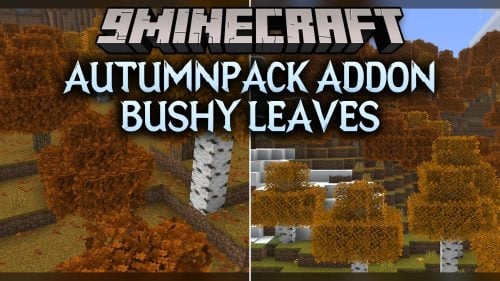 AutumnPack Addon Bushy Leaves Model – Brings Fuller 3D Foliage to Trees
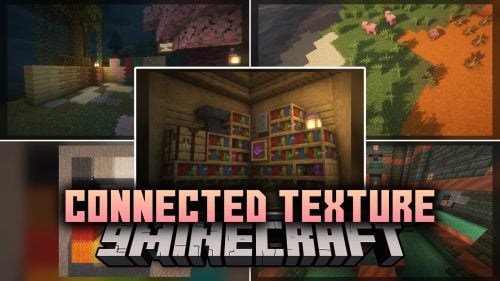 Connected Texture Model – Brings Borderless Glass Panes and Glowing 3D Ores
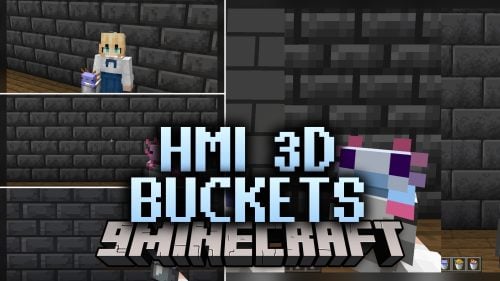 HMI 3D Buckets Model – Turns Flat Vanilla Buckets Into Animated 3D Containers
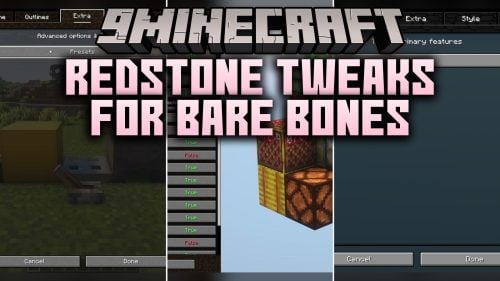 Redstone Tweaks For Bare Bones Model – Brings Clear 3D Signal States
 Faithful 64x – Brings Animated 3D Variations to Blocks and Mobs
 Totally Decayed Wither Storm Model – Brings Grim 3D Models and Animated Decay

This post has no comments yet. Be the first — your comment will appear here.