
Utility Dark (26+, 1.21) – Sleek Dark UI and Custom PBR Vibe
 54
 0

Utility Dark gives your game interface a pleasant dark mode with redesigned menu icons and a new background panorama. This pack retextures blocks, items, and the user interface at 16x resolution while helping you achieve better optimization and a smoother gaming experience. It supports Minecraft Bedrock’s Vibrant Visuals mode to display detailed PBR materials like normal maps and MER effects. You also get clear water, custom block models, new sound effects, and handy in-game options for turning off particles and animations.
Requirements:
- MCPE/Bedrock 1.20 – 26.40
all 12 versions
26.40, 26.30, 26.20, 26.13, 26.12, 26.11, 26.10, 26.3, 26.0.02, 26.0, 1.21, 1.20
- Includes PBR materials for Minecraft Bedrock's Vibrant Visuals mode — the extra material effects show only with it enabled

Features:
- Transforms the game interface into a clean dark mode with new menu icons and a matching panorama.
- Adds PBR materials with metalness, emissive, and roughness maps for Vibrant Visuals mode.
- Retextures blocks, items, user interfaces, and entities at 16x resolution.
- Improves visibility for suspicious sand and gravel, infested stones, amethyst growth, and anvil states.
- Brings new patterns and designs to beds, vases, and paintings.
- Includes custom sounds for menus and immersive gameplay.
- Removes the pumpkin and spyglass overlays for a cleaner screen view.
- Adds 3D models for items like mallets, sun, moon, clouds, and projectiles.
- Provides in-game subpacks for no particles and no animations modes.
How to Install:
Screenshots:


For MCPE/Bedrock 26+
How often do you tweak the internal settings of a shader pack?
1 responses · See the full results →
You May Also Like
Picked for this page
 Dragon Mounts 2 Addon (1.26+) – MCPE/Bedrock Dracomalum Mod
 IRISH Shader (1.26+) – Supports RenderDragon Engine
 Redstoner’s Essentials Texture Pack (26.x, 1.21) – MCPE/Bedrock
 Iron Golem to Heavy Weapons Guy Texture Pack (1.21, 1.20) – MCPE/Bedrock
 Night Vision (26+) – MCPE/Bedrock Texture Pack
 Star’s FPS Counter Texture Pack (26.x, 1.21) – Real-time Performance Tracking
 Lumina Visuals (26+, 1.21) – MCPE/Bedrock Shader
 PvP Crosshair Crosshairs (26+, 1.21) – MCPE/Bedrock Texture Pack
 Small Items (26+) – MCPE/Bedrock Texture Pack
 Glowing Armor (26+, 1.21) – MCPE/Bedrock Texture Pack
 Dark Mode UI (26+) – MCPE/Bedrock Texture Pack
 Weather FOG (26+, 1.21) – MCPE/Bedrock Texture Pack
Most viewed in Texture Packs over the last 7 days
 Mizuno’s 16 Craft Texture Pack (26.30, 1.21) for MCPE/Bedrock Edition
 Distant Horizons Texture Pack (26.x, 1.21) – MCPE/Bedrock
 Patrix Texture Pack (1.26+) – No Lag, Ultra Realistic for MCPE
 Xnova Model Texture Pack (26.x, 1.21) – Smaller First-person Hands and Custom
 View Model A&S by Justpals Texture Pack (26.x, 1.21) – X
 Anime Girl UI Pack (26.x, 1.21) – MCPE/Bedrock
 ESP Texture Pack (26.x, 1.21) – MCPE/Bedrock
 Night Vision Texture Pack (26.x, 1.21) – MCPE/Bedrock Edition
 Hover Text Fix Pack (1.21, 1.20) – MCPE/Bedrock
 Better Sounds Resource Pack (26.x, 1.21) – MCPE/Bedrock
 Soartex Fanver Texture Pack (26.x, 1.21) – MCPE/Bedrock
 X-Ray Texture Pack (26.x, 1.21) for MCPE/Bedrock with Glow
More from Texture Packs
 Better Buttons (26+, 1.21) – MCPE/Bedrock Texture Pack
 Axolotl Villagers (26+) – MCPE/Bedrock Texture Pack
 Become God of PvP Pack (26+, 1.21) – MCPE/Bedrock Texture Pack
 FPS BOOSTER PLUS (26+) – MCPE/Bedrock Texture Pack
 Fused’s Better Falling Leaves (26+, 1.21) – MCPE/Bedrock Texture Pack
 PandaMine’s Glowing Ores (26+) – MCPE/Bedrock Texture Pack
 Tiny Takeback (26+) – MCPE/Bedrock Texture Pack
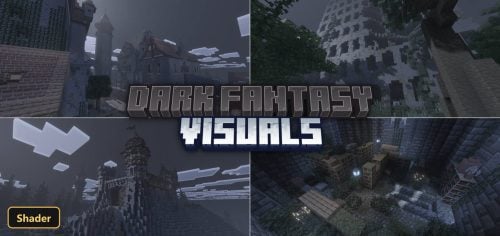 Dark Fantasy Visuals (26+, 1.21) – MCPE/Bedrock Shader
 Blood Patch (26+, 1.21) – MCPE/Bedrock Texture Pack
 Tragic Fantasy Visuals (26+, 1.21) – MCPE/Bedrock Shader
 Ultimate PvP Essential (26+) – MCPE/Bedrock Texture Pack
 Invisible Armor Models (26+) – MCPE/Bedrock Texture Pack

This post has no comments yet. Be the first — your comment will appear here.