
Trailer Schematic (1.21.x) – Trailer for Create Trucks

 0


Trailer Schematic expands The Copper Hauler truck with a matching transport unit. It adds a large storage space that you can pull behind your vehicle. This world file includes a mechanical ramp for easy loading and unloading. You can connect it to your truck using a docking mount and a lever. It uses bearings to make sure the wheels and ramp move correctly.

3D Preview & Editor:
How to place this schematic
.nbt This is a vanilla structure file. It loads through structure blocks with no mod at all, within the 48×48×48 size limit.
| 1 | Put the .nbt file in <your world>/generated/minecraft/structures. |
| 2 | Give yourself a structure block: /give @s structure_block. |
| 3 | Place it, open it and switch the mode to LOAD. |
| 4 | Type the file name without .nbt, press LOAD, then PLACE. |
| 1 | Place the schematic near your truck. |
| 2 | Replace the rope connector on your truck with a docking mount and a lever. |
| 3 | Set the swivel bearing on the trailer to be always unlocked. |
| 4 | Apply super glue to the grindstone and the block directly above it. |
| 5 | Change the mechanical bearing setting for the ramp to “only place when anchor is destroyed”. |
| 6 | Apply super glue to the entire backdoor of the trailer. |
| 7 | Activate the parts and set the back ramp to a 110-degree angle for the best results. |
Features:
- Adds a large trailer designed for heavy hauling.
- Uses mechanical bearings to make the back ramp open and close.
- Includes a swivel bearing for smooth turning while driving.
- Connects to other vehicles with a docking mount system.
- Features a design that stays together using super glue.
Schematic Specs:


 Top Blocks Used
🔧 Setup Notes:
- set the swivel bearing to always unlocked
Note:
the best angle I found for the back ramp was 110 degrees
Screenshots:


Requirements:
 Create Mod Required
 Chipped Express Mod Required
Trailer Schematic Download Links
For Minecraft 1.21.x
Which item and recipe viewer mod do you prefer to have in your game?
7 responses · See the full results →
You May Also Like
Picked for this page
 Arasaka Tower Schematic (1.21.x) – Massive Black Industrial Skyscraper Build
 Simple Car Schematic (1.21.x) – Drive a Working Redstone Vehicle
 Steampunk Factory Design Empty Schematic (1.21.x) – Large Industrial Building for Create Mod
 Water Bucket Farm 1 Module Schematic (1.21.x) – Automated Water Bucket Production System
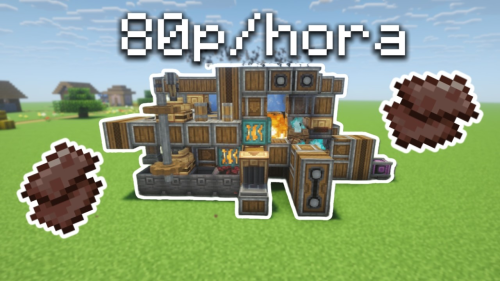 Mega Netherite Farm 80 P Hor Schematic (1.21.x) – Automated Netherite Gathering Factory
 8×8 Offroad Climber Schematic (1.21.x)
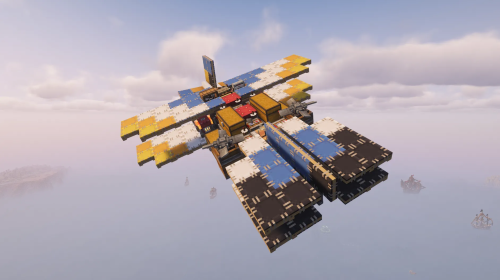 Welcome Swallow Beginner Vanilla Survival Plane Schematic (1.21.x) – Simple Flying Machine
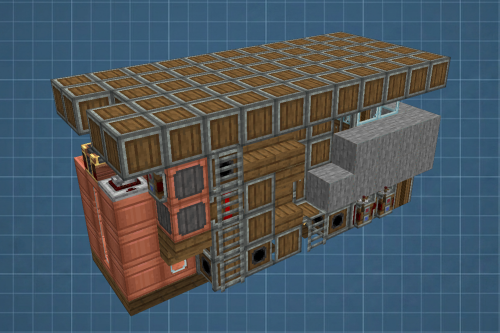 The Juicebox a Refuelling Vehicle Schematic (1.21.x) – Compact Tracked Tanker for Create Mod
 SmallFish D1m Schematic (1.21.x) – Modernized Airship with Hover and Soft Landing
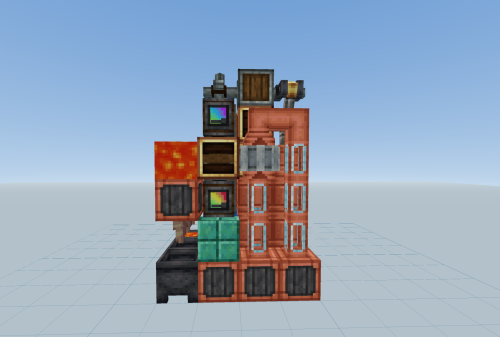 Compact Self Sufficent Lvl 2 Boiler for Aeronautics Schematic (1.21.x) – Compact Automated Boiler
 Hovercraft V1 Schematic (1.21.x) – Build and Fly Your Own Simple Hovercraft
 Tank Pt Sau Artileriya Dlya Vzroslykh Voynushek Tanks Tank Destroyers and Artillery for Grown up War Games Schematic (1.21.x)
Most viewed in Create Mod Schematics over the last 7 days
 Copper Flying Ship That Can Also Act as a Normal Boat Schematic (1.21.x) – Dual Purpose Copper
- Arasaka Tower Schematic (1.21.x) – Massive Black Industrial Skyscraper Build
 Rail Gun Schematic (1.21.x)
 Starter Iron Farm Schematic (1.21.x) – Simple Early Game Iron Production Build
 Fast Small Airship Steam Schematic (1.21.x) – Small and Fast Steam Powered Airship
 Agrimotor Schematic (1.21.x) – Build a Functional Create Mod Tractor
 Large Submarine Schematic (1.21.x) – Build a Large Submarine for Travel
 Ultimate Nuclear Reactor Schematic (1.21.x) – High Power Reactor Build for Create
 F16 Falcon Schematic (1.21.x)
 A Simple Mob Trap Schematic (1.21.x) – Build a Massive Automatic Mob Farm Structure
 Mini Copper Robot Schematic (1.21.x) – Compact Industrial Robot Build for Create Mod
 Areis 65 Aries Heavy RV Build Schematic (1.21.x)
More from Create Mod Schematics
 Modern Apartment Unfurnished Schematic (1.20.x) – Customizable Five Floor Building for Create Mod
 Cheap Survival Friendly Motorcycle Bike Schematic (1.21.x)
 Union Pacific Gtel Veranda Nbt Schematic (1.20.x) – Build a Legendary Gas Turbine Locomotive
 Gigantic Flying Base Schematic (1.21.x) – Massive Airship Base with Automatic Farms
 Simple Slow Small Airship Schematic (1.21.x) – Cheap Early Game Airship for Create
 The Nautilus Fully Survival Friendly Schematic (1.21.x) – Luxury Survival Submarine for Create Mod
 Flying Turret Schematic (1.21.x) – Powerful Flying Airship with a Rapid Fire Turret
 TNT Farm 10 Min Schematic (1.21.x) – Build a Fast Automatic TNT Factory
 Small Red Convertible Survival Friendly Schematic (1.21.x) – Compact Red Car for Survival Worlds
 Ats Hussar V1 Schematic (1.20.x) – Build a Combat Jet with Create Mod
 Hovercraft Cargo Mk1 Schematic (1.21.x) – Compact Cargo Vehicle Blueprint for Create
 Montaña Con Marcas DE Recorrido Para Trenes Schematic (1.21.x) – Large Mountain Train Track

This post has no comments yet. Be the first — your comment will appear here.