
Medieval House 2 Schematic (1.21.x) – Classic Medieval Home for Custom Decoration

 0


Medieval House 2 Schematic provides a classic wooden and stone home for your world. It comes as a shell without any inside furniture, giving you the freedom to design the interior. This build fits well in any village or forest setting. The structure uses common materials that look great in a medieval style. It is a small project that does not take up much space but adds a lot of charm to your landscape.

3D Preview & Editor:
How to place this schematic
.litematic This is a Litematica schematic. You place it with the Litematica mod, which shows the build as a ghost overlay you fill in.
| 1 | Install Litematica (plus MaLiLib) for your Minecraft version. |
| 2 | Put the .litematic file in .minecraft/schematics. |
| 3 | In game press M → Load Schematics, pick the file, then Load. |
| 4 | Position the ghost preview, then build it by hand — or turn on Easy Place to place blocks straight from your hotbar. |
About this build
| 1 | Download the Litematic file for the house. |
| 2 | Load the schematic into your world using a compatible tool like Litematica. |
| 3 | Choose a flat area that is at least 15 blocks wide and 13 blocks deep. |
| 4 | Place the blocks following the blueprint to finish the house. |
| 5 | Decorate the empty rooms with your favorite beds, chests, and torches. |
Features:
- Medieval Style: Uses a mix of wood and stone to create a traditional and cozy look.
- Empty Interior: Leaves the inside blank so you can add your own furniture and decorations.
- Compact size makes it easy to fit into tight spaces in your town or village.
- Requires no extra mods to view or build in vanilla Minecraft.
- Uses exactly 1,511 blocks for a detailed but manageable construction project.
- Features a tall roof design that stands out from other simple houses.
Schematic Specs:
 Minecraft1.21.x
 Dimensions15×24×13
 Total Blocks1,511
 Top Blocks Used
Diorite 172Dirt 144Birch Planks 117Spruce Log 106Deepslate Brick Stairs 100
Screenshots:


Medieval House 2 Schematic Download Links
For Minecraft 1.21.x
Click to rate this post!
[Total: 0 Average: 0]
You May Also Like
Picked for this page
 Pokémon Temple Arena Japanese Litematica Schematic (1.21.x) – Large Asian Fortress With Fighting Rin
 Compact Automatic Potion Brewer System Schematic (1.21.x) – Efficient Single Unit Potion Brewing Sys
 Four Masted Barque Schematic (1.21.x) – Large Sailing Ship Build With Four Masts
 The Damocles Schematic (1.21.x) – Giant Futuristic Space Station Build
 Oozing Slime Farm Snow Farm Schematic (1.21.x) – Compact Combined Slime And Snow Farm Build
 Mini Freddy Pizzeria Schematic (1.21.x) – A Small FNAF Restaurant Build For Your World
 Applebees Schematic (1.19.x) – Small Modern Kitchen Building Structure
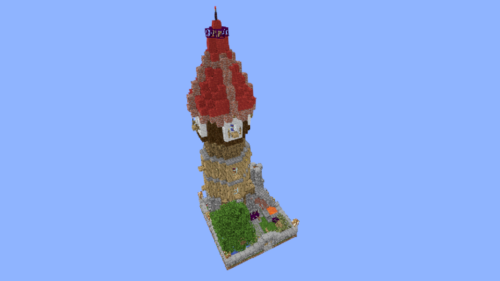 Blacksmith Tower Schematic (1.20.x) – Tall Vanilla Building Blueprint For Villages
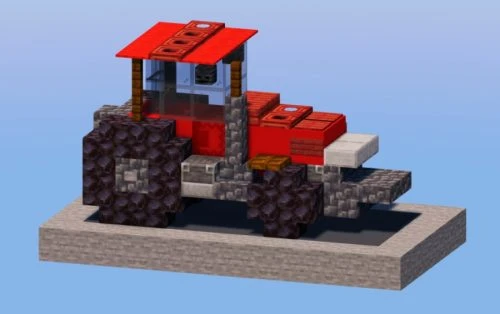 Red Tractor Schematic (1.21.x) – Detailed Farming Vehicle for Modern Cities
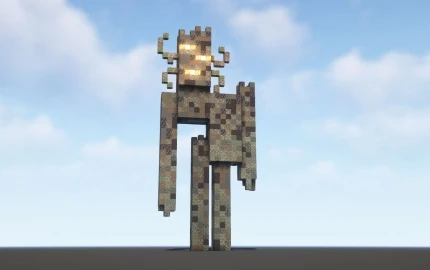 Creaking Statue Minecraft Build Schematic (1.21.x) – Spooky Statue for Horror and Fantasy Worlds
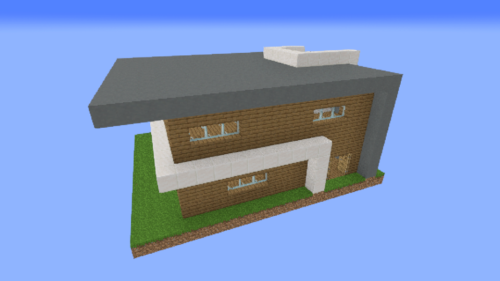 Small House 11 Schematic (1.20.x) – Tall And Compact Vanilla Home Build
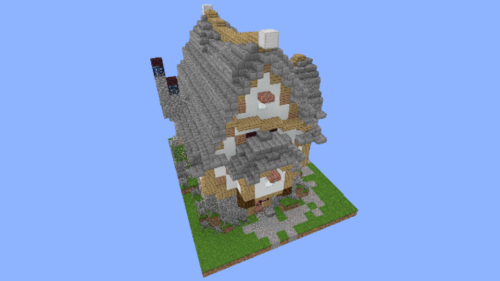 Medium House 4 Schematic (1.20.x) – Vanilla Medium House Build For Your World
Most viewed in Schematics over the last 7 days
 Fastest Bonemeal Farm Donut Smp Schematic (1.21.x) – Fast Redstone Bonemeal Farm Build
 64 Module Cobblestone Farm Schematic (1.21.x) – Massive Automated Stone Gathering Build
 KelpFarmV9.9 Schematic (1.21.x) – Compact And Simple Seaweed Farm Build
 Gold Farm Schematic (1.21.x) – Automatic Nether Roof Gold Farm
 Villager Trading Hall Schematic (1.21.x) – Modern Shop Build For 48 Villagers
 Bamboo Farm Schematic (1.21.x) – Small Automated Redstone Bamboo Farm
 Best Railgun Tp Trap on Donutsmp Schematic (1.21.x) – Unescapable Multiplayer Redstone Trap Build
 Minutes End Base Before Spoke Null End Video Schematic (1.21.x) – Giant Unstable SMP End Base Schema
 Bamboss V2 800k Bamboo per Hour Schematic (1.21.x) – High Speed Automated Bamboo Farm Schematic
 36 Module Cobble Farm 18m per Hour Donut SMP Schematic (1.21.x) – Massive Automated Stone Generator
 Donut Smp Stash and Regear Schematic (1.21.x) – Large Storage And Regear Room Build
 Unstable SMP S Bomer Schematic (1.21.x) – Large Bomber Machine Build For Worlds
More from Schematics
 Modern Designer Villa Schematic (1.20.x) – Luxury Contemporary House for Modern Cities
 DonutSMP Drainer Machine Big Works Sideways for Max Drain Schematic (1.21.x) – Large Sideways Flying
 Nautilus with Netherite Armor Schematic (1.21.x) – Giant Sea Creature Statue For Build Decoration
 Bee Hot Air Balloon Schematic (1.21.x) – Cute Bee Themed Hot Air Balloon Build
 Axolotl Stone Sculpture Schematic (1.21.x) – Cute Stone Axolotl Statue for Your Town
 Nautilus with Iron Armor Schematic (1.21.x) – Build A Giant Nautilus Statue Easily
 Minecraft Death Reaper Statue V02 Free Schem Schematic (1.19.x) – Giant Grim Reaper Statue
 Easy and Compact Raid Farm and 26 Java Schematic (1.21.x) – Build a Small and Efficient Raid Farm
 Small Parking Schematic (1.21.x) – Modern Parking Lot With Small Trees
 Asian Cherry Blossom Sword Nether Portal Schematic (1.21.x) – Beautiful Asian Style Sword Portal Bui
 Castle by PinkMullet Schematic (1.21.x) – Build a Massive Vanilla Castle
 1000 Patreon Members Cake Download Free Schematic (1.21.x) – A Massive Celebration Cake For Minecraf

This post has no comments yet. Be the first — your comment will appear here.