


Hardcore Map Reset Mod (1.12.2, 1.11.2) – A Fresh Start After Death
 297
297
 0
0

Hardcore Map Reset Mod gives modpack makers an easy way to let players reinstall maps. If you’re playing a modpack with a special map that needs to be reset after you die, this mod adds a simple button to do it. You can create fresh copies of a map from a template without leaving the game.
Features:
- Adds a “Create from template” button to the world selection screen.
- Lets you make many different copies of the same map.
- Allows modpack creators to add map templates to a new “maps” folder.
- Supports custom thumbnails and author names for each map template using an info.json file.
- You can use structure block files (.nbt) as map templates.
- Organize maps into sub-categories for easier browsing.
How to Use:
For Players:
- From the main menu, go to the world selection screen.
- Click the “Create from template” button.
- Choose the map you want to play from the list.
- Give your new world a name and start playing.
For Modpack Makers:
- Copy your world folders into the “maps” folder in the main Minecraft directory.
- Inside each map folder, create an “info.json” file to set the author’s name and a thumbnail image.
- You can also use structure files by placing a “structure.nbt” file in a new folder within the “maps” directory.
Screenshots:
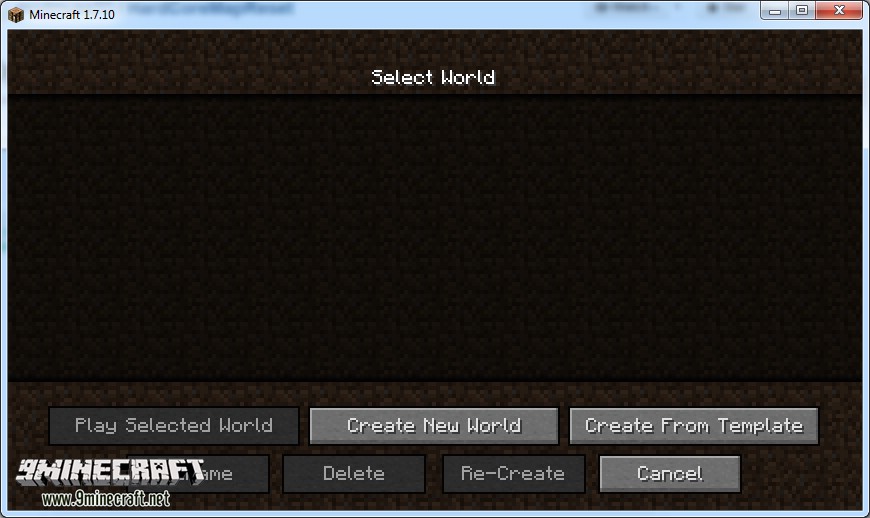
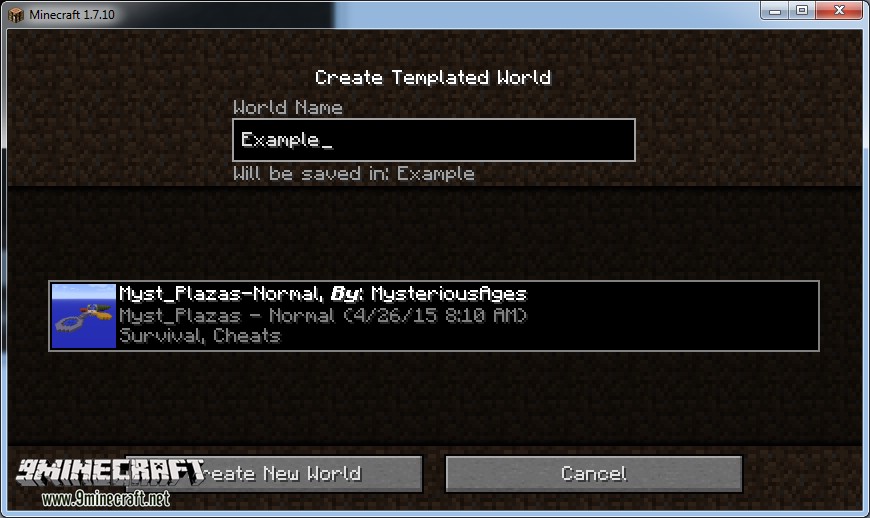
As a user to make a new instance click the “Create from template” button on the world list and select the world you want and then give it a name!
As a mod pack dev:
As a mod pack dev, you will want to copy the template maps into the maps folder. Then in that maps folder create an info.json file. This should look like:
    {
    "author" : "Your Name",
    "thumbnail" : "thumbnail.png"
    }
The thumbnail tag should point to a square logo/screenshot of you map so the user can easily see what the map is like. In testing this was a 128×128 size image. As long as it is a square image you should be good.
How to Install:
New to Minecraft? Follow our step-by-step guide to install Mods on your PC.View Guide
Hardcore Map Reset Mod Download Links
For Minecraft 1.7.10
For Minecraft 1.8.9
For Minecraft 1.9.0
For Minecraft 1.9.4
For Minecraft 1.10.2
For Minecraft 1.11.2, 1.11
For Minecraft 1.12.1, 1.12
For Minecraft 1.12.2
You May Also Like





This post has no comments yet. Be the first — your comment will appear here.