
Hit Color V2 Mod (26.3, 1.21.1) – Customize Your Combat Damage Flash Colors
 7
 0

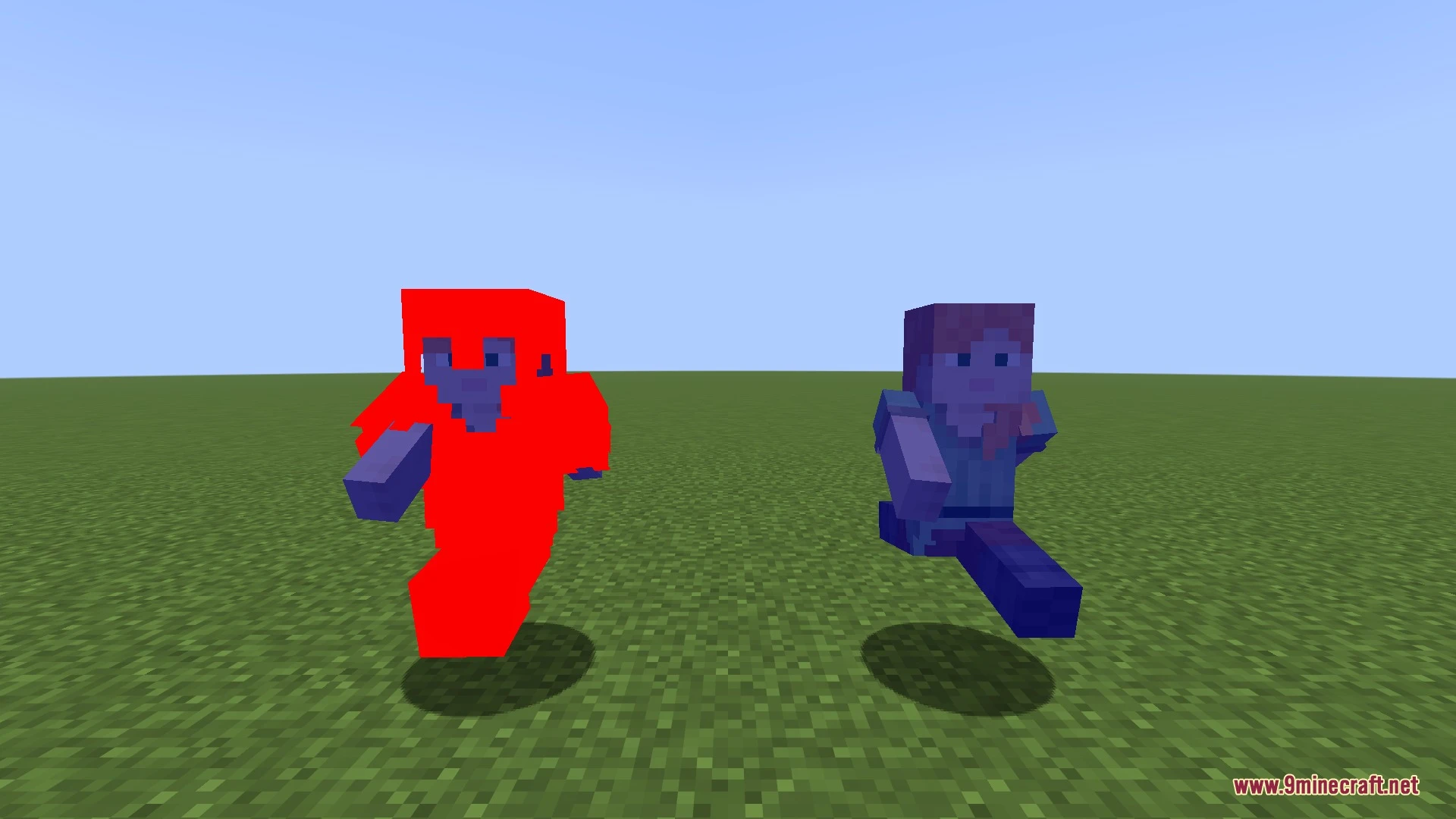
Hit Color V2 Mod changes how damage feedback looks during combat. Instead of the default red flash when hitting enemies or taking damage, this mod lets you pick any shade you want. You can adjust both the color and transparency to match your personal visual style. It runs entirely on the client, so you can join multiplayer servers without problems.
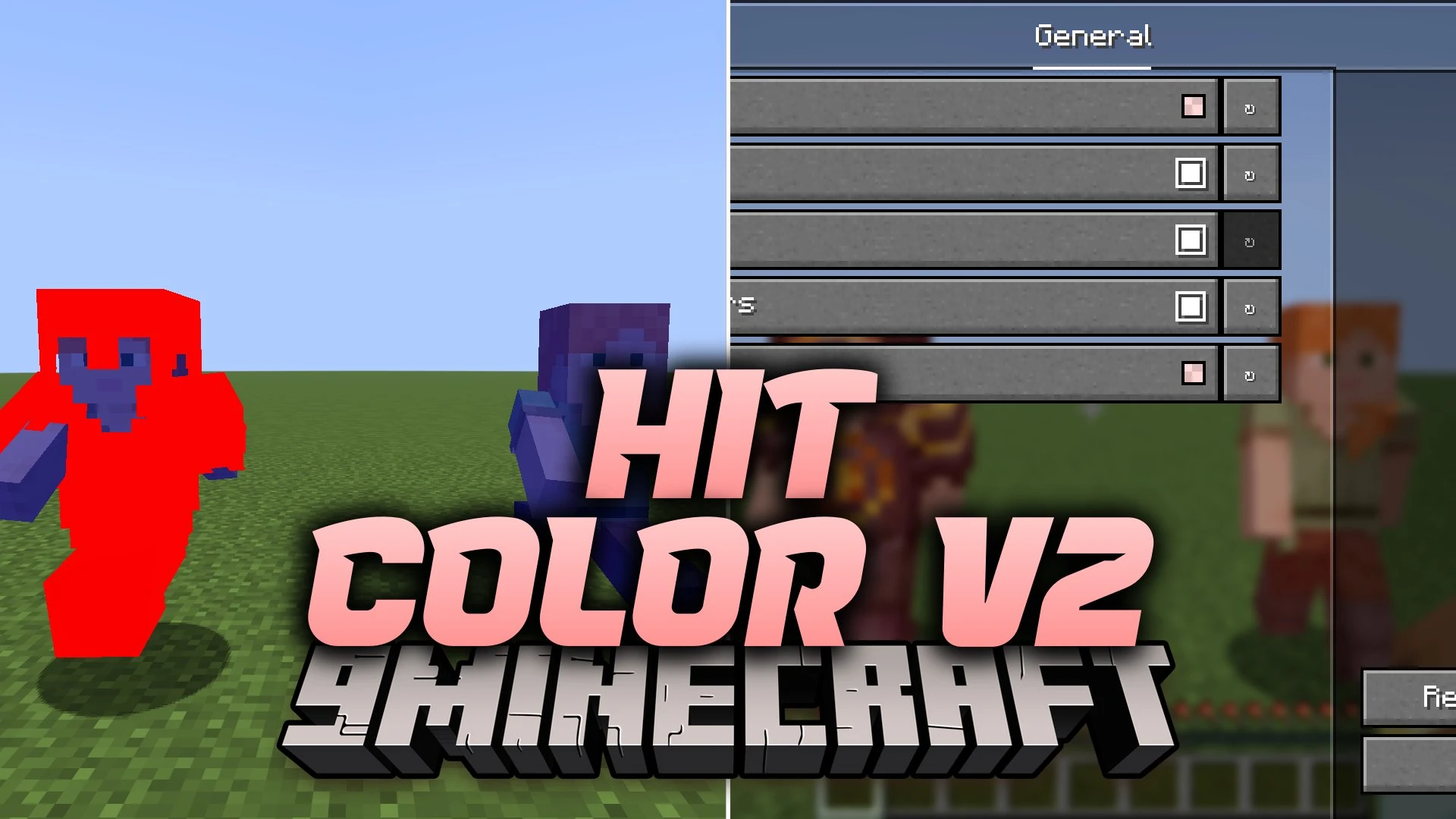
Features:
- Custom Hit Colors: Pick any color and transparency level for the damage flash effect.
- Armor Tinting: Apply the flash effect to armor pieces and trims with a separate color choice.
- Live Preview: See your color choices flash in real time inside the settings menu.
- Runs entirely on the client side without needing server installation.
- Opens directly through the Mod Menu interface for quick adjustments.
How to Use:
- Open your game pause menu and click on the Mod Menu button.
- Locate the mod in your list and open the settings screen.
- Choose your favorite flash color and adjust the transparency slider.
- Check the live preview character on the screen to confirm your new look.
Screenshots:

How to Install:
New to Minecraft? Follow our step-by-step guide to install Mods on your PC.View Guide
Requirements:


Hit Color V2 Mod Download Links
For Minecraft 26.3
For Minecraft 26.2
For Minecraft 26.1.2, 26.1.1, 26.1
For Minecraft
1.21.11,
1.21.10,
1.21.9
All Versions Covered
1.21.11
1.21.10
1.21.9
1.21.8
1.21.7
1.21.6
1.21.5
1.21.4
1.21.1
1.21
All Versions Covered
1.21.11
1.21.10
1.21.9
1.21.8
1.21.7
1.21.6
1.21.5
1.21.4
1.21.1
1.21
Click to rate this post!
[Total: 0 Average: 0]
You May Also Like
Picked for this page
 Moving Elevators Mod (26.3, 1.20.1) – Travel Between Multi Story Bases
 One Key Miner Mod (26.3, 1.20.1) – Clear Whole Forests with a Single Swing
 Cave Dust Mod (26.1.2, 1.20.1) – Breathe Life Into Deep Underground Mines
 Toggle Item Frames Mod (1.21.11, 1.20.1) – Hide Item Frames for Clean Builds
 Wormhole Portals Mod (26.3, 1.20.1) – Build Custom Teleportation Gates
 Ready Player Fun Mod (26.3, 1.20.1) – Pause Time and Seasons When Empty
 Splash Fox Mod (26.3, 1.20.1) – Watch a Bouncing Fox While Loading
 Name Fabric Mod (26.2, 1.20.1) – Track Usernames and Capes
 Mob Proof Crystals Mod (26.3, 1.20.1) – Stop Monster Spawns Across Large Bases
 Bits and Balance Mod (26.3, 1.21.1) – Balance Survival Gameplay
 Craftingg Mod (26.2, 1.20.1) – Craft Rare Vanilla Items Without Exploring
 Chroma Studio Mod (26.3, 1.21.1) – Match Block Colors and Build Custom Palettes
Most viewed in Mods over the last 7 days
 Ala Industrial Mod (26.3) – Run Electric Power Grids and Automated Factories
 PleasureCraft Mod (26.3, 1.21.1) – Jenny Mod Remake for Fabric
 Jennycraft Mod (26.3, 1.20.1) – Virtual Girlfriend in Minecraft
 Fapcraft Mod (26.3, 1.12.2) – Comprehensive and Detailed Content
 Jenny Mod (Fapcraft) Official Complete Guide – How to use, Tutorial
 Meteor Client Mod (26.3, 1.20.1) – Xray, HUD, Fly
 BangCraft Mod (1.20.1) – Jenny, Ellie and Elliot
 OptiFine HD (26.3, 1.20.1) – Run Faster, FPS Boost, Shaders Support
 CatLean Client Mod (26.2, 1.21.11) – ThunderHack Recode Alternatives
 Fabric Loader (26.3, 1.20.1) – Fabric Installer for All Minecraft Versions
 SeedCrackerX Mod (26.3, 1.20.1) – Find Any World Seed
 SchnurriTV Mod (1.12.2) – Characters and Features
More from Mods
 Sable Optimized Entities Mod (1.21.1) – Fix Server Lag Spikes From Heavy Mob
 Entity Health Display Mod (1.21.11, 1.21.1) – Show Custom Mob Health Bars
 The Titan Mod (1.7.10) – Battle Giant Roaming Bosses with Custom Weapons
 ModularUI UF Mod (1.12.2) – Build Clean In-Game Menus with Controller Input
 Data Criteria Mod (1.20.1) – Build Custom Advancement Triggers with Simple JSON
 Better Timer by EinFabo Mod (26.3) – Track Speedruns and Survival Playtime
 Polymer Font Utils Mod (1.21.4) – Generate Custom Fonts and Icons
 Lifesteal Market Mod (26.3, 1.21.11) – Track Auction Prices and Net Worth Live
 Tinkers’ Quenching Mod (1.20.1) – Heat and Quench Your Tools for Permanent Stat
 Amethyst Tools and More Mod (26.3, 26.1.2) – Mine Obsidian Fast
 Skip Empty Slot Mod (26.3, 1.21.1) – Scroll Right Past Blank Hotbar Spaces
 Meme Foods Mod (26.3, 1.21.1) – Craft Viral Internet Snacks with Chaotic Potion

This post has no comments yet. Be the first — your comment will appear here.