
Chroma Studio Mod (26.3, 1.21.1) – Match Block Colors and Build Custom Palettes
 9
 0

Chroma Studio Mod lets you find blocks that match any color and build custom palettes or gradients right inside the game. Instead of just checking a single average color, this mod compares whole block textures, biome tints, and texture busyness so the matches look right to your eyes. It works with vanilla blocks, modded blocks, and custom resource packs. Because it runs only on your client, you can use it on any server to plan builds, preview 3D walls, and export your block sets as schematics.

Features:
- Smart Color Matching: Compares full textures, biome tints, and texture busyness to rank blocks by how close they look to your target color.
- Palette and Gradient Builder: Creates multi-stop block gradients and builds palettes from color harmonies, images, or blocks in your world, plus includes ten built-in presets like the Medieval palette.
- 3D Previews and Analysis: Previews your palette as a flat wall or rotatable 3D diorama based on block weights, and checks your selection for missing shades or accents.
- Schematic and Command Export: Exports your palettes and walls as
.litematicor.nbtschematics, or copies WorldEdit patterns and commands. - Picks colors using sliders, hex codes, a screen eyedropper, or an in-world block eyedropper.
- Matches blocks from other installed mods and active resource packs.
- Filters search results by block type, mod, color, and texture busyness.
- Turns a material’s related blocks, such as logs, slabs, stairs, signs, fences, and trapdoors, into a palette in one click.
- Saves custom palettes with tags and notes, and shares them as plain text.
- Fills your hotbar with a palette or gradient (with an undo option) when playing in Creative mode or as a server operator.
- Displays an interactive chart where every block appears as a dot organized by hue and lightness.
How to Use:
- Press C to open the main studio window.
- Point your crosshair at any block in the world and press X to read its exact color, including biome tints.
- Pick a color or block in the menu to see the closest matching blocks, build gradients, or test palettes in the 3D diorama view.
Screenshots:


How to Install:
New to Minecraft? Follow our step-by-step guide to install Mods on your PC.View Guide


Chroma Studio Mod Download Links
For Minecraft 26.3
For Minecraft 26.2
For Minecraft
1.21.11,
1.21.10,
1.21.9
All Versions Covered
1.21.11
1.21.10
1.21.9
1.21.8
1.21.7
1.21.6
1.21.5
1.21.4
1.21.1
1.21
All Versions Covered
1.21.11
1.21.10
1.21.9
1.21.8
1.21.7
1.21.6
1.21.5
1.21.4
1.21.1
1.21
Click to rate this post!
[Total: 0 Average: 0]
You May Also Like
Picked for this page
 Dungeon Crawl Mod (26.2, 1.20.1) – Raid Multi-Floor Dungeons
 Auto Attack Mod (26.3, 1.21.1) – Grind Mob Farms Without Lifting a Finger
 No Crop Trample Mod (26.3, 1.20.1) – Protect Your Harvest From Accidental
 Blahaj of Undying Mod (26.3, 1.20.1) – Carry an Adorable Shark Plushie
 More Beautiful Pressure Plates Mod (26.3, 1.20.1) – Craft Custom Pressure
 Vote Command Mod (26.3, 1.20.1) – Share Server Links and Voting Rewards
 Inventory Interactions Mod (26.3, 1.20.1) – Craft and Fix Gear Without Anvils
 Beyond Storage Addon Mod (26.2, 1.20.1) – Send Chest Loot Straight
 Craftingg Mod (26.2, 1.20.1) – Craft Rare Vanilla Items Without Exploring
 Culinary Bridge Mod (26.2, 1.21.1) – Cook Any Recipe with Ingredients
 ESC Extra Special Core Mod (26.3, 1.20.1) – Read Modded Menus with Crisp
 Aspects Reclaimed Mod (26.3, 1.21.11) – Transform Into Seven Mythical Forms
Most viewed in Mods over the last 7 days
 Ala Industrial Mod (26.3) – Run Electric Power Grids and Automated Factories
 PleasureCraft Mod (26.3, 1.21.1) – Jenny Mod Remake for Fabric
 Jennycraft Mod (26.3, 1.20.1) – Virtual Girlfriend in Minecraft
 Fapcraft Mod (26.3, 1.12.2) – Comprehensive and Detailed Content
 Jenny Mod (Fapcraft) Official Complete Guide – How to use, Tutorial
 Meteor Client Mod (26.3, 1.20.1) – Xray, HUD, Fly
 Let it Walk Mod (1.21.1) – Pilot Spider Tanks and Mechs Built From Your Blocks
 BangCraft Mod (1.20.1) – Jenny, Ellie and Elliot
 OptiFine HD (26.3, 1.20.1) – Run Faster, FPS Boost, Shaders Support
 CatLean Client Mod (26.2, 1.21.11) – ThunderHack Recode Alternatives
 Fabric Loader (26.3, 1.20.1) – Fabric Installer for All Minecraft Versions
 SeedCrackerX Mod (26.3, 1.20.1) – Find Any World Seed
More from Mods
 PacketWeave Mod (26.2, 1.20.1) – Send Big Files Between Servers
 Axiomata Mod (1.21.1, 1.20.1) – Walk and Climb on Giant Moving Structures
 RPG Villagers Mod (1.21.1) – Chat with Named Villagers and Rest at Village Inns
 Route Pilot Mod (1.21.1) – Record Any Route and Let Your Vehicle Drive Itself
 Cursed’s Superflat Expansion Mod (26.3, 1.21.11) – Survive a Flat World
 Overgrown’s Origins Elemental Bendings Mod (1.21.1, 1.20.1)
 TONI’s Weaponry Mod (26.3, 1.20.1) – Fight with Parries, Backstabs
 FF Food Spoilage and Preservation Mod (26.3, 1.21.1) – Keep Your Food Fresh
 Vanilla Animated Guns Mod (1.21.1, 1.20.1) – Fight Mobs with Blocky
 Faster Shadow Mapper FSM Mod (26.3, 1.20.1) – Keep Shaders Smooth in Sign-Heavy
 Weapons of War Mod (26.1.2) – Master 26 Weapons That Each Fight Their Own Way
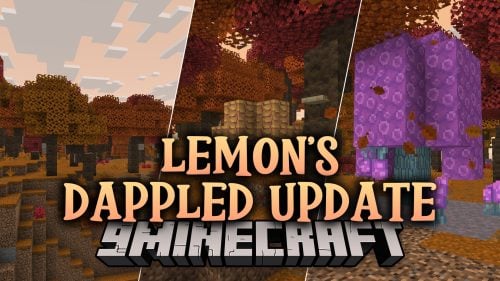 Lemon’s Dappled Update Mod (1.21.8) – Wander Colorful Forests and Tap Maple

This post has no comments yet. Be the first — your comment will appear here.