
Entity Health Display Mod (1.21.11, 1.21.1) – Show Custom Mob Health Bars
 1
 0

Entity Health Display Mod provides a server-side library for displaying the health of mobs in Minecraft. It runs on Fabric servers to show custom health text and heart icons for different mobs. Other projects can use this library to format how mob names, current health numbers, and maximum health values appear in the world.

Features:
- Server-Side Library: Works on Fabric servers as a foundation for showing mob health information.
- Custom Health Formatting: Uses the
FORMAT_HEALTH_DISPLAYevent to customize how the mob name, current health, maximum health, and heart symbols look. - Color-Coded Health Text: Changes the health number color based on the mob’s remaining health, such as turning yellow when health drops to half or lower and staying green when above half.
- Display Conditions: Uses the
SHOULD_DISPLAY_HEALTHevent to control when a mob’s health appears in the world.
Configuration:
Projects using this library can add the repository and dependencies to their build file:
repositories {
    maven {
        url "https://api.modrinth.com/maven"
        content { includeGroup "maven.modrinth" }
    }
    maven { url "https://maven.nucleoid.xyz" }
}

dependencies {
    modImplementation include("maven.modrinth:entity-health-display:VERSION_TAG")
    modImplementation include("eu.pb4:placeholder-api:${project.placeholder_api}")
    modImplementation include("eu.pb4:polymer-virtual-entity:${project.polymer_version}")
}
Example code for registering health display formatting and visibility conditions:
HealthDisplayEvents.FORMAT_HEALTH_DISPLAY.register((entity, world) -> {
   String color = (entity.getMaxHealth() / 2) >= entity.getHealth() ? "<yellow>" : "<green>";
   var text = TextParserUtils.formatText("<red>" + entity.getName().getString() + " " + color + String.format("%.1f", entity.getHealth()) + "<white>/<green>" + (int)entity.getMaxHealth() + "<red>❤");
   return text;
});

HealthDisplayEvents.SHOULD_DISPLAY_HEALTH.register((entity, world) -> {
   return true;
});
How to Install:
New to Minecraft? Follow our step-by-step guide to install Mods on your PC.View Guide
Requirements:



Entity Health Display Mod Download Links
For Minecraft
1.21.11,
1.21.10,
1.21.9
All Versions Covered
1.21.11
1.21.10
1.21.9
1.21.8
1.21.7
1.21.6
1.21.5
1.21.4
1.21.1
1.21
All Versions Covered
1.21.11
1.21.10
1.21.9
1.21.8
1.21.7
1.21.6
1.21.5
1.21.4
1.21.1
1.21
Click to rate this post!
[Total: 0 Average: 0]
You May Also Like
Picked for this page
 Very Many Players Mod (26.3, 1.20.1) – Improve Server Performance
 Overflowing Bars Mod (26.3, 1.20.1) – Track Extra Health and Armor
 Item Obliterator Mod (26.1, 1.20.1) – Curate the Perfect Modpack
 Wooden Bucket Mod (26.3, 1.20.1) – Craft Early Game Buckets Fast
 Dungeons And Taverns Stronghold Rework Mod (26.3, 1.20.1)
 Realms Button Remover Mod (26.3, 1.20.1) – Declutter Your Main Menu Instantly
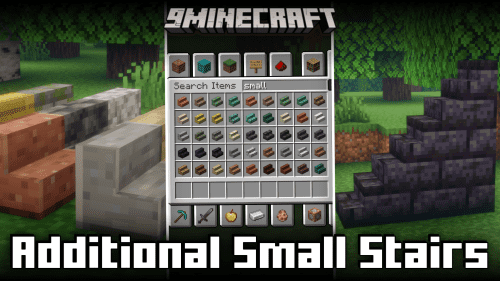 Additional Small Stairs Mod (26.2, 1.20.1) – Build Detailed Micro Architecture
 Ban Sleeping Mod (26.1.2, 1.20.1) – Survive Endless Dark Nights
 Time Controller Mod (1.21.11, 1.20.1) – Speed Up, Slow Down, or Freeze
 Better Zoom 9minecraft Mod (26.3) – Scout Distant Biomes with Smooth Camera Zoom
 World Start Commands and Global Gamerules Mod (26.1.2, 1.20.1) – Run Commands On World Creation
 Faktocraft Mod (26.3, 1.20.1) – Build Industrial Power Grids and Automated Quarries
Most viewed in Mods over the last 7 days
 Ala Industrial Mod (26.3) – Run Electric Power Grids and Automated Factories
 PleasureCraft Mod (26.3, 1.21.1) – Jenny Mod Remake for Fabric
 Jennycraft Mod (26.3, 1.20.1) – Virtual Girlfriend in Minecraft
 Fapcraft Mod (26.3, 1.12.2) – Comprehensive and Detailed Content
 Jenny Mod (Fapcraft) Official Complete Guide – How to use, Tutorial
 Meteor Client Mod (26.3, 1.20.1) – Xray, HUD, Fly
 BangCraft Mod (1.20.1) – Jenny, Ellie and Elliot
 OptiFine HD (26.3, 1.20.1) – Run Faster, FPS Boost, Shaders Support
 CatLean Client Mod (26.2, 1.21.11) – ThunderHack Recode Alternatives
 Let it Walk Mod (1.21.1) – Pilot Spider Tanks and Mechs Built From Your Blocks
 Fabric Loader (26.3, 1.20.1) – Fabric Installer for All Minecraft Versions
 SeedCrackerX Mod (26.3, 1.20.1) – Find Any World Seed
More from Mods
 Tycoon Calendar Mod (1.21.1) – Track Real Dates and Years
 Rampart Mod (26.3, 1.21.1) – Smoother Mob Animations and Faster Rendering
 FireCoreLib Mod (26.3, 1.21.1) – Run Dependent Tech Mods with Shared Menus
 Diegesis Mod (1.21.1, 1.20.1) – Interact Directly with 3D Blocks
 Verdant Flux Mod (1.21.1) – Harness Plant Magic to Transmute Blocks
 Utopia Server Panel Mod (26.3, 1.20.1) – Control Your Server Directly
 TaCZ Military Structures Mod (1.20.1) – Raid Armed Military Bases for Guns
 Mine Sino Mod (26.3) – Play Casino Games and Trade Items Right From Your Hotbar
 Bbyj’s Pet Bunny Mod (26.3, 1.20.1) – Raise Smart Rabbit Companions
 Create Buzzy Bees Mod (1.21.1, 1.20.1) – Automate Building and Logistics
 Flowcraft Mod (1.21.1) – Real Water Physics with Waves, Currents, and Tsunamis
 Crossbow Ammo Mod (26.3, 1.21.1) – See Exact Loaded Arrows and Rockets

This post has no comments yet. Be the first — your comment will appear here.