
Vanilla- PvP 32x Model – Transforms Combat and Redstone Blocks with 3D Shapes
 3
 0


Vanilla- PvP 32x Model refreshes combat and redstone blocks with 10 custom 3D shapes and 745 texture files. This pack changes the look of everyday utility items like cobwebs, TNT minecarts, hoppers, observers, droppers, and dispensers. It also adds animated textures to keep the vanilla style fresh during player battles. You get cleaner visuals for both redstone machines and fast PvP matches.

Features:
- 10 Custom 3D Models: Replaces flat block states and utility items with detailed 3D shapes.
- 745 Texture Files: Repaints blocks and items in a sharp 32x resolution for combat and building.
- Animated Textures: Adds moving visual details to blocks and items in the game world.
- Updates both side-facing and vertical dispensers with distinct 3D geometry.
- Gives standard and vertical droppers a matching 3D overhaul so you can tell their direction easily.
- Reshapes straight and side-connected hoppers to clearly show where items flow.
- Includes separate 3D models for idle observers and active observers when they send a redstone pulse.
- Changes the look of cobwebs and TNT minecarts for clearer visibility during fast PvP fights.
Custom 3D Models Included:
- Dispenser (standard and vertical orientations)
- Dropper (standard and vertical orientations)
- Hopper (downward and side-facing connections)
- Observer (off state and powered-on state)
- TNT Minecart
- Cobweb
How to Use:
- Place the downloaded pack file into your Minecraft
resourcepacksfolder and activate it from the in-game Options menu. - Open a Creative world or gather cobblestones, redstone dust, and bows in Survival to craft dispensers, droppers, and observers.
- Place a dispenser and a dropper facing sideways and then straight up to see both the standard and vertical 3D models.
- Attach a hopper to the bottom and the side of a chest to check out the downward and side-connected hopper shapes.
- Place an observer and break a block in front of its face to watch the model switch from its normal state to the powered
observer_onstate. - Set down rails to place a TNT minecart and put a cobweb nearby (found in abandoned mineshafts or crafted with string) to view the updated PvP utility models and animated textures.
Requirements:
- A Minecraft version that supports animated textures
Screenshots:


Vanilla- PvP 32x Model Download Links
Click to rate this post!
[Total: 0 Average: 0]
You May Also Like
Picked for this page
 Hidyk’s Realm Model – Brings Animated 3D Depth to Vanilla Blocks
 Simply Alive Model – Brings Animated 3D Blocks and Capybara Totems
 Gui’s Better Vanilla Model – Brings Animated 3D Torches and Plants
 ShadowBlade Model – Equips Animated 3D Fantasy Weapons for PvP Combat
 Dimensionalized 3D Essentials Model – Adds 248 Vanilla-Style 3D Block Models
 FA_edition Model – Transforms Vanilla Foliage and Blocks with 3D Shapes
 Annihilating Armory Model – Brings Animated Mythic Weapons to Wynncraft
 Drown’s Tool Tweaks Model – Brings Animated 3D Weapons and Glowing Altars
 CPVP Aesthetic Model – Transforms Crystal Battles with Clear 3D Visuals
 Mob Cards Nether Model – Transforms Spawn Eggs Into Animated Collectible Cards
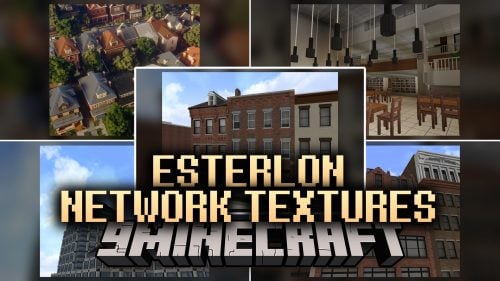 Esterlon Network Textures Model – Brings Realistic Modern City Streets
 Better PvP By Damiann Model – Brings Animated 3D Blocks to Combat Worlds
Most viewed in Models over the last 7 days
 Jenny Mod Skin Pack Mega Collection – 310+ Characters
 The Most Complete Collection of Jenny Mod Resources – Models, Animations, Structures,…
 Albedo Rework Jenny Mod Model
 750 Models Addon for Yes Steve Model Mod
 Power Model – Custom Girl for PleasureCraft Mod
 Galath Rework Model – Custom Girl for PleasureCraft Mod
 Pomni Jenny Mod Model
 Ram Model – Custom Girl for PleasureCraft Mod
 Femboy Ellie Rework Jenny Mod Model
 100+ Custom Animations For Jenny Mod
 Ellie Rework Jenny Mod Model
 Ellen Model – Custom Girl for PleasureCraft Mod
More from Models
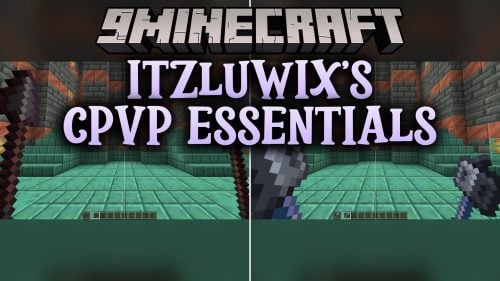 ItzLuwix’s CPvP Essentials Model – Brings Animated 3D Blocks to Crystal PvP
 Tooniverse Texture Pack 128x Model – Brings Playful 3D Cartoon Worlds
 3D Compatible Model – Adds Layered Depth to Flat Vanilla Blocks
 Cutmark Model – Transforms Flat Vanilla Tools Into Dangerous 3D Handheld Weapons
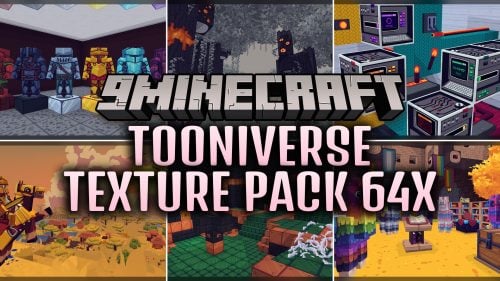 Tooniverse Texture Pack 64x Model – Brings Cute 3D Cartoon Visuals to Worlds
 Simply 32x – Brings Compact 3D Combat Gear and Clearer Battlefield Views
 Framed Glass Panes Model – Adds Rustic Medieval Frames to Windows
 Tooniverse Texture Pack 256x Model – Adds Animated Comic Book Visuals
 Improved Fences Model – Transforms Enclosures and Pathways with 3D Shapes
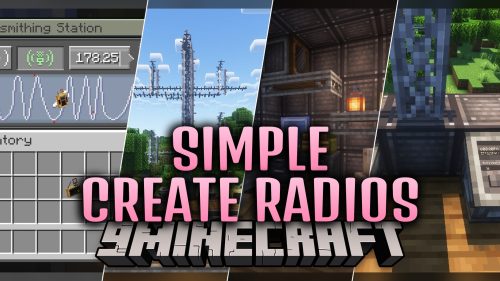 Simple Create Radios Model – Brings Mechanical Radios to Create Builds
 KSEPSP Model – Adds Team Sentries, Teleporters, and Custom Decor Props
 Glowing Trim Shield Model – Unlocks 18 Glowing Trim Styles Via Anvil Renaming

This post has no comments yet. Be the first — your comment will appear here.