
Flow Inventory Mod (1.20.1) – Auto-Sort Items and Swap Hotbars for Every Task
 11
 0

Flow Inventory Mod organizes your items automatically and switches your hotbar based on what you are doing. You can sort items into smart categories like tools, armor, food, blocks, and redstone, or pick between Smart, Alphabetical, and Tier sorting modes. The mod also lets you swap between activity profiles such as mining, combat, building, farming, and exploration, automatically putting the best item into your main hand. It works in singleplayer and on dedicated multiplayer servers when installed on both the client and the server.
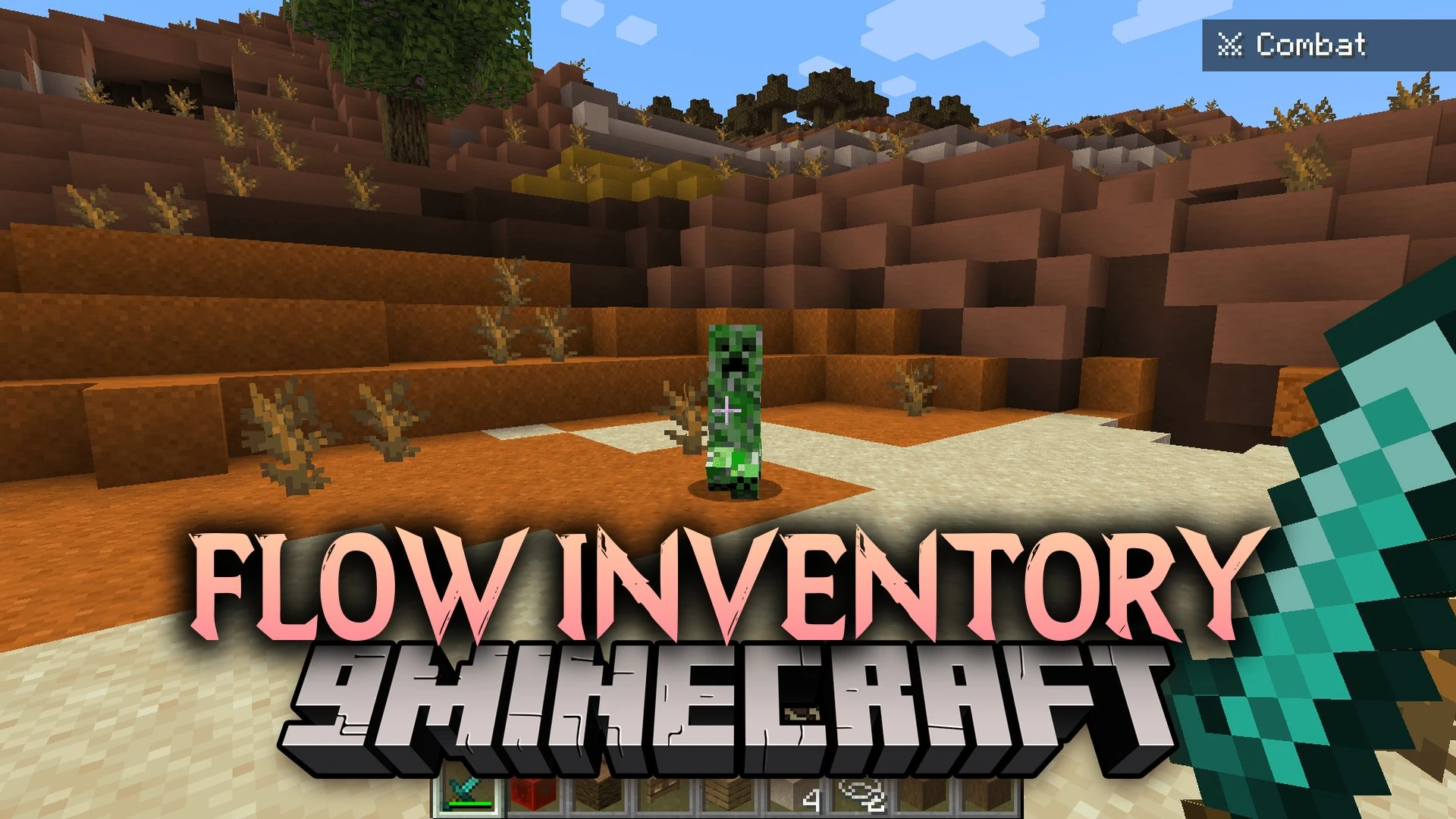
Features:
- Smart Sorting: Organizes your inventory by item categories (tools, armor, food, blocks, redstone) and then by name, with an option to merge item stacks together.
- Activity Profiles: Lets you switch between presets for mining, combat, building, farming, and exploration, skipping any empty profiles automatically.
- Hotbar Presets: Sets up your hotbar for your current task and picks the best main-hand item, such as holding a compass before a sword during exploration.
- Lets you choose between three sorting modes: Smart, Alphabetical, and Tier.
- Includes an auto-detect mode with an optional HUD to switch your profile based on your current action.
- Bundles Cloth Config inside the file so you can adjust settings through JSON files or Mod Menu in-game.
- Works on dedicated multiplayer servers as long as the mod is installed on both the server and client.
How to Use:
- Press R to sort your inventory using your selected sorting mode.
- Press G to cycle to the next activity profile, or press V to go back to the previous profile.
- Press B to turn the automatic activity detection on or off.
- Rebind any of these default keys in your Minecraft controls menu if you want different shortcuts.
- Edit the JSON config file or use Mod Menu in-game to change your sorting rules and HUD preferences.
How to Install:
New to Minecraft? Follow our step-by-step guide to install Mods on your PC.View Guide
Requirements:

Flow Inventory Mod Download Links
For Minecraft 1.20.1, 1.20
Click to rate this post!
[Total: 0 Average: 0]
You May Also Like
Picked for this page
 Wizards Mod (26.3, 1.20.1) – Become a True Elemental Spellcaster
 Re Avaritia Mod (26.3, 1.20.1) – Rule Survival Worlds with Infinite Power
 Inf Chest Mod (1.21.11, 1.20.1) – Infinite Item Storage Solution
 Firmament Mod (1.21.11, 1.20.1) – Smarter SkyBlock Grinding
 IXApi Mod (1.20.1) – Library for Player__IX’s Mods
 Cobble Themes Mod (1.21.1) – Iconic Battle Themes for Every Wild Fight
 Classic Farlands Mod (26.3, 1.21.1) – Bring Back the Famous Broken Terrain
 EMI Plus Plus Forked Mod (1.21.1, 1.20.1) – Find Any Block Instantly
 Enderdragon Loot Mod (1.21.1, 1.20.1) – Craft Gear From Dragon Scales
 Simple Snowy Fix Mod (26.2, 1.20.1) – Keep Every Winter Biome Covered in Snow
 Realm RPG Treasure Balloons Mod (1.21.8, 1.20.1) – Shoot Down Flying Loot Balloons
 Sarcio Mod (1.8.9) – Play for Hours Without Lag Spikes or Memory Leaks
Most viewed in Mods over the last 7 days
 Ala Industrial Mod (26.3) – Run Electric Power Grids and Automated Factories
 PleasureCraft Mod (26.3, 1.21.1) – Jenny Mod Remake for Fabric
 Jennycraft Mod (26.3, 1.20.1) – Virtual Girlfriend in Minecraft
 Fapcraft Mod (26.3, 1.12.2) – Comprehensive and Detailed Content
 Meteor Client Mod (26.3, 1.20.1) – Xray, HUD, Fly
 Jenny Mod (Fapcraft) Official Complete Guide – How to use, Tutorial
 OptiFine HD (26.3, 1.20.1) – Run Faster, FPS Boost, Shaders Support
 BangCraft Mod (1.20.1) – Jenny, Ellie and Elliot
 Fabric Loader (26.3, 1.20.1) – Fabric Installer for All Minecraft Versions
 CatLean Client Mod (26.2, 1.21.11) – ThunderHack Recode Alternatives
 Patched Mod (26.3, 1.20.1) – Edit Game Files Without Breaking Packs
 Baritone Client Mod (26.3, 1.20.1) – Autominer, Build with AI, Xray
More from Mods
 Gadget Box Mod (1.21.11, 1.20.1) – Classic OpenBlocks Gadgets, XP Tanks
 Bubie Mod (1.21.1, 1.20.1) – Automate Daily Base Chores with Custom CRT Helper
 Fashion Framework Modern Apparel Mod (1.21.1) – Wear Everyday Outfits
 Effects Left Mod (1.19.2, 1.18.2) – Keep Potion Icons Off Your Recipe Lists
 Drone Swarm Mod (26.3, 1.20.1) – Command Armed Quadcopters and Micro-Drone
 Hitbox Api Mod (1.21.11, 1.21.1) – Add Custom Collider Shapes and Render Mob
 Teryo Throwable Tools Mod (26.3, 1.21.1) – Hurl Melee Weapons and Tools
 HB’s Ore Clusters and Regen Mod (1.21.1, 1.20.1) – Mine Giant Ore Deposits
 Confluence Lib Mod (1.21.1, 1.20.1) – Track Shared Team Gauges and Progress
 DucktaleZ Sigils of Slaughter Mod (26.3) – Hunt Twelve Bosses Across Four Quest
 ArcanumLib Mod (1.21.1) – Rewrite Any Loot Table with Datapacks
 Hologenica Mod (1.21.1) – Clone Mobs in Sci-Fi Pods and Teleport

This post has no comments yet. Be the first — your comment will appear here.