
Axiom World Edit Tools Mod (26.3) – Run WorldEdit Brushes And Commands
 5
 0

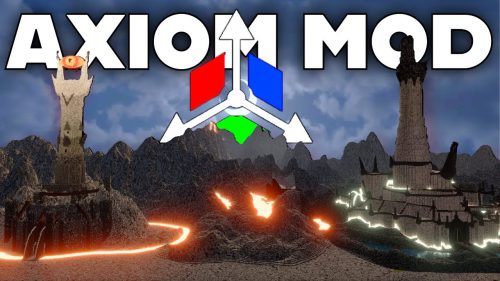
Axiom World Edit Tools Mod brings WorldEdit directly into the Axiom editor. This mod adds a dedicated WorldEdit brush tab, clean forms for all 185 WorldEdit commands, an Operations window, a live Console, and block pattern fields with percentage controls. Both mods share the same active selection and one undo history, so a single undo reverts edits from either tool. You can shape terrain, plant forests, mix blocks by percentage, and run classic commands on magic, lasso, or freehand selections all in one place. It runs on the client side in singleplayer worlds on the local singleplayer server and requires both Axiom and WorldEdit.

Features:
- WorldEdit Brush Tab: Adds a dedicated WorldEdit tab right next to Axiom’s Tools containing all WorldEdit brushes with tooltips and a live shape preview under your cursor.
- Shared Selections: Links selections across both mods so WorldEdit acts directly on Axiom’s box, magic, lasso, and freehand selections down to the exact block count, while WorldEdit wand and selection command changes appear right back inside Axiom.
- One Shared Undo History: Records WorldEdit edits inside Axiom’s history so Ctrl+Z, Ctrl+Y, and the History window undo or redo edits from both mods together, including chests, biomes, and generated trees.
- All 185 Commands With Forms: Lists every WorldEdit command in a searchable menu where each command opens a form built straight from WorldEdit’s own command tree.
- Lets you paint with WorldEdit brushes the Axiom way by holding right-click and using Ctrl + Middle Mouse Drag to resize the brush radius.
- Places every brush option inside Tool Options with instant updates, size sliders, and searchable lists for tree types, shapes, and items.
- Starts each new brush with your current Active Block and keeps your shape and radius when you switch from one brush to another.
- Includes Apply and Paint modes for forest, set, and item brushes, along with an optional WorldEdit mask slot.
- Displays Axiom’s own block list with percentages inside pattern fields so you can drag blocks straight from your hotbar, Inventory, Active Block, or Palette.
- Checks every pattern and mask live through WorldEdit’s parser as you type, and includes a From Axiom option that turns your Axiom Tool Masks setup into WorldEdit mask syntax.
- Adds a Console window that prints WorldEdit’s replies and gives you an input line to run any command directly.
- Runs on the client side in singleplayer worlds on the local singleplayer server and works optionally alongside WorldEditCUI.
- Hooks directly into Axiom’s internals, so each release matches one specific Axiom version line.
WorldEdit Brush Categories:
- Shapes: Standard WorldEdit brush shapes with a live cursor preview.
- Terrain brushes: Smooth, raise, lower, erode, dilate, morph, gravity, and other terrain sculpting tools.
- Nature brushes: Forest, feature, snow, biome, and other natural brush tools.
Operations Window Tools:
- Selection shapes: Switch between ellipsoid, cylinder, and sphere selection shapes.
- Biomes and mobs: Direct panels for WorldEdit biome and mob operations inside the editor.
- Clipboard exchange: Share clipboard contents between WorldEdit and the editor.
- Schematics: Access WorldEdit schematics straight from the Operations window.
- CraftScripts: Run WorldEdit CraftScripts directly inside the Operations window.
Commands:
//naturalize: Available in the Operations window as a WorldEdit tool you can run inside the editor.//overlay: Available in the Operations window alongside other WorldEdit operations not built into Axiom.//generate: Available in the Operations window with ready-to-use formula presets.//deform: Available in the Operations window with ready-to-use formula presets.//regen: Available in the Operations window and runs directly on active Axiom selections such as box select.//feature: Available in the Operations window for WorldEdit feature placement inside the editor.//structure: Available in the Operations window for WorldEdit structure operations inside the editor.//expand: Changes the active selection through WorldEdit and updates the visible selection bounds inside Axiom.//shift: Adjusts the active selection through WorldEdit and displays the updated bounds inside Axiom.
How to Use:
- Open a singleplayer world with both Axiom and WorldEdit active, then enter the Axiom editor; this mod runs on the client side using the local singleplayer server.
- Open the WorldEdit tab next to Axiom’s Tools to pick a WorldEdit brush with tooltips; every new brush starts with your current Active Block.
- Hold Right-Click to paint with the chosen WorldEdit brush while checking the live shape preview under your cursor.
- Hold Ctrl + Middle Mouse Drag to resize the brush radius; your chosen shape and radius carry over when you switch brushes.
- Open Tool Options to adjust size sliders, pick tree types, shapes, or items from searchable lists, switch between Apply and Paint modes for forest, set, and item brushes, or add an optional WorldEdit mask so changes apply right away.
- Drag blocks from your hotbar, Inventory, Active Block, or Palette into a pattern field to set percentage block mixes; WorldEdit’s parser checks patterns and masks live while you type.
- Use the From Axiom option to turn your current Axiom Tool Masks setup into WorldEdit mask syntax.
- Select an area with any Axiom selection tool such as box, magic, lasso, or freehand, then run a command from the Operations window, the searchable All Commands menu, or the Console to edit those exact blocks.
- Press Ctrl+Z to undo, press Ctrl+Y to redo, or open the History window to step through both Axiom and WorldEdit edits together, including chests, biomes, and generated trees.
How to Install:
New to Minecraft? Follow our step-by-step guide to install Mods on your PC.View Guide


Axiom World Edit Tools Mod Download Links
For Minecraft 26.3
Where do you primarily download your mods and modpacks from?
59 responses · See the full results →
You May Also Like
Picked for this page
 Simple Discord Rich Presence Mod (26.3, 1.20.1) – Lightweight Discord Integration
 RpgDifficulty Mod (26.3, 1.20.1) – Danger Scales Across Distant Lands
 DnT Stronghold Overhaul Mod (26.3, 1.20.1) – Conquer Sprawling Underground
 Styled Nicknames Mod (26.3, 1.20.1) – Stand Out with Colorful Chat Names
 AdvancedAE Mod (26.1.2, 1.20.1) – Become a Walking ME System
 Experience Remover Mod (26.2, 1.20.1) – Survive Without Enchanting or Magic
 Craftable Tall Grass Mod (26.3, 1.21.1) – Craft Tall Grass and Ferns Easily
 Forward Forge Client Reset Packet Mod (1.20.1) – Switch Between Network Servers
 Fabwork Mod (26.3, 1.20.1) – Join Multiplayer Without Mod Mismatches
 Window Size Mod (26.3, 1.21.1) – Resize Your Game Window with in Game Sliders
 Ascribe Mod (1.8.9, 1.7.10) – Fixes A Vanilla Syncing Bug
 Steam Bridge Mod (1.21.1, 1.20.1) – Host Singleplayer Worlds Without Servers
Most viewed in Mods over the last 7 days
 Ala Industrial Mod (26.3) – Run Electric Power Grids and Automated Factories
 PleasureCraft Mod (26.3, 1.21.1) – Jenny Mod Remake for Fabric
 Jennycraft Mod (26.3, 1.20.1) – Virtual Girlfriend in Minecraft
 Fapcraft Mod (26.3, 1.12.2) – Comprehensive and Detailed Content
 Meteor Client Mod (26.3, 1.20.1) – Xray, HUD, Fly
 Jenny Mod (Fapcraft) Official Complete Guide – How to use, Tutorial
 BangCraft Mod (1.20.1) – Jenny, Ellie and Elliot
 OptiFine HD (26.3, 1.20.1) – Run Faster, FPS Boost, Shaders Support
 CatLean Client Mod (26.2, 1.21.11) – ThunderHack Recode Alternatives
 Fabric Loader (26.3, 1.20.1) – Fabric Installer for All Minecraft Versions
 Patched Mod (26.3, 1.20.1) – Edit Game Files Without Breaking Packs
 Meteor Client Addons (26.3, 1.20.1) – Modify Almost Anything in Meteor
More from Mods
 Tainted Thaumaturgy Mod (26.1.2) – Brew Shadowmetal Gear And Cast Dark Eldritch
 Ku’s Spiders Mod (26.1.2) – Survive Deadly Venomous Spiders Using Spears
 Time to Rest Mod (1.21.1) – Stay Fresh During Long Sessions
 Routinize Mod (26.1.2) – Automate Repetitive Commands, Menus
 Hallow Villages Mod (26.1.2) – Hunt Giant Pumpkin Idols And Collect 10 Wearable
 Wood Stonecutter Mod (26.2) – Turn Logs And Planks Into Building Blocks
 Polymer Patch for Cultural Delights Mod (26.2) – Run Cultural Delights Server
 Attribute PVP Helper Reforged Mod (26.2) – Track Damage, Swaps, Lunges
 World Control Mod (1.21.11) – Turn Rainy Server Nights Into Sunny Days
 Create Totem Assembly Mod (1.21.1) – Build A Create Factory Line For Totems
 The Four Benders Mod (1.21.1) – Master Earth, Water, Fire, And Air
 StructureBlockExpender Mod (1.21.1) – Save Massive Builds Without The 48x48x48 Limit

This post has no comments yet. Be the first — your comment will appear here.