


Switch Bow Mod (1.16.5, 1.15.2) – Choose the Perfect Arrow Mid-Fight
 1,395
1,395
 0
0

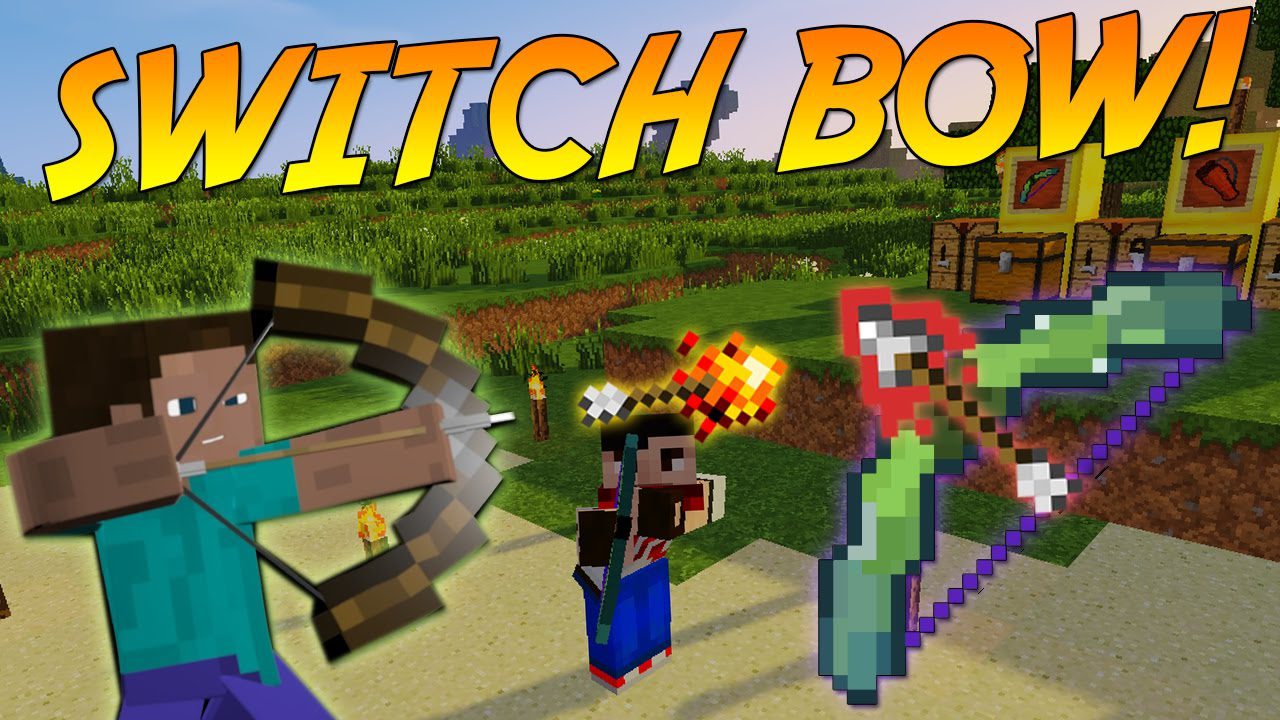
Switch Bow Mod adds new and improved bows, crossbows, and quivers to your game. It also includes over 35 new types of arrows, each with a unique special effect, giving you many new ways to handle combat and utility.
Features:
New Weapons and Gear
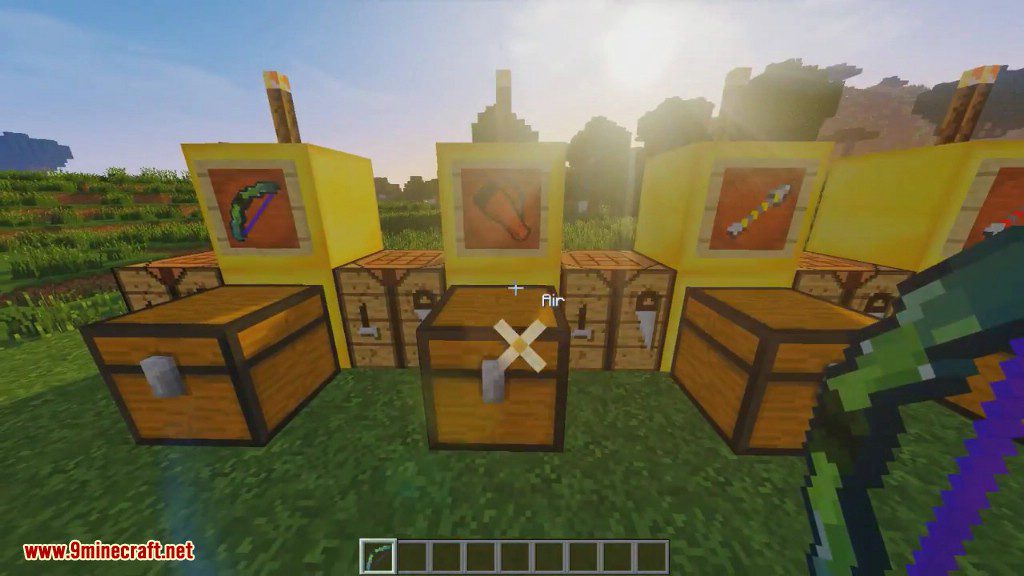
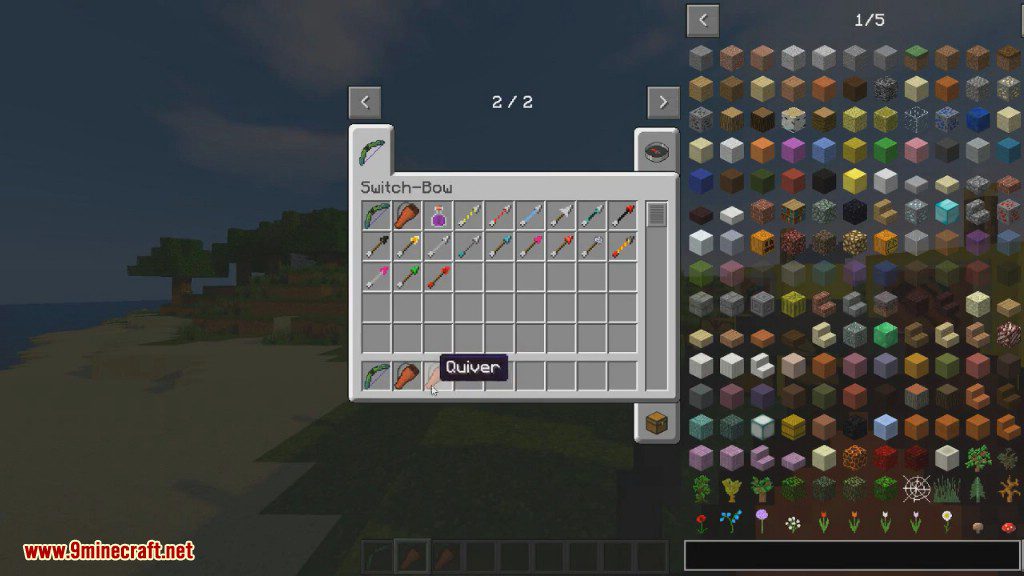
- Switch-Bow: A special bow that can search your entire inventory and quiver for arrows.
- Switch-Crossbow: Works like the Switch-Bow but for crossbow fans, letting you pick any arrow you’re carrying.
- Quiver: A container that holds up to 9 stacks of any arrow type.
- Big-Quiver: An upgraded version that can store up to 18 stacks of arrows.
- Arrow-Dispenser: A block that fires arrows when it gets a redstone signal. You can change its flight path and how many arrows it shoots.
Weapon Upgrades
- Combine a Switch-Bow or Switch-Crossbow with a Nether Star to get “True Infinity,” which makes all arrows infinite.
- Combine a Switch-Bow or Switch-Crossbow with a Netherite Ingot to give it the “Multishot” ability.
Special Arrow Types
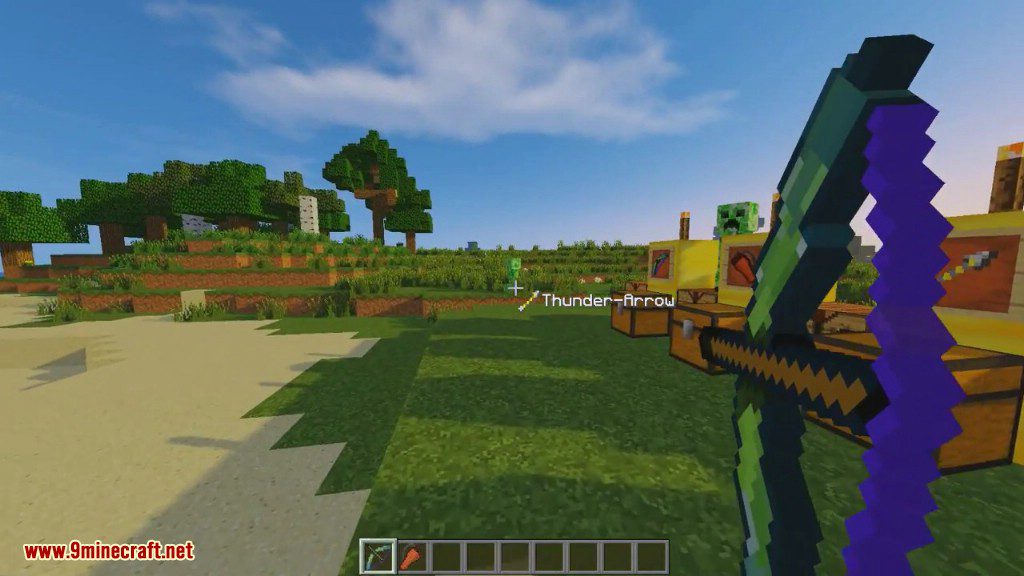
- Thunder Arrow: Summons a lightning bolt where it lands.
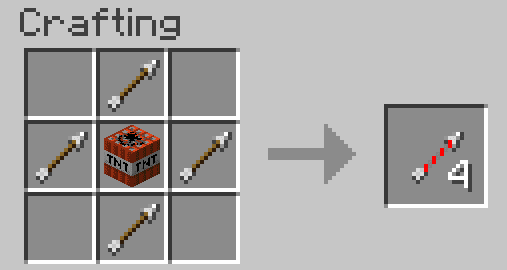
- TNT Arrow: Creates an explosion on impact.
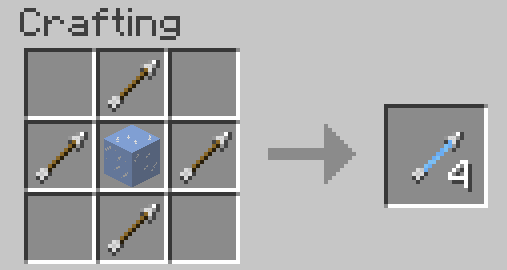
- Frost Arrow: Freezes enemies in place and turns water into ice.
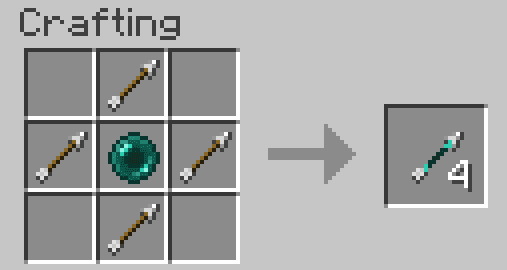
- Teleport Arrow: Teleports you to where it lands, or swaps your position with a mob it hits.
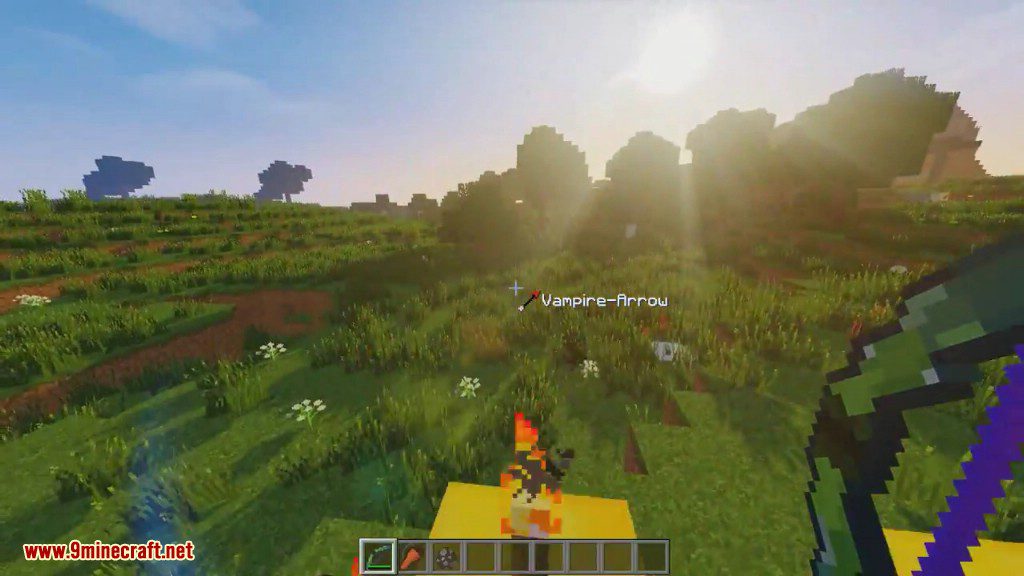
- Vampire Arrow: Heals you for a portion of the damage dealt to an enemy.
- Protector Arrow: Spawns a friendly mini Iron Golem to fight for you for a short time.
- Torch Arrow: Places a torch on the block it hits.
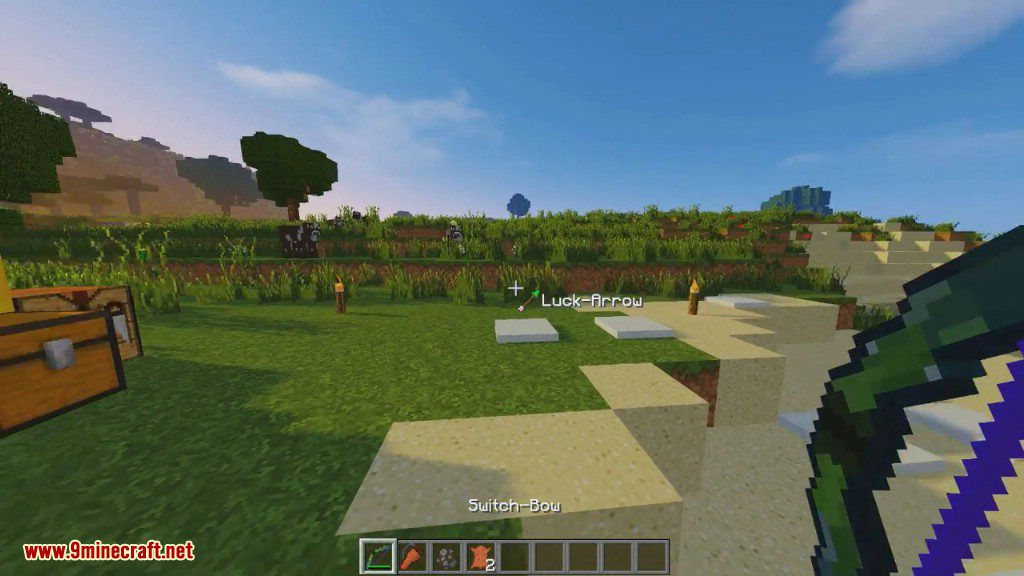
- Luck Arrow: Gives you a Looting 3 effect if you defeat a mob with it.
- Burial Arrow: Digs the ground out from under an enemy.
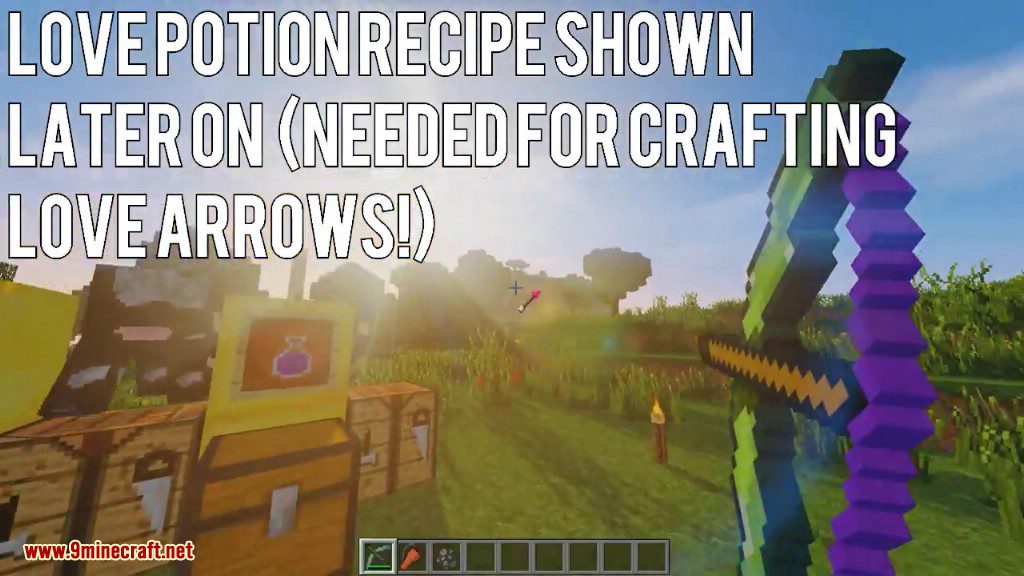
- Love Arrow: Makes animals ready to breed or stops hostile mobs from attacking.
Transformation Pedestal
- Build a multi-block structure with a Pedestal at the center.
- Use the Pedestal to transform certain arrows into more powerful versions, such as turning a Thunder Arrow into a Thunderstorm Arrow.
Commands & Configuration:
This mod includes several commands and configuration options to customize your experience.
Commands:
/switchbow spawnFire (true/false): Toggles whether the Thunder Arrow’s lightning bolt creates fire./switchbow destroyBlockswithTNTArrow (true/false): Toggles whether the TNT Arrow’s explosion destroys blocks./switchbow showScope (true/false): Enables or disables the scope view.
Configuration File:
You can also edit the config file to:
- Change the attributes of the Switch-Bow and Switch-Crossbow.
- Activate or deactivate crafting recipes.
- Turn the infinity feature for arrows on or off.
How to Use:
Selecting Arrows
- Hold the Switch-Bow or Switch-Crossbow.
- Hold the Sneak key.
- Use the mouse wheel to cycle through all the available arrows in your inventory and quiver.
- Release the sneak key to lock in your choice. You can also set custom keys in the controls menu.
Using the Quiver
- Right-click while holding the Quiver to open its inventory.
- To quickly move all arrows from your main inventory into the Quiver, hold the Sneak key and right-click.
Transforming Arrows
- Build the multi-block structure as shown in the mod’s instructions using Quartz blocks, Obsidian, and Magma Blocks.
- Place the Pedestal block in the center on top.
- Right-click the Pedestal with an arrow you want to transform to start the process.
- After a few seconds, right-click the Pedestal again to retrieve the upgraded arrows.
Crafting Recipes:
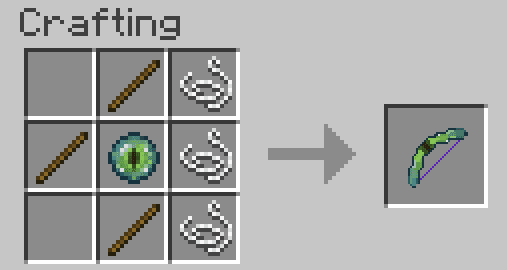
Switch Bow
- Search the complete inventory and quiver for arrows
- By sneaking and rotating the mouse wheel you can select the arrow you want to shoot
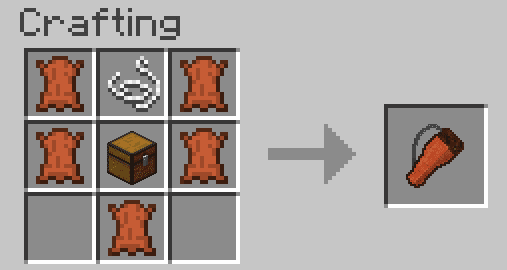
Quiver
- Can contain up to 9 stacks of any arrows
- Click on the right mouse button to open the inventory
- Arrows from the inventory are automatically sorted into the quiver by sneaky and right-clicking
Arrows
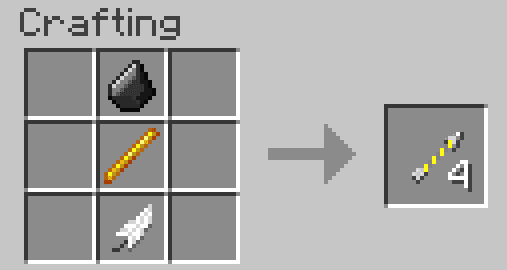
Thunder-Arrow
- Generates a lightning bolt when striking enemy or block
TNT-Arrow
- Generates an explosion when striking enemy or block
Frost-Arrow
- Generates snow when striking a block
- Gives the enemy a “Freeze” effect when hit. The opponent cannot move.
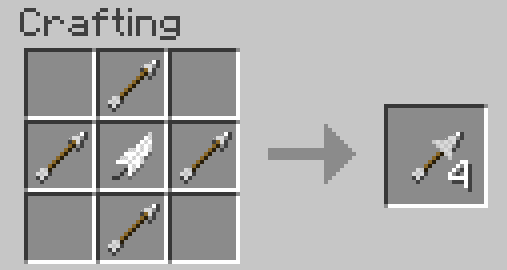
Air-Arrow
- Gives the enemy a “Levitation” effect when hit
Teleport-Arrow
- If the arrow hits the ground, the player is teleported like an Ender Pearl
- When hit an opponent, the position are exchanged
Vampire-Arrow
- When hit an opponent, a portion of the damage is returned to the Protector as life
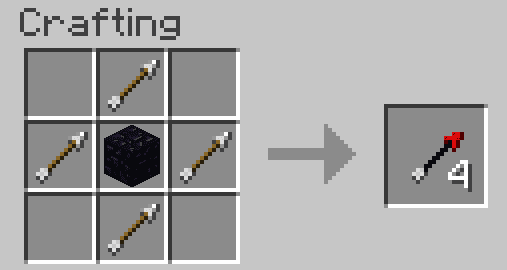
Wither-Arrow
- Gives the enemy a “Wither” effect when hit
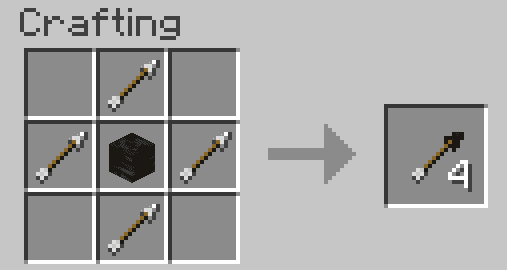
Torch-Arrow
- Place a torch when striking a block
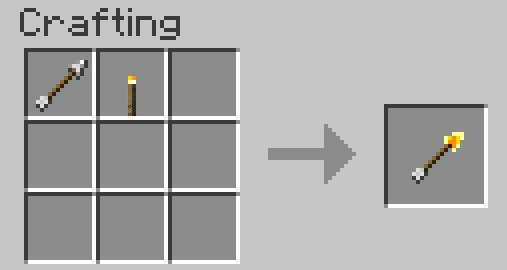
Underwater-Arrow
- Has the same flight characteristics under water as on land
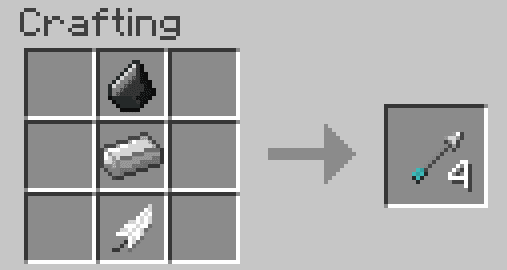
Reinforced Arrow
- The arrow does 2.5 times more damage than a normal arrow
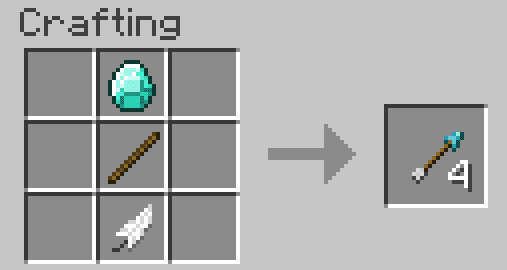
Fire-Arrow
- Generates a fire storm when striking an opponent or block
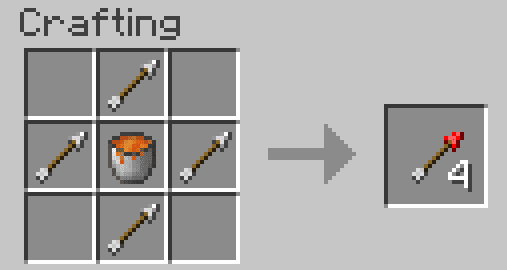
Bone-Arrow
- When striking a block, the arrow has an effect like bone meal
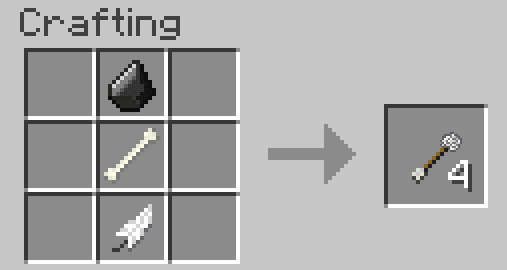
Luck-Arrow
- Effect like an enchanted sword with looting 3 when the opponent is killed
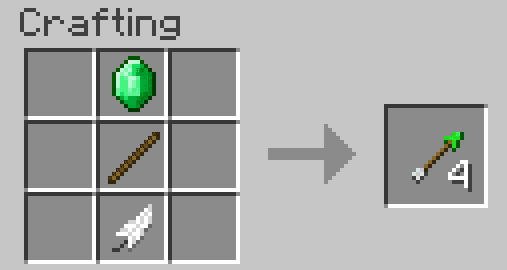
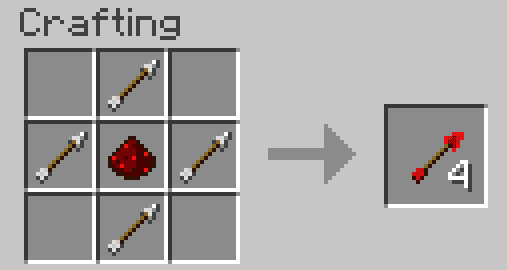
Redstone-Arrow
- Simulates a very short Redstone signal when hitting a block
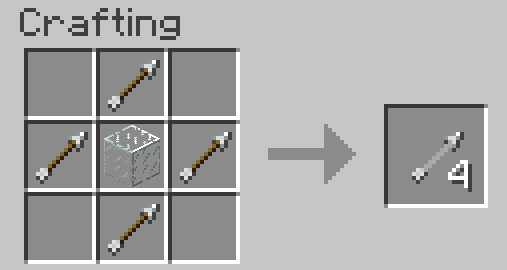
Sliver-Arrow
- When hitting an opponent or block fragmented arrow
- Enemies in the action area get damage and an effect “weakness”
Love-Arrow
- When hitting an animal is placed in readiness to mate
- When encountering a hostile enemy that gets an effect “In Love”. During the effect, the opponent forgets to attack.
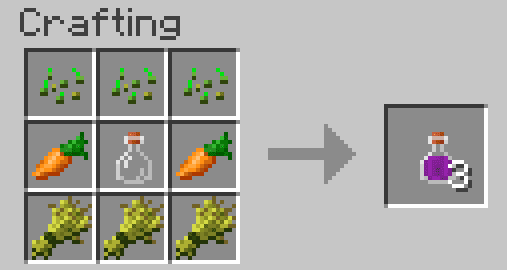
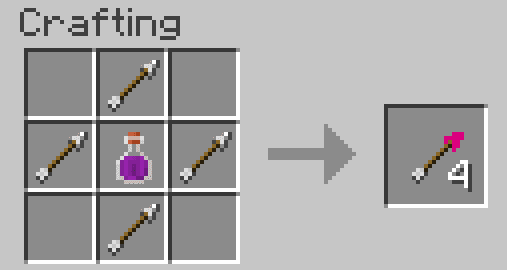
Love-Arrow (AOE)
- Same property as love arrow, acts only with the arrow fragmented and in an area where the effect
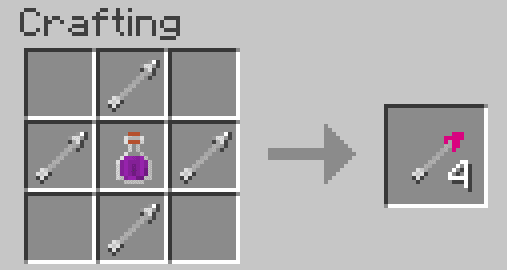
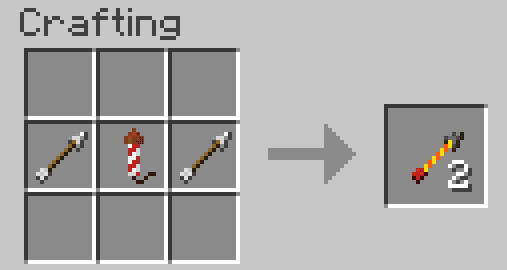
Rocket-Arrow
- Can be made with any fireworks rocket
- Fly like a fireworks rocket straight
- If the Rocket-Arrow has an effect charge explodes after a certain time, when striking an opponent, or when hitting a block. The explosion spreads damage and displays the effect of the fireworks.
Screenshots:



How to Install:
New to Minecraft? Follow our step-by-step guide to install Mods on your PC.View Guide
Switch Bow Mod Download Links
For Minecraft 1.12.2
Forge version: Download from Server 2
For Minecraft 1.13.2
Forge version: Download from Server 2
For Minecraft 1.14.4
Forge version: Download from Server 2
For Minecraft 1.15.2
Forge version: Download from Server 2
For Minecraft 1.16.5
Forge version: Download from Server 2
You May Also Like








This post has no comments yet. Be the first — your comment will appear here.