
Sodium Options Mod (26.3, 1.20.1) – Tweak Video Settings Fast
 24,101
 0


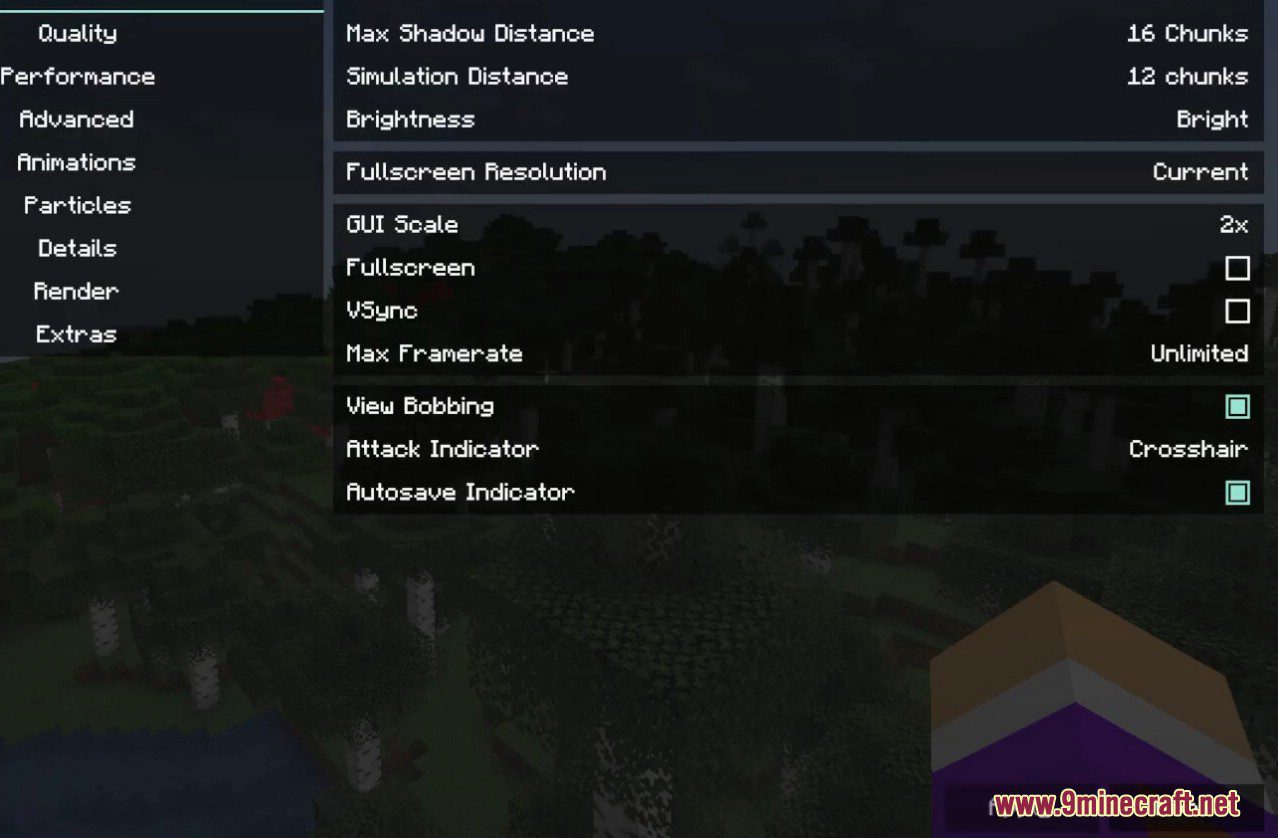
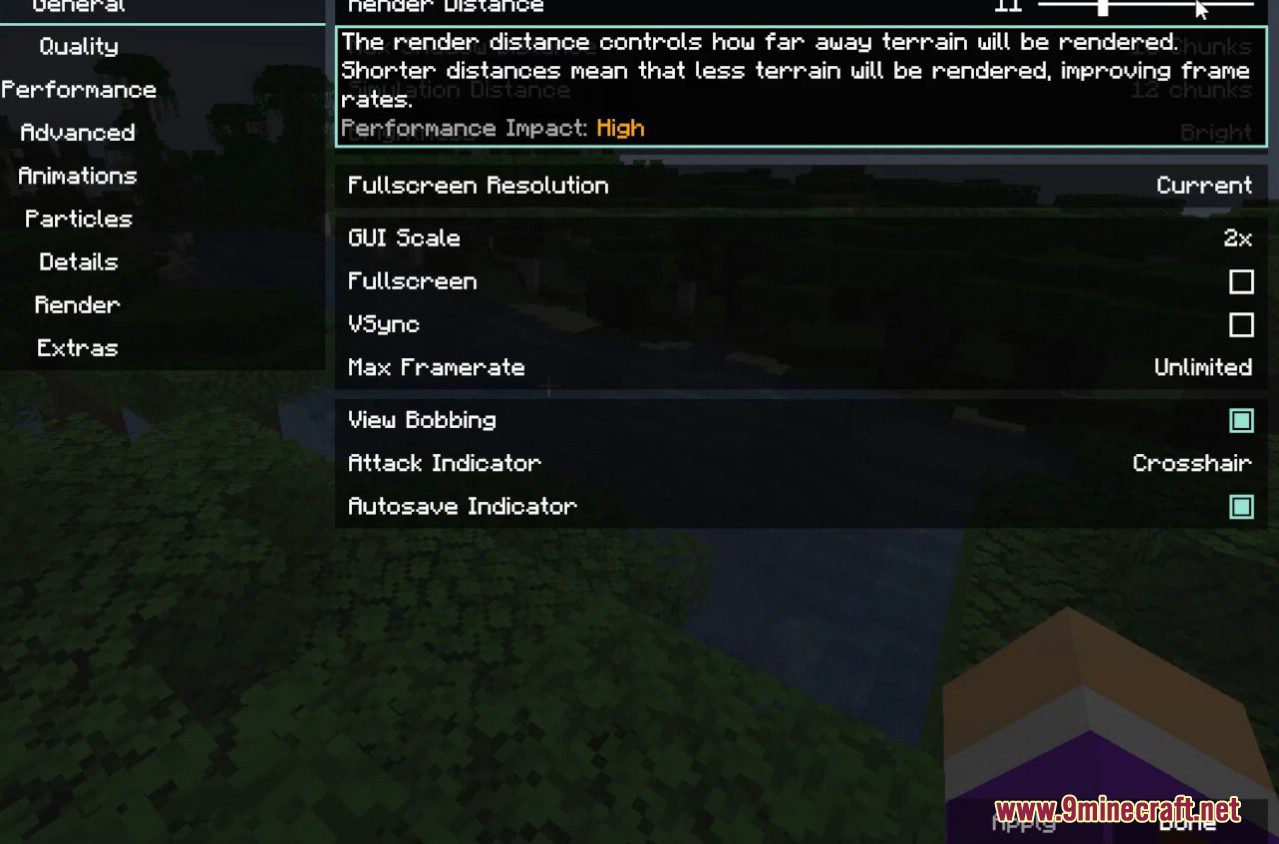
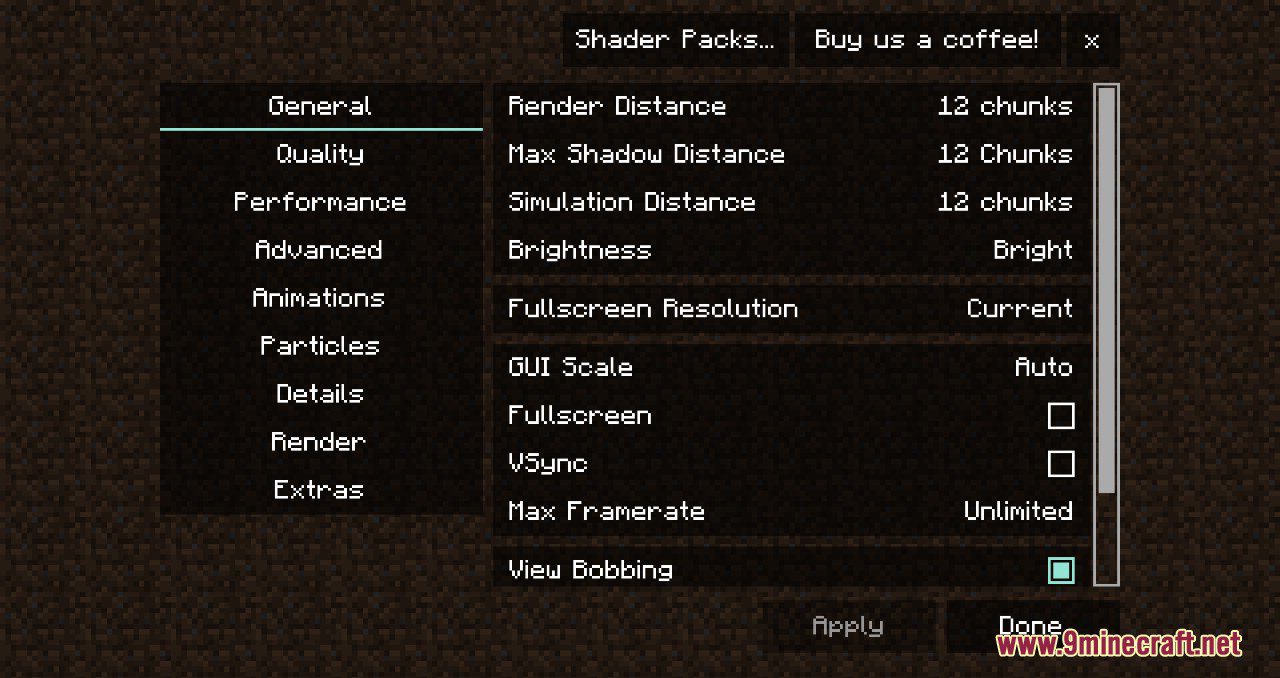
Sodium Options Mod replaces the default options screen in Sodium with a clean, compact layout. It gives you a vertical tab menu, a search bar, and extra controls to find and change your video settings fast. While Sodium already has its own settings screen, this mod offers an alternative menu style that is much easier to browse and customize. You can even turn it off at any time to switch back to Sodium’s standard look.
Features:
- Quick Search Bar: Lets you type keywords to find specific video settings right away.
- Scrollable Layout: Provides a vertical tab list and scrollable option pages so long menus fit neatly on screen.
- Collapsible Groups: Allows you to fold and unfold mod tab groups and option sections to keep the screen tidy.
- Quick Reset and Undo: Adds overlays to individual settings so you can undo recent changes or reset a single option back to default.
- Adjusts slider values quickly when you hold the Shift key and scroll your mouse wheel.
- Customizes tab headers with icons and version labels, and includes optional color themes for pages and controls.
- Lets you change tooltip delay times and optionally display internal option IDs.
- Improves keyboard navigation with focused tooltips, UI narration, and optional reverse cycling controls.
- Supports Controlify for smooth controller navigation and on-screen button guides.
- Includes a toggle to disable this menu and return to Sodium’s default options screen whenever you want.
Screenshots:
How to Install:
New to Minecraft? Follow our step-by-step guide to install Mods on your PC.View Guide
Requirements:



Sodium Options Mod Download Links
For Minecraft 26.3
For Minecraft 26.2
For Minecraft 26.1.2, 26.1.1, 26.1
For Minecraft 1.21.11
For Minecraft 1.21.10, 1.21.9
For Minecraft 1.21.8, 1.21.7, 1.21.6
For Minecraft 1.21.5
For Minecraft 1.21.4
For Minecraft
1.21.3,
1.21.2,
1.21.1
All Versions Covered
1.21.3
1.21.2
1.21.1
1.21
All Versions Covered
1.21.3
1.21.2
1.21.1
1.21
For Minecraft 1.21.1, 1.21
For Minecraft 1.20.6
For Minecraft 1.20.5
For Minecraft 1.20.4
For Minecraft 1.20.3
For Minecraft 1.20.2
For Minecraft 1.20.1
For Minecraft 1.19.4
For Minecraft 1.19.3
For Minecraft 1.19.2
For Minecraft 1.19.1
For Minecraft 1.19
For Minecraft 1.18.2
For Minecraft 1.18.1
For Minecraft 1.17.1
For Minecraft 1.16.5
Click to rate this post!
[Total: 0 Average: 0]
QUICK MINECRAFT SURVEY · ONE TAP
Mods & Modpacks
How do you handle updating your mods when a new Minecraft version drops?
0 responses · See the full results →
You May Also Like
Picked for this page
 Chisels & Bits Mod (26.1.2, 1.20.1) – The Ultimate of Building Tool
 Entity Culling Mod (26.3, 1.20.1) – Increase Your FPS
 Wavey Capes Mod (26.3, 1.20.1) – A Flowing Cape As You Move
 Fast Trading Mod (26.3, 1.20.1) – Adds A Quick Trading Button
 Rhino Mod (26.1.2, 1.20.1) – Library for LatvianModder’s Mods
 Fire Spread Tweaks Mod (26.3, 1.20.1) – Disables Default Fire Spread
 Simply No Shading Mod (26.2, 1.20.1) – Uniform Brightness Across All Blocks
 Recipe Commands Mod (26.3, 1.20.1) – Recipe Lookup via Commands
 Blur Plus Mod (26.3, 1.20.1) – Enhance Your GUI With Blur Effects
 QuickCraft Mod (26.1.2, 1.20.1) – Simplify Your Crafting Experience
 Jumpy Boats Mod (26.1.2, 1.20.1) – Never Get Your Boat Stuck Again
 Mc2Discord Mod (26.3, 1.20.1) – Minecraft And Discord Integration
Most viewed in Mods over the last 7 days
 Ala Industrial Mod (26.3) – Run Electric Power Grids and Automated Factories
 PleasureCraft Mod (26.3, 1.21.1) – Jenny Mod Remake for Fabric
 Jennycraft Mod (26.3, 1.20.1) – Virtual Girlfriend in Minecraft
 Fapcraft Mod (26.3, 1.12.2) – Comprehensive and Detailed Content
 Jenny Mod (Fapcraft) Official Complete Guide – How to use, Tutorial
 BangCraft Mod (1.20.1) – Jenny, Ellie and Elliot
 Fabric Loader (26.3, 1.20.1) – Fabric Installer for All Minecraft Versions
 The Shooting Star Demo Mod (26.3, 1.20.1) – Vaporize Terrain From Orbit
 Meteor Client Mod (26.3, 1.20.1) – Xray, HUD, Fly
 OptiFine HD (26.3, 1.20.1) – Run Faster, FPS Boost, Shaders Support
 Aristois Client Mod (1.21.4, 1.20.1) – World Class Minecraft Utility
 Prestige Client Mod (1.21.11, 1.21.4) – Powerful Ghost Features for Crystal & Sword PvP
More from Mods
 Cuisine Craft Mod (1.21.11, 1.20.1) – Cook Restaurant Dishes with Fresh Farm
 XinexLib Mod (1.21.1) – Keep Your Ultreon Studios Mods Running
 Libvulpes – Fixed Mod (1.12.2) – Launch Rockets with Fewer Bugs
 Freelook Perspective Mod (26.3, 1.21.1) – Watch Your Back While Sprinting
 FAUNA Engine Mod (1.21.1, 1.20.1) – Powering Legendary Dragons
 Avali Nexus Mod (26.3) – Settle Frozen Frontiers with High-Tech Bird Tribes
 Orient’s Hotpot Chronicles Mod (1.20.1) – Boil Fresh Hotpot Meals Over Open Flames
 Far Lands Traveler Mod (26.1.2) – Survive the Long Trek to the Edge of the World
 Beli’s SkyLyrics Mod (1.21.11) – Sing Along to Desktop Tracks Projected in the Night Sky
 Explainstone and Songmelyn Mod (1.21.1) – Broadcast Custom Music Across Your Base
 Rockstar Shaders Mod (26.3) – Cast Ray-Traced Light Across Vast Distant Horizons
 ERYDON Mod (1.20.1) – Design Grand Courtyards with Carved Marble Pillars

This post has no comments yet. Be the first — your comment will appear here.