
Scrollable Tooltips Mod (26.3, 1.21.11) – Read Off-Screen Item Lore

 0


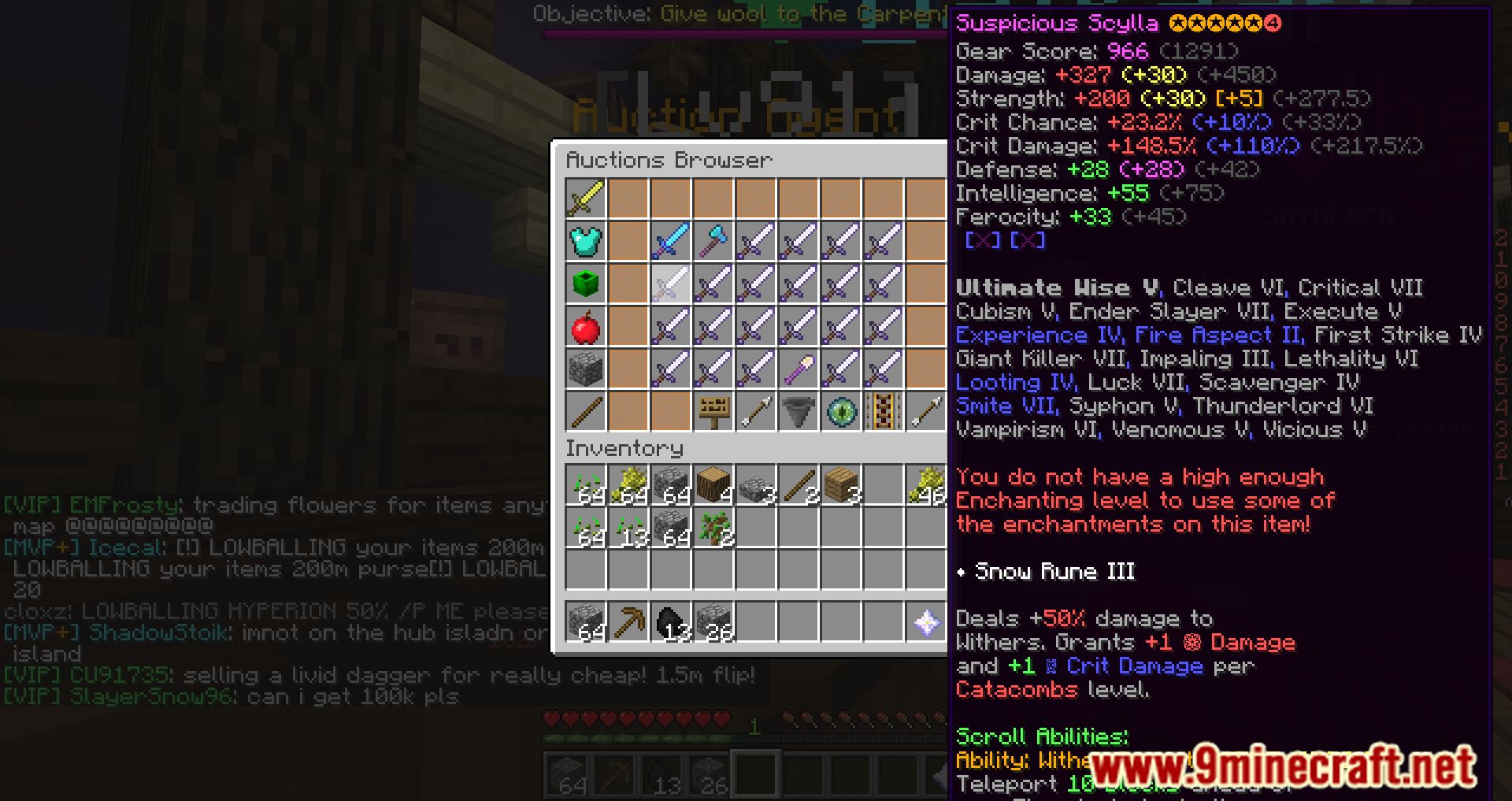
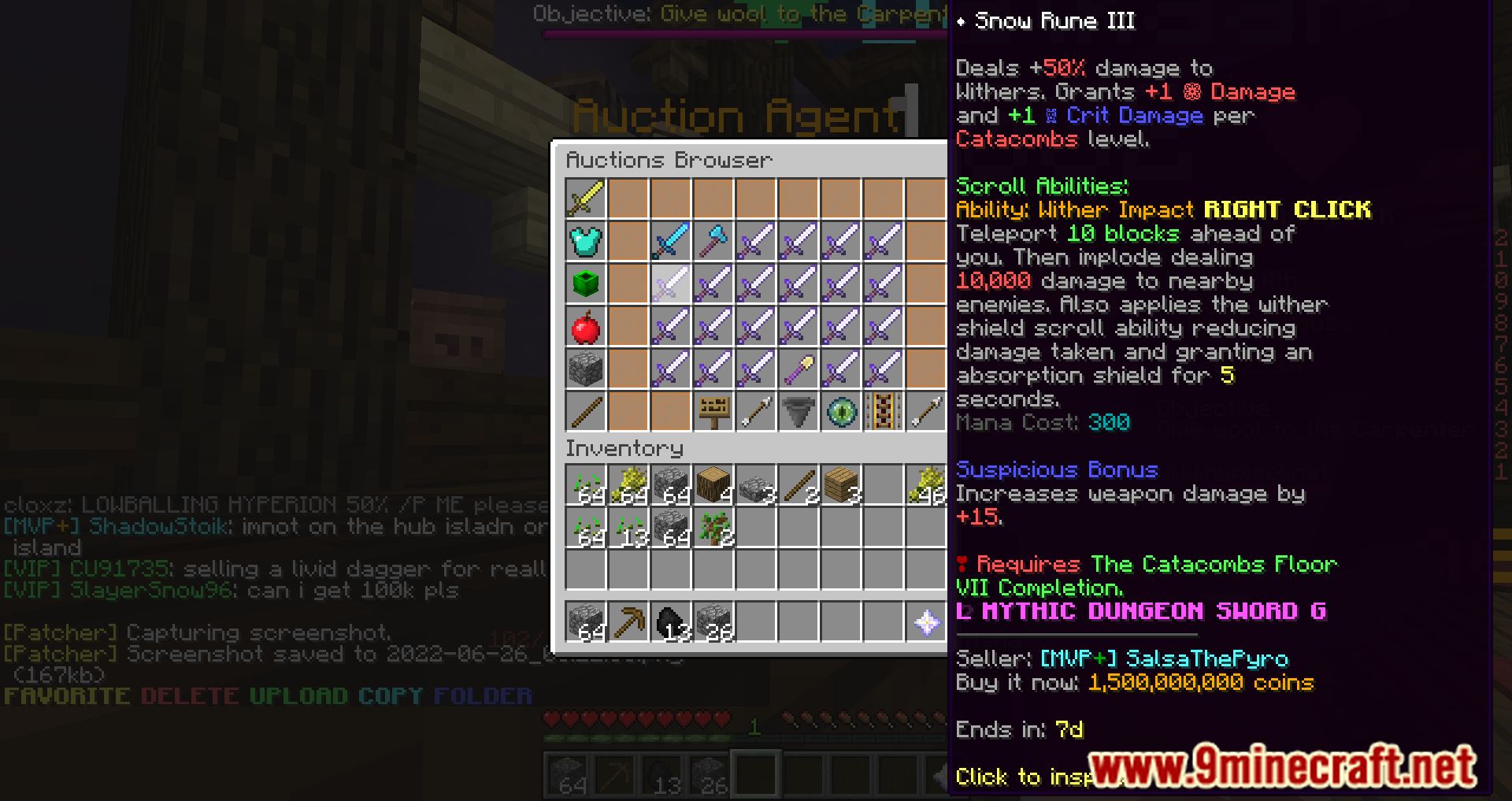
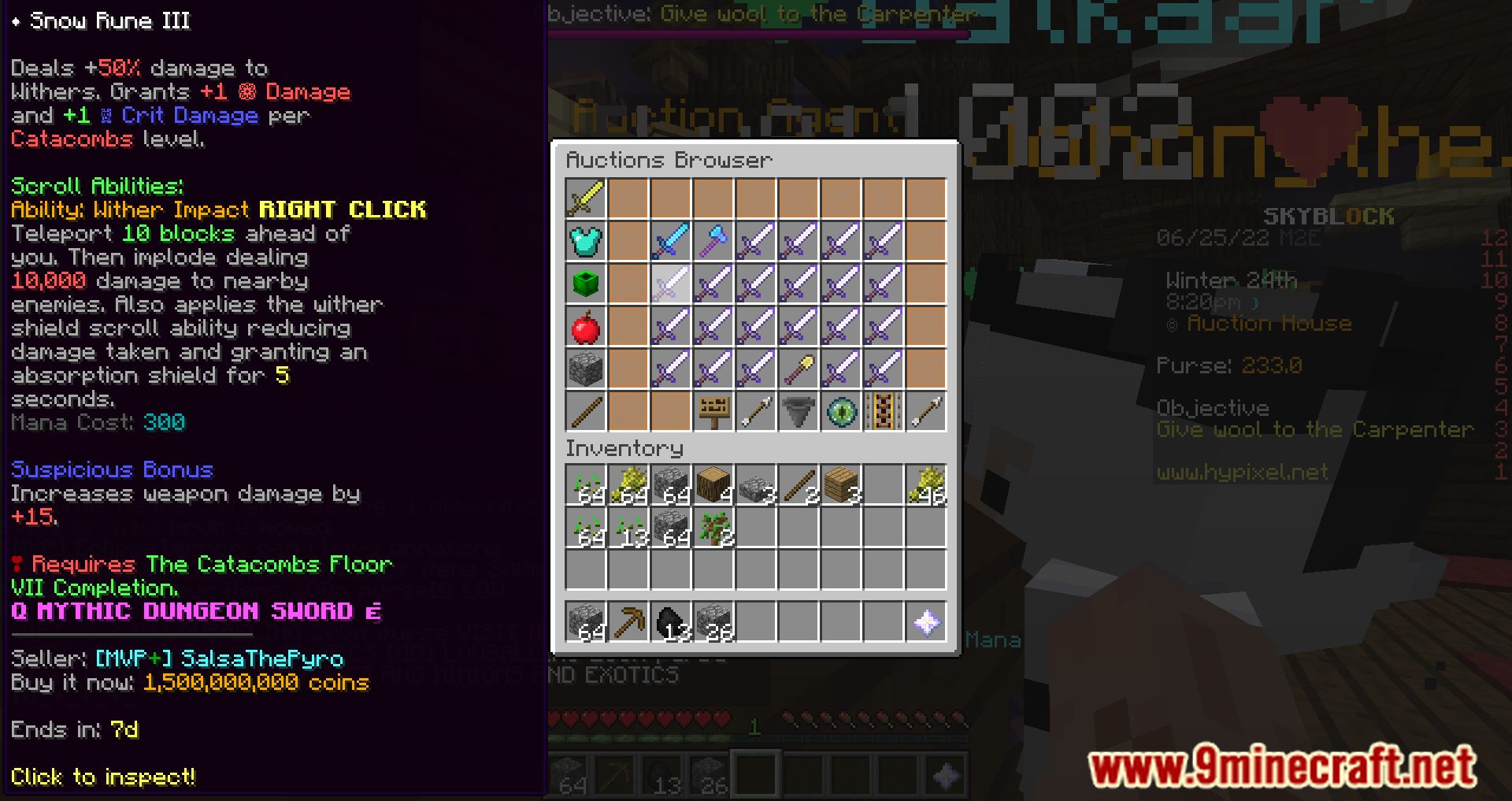
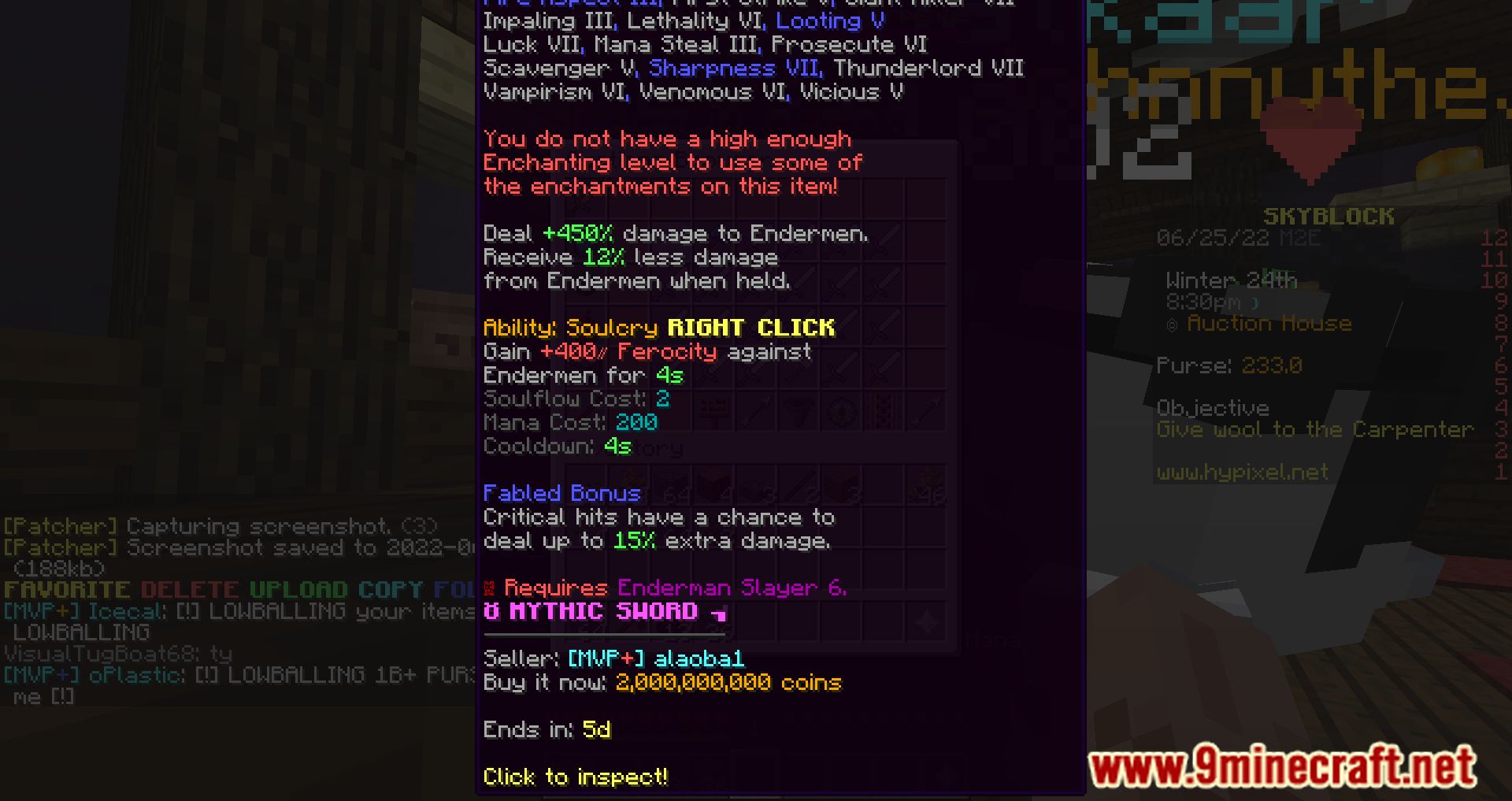
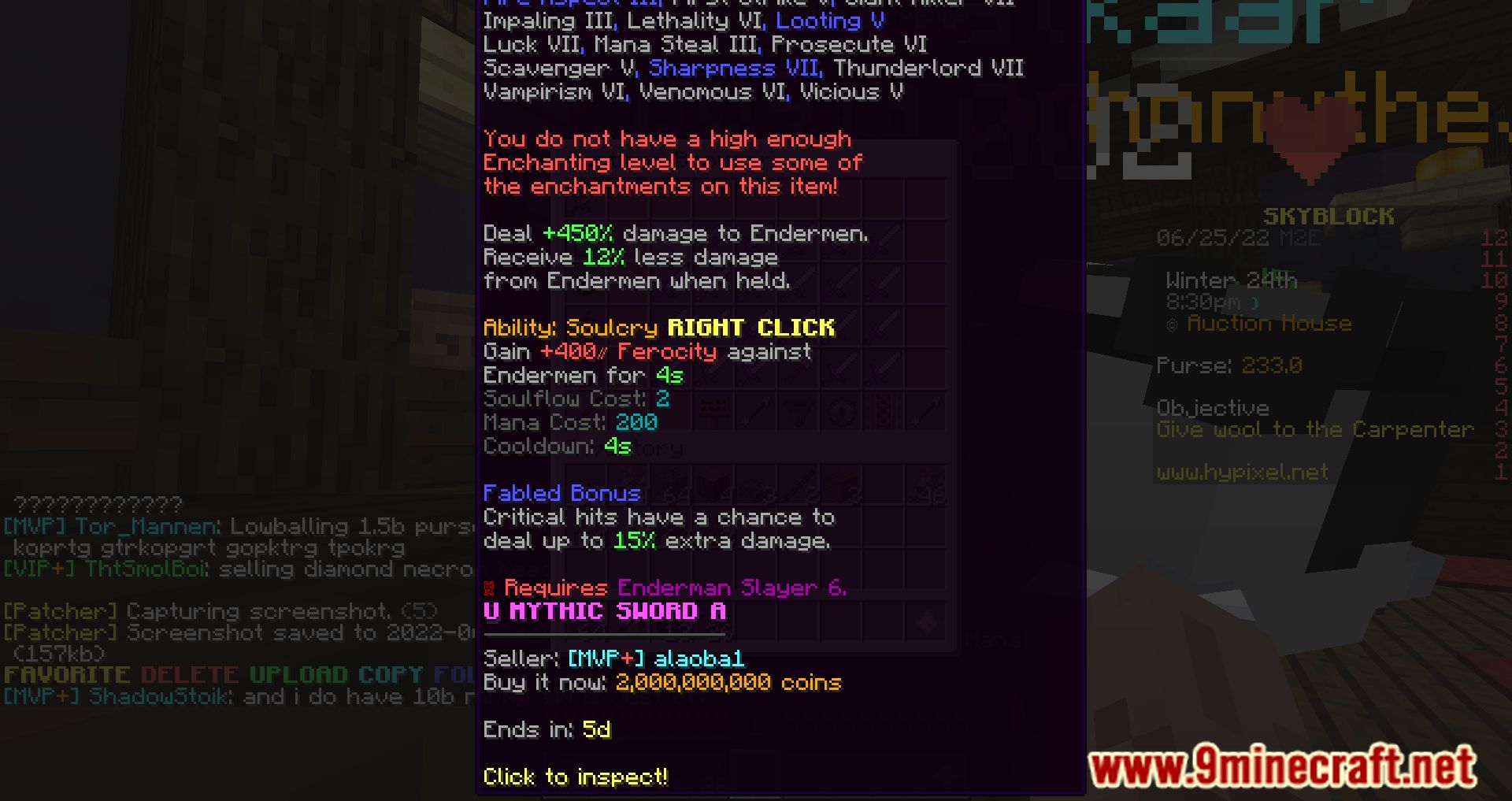
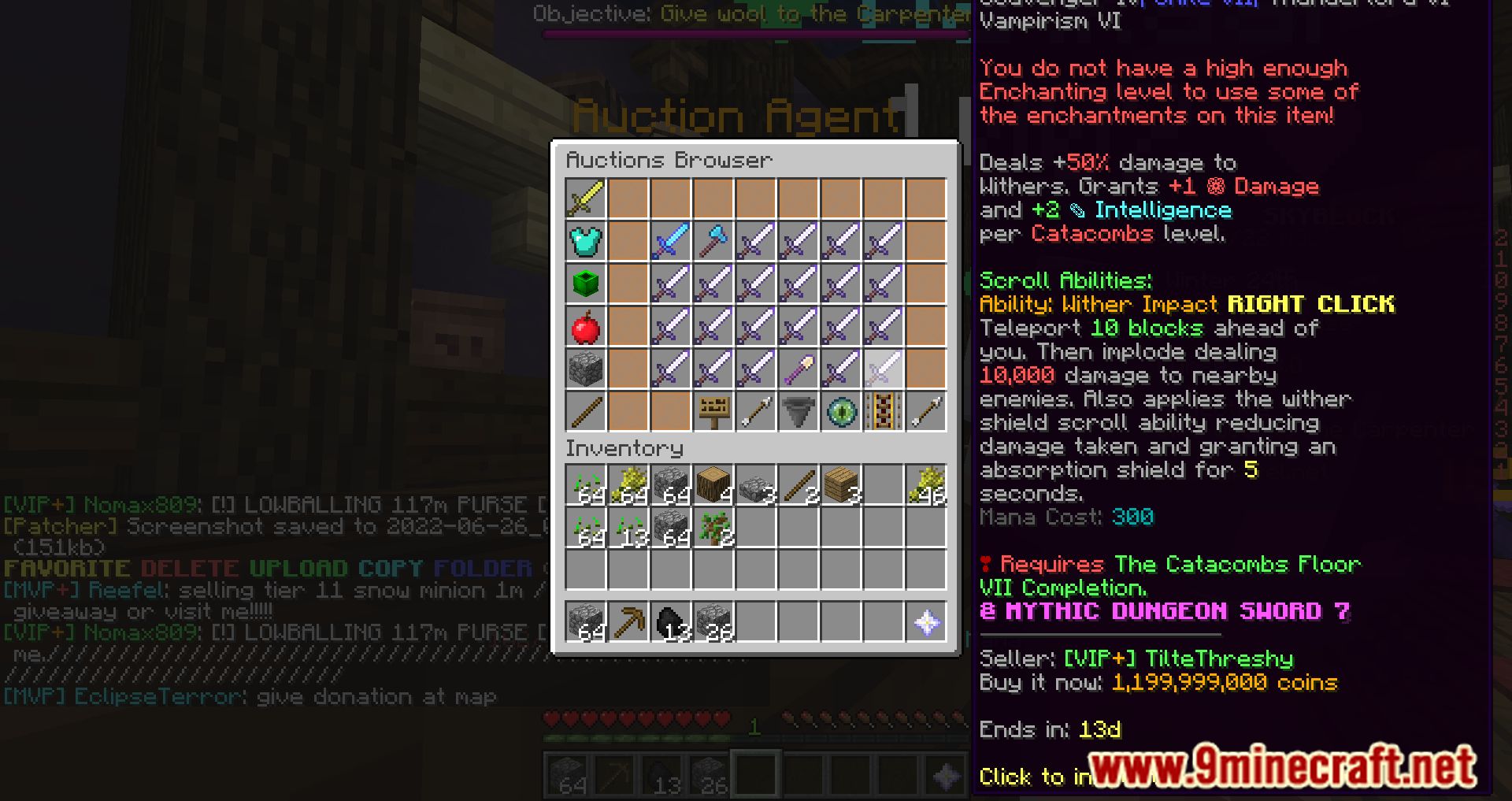
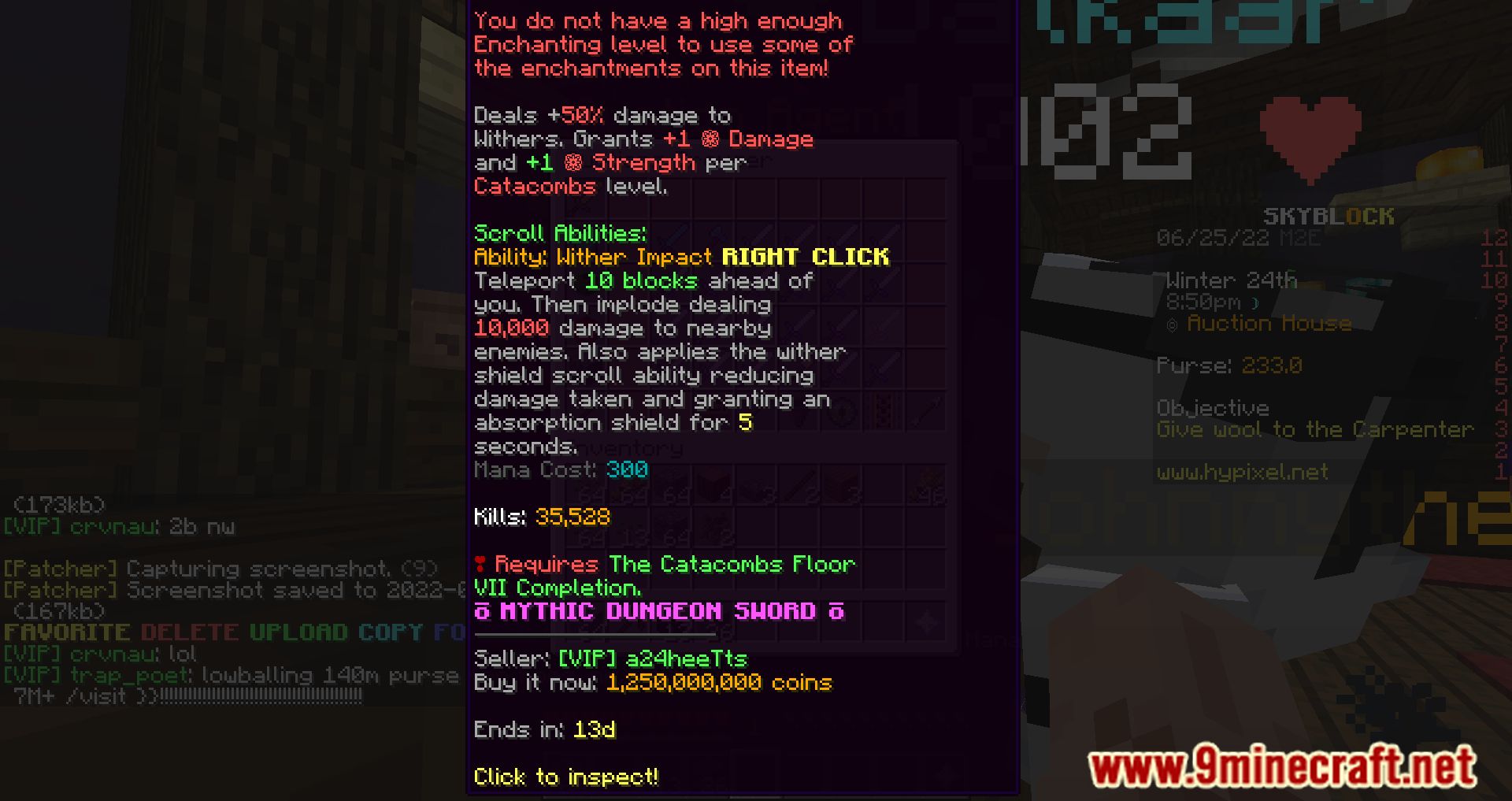
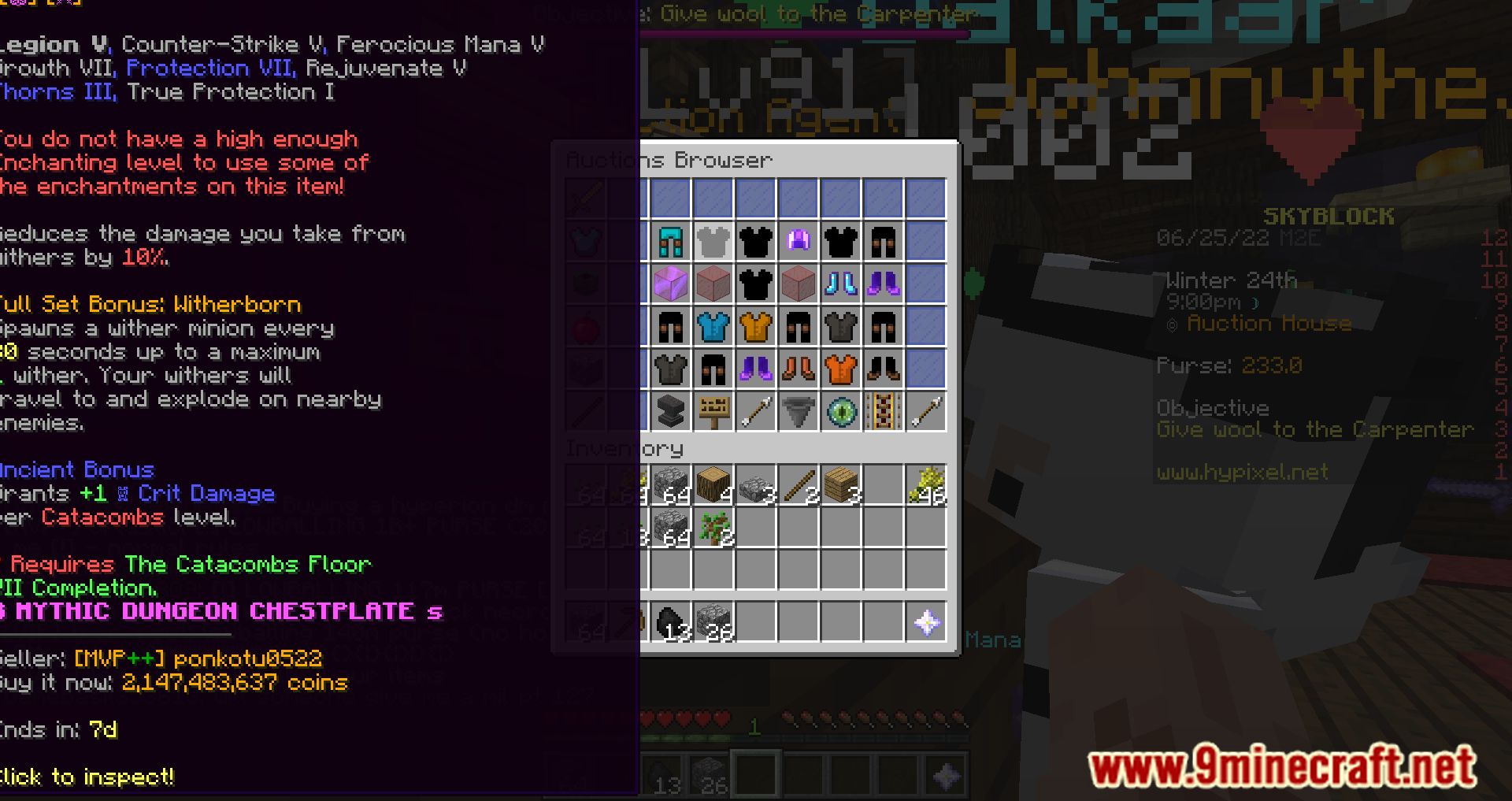
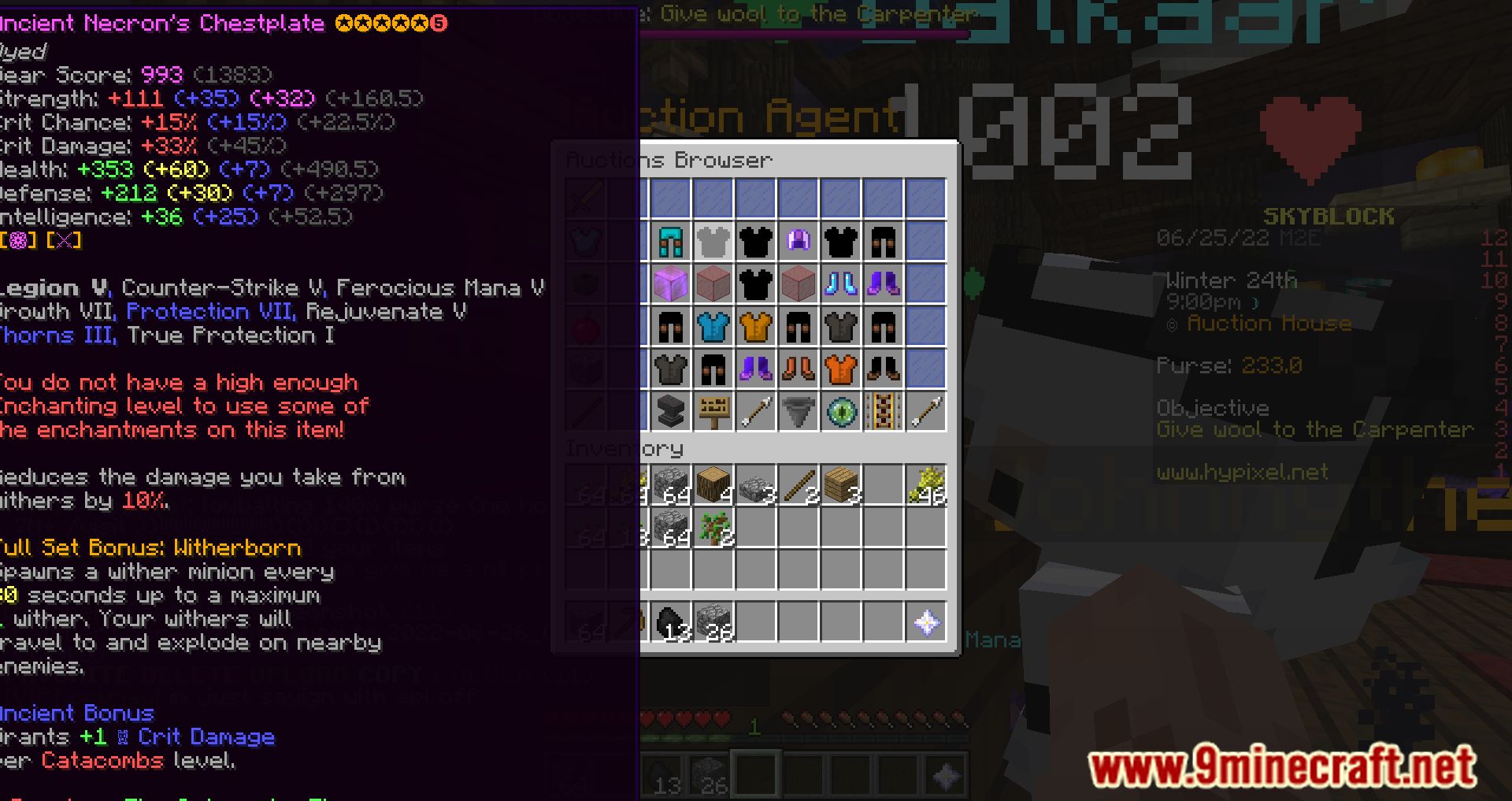
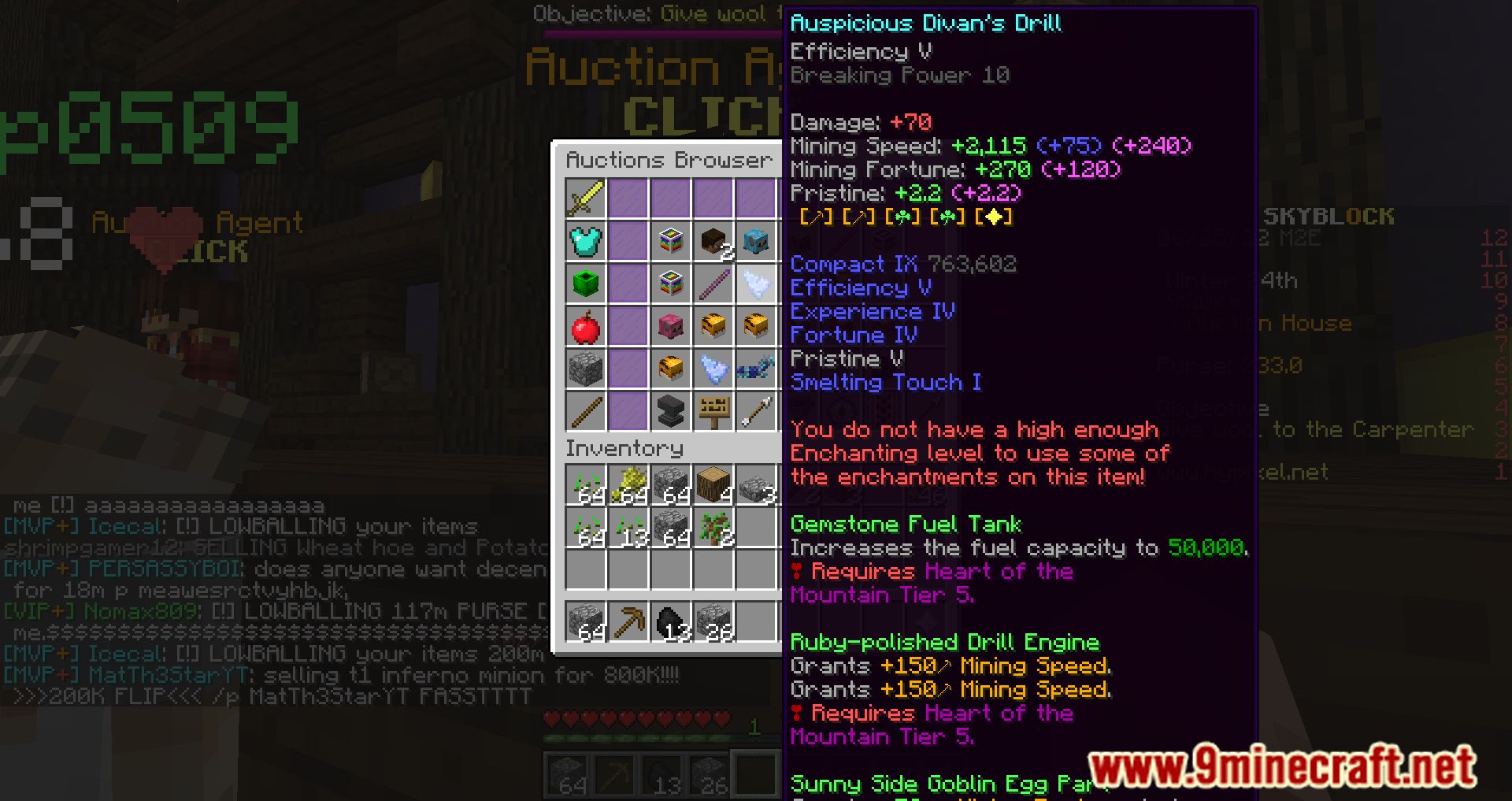
Scrollable Tooltips Mod lets you scroll through long item descriptions that do not fit on your screen. Regular items usually have short descriptions, so this feature is not needed for them. However, custom servers like Hypixel often have special weapons and tools with many stats, abilities, and enchantments. In a normal game client, hovering your mouse over these items cuts off the text and hides important details. This mod solves the problem by letting you move the tooltip around to read every single line of information.
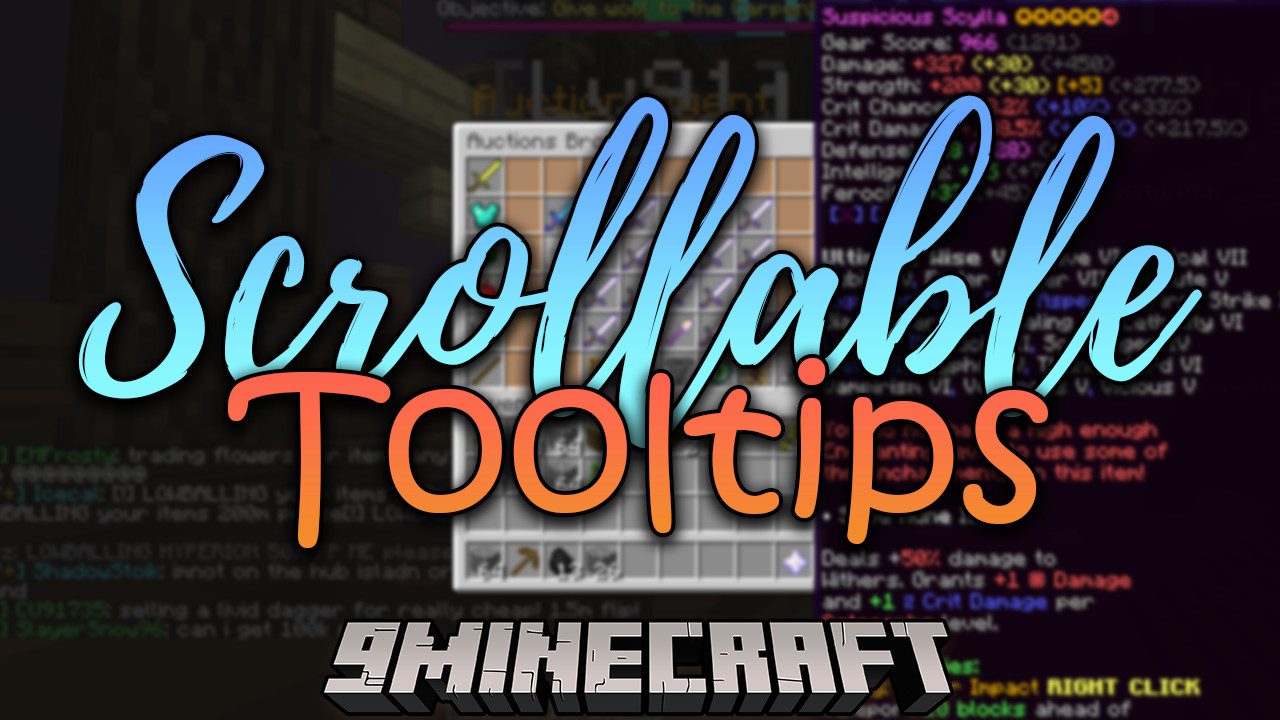
Features:
- Lets you read full item descriptions even when the text is too big for your screen.
- Scrolls up and down using the mouse wheel.
- Moves the tooltip left and right by holding Shift and using the mouse wheel.
How to Use:
- Hover your mouse cursor over an item with a long description that goes off the screen.
- Use the Mouse Wheel to scroll the text up and down.
- Hold Shift and roll the Mouse Wheel to move the text left and right.
Screenshots:
How to Install:
New to Minecraft? Follow our step-by-step guide to install Mods on your PC.View Guide
Requirements:



Scrollable Tooltips Mod Download Links
For Minecraft 26.3
For Minecraft 26.2
For Minecraft 26.1.2, 26.1.1, 26.1
For Minecraft 1.21.11
For Minecraft 1.21.10, 1.21.9
For Minecraft 1.21.8, 1.21.7, 1.21.6
For Minecraft 1.21.5
For Minecraft 1.19.2
For Minecraft 1.12.2
For Minecraft 1.8.9
Click to rate this post!
[Total: 0 Average: 0]
You May Also Like
Picked for this page
 Enhanced Snowman Mod (1.21.11, 1.20.1) – Life as a Snowman
 Additional Lanterns Mod (26.3, 1.20.1) – Lamps Made from New Materials
 SkyHanni Mod (26.2, 1.21.11) – New Features to Hypixel Skyblock
 TAB Mod (1.21.11, 1.20.1) – An All-In-One Solution That Works
 ViaVersion Mod (1.21.11, 1.20.1) – Let Any Version Join Your Minecraft Server
 Compact Storage Mod (26.2, 1.20.1) – Carry Everything You Find
 Eldritch Mobs Mod (1.21.11, 1.20.1) – Mobs More Dangerous, Exciting
 Simple Hammers Mod (26.3, 1.20.1) – Perfect Tools For Builders And Miners
 Searchables Mod (26.3, 1.20.1) – Find Any Item in Modpacks
 Belgie’s Mo’ Villagers Mod (26.3, 1.20.1) – New Villager Professions
 DarkStarter Mod (26.3, 1.20.1) – RPG Starter Login Item Rewards
 Improved Grindstone Mod (26.1.2, 1.20.1) – Enhanced Enchantment Management
Most viewed in Mods over the last 7 days
 Ala Industrial Mod (26.3) – Run Electric Power Grids and Automated Factories
 PleasureCraft Mod (26.3, 1.21.1) – Jenny Mod Remake for Fabric
 Jennycraft Mod (26.3, 1.20.1) – Virtual Girlfriend in Minecraft
 Fapcraft Mod (26.3, 1.12.2) – Comprehensive and Detailed Content
 Jenny Mod (Fapcraft) Official Complete Guide – How to use, Tutorial
 BangCraft Mod (1.20.1) – Jenny, Ellie and Elliot
 Fabric Loader (26.3, 1.20.1) – Fabric Installer for All Minecraft Versions
 Meteor Client Mod (26.3, 1.20.1) – Xray, HUD, Fly
 The Shooting Star Demo Mod (26.3, 1.20.1) – Vaporize Terrain From Orbit
 OptiFine HD (26.3, 1.20.1) – Run Faster, FPS Boost, Shaders Support
 Aristois Client Mod (1.21.4, 1.20.1) – World Class Minecraft Utility
 SchnurriTV Mod (1.12.2) – Characters and Features
More from Mods
 Offgrid Mod (26.3, 1.20.1) – Furnish Compact Interiors Without Strict Grid
 Tempest Almanac Iron’s Spells ‘n Spellbooks Mod (1.21.1, 1.20.1)
 Chat Guides Mod (26.3, 1.21.11) – Never Memorize Complex Server Commands Again
 TRMT Reimagined the Roads More Travelled Mod (26.3, 1.20.1)
 Morrowless Mod (1.21.1) – Defend Your Shelter From Nightmare Creatures
 THE SLOPSTROSITY Mod (1.21.1) – Battle a Ridiculous Slime Boss
 Decoween Mod (1.21.1, 1.20.1) – Transform Ordinary Survival Bases
 Simply Light 9minecraft Mod (26.3) – Decorate Builds Without Torches
 Alex’s Caves Continued Mod (26.3, 1.20.1) – Conquer Six Massive Underground
 Anvil Uses Mod (26.3, 1.20.1) – Track Item Anvil Usage
 Animal Info Mod (26.3, 1.21.11) – Quick Stats For Your Animals
 Timber Tales Dynamic Tree System Mod (26.3, 1.20.1) – Watch Entire Trees Topple

This post has no comments yet. Be the first — your comment will appear here.