
Iris & Oculus Flywheel Compat Mod (1.21.1, 1.20.1) – Run Shaders on Any Factory

 0


Iris & Oculus Flywheel Compat Mod patches Flywheel so its optimizations stay on when you use Iris or Oculus shaderpacks. Normally, Flywheel turns off GPU instancing with shaders active because its own shader stops on its own. This mod automatically combines that shader with your active shaderpack so repeating parts like Create gears draw smoothly without heavy CPU lag. Players who run shaders with Create or other Flywheel-based mods get much higher FPS, with even bigger gains on stronger GPUs. When you play without shaders, it does nothing because Flywheel optimizations already stay on by default.
Features:
- Keeps Flywheel GPU instancing active to draw Create parts even while a shaderpack is on.
- Automatically combines Flywheel’s shader with your active shaderpack whenever you turn on shaders.
- Works with most shaderpacks right away without manual patching.
- Supports PBR rendering while shaders are active.
- Cuts down heavy CPU lag when the game draws large groups of repeating parts, such as gears in Create.
- Gives bigger FPS boosts on stronger GPUs when many repeating parts render at once.
- Supports other shaderpacks not listed below, so you can test your own packs in-game.
- Does nothing when you play without shaders because Flywheel optimizations already stay on by default.
Tested Shaderpacks:
- BSL
- Complementary
- Complementary Reimagined
- SEUS Renewed
- Sildurs Vibrant Shaders
- AstraLex
- Photon
- Kapa
- Nostalgia
- Rethinking Voxels
- SEUS PTGI HRR
How to Use:
- Install Flywheel along with Iris on Fabric or Oculus on Forge. If you already use Create, you do not need to add Flywheel separately because Create includes it.
- Add this mod and turn on a shaderpack in-game so Flywheel optimizations combine with your shaders and stay active automatically.
Screenshots:
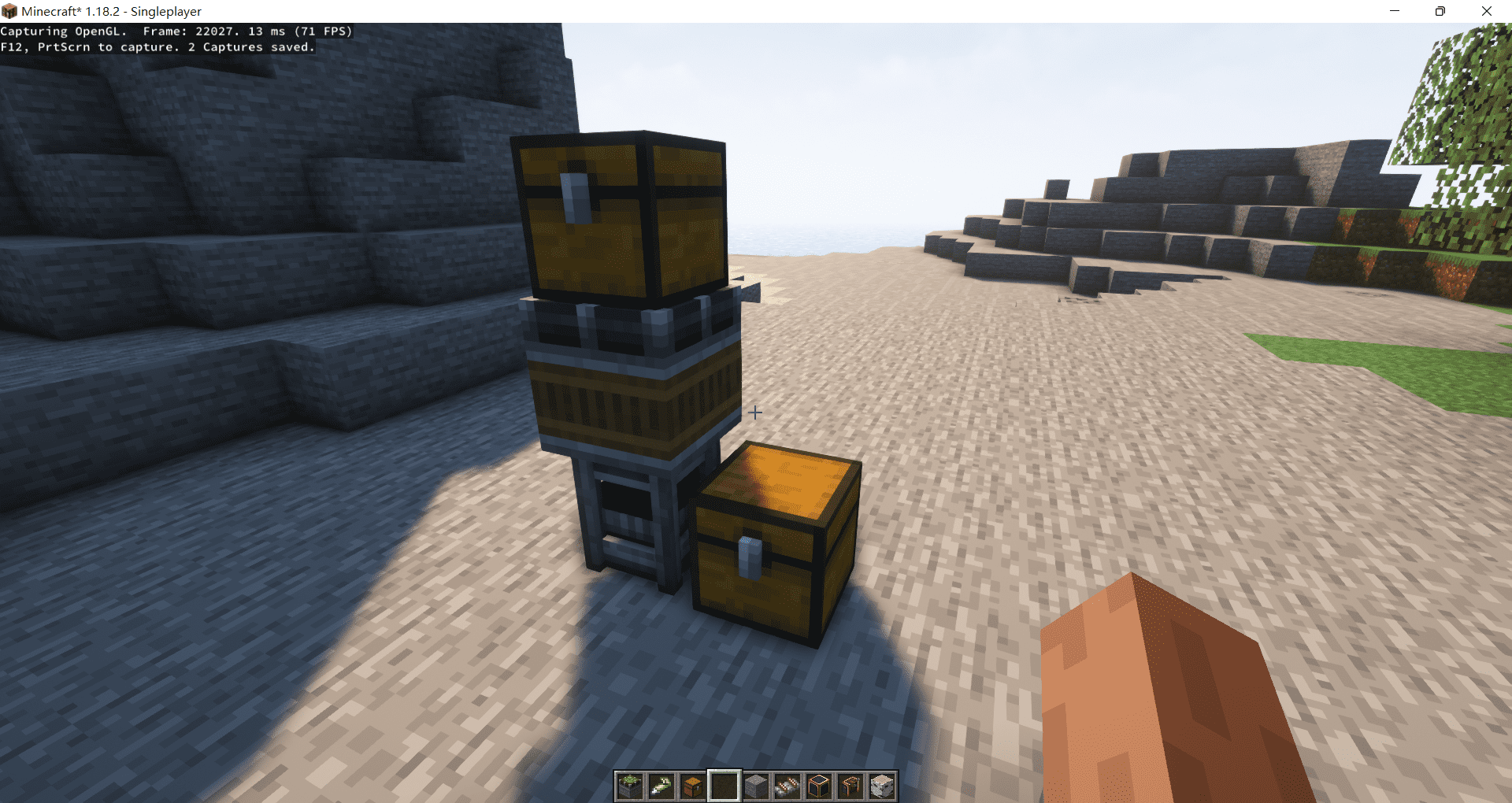
Before
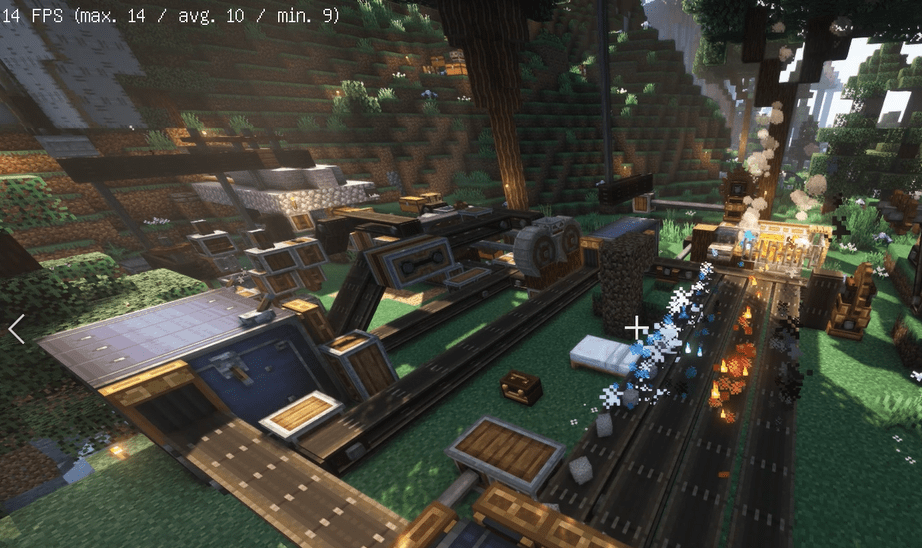
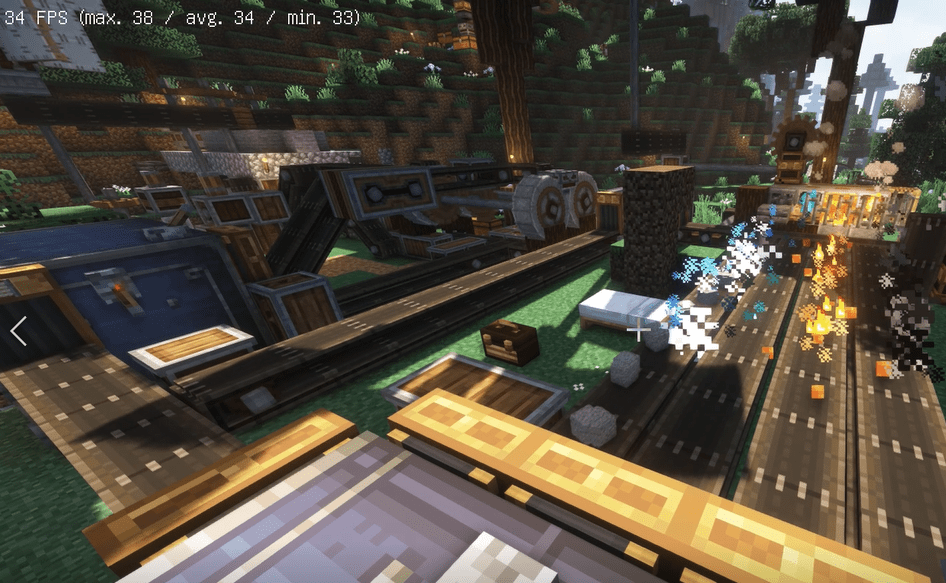
Before
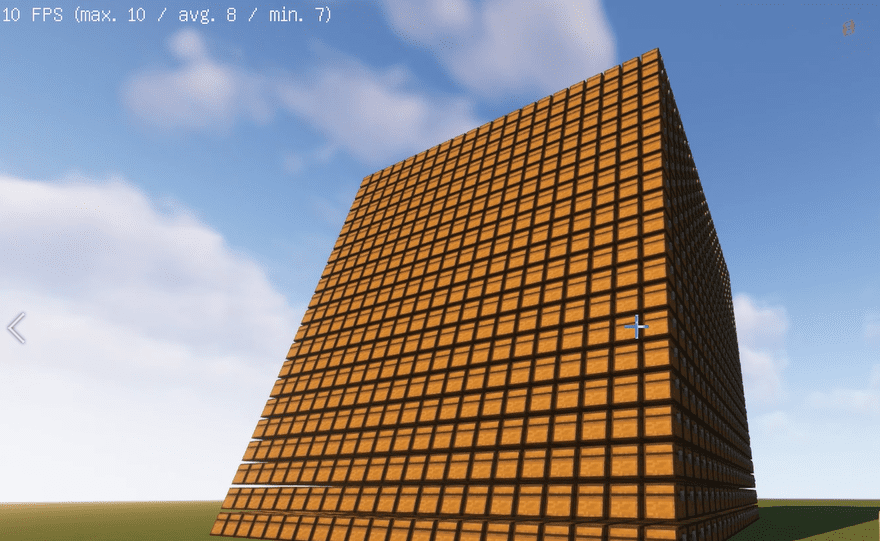
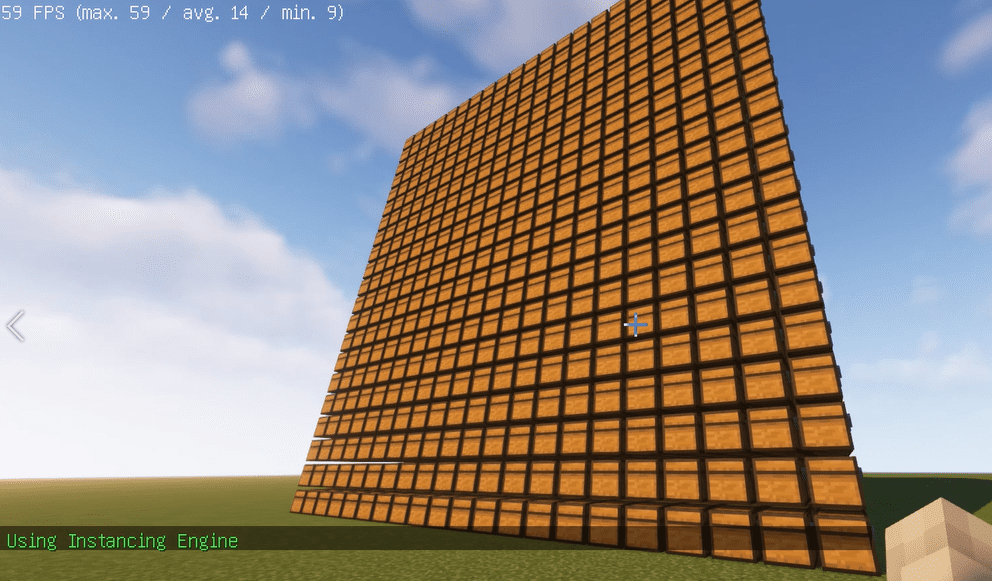
Before
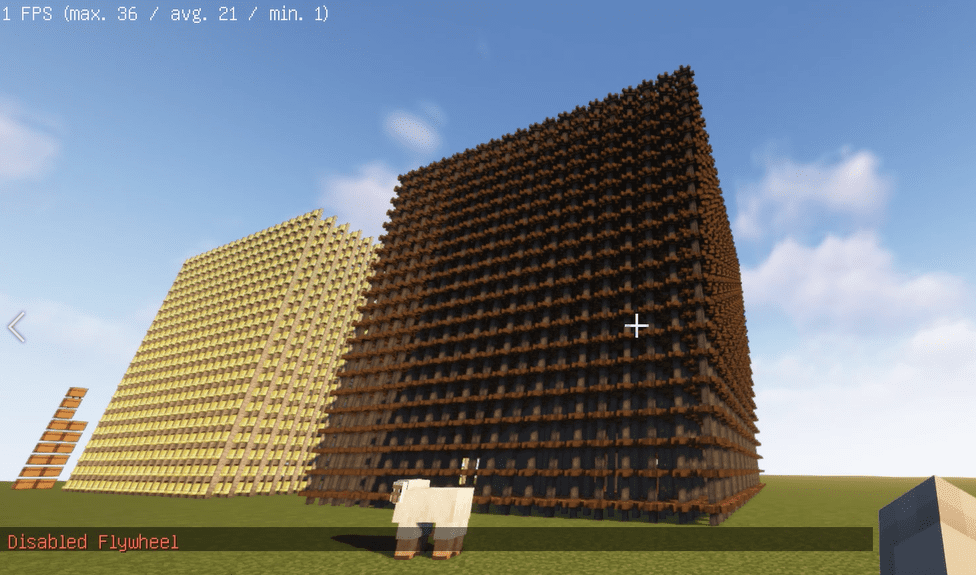
Complementary Shader without patch
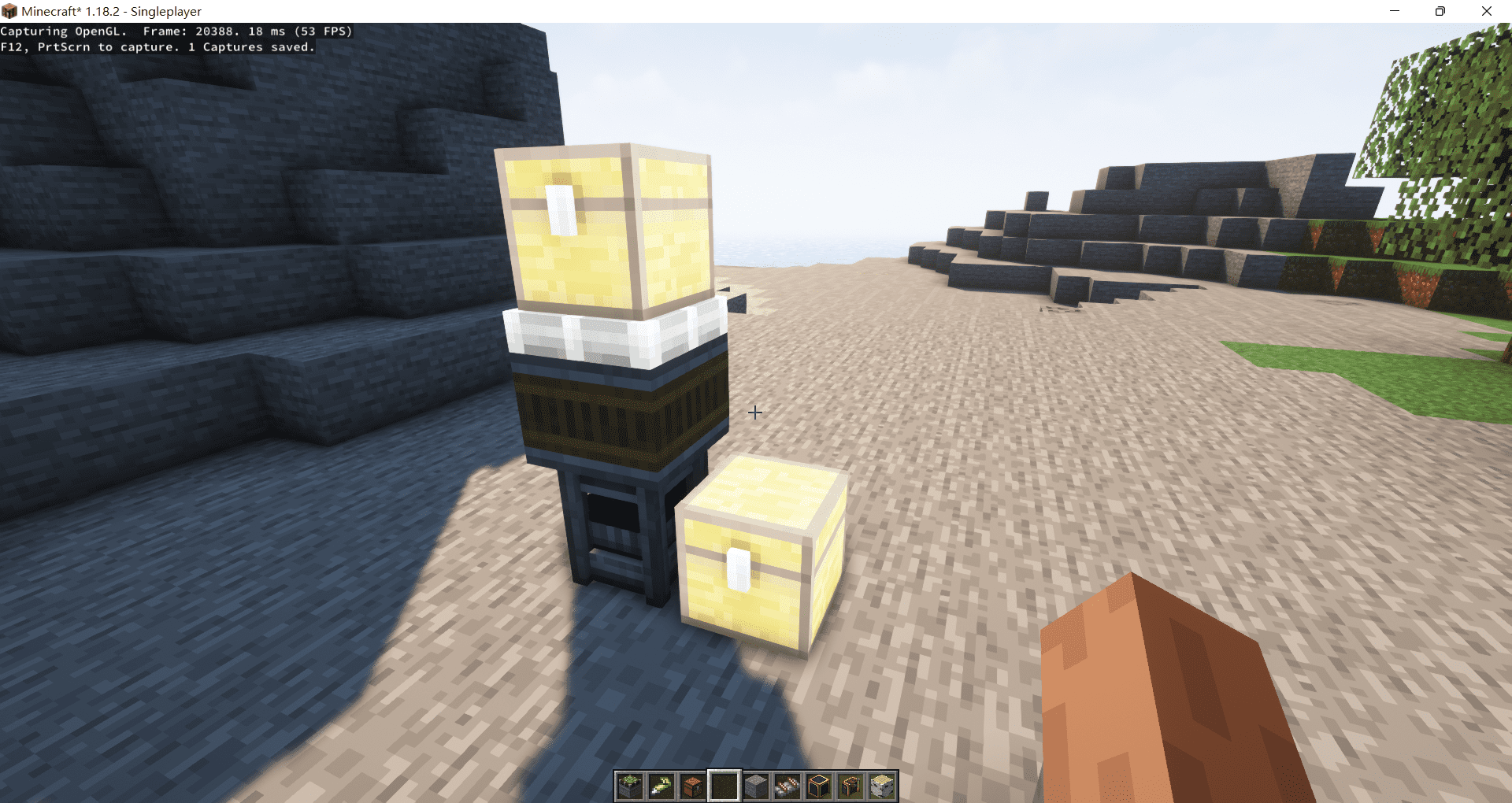
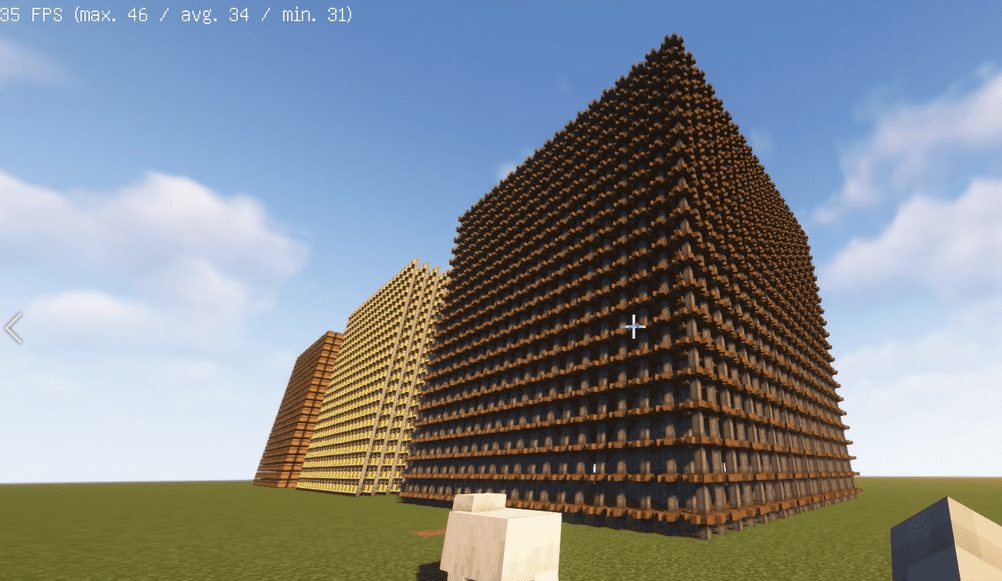
Complementary Shader with patch
How to Install:
New to Minecraft? Follow our step-by-step guide to install Mods on your PC.View Guide
Requirements:


Iris & Oculus Flywheel Compat Mod Download Links
For Minecraft 1.21.1, 1.21
NeoForge version: Download from Server 1 – Download from Server 2
Fabric version: Download from Server 1 – Download from Server 2
For Minecraft 1.20.6, 1.20.4, 1.20.2
Oculus Flywheel Compat Mod Forge version: Download from Server 1
Iris Flywheel Compat Mod Fabric version: Download from Server 1
For Minecraft 1.20.1, 1.20
Oculus Flywheel Compat Mod Forge version: Download from Server 1 – Download from Server 2
Iris Flywheel Compat Mod Fabric version: Download from Server 1 – Download from Server 2
For Minecraft 1.19.2
Oculus Flywheel Compat Mod Forge version: Download from Server 1 – Download from Server 2
Iris Flywheel Compat Mod Fabric version: Download from Server 1 – Download from Server 2
For Minecraft 1.18.2
Oculus Flywheel Compat Mod Forge version: Download from Server 1 – Download from Server 2
Iris Flywheel Compat Mod Fabric version: Download from Server 1 – Download from Server 2
You May Also Like
Picked for this page
 TerraBlender Mod (26.3, 1.20.1) – Library for TheAdubbz’s Mods
 Smooth Boot Mod (1.21.1, 1.20.1) – Improve and Tweak Minecraft CPU Scheduling
 Item Highlighter Mod (26.3, 1.20.1) – Animated Star Markers
 Food TXF Mod (26.3, 1.20.1) – Extra Food Items!
 EnderPack Mod (26.1.2, 1.20.1) – Take Your Ender Storage Anywhere
 No More Purple Mod (1.21.11, 1.20.1) – Glint Color Changer
 Clear Water Lava PowderSnow Mod (26.3, 1.20.1) – Clear Fog
 Advanced Loot Info Mod (26.3, 1.20.1) – Clear Loot Insights
 Custom Credits Mod (26.3, 1.20.1) – Customizable Credits Screen
 Lios Spiral Tower Villages Mod (26.3, 1.20.1) – Vertical Structures With Secrets
 Wooden To Stone Tools Upgrades Mod (26.3, 1.20.1) – Tool Upgradation Feature
 Fabwork Mod (26.3, 1.20.1) – Networking API For Fabric
Most viewed in Mods over the last 7 days
 Ala Industrial Mod (26.3) – Run Electric Power Grids and Automated Factories
 PleasureCraft Mod (26.3, 1.21.1) – Jenny Mod Remake for Fabric
 Jennycraft Mod (26.3, 1.20.1) – Virtual Girlfriend in Minecraft
 Fapcraft Mod (26.3, 1.12.2) – Comprehensive and Detailed Content
 Jenny Mod (Fapcraft) Official Complete Guide – How to use, Tutorial
 BangCraft Mod (1.20.1) – Jenny, Ellie and Elliot
 Fabric Loader (26.3, 1.20.1) – Fabric Installer for All Minecraft Versions
 The Shooting Star Demo Mod (26.3, 1.20.1) – Vaporize Terrain From Orbit
 Meteor Client Mod (26.3, 1.20.1) – Xray, HUD, Fly
 OptiFine HD (26.3, 1.20.1) – Run Faster, FPS Boost, Shaders Support
 Aristois Client Mod (1.21.4, 1.20.1) – World Class Minecraft Utility
 Prestige Client Mod (1.21.11, 1.21.4) – Powerful Ghost Features for Crystal & Sword PvP
More from Mods
 Asterion Mod (26.3, 1.20.1) – Survive Ancient Mazes and Slay the Legendary Minotaur
 Passthrough Signs Mod (26.3, 1.20.1) – Right-Click Through Wall Signs
 Packing Tape Mod (26.3, 1.20.1) – Move Chests, Machines
 No XP Anvils Mod (26.3, 1.20.1) – Repair And Enchant Without XP
 Naruto Shippuden Mod (26.3, 1.16.5) – Immerse Yourself in The World of Ninja
 Araxer’s Bestiary Mod (26.3, 1.20.1) – Build an In-Game Encyclopedia of Every Mob
 Villagers Plus Mod (26.3, 1.20.1) – Expanded Villager Types and Villages
 Ore Excavation 9minecraft Mod (26.3) – Mine Ores and Chop Trees in a Single Swing
 Dirigo Mod (26.1.2, 1.21.1) – Walk Across Nether Lava Seas and Automate Animal
 HandLib Mod (26.3, 1.21.1) – Keep Your Multiplayer World Stable
 Happy Ghasts Boost Mod (26.1.2, 1.20.1) – Fly Across Vast Distances at Top Speed
 LiquidBounce Client Mod (26.3, 1.20.1) – LiquidLauncher, A Free Client

This post has no comments yet. Be the first — your comment will appear here.