


HoloInventory Mod (1.12.2, 1.11.2) – Check Any Chest at a Glance
 841
841
 0
0

🌐 Read this article in your language! Choose your preferred language below.
Or pick the one you like:
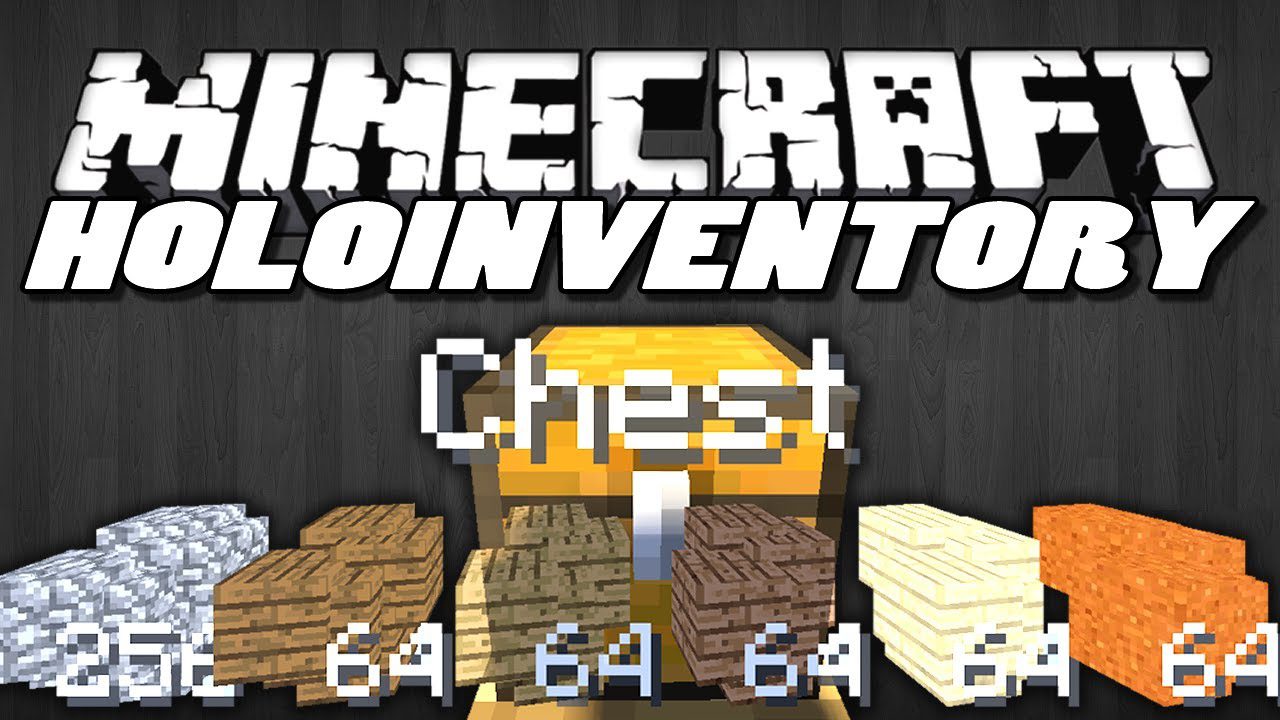
HoloInventory Mod adds a holographic display that shows you what’s inside a container. When you look at a block with an inventory, like a chest, its contents will appear floating above it. This hologram is just for viewing and you can’t interact with the items.
Features:
- See the contents of any inventory, like a chest or minecart, as a floating hologram.
- View villager trades without having to open their trading menu.
- The hologram is for display only; you cannot interact with the items shown.
- Simply look at a block with an inventory to make the hologram appear.
How to Use:
- Look at any block that has an inventory, like a chest or a villager.
- By default, press and hold the ‘H’ key to show the hologram of its contents.
- You can also activate it by sneaking or sprinting.
- The keybind can be changed in the controls menu or the mod’s configuration file.
Note: This mod needs to be installed on both the server and the client to work correctly.
Screenshots:
How to Install:
New to Minecraft? Follow our step-by-step guide to install Mods on your PC.View Guide
HoloInventory Mod Download Links
For Minecraft 1.6.4
For Minecraft 1.7.2
For Minecraft 1.7.10
For Minecraft 1.8.9
For Minecraft 1.10.2, 1.9.4
For Minecraft 1.11.2
For Minecraft 1.12.2
Click to rate this post!
[Total: 1 Average: 5]
You May Also Like




This post has no comments yet. Be the first — your comment will appear here.