
Chunky Border Plugin (26.3, 1.20.1) – Keep Your Community Close

 0


Chunky Border Plugin extends Chunky so you can create and manage custom world borders in your worlds. This addon supports every world shape that Chunky makes and stops players from moving or teleporting past your set edge. You can show border edges with client visuals, server particles, or map markers for Dynmap, BlueMap, Pl3xMap, and squaremap. It also lets you customize border messages, sounds, and effects, or turn on border wrapping to teleport players across the border.

Features:
- Lets you pick a custom region for your world borders.
- Supports every world shape generated by Chunky.
- Stops players from moving too far past your world border.
- Redirects teleports that try to go outside the world border.
- Includes an optional client-side world border renderer.
- Includes an optional server-side particle display to show the border.
- Offers optional border wrapping for teleporting across the border.
- Lets you customize the world border message.
- Lets you customize the world border effect and sound.
- Supports customizable map markers for Dynmap, BlueMap, Pl3xMap, and squaremap.
Commands:
Note: The commands below are listed without a / prefix.
chunky: Uses Chunky commands to create your world border selection.chunky border add: Creates a world border from your current selection.chunky border remove: Removes the world border in the currently selected world.chunky border wrap: Turns border wrapping on or off in the currently selected world.chunky border list: Shows all saved world borders.chunky border load: Loads the world border in the currently selected world as your selection.chunky border bypass: Temporarily bypasses the world border.
How to Use:
Create a Square Border in the Overworld:
- Run
chunky radius 1000to set a 1000-block radius for your selection. - Run
chunky border addto create a square world border in the Overworld.
Create a Circular Border in the Nether:
- Run
chunky world the_netherto select the Nether. - Run
chunky shape circleto set the selection shape to a circle. - Run
chunky spawnto center the selection at spawn. - Run
chunky radius 1000to set a 1000-block radius. - Run
chunky border addto create the circular world border.
Resize an Existing World Border:
- Run
chunky border loadto load your current world border as a selection. - Run
chunky radius 10000to change the radius to 10000 blocks. - Run
chunky border addto re-add the world border with the new size.
Remove a World Border in the End:
- Run
chunky world the_endto select the End. - Run
chunky border removeto remove the world border in that world.
Permissions:
chunky.command.border: Grants access to border commands.chunkyborder.bypass.move: Lets a player bypass border movement checks.chunkyborder.bypass.place: Lets a player bypass border block placement checks.
How to Install:
New to Minecraft? Follow our step-by-step guide to install Plugins on your PC.View Guide
Requirements:

Chunky Border Plugin Download Links
For Minecraft
26.3,
26.2,
26.1.2
All Versions Covered
26.3
26.2
26.1.2
26.1.1
26.1
1.21.11
1.21.10
1.21.9
1.21.8
1.21.7
1.21.6
1.21.5
1.21.4
1.21.3
1.21.2
1.21.1
1.21
1.20.6
1.20.5
All Versions Covered
26.3
26.2
26.1.2
26.1.1
26.1
1.21.11
1.21.10
1.21.9
1.21.8
1.21.7
1.21.6
1.21.5
1.21.4
1.21.3
1.21.2
1.21.1
1.21
1.20.6
1.20.5
For Minecraft
1.21.11,
1.21.10,
1.21.9
All Versions Covered
1.21.11
1.21.10
1.21.9
1.21.8
1.21.7
1.21.6
1.21.5
1.21.4
1.21.3
1.21.2
1.21.1
1.21
1.20.6
1.20.5
All Versions Covered
1.21.11
1.21.10
1.21.9
1.21.8
1.21.7
1.21.6
1.21.5
1.21.4
1.21.3
1.21.2
1.21.1
1.21
1.20.6
1.20.5
For Minecraft 1.21.3, 1.21.2
For Minecraft
1.20.6,
1.20.5,
1.20.4
All Versions Covered
1.20.6
1.20.5
1.20.4
1.20.3
1.20.2
1.20.1
1.20
1.19.4
1.19.3
1.19.2
1.19.1
1.19
1.18.2
1.18.1
1.18
All Versions Covered
1.20.6
1.20.5
1.20.4
1.20.3
1.20.2
1.20.1
1.20
1.19.4
1.19.3
1.19.2
1.19.1
1.19
1.18.2
1.18.1
1.18
For Minecraft 1.20.4
For Minecraft 1.14 –> 1.20
For Minecraft
1.19.3,
1.19.2,
1.19.1
All Versions Covered
1.19.3
1.19.2
1.19.1
1.19
1.18.2
1.18.1
1.18
All Versions Covered
1.19.3
1.19.2
1.19.1
1.19
1.18.2
1.18.1
1.18
Click to rate this post!
[Total: 0 Average: 0]
You May Also Like
Picked for this page
 Quests Plugin (26.1.2, 1.20.1) – Bukkit, Spigot, Paper
 MultiWorld Plugin (26.1.2, 1.20.1) – Spigot
 Spawn Plugin (26.1.2, 1.21.1) – Spigot
 Orebfuscator Plugin (26.1.2, 1.20.1) – Bukkit, Spigot, Paper
 TAB Plugin (26.3, 1.20.1) – Make an Awesome Animated Tablist
 ValhallaMMO Plugin (26.1.2, 1.20.1) – Bukkit, Spigot, Paper
 SuperVanish Plugin (26.2, 1.20.1) – Bukkit, Spigot, Paper
 Interaction Visualizer Plugin (26.1.2, 1.20.1) – Spigot
 Grim Anticheat Plugin (26.3, 1.20.1) – Realtime Cheat Detection Plugin
 BuildPaste Plugin (26.3, 1.20.1) – Bukkit, Spigot, Paper
 Aj Leaderboards Plugin (26.1.2, 1.20.1) – Spigot
 BentoBox Plugin (26.1.2, 1.20.1) – Spigot
Most viewed in Plugins over the last 7 days
 Vulcan Anti Cheat Plugin (1.21.8, 1.20.1) – A Powerful Shield Against Cheating
 Citizens Plugin (1.21.10, 1.20.1) – The Best NPC Plugin
 Displaymotion Plugin (1.21.4) – Amaze Players with Custom Animations and No Client Mods
 WorldEdit Plugin (1.21.11, 1.20.1) – Easy In-Game Minecraft Map Editor
 Dynmap 9minecraft Plugin (26.3) – A Live Google-Maps-Style View of Your Whole Server
 Ultimate Donut SMP Plugin (26.3, 1.20.1) – Build Teams Trade Goods
- Grim Anticheat Plugin (26.3, 1.20.1) – Realtime Cheat Detection Plugin
 MMOItems Premium Plugin (1.21.8, 1.20.1) – Create Stunning Custom Items
 Citizens2 Plugin (1.21.8, 1.20.1) – Craft Unique NPCs
 Oraxen Plugin (1.21.11, 1.20.1) – Transform Your Ideas into Custom Items And Blocks
 MythicCrucible Plugin (1.21.8, 1.20.1) – Addon for MythicMobs
 Ultimate Donut SMP Plugin (26.2, 1.21.11) – Everything Players Need to Trade
More from Plugins
 Infestations Plugin (1.21.10) – Rally Factions to Purge Spreading Monster Invasions
 Bliss Smp C3 Plugin (1.21.11, 1.21.1) – Turn Survival Battles Into High-Stakes
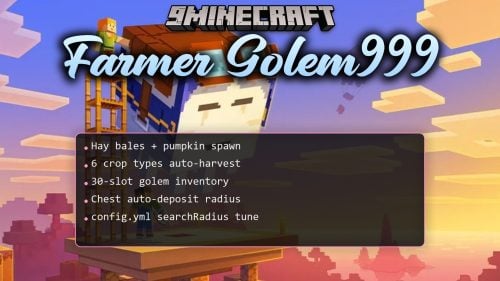 Farmer Golem999 Plugin (1.21.11, 1.21.1) – Automate Farm Chores So Towns Never
 TrialRooms Plugin (1.21.10) – Give Players Repeatable Dungeon Raids for Rare Loot
 Research Plugin (1.21.10) – Turn Idle Lecterns Into Secret Recipe Stations
 CompanionPets Plugin (1.21.10) – Give Players Cute Animal Friends to Raise Together
 Voidrp Ui Plugin (1.21) – Modern Clickable Menus for Every Unmodded Player
 Windfall AntiCheat Plugin – Keep Every Fight Fair for Honest Players
 MapGUI Plugin (26.1) – Give Players Clickable Menus Right in Their Hands
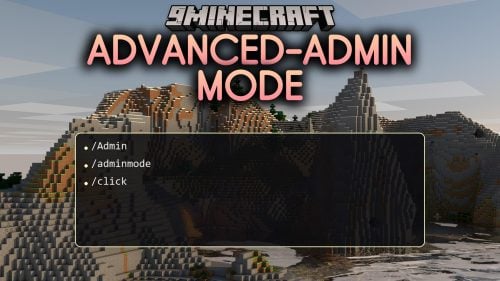 Advanced Admin Mode Plugin (26.3, 1.21.11) – Help Players Quickly
 Brainrotgame Plugin (1.21.11, 1.21.1) – Chaotic Base Wars That Keep Your Lobby
 Mc Kordon Plugin – Keep Lobbies Safe and Free From Annoying Bot Raids

This post has no comments yet. Be the first — your comment will appear here.