
Colored Signs Plugin (1.20.1, 1.19.4) – Eye-Catching Signs for Player Shops
 1,180
 0


Colored Signs Plugin lets players with the right permission add color to signs in-game. This plugin stays lightweight and makes colored signs easy to use on your server. You simply type the character set in config.yml, which defaults to &, right before any color code to style your sign text.
Features:
- Keeps a lightweight design focused on one simple job.
- Lets players add color to sign text right in the game with color codes.
- Allows you to pick the character used before color codes in
config.yml, with&as the default. - Restricts sign colors to players who have the
coloredsigns.formatpermission.
Configuration:
coloredsigns.format: Permission that lets a player use color codes on signs.config.yml: Config file where you define the character typed before a color code (default:&).
How to Use:
- Make sure you have the
coloredsigns.formatpermission on the server so color codes work on your signs. - Check
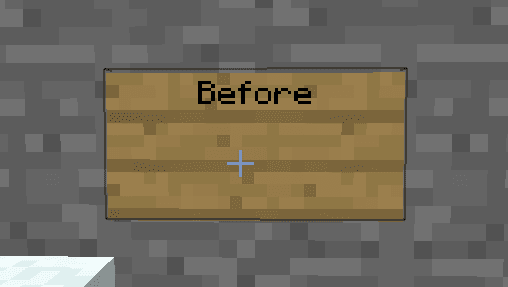
config.ymlif you want to change the formatting character; it defaults to&. - Place a sign down in the game.
- Type the character from
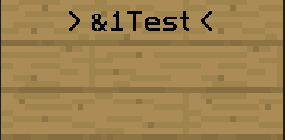
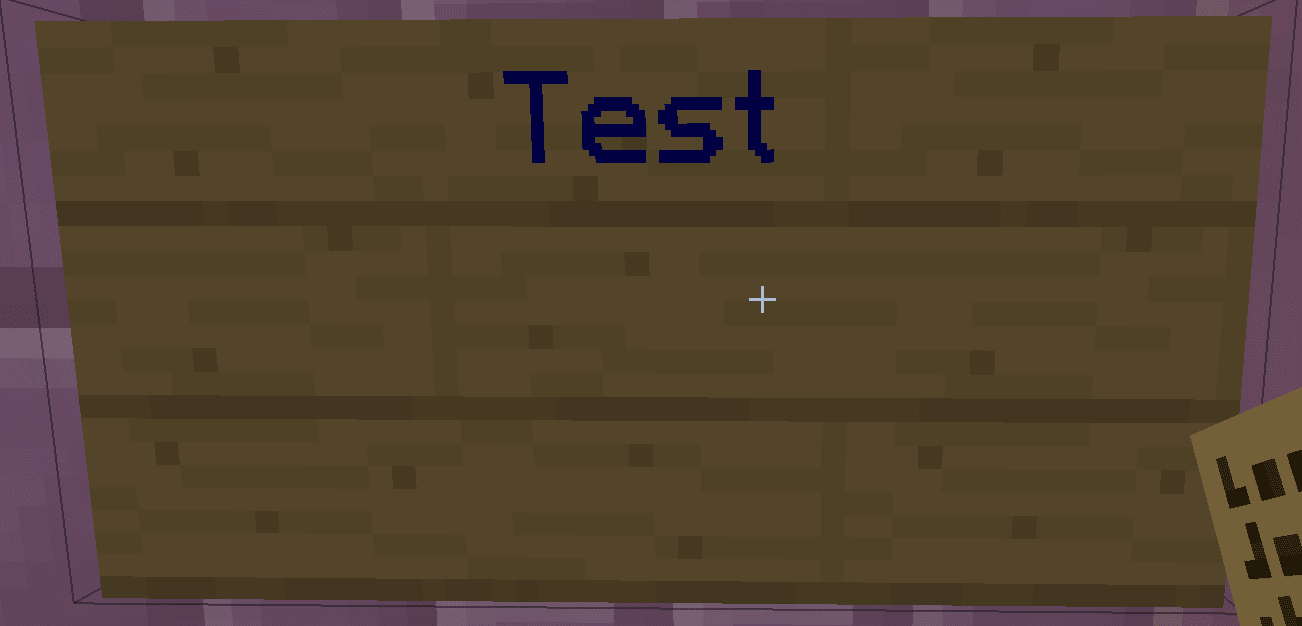
config.yml(default&) followed by any color code and your message so the text appears in color on the sign.
Screenshots:
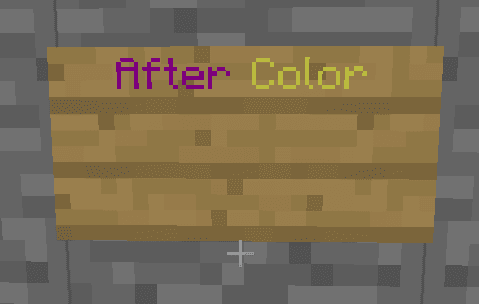
How to Install:
New to Minecraft? Follow our step-by-step guide to install Plugins on your PC.View Guide
Colored Signs Plugin Download Links
For Minecraft Spigot 1.8.8, 1.12.2, 1.16.5, 1.19.4, 1.20.1
Click to rate this post!
[Total: 2 Average: 5]
You May Also Like
Picked for this page
 Quests Plugin (26.1.2, 1.20.1) – Bukkit, Spigot, Paper
 MultiWorld Plugin (26.1.2, 1.20.1) – Spigot
 Spawn Plugin (26.1.2, 1.21.1) – Spigot
 Orebfuscator Plugin (26.1.2, 1.20.1) – Bukkit, Spigot, Paper
 TAB Plugin (26.3, 1.20.1) – Make an Awesome Animated Tablist
 ValhallaMMO Plugin (26.1.2, 1.20.1) – Bukkit, Spigot, Paper
 SuperVanish Plugin (26.2, 1.20.1) – Bukkit, Spigot, Paper
 Interaction Visualizer Plugin (26.1.2, 1.20.1) – Spigot
 Aj Leaderboards Plugin (26.1.2, 1.20.1) – Spigot
 BentoBox Plugin (26.1.2, 1.20.1) – Spigot
 DiSky Plugin (26.1.2, 1.20.1) – Spigot
 Multiverse Netherportals Plugin (26.3, 1.20.1) – Fixes Portal Links Across Worlds
Most viewed in Plugins over the last 7 days
 Dynmap 9minecraft Plugin (26.3) – A Live Google-Maps-Style View of Your Whole Server
 Vulcan Anti Cheat Plugin (1.21.8, 1.20.1) – A Powerful Shield Against Cheating
 Citizens Plugin (1.21.10, 1.20.1) – The Best NPC Plugin
 Displaymotion Plugin (1.21.4) – Amaze Players with Custom Animations and No Client Mods
 Citizens2 Plugin (1.21.8, 1.20.1) – Craft Unique NPCs
 MMOItems Premium Plugin (1.21.8, 1.20.1) – Create Stunning Custom Items
 Ultimate Donut SMP Plugin (26.3, 1.20.1) – Build Teams Trade Goods
 WorldEdit Plugin (1.21.11, 1.20.1) – Easy In-Game Minecraft Map Editor
 MythicCrucible Plugin (1.21.8, 1.20.1) – Addon for MythicMobs
 MythicMobs Premium Plugin (1.21.9, 1.20.1) – Craft Epic Custom Mobs And Bosses
 Vehicles Plus Plugin (1.21.11, 1.20.1) – Realistic Vehicle Plugin
 Fish Rework Fishing Plugin (26.3, 1.21.1) – Turn Simple Fishing
More from Plugins
 Dash Dashboard Plugin (26.3, 1.21.1) – Keep Gameplay Smooth and Answer Tickets
 Wormhole X Treme Plugin (26.3, 1.20.1) – Link Server Bases Instantly
 FakePlayer CE Plugin (1.20) – Keep Server Farms Running Even When Friends Log Off
 Jext Reborn Plugin (1.14) – Play Brand New Songs Together at Every Jukebox
 Clan CL Plugin (26.3, 1.21.1) – Build Powerful Teams with Shared Bases and Banks
 Channel Chat Plugin (1.21.11, 1.21.1) – Stop Screen Spam with Clan Rooms
 Karmacore Plugin (26.3, 1.20.1) – Fuel Fierce Server Rivalries
 L Claim Plugin (26.3, 1.20.1) – Build Protected Towns and Trade Peacefully
 Aegis Guard Modern Land Protection & Economy Plugin (26.3, 1.20.1)
 RaspberryJuice Plugin (1.21) – Turn Your World Into a Shared Coding Playground
 AtlasPractice Plugin – Give Players Nonstop Ranked Duels and Arena Battles
 King in Yellow Plugin (26.3, 1.21.11) – Terrify Server Players with Cosmic

This post has no comments yet. Be the first — your comment will appear here.