
Uku’s Armor HUD Mod (26.3, 1.20.1) – Track Armor Durability While Fighting


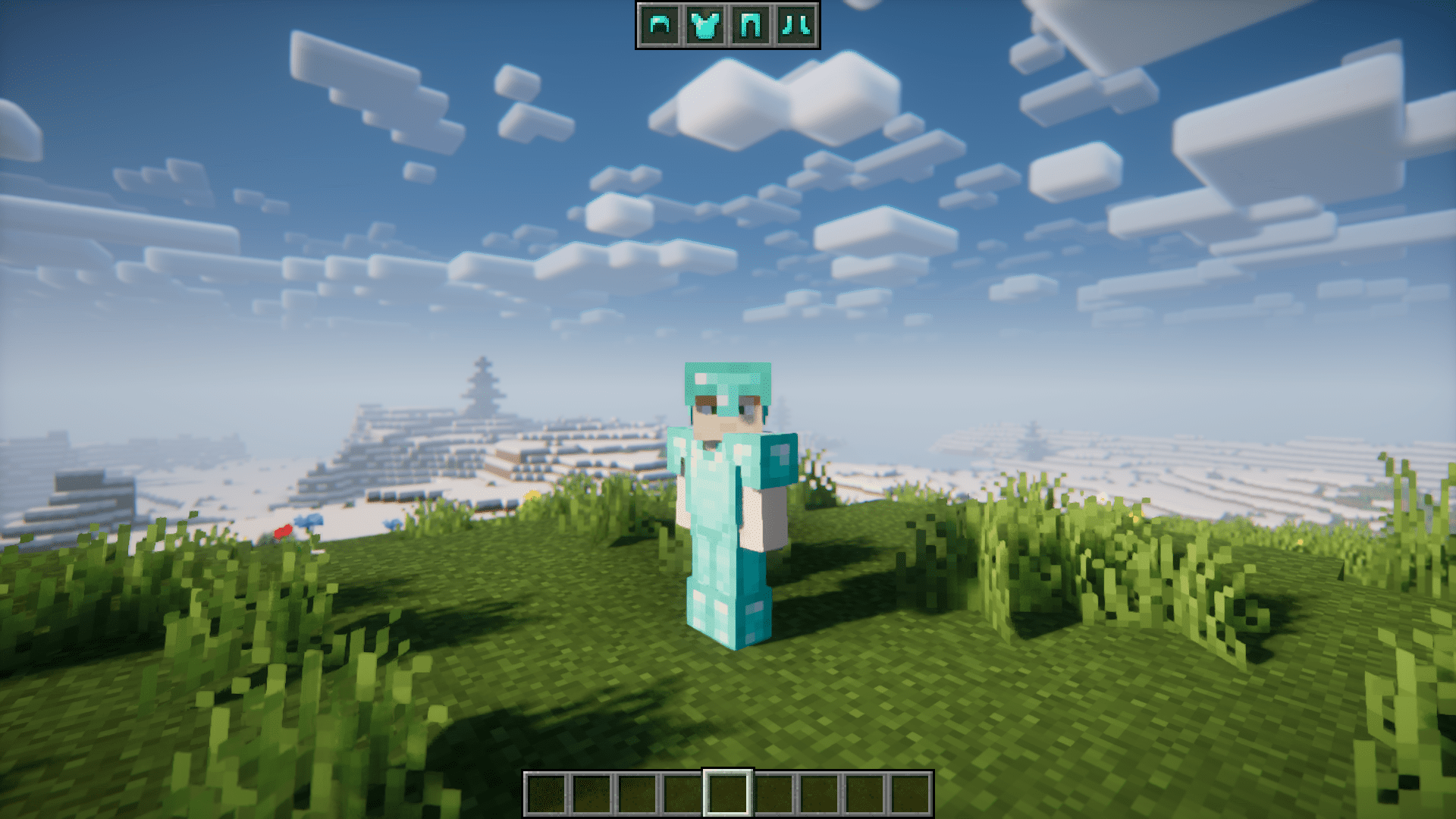
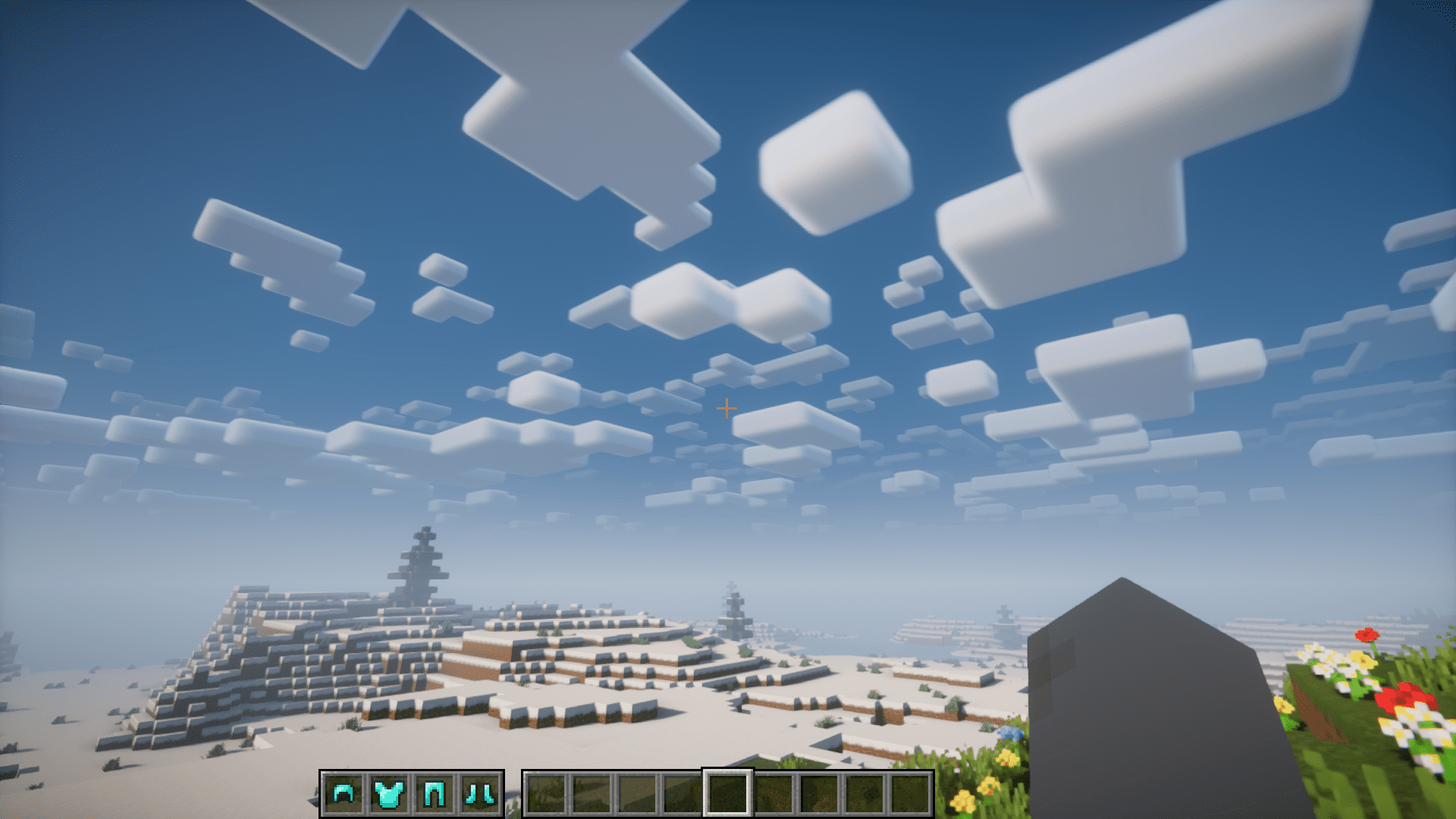
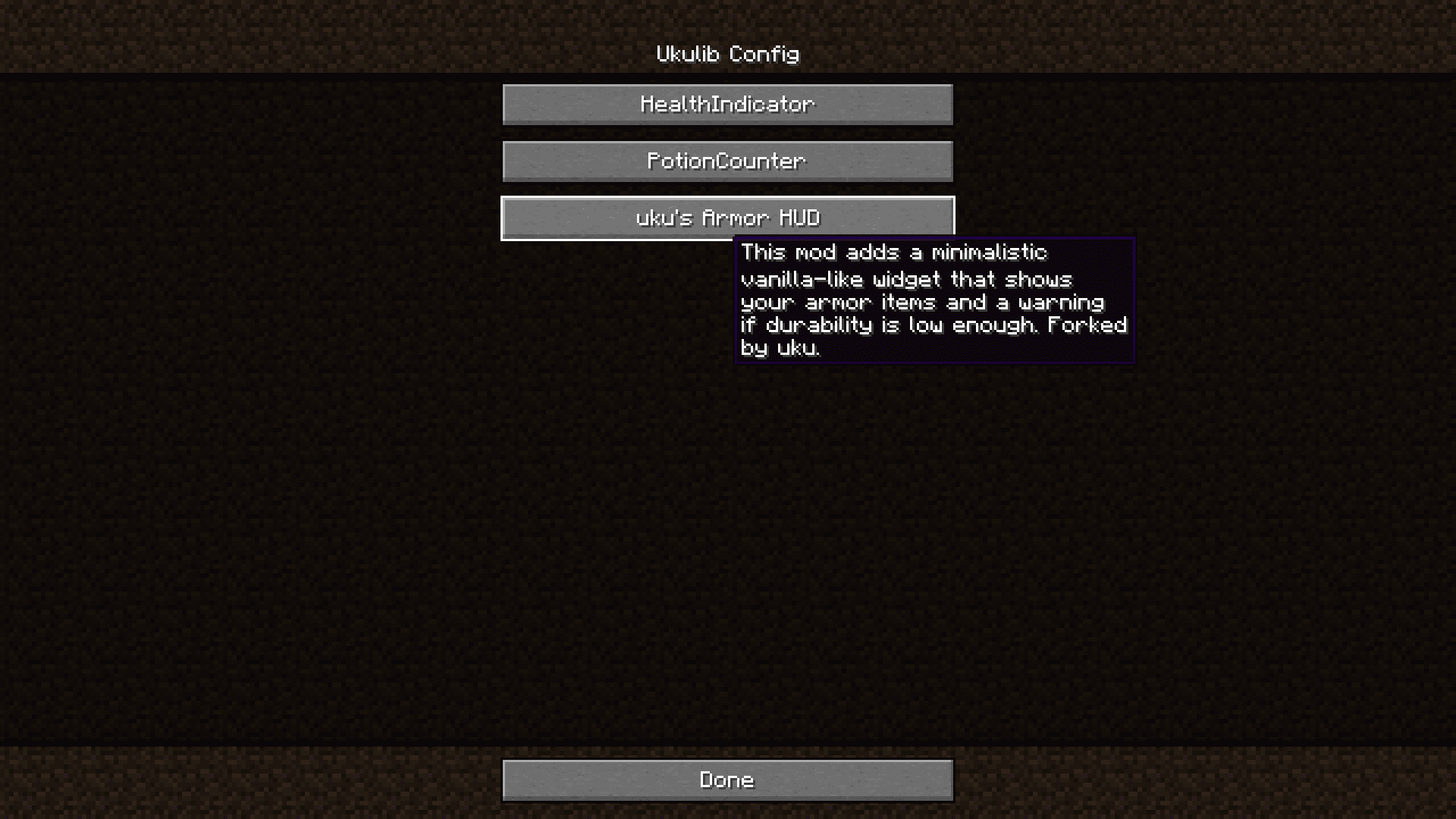
Uku’s Armor HUD Mod adds a clean, vanilla-style widget on your screen that shows the armor you wear. This mod places your four armor pieces in a small bar like the hotbar, so you can check gear durability without opening your inventory or looking at extra text and numbers. It also shows a warning and plays an armor breaking sound when durability gets low, helping you repair or swap pieces before they break. You can adjust the widget position and other settings through the config file or right inside the game with Ukulib.

Features:
- Minimalist Armor Display: Shows your equipped armor in a four-slot, vanilla-style bar right on your screen, similar to the hotbar, so you do not need to open your inventory.
- Low Durability Warning: Alerts you when your armor durability gets low, giving you time to repair or replace your pieces before they break.
- Keeps your view clutter-free by leaving out extra numbers and text.
- Plays an armor breaking sound to warn you when your gear is close to breaking.
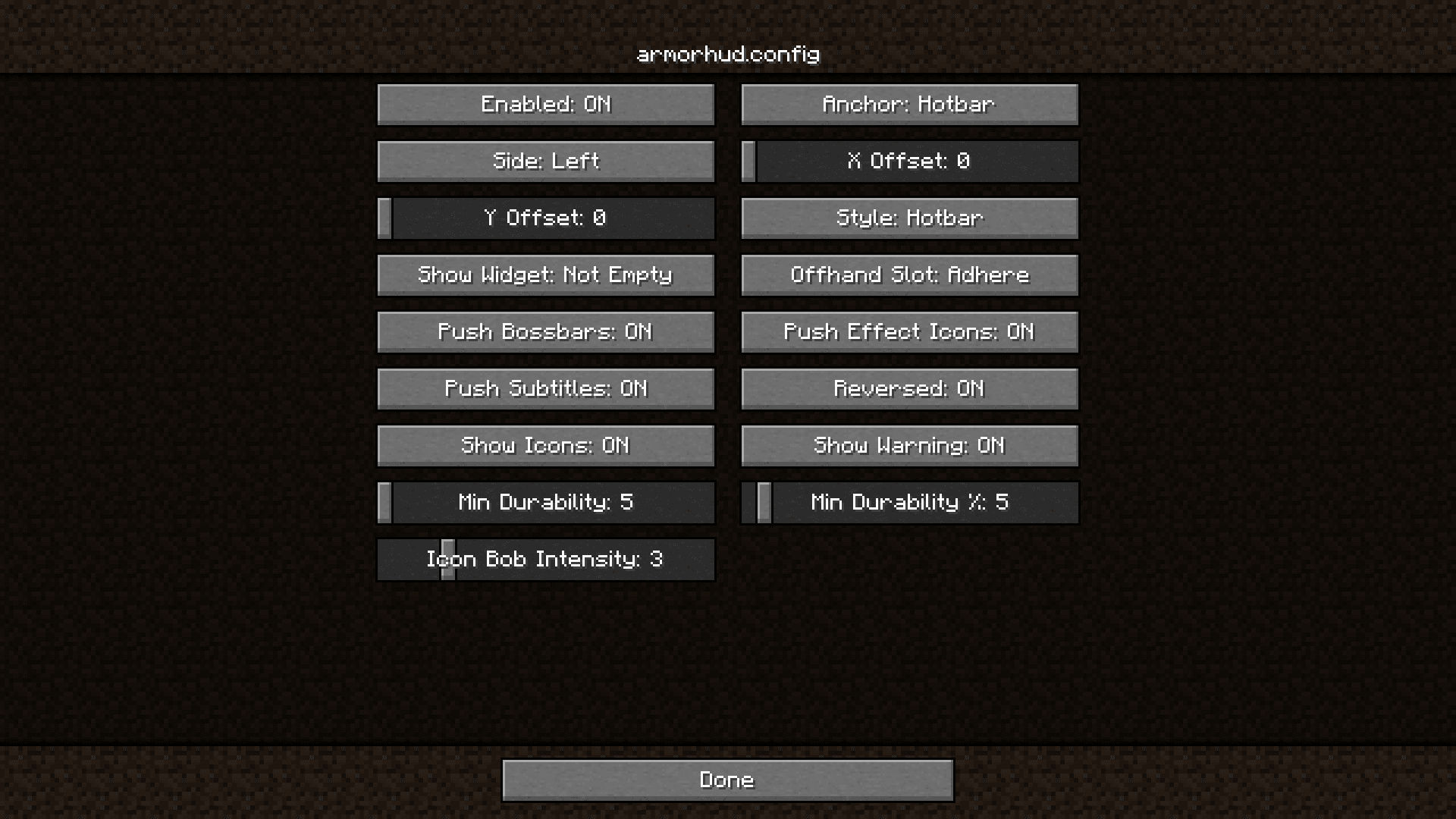
- Lets you move the widget position and tweak other settings in the config file to match your screen layout.
- Works with Ukulib so you can open a config menu and change widget settings right inside the game.
Configuration:
- Edit the mod’s config file to move the widget and change other settings.
- Use Ukulib alongside this mod to open the settings menu and adjust the widget options right inside the game.
How to Use:
- Load your world and equip your armor; the vanilla-style bar appears on your screen to show each piece and its durability.
- Keep an eye on the widget and listen for the armor breaking sound while you play; when durability gets low, you get a warning so you can repair or swap your gear in time.
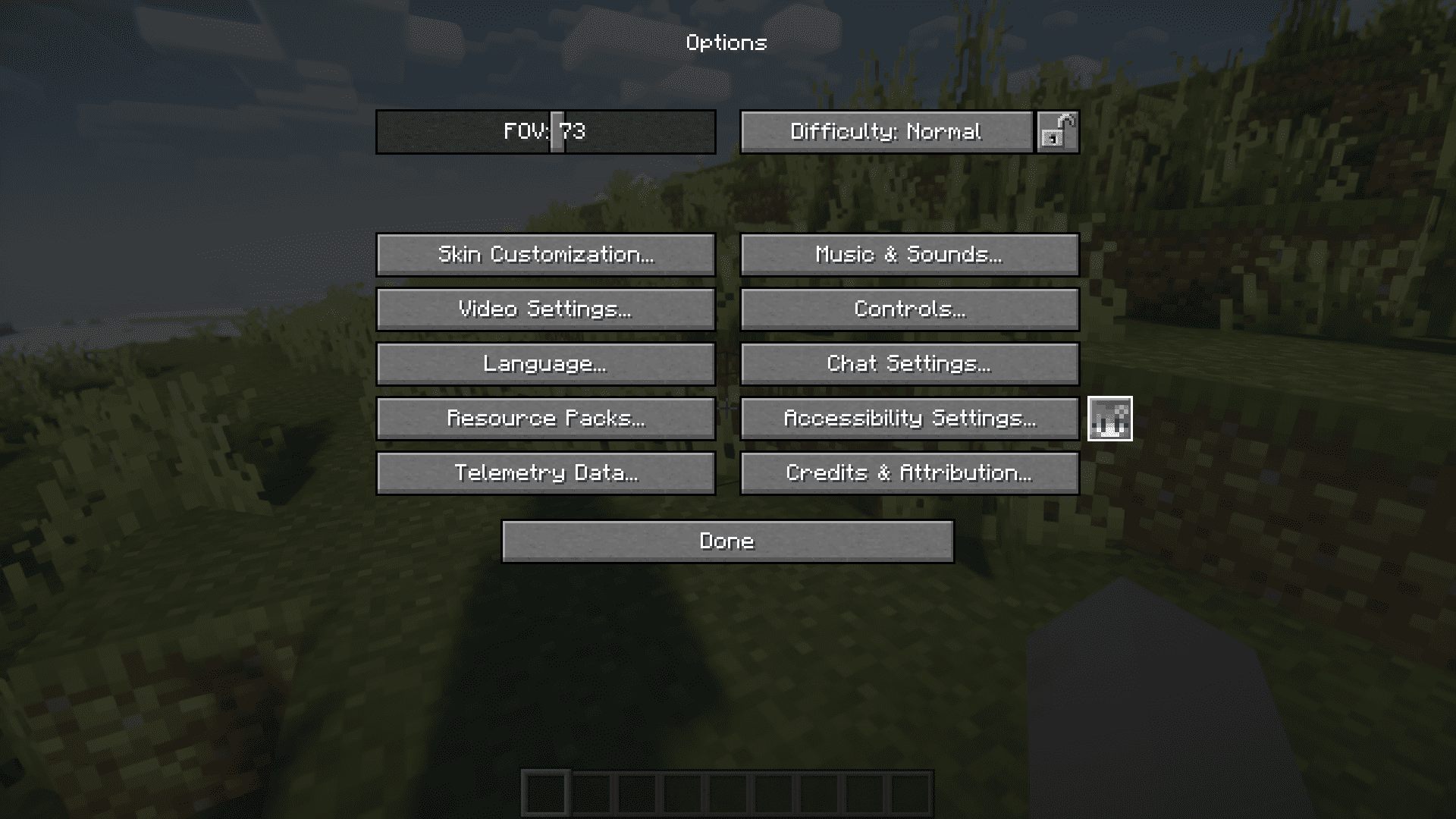
- Open the in-game Options menu and pick the Ukulib menu (if you use Ukulib), or edit the config file directly, to move the widget and adjust its settings.
Screenshots:
How to Install:
New to Minecraft? Follow our step-by-step guide to install Mods on your PC.View Guide



Uku's Armor HUD Mod Download Links
For Minecraft 26.3
For Minecraft 26.2
For Minecraft 26.1.2, 26.1.1, 26.1
For Minecraft 1.21.11
For Minecraft 1.21.10, 1.21.9
For Minecraft 1.21.8, 1.21.7, 1.21.6
For Minecraft 1.21.5
For Minecraft 1.21.4
For Minecraft 1.21.3, 1.21.2
For Minecraft 1.21.1, 1.21
For Minecraft 1.20.6
For Minecraft 1.20.4
For Minecraft 1.20.2
For Minecraft 1.20.1
Have you ever financially supported a mod creator (via Patreon, Ko-fi, or donations)?
5 responses · See the full results →

1 Comment
 What do you think?
Your opinion means a lot - we'd love to hear from you.
You May Also Like
Picked for this page
 Integrated Terminals Mod (26.3, 1.20.1) – Manage Integrated Dynamics Networks
 Vanilla Zoom Mod (26.3, 1.20.1) – Functionality to Zoom Via a Hotkey
 Hostile Mobs Improve Over Time Mod (26.3, 1.20.1) – Making Minecraft Brutal
 Tschipcraft’s More Mobs Mod (26.3, 1.20.1) – Humanoid Mobs
 Expanded Weapon Enchanting Mod (26.2, 1.20.1) – Maximize Your Power
 Productive Trees Mod (26.1.2, 1.20.1) – Forestry Inspired Tree Breeding
 FastQuit Mod (26.3, 1.20.1) – Exit Your World Instantly
 Companions Dogfolk Mod (1.21.11, 1.20.1) – Cute Little Helpers
 Polydex Mod (26.3, 1.20.1) – Recipes And Tooltips Vanilla Style
 Glowing Eyeblossom Mod (26.3, 1.21.11) – Makes Eyeblossoms Emit Light
 Artifacts Crafting Mod (1.21.11, 1.20.1) – Stop Hunting, Start Crafting!
 Corrupted Worlds Jar Mod (1.20.1, 1.20) – Scary Dimension Mod
Most viewed in Mods over the last 7 days
 Ala Industrial Mod (26.3) – Run Electric Power Grids and Automated Factories
 PleasureCraft Mod (26.3, 1.21.1) – Jenny Mod Remake for Fabric
 Jennycraft Mod (26.3, 1.20.1) – Virtual Girlfriend in Minecraft
 Fapcraft Mod (26.3, 1.12.2) – Comprehensive and Detailed Content
 Jenny Mod (Fapcraft) Official Complete Guide – How to use, Tutorial
 BangCraft Mod (1.20.1) – Jenny, Ellie and Elliot
 Fabric Loader (26.3, 1.20.1) – Fabric Installer for All Minecraft Versions
 The Shooting Star Demo Mod (26.3, 1.20.1) – Vaporize Terrain From Orbit
 Meteor Client Mod (26.3, 1.20.1) – Xray, HUD, Fly
 OptiFine HD (26.3, 1.20.1) – Run Faster, FPS Boost, Shaders Support
 Aristois Client Mod (1.21.4, 1.20.1) – World Class Minecraft Utility
 Prestige Client Mod (1.21.11, 1.21.4) – Powerful Ghost Features for Crystal & Sword PvP
More from Mods
 Beli’s SkyLyrics Mod (1.21.11) – Sing Along to Desktop Tracks Projected in the Night Sky
 Explainstone and Songmelyn Mod (1.21.1) – Broadcast Custom Music Across Your Base
 Rockstar Shaders Mod (26.3) – Cast Ray-Traced Light Across Vast Distant Horizons
 ERYDON Mod (1.20.1) – Design Grand Courtyards with Carved Marble Pillars
 Infinity Bound Mod (1.21.1) – Snap Away Enemies with Legendary Superhero Gear
 Legacy Gecko Lib Fabric Mod (1.16.5) – Power Animated Creatures in Modpacks
 The Man from the Shadow Horror Mod (1.20.1) – Fight Hallucinations to Survive
 Shade & Saturation Slider Mod (26.2, 1.21.11) – Make Every Biome Vibrant
 Cataclysm X Yung’s Better Nether Fortresses Compat Mod (1.21.1, 1.20.1)
 Patchouli 9minecraft Mod (26.3) – Read Mod Guides Without Leaving Minecraft
 Paintings ++ 9minecraft Mod (26.3) – Pick the Exact Painting You Want
 owo-lib 9minecraft Mod (26.3) – Run Your Favorite Mods Without Errors

Is this mod will work on mobile