


World Play Time Mod (26.1.1, 1.20.1) – Time Spent In A World

 0
0 

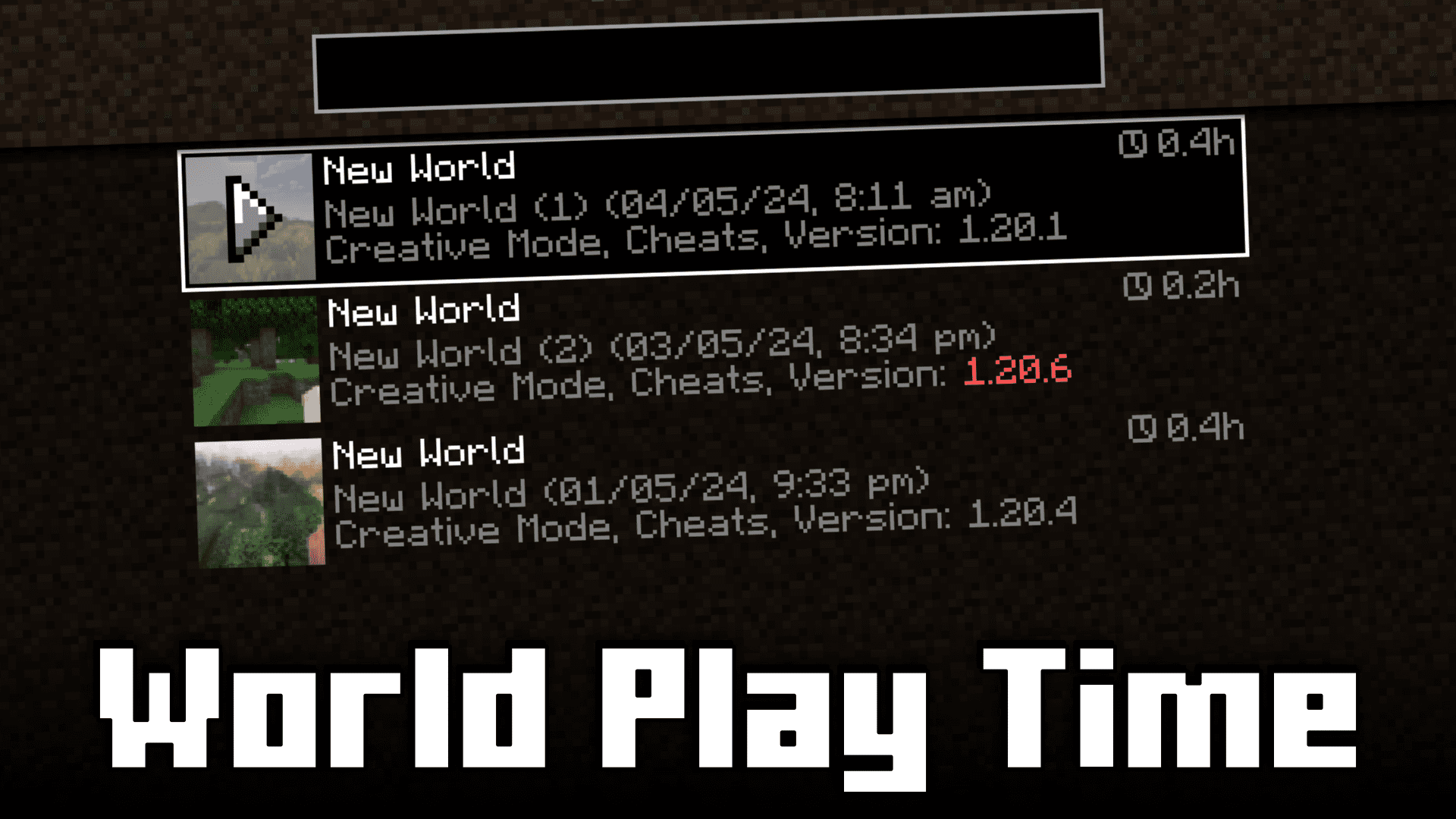
Ever wondered how much time you have spent in a specific Minecraft world. In the vanilla game, this can be done by looking at the F3 screen to look at the number of in-game days that have passed by. One in-game day is 20 minutes, and by doing the math, you will be able to figure out how much time you have spent in that specific world. But this process is very inconvenient and also may not work if you have used commands to speed up or slow down in-game time. The solution is here! World Play Time Mod will allow you to know the amount of time that you have spent in-game by adding a small tag that appears beside the name in the world selection screen.
Features:
- Allows you to know how much time you have spent in a specific world.
- Adds a tag near the world name in the world selection screen to show the time spent.
Screenshots:
How to Install:
New to Minecraft? Follow our step-by-step guide to install Mods on your PC.View Guide




World Play Time Mod Download Links
For Minecraft 26.1.2, 26.1.1, 26.1
For Minecraft
1.21.11,
1.21.8,
1.21.7
All Versions Covered
1.21.11
1.21.8
1.21.7
1.21.6
1.21.5
1.21.4
1.21.1
1.21
All Versions Covered
1.21.11
1.21.8
1.21.7
1.21.6
1.21.5
1.21.4
1.21.1
1.21
For Minecraft 1.21.10, 1.21.9
For Minecraft 1.21.8, 1.21.7, 1.21.6
For Minecraft 1.21.5
For Minecraft 1.21.4
For Minecraft 1.21.3, 1.21.2
For Minecraft 1.20.6
For Minecraft 1.20.4
For Minecraft 1.20.1, 1.20
For Minecraft 1.19.2
Click to rate this post!
[Total: 1 Average: 1]
You May Also Like















This post has no comments yet. Be the first — your comment will appear here.