


Ore Dictionary Converter Mod (1.10.2, 1.7.10) – Combine Ores From Any Modpack
 470
470
 0
0

Ore Dictionary Converter Mod helps you manage ores from different mods. It lets you change various types of the same ore, like copper or tin, into a single, unified version. This makes it easy to stack them all together, saving a lot of space in your inventory and chests.
Features:
- Unify different versions of the same ore and ingot into one type using the Forge Ore Dictionary.
- Ore Converter: A portable item that you can right-click to open a conversion GUI anywhere.
- Ore Conversion Table: A block that you can place in your base to act as a permanent conversion station.
- Automatic Ore Converter: An advanced block that automatically converts items placed inside. It can be connected to hoppers and pipes for automated systems.
How to Use:
- First, craft the Ore Converter item, the Ore Conversion Table, or the Automatic Ore Converter.
- To use the portable Ore Converter, simply right-click with it in your hand to open its menu. For the blocks, place them in the world and right-click them.
- In the GUI, place the different versions of an ore you want to change into the input slots.
- The converted items will appear in the output slots, ready to be stacked.
- For the Automatic Ore Converter, you can also specify which ore type you want as the output.
Blocks and Items:
Ore Converter:
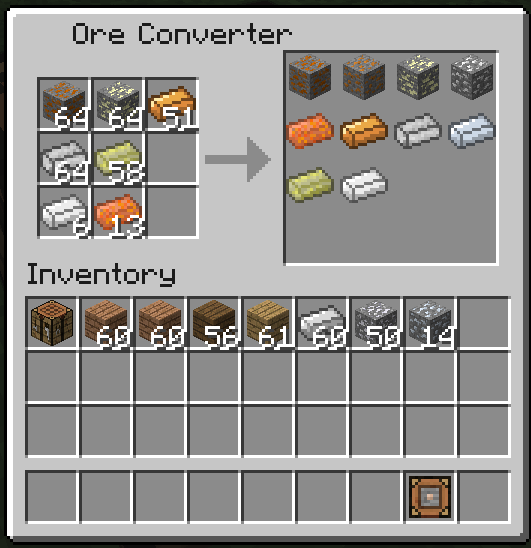
The Ore Converter is an item that allows ores to be converted. To use it place it in the hotbar and right click with it in the hand, it will open a GUI. The GUI has 2 sets of slots. In the left 3×3 slots is where the ores are placed, and in the right 4×4 slots is where the target ore is converted (similar to using a workbench).
Ore Conversion Table:
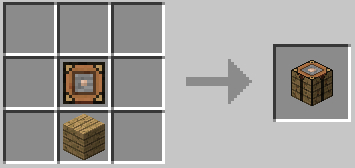
The Ore Conversion Table is a block that has the same function as the Ore Converter but is placed in the world.
Automatic Ore Converter:
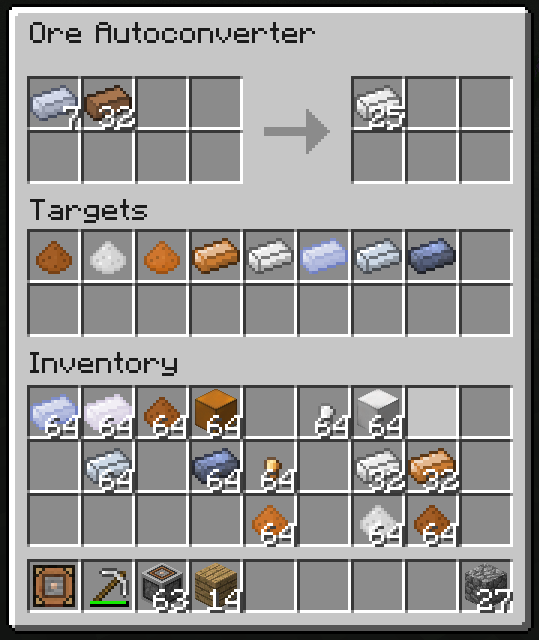
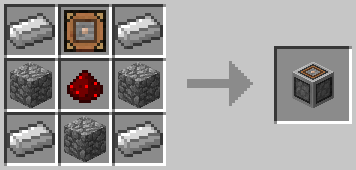
The Automatic Ore Converter is a block that automatically converts ores when they are placed on the input slots. When activeted it will open a GUI. The gui has 3 sets of slots. In the top left 4×2 slots is where the ores are placed, in the top right 3×2 slots is where the converted ores are pulled out, and the bottom 9×2 slots are used to set a specific version of the ore to convert (if none is specified, the first ore in the dictionary is selected, and if the item is not on the Ore Dictionary, it’s placed directly on an output slot).
The Automatic Ore Converter works with hoppers, Buildcraft pipes, etc.
Crafting Recipes:
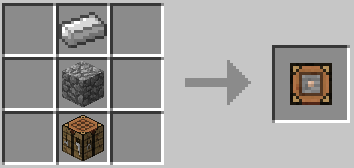
Ore Converter:
Ore Conversion Table:
Automatic Ore Converter:
Screenshots:
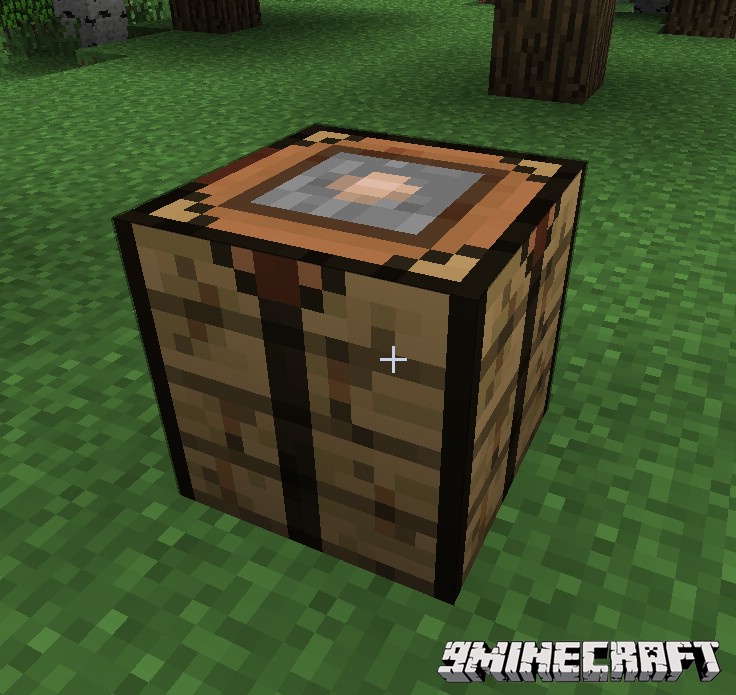
Ore Conversion Table
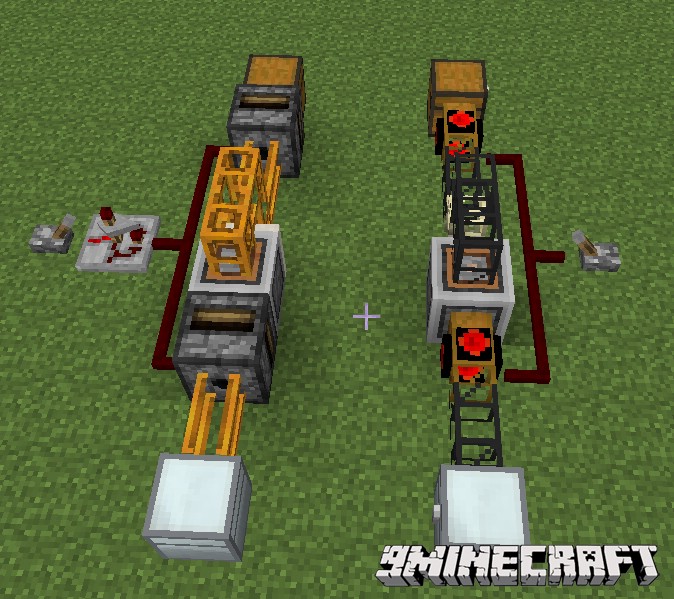
Automatic Ore Converter (using pipes/tubes)
How to Install:
New to Minecraft? Follow our step-by-step guide to install Mods on your PC.View Guide
Ore Dictionary Converter Mod Download Links
For Minecraft 1.6.4/1.6.2
For Minecraft 1.7.2
For Minecraft 1.7.10
For Minecraft 1.8.9
For Minecraft 1.9.4
For Minecraft 1.10.2
You May Also Like







This post has no comments yet. Be the first — your comment will appear here.