
Coastal Waves Mod (1.21.4, 1.20.1) – Walk Beside Rolling Waves



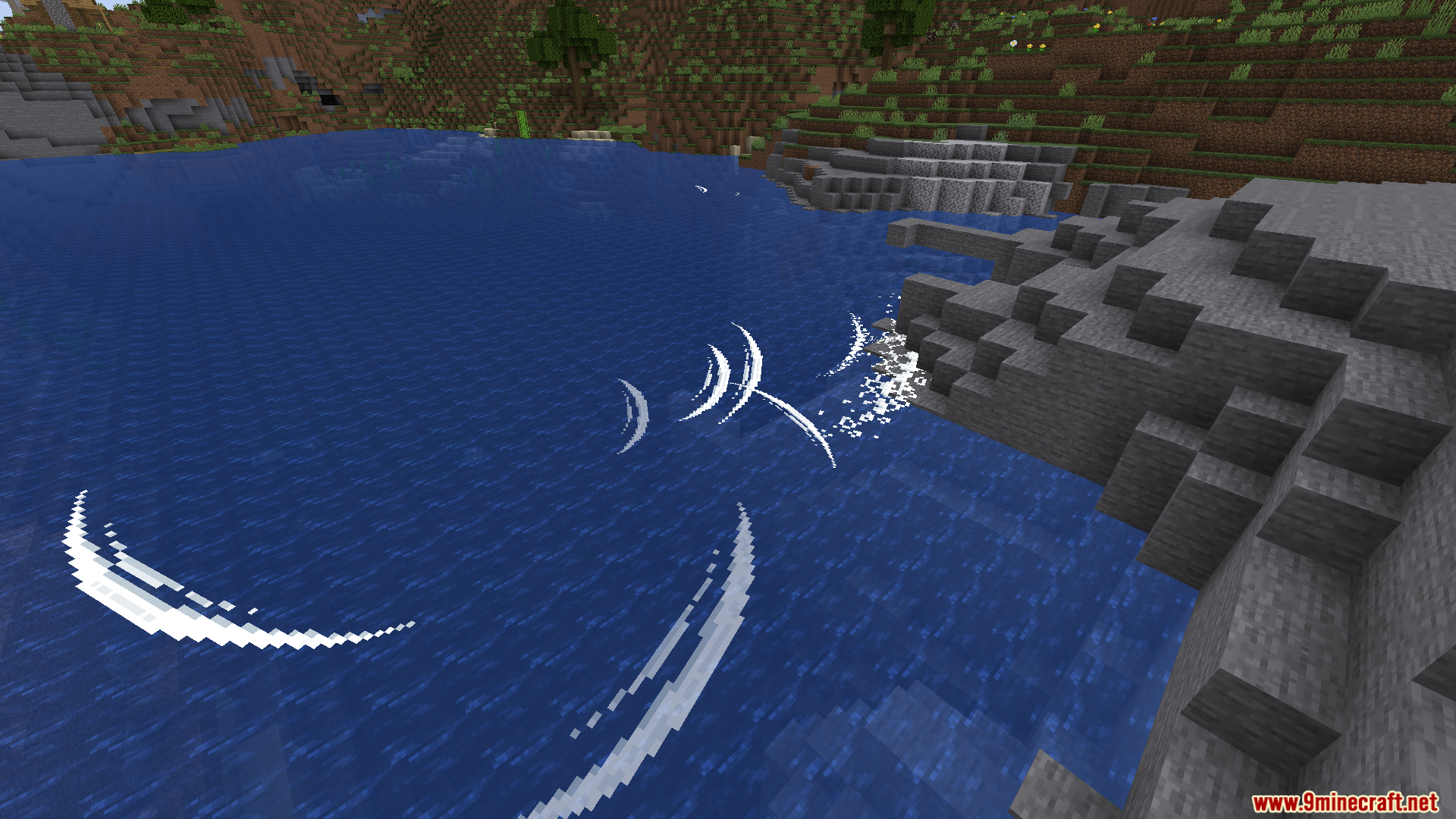
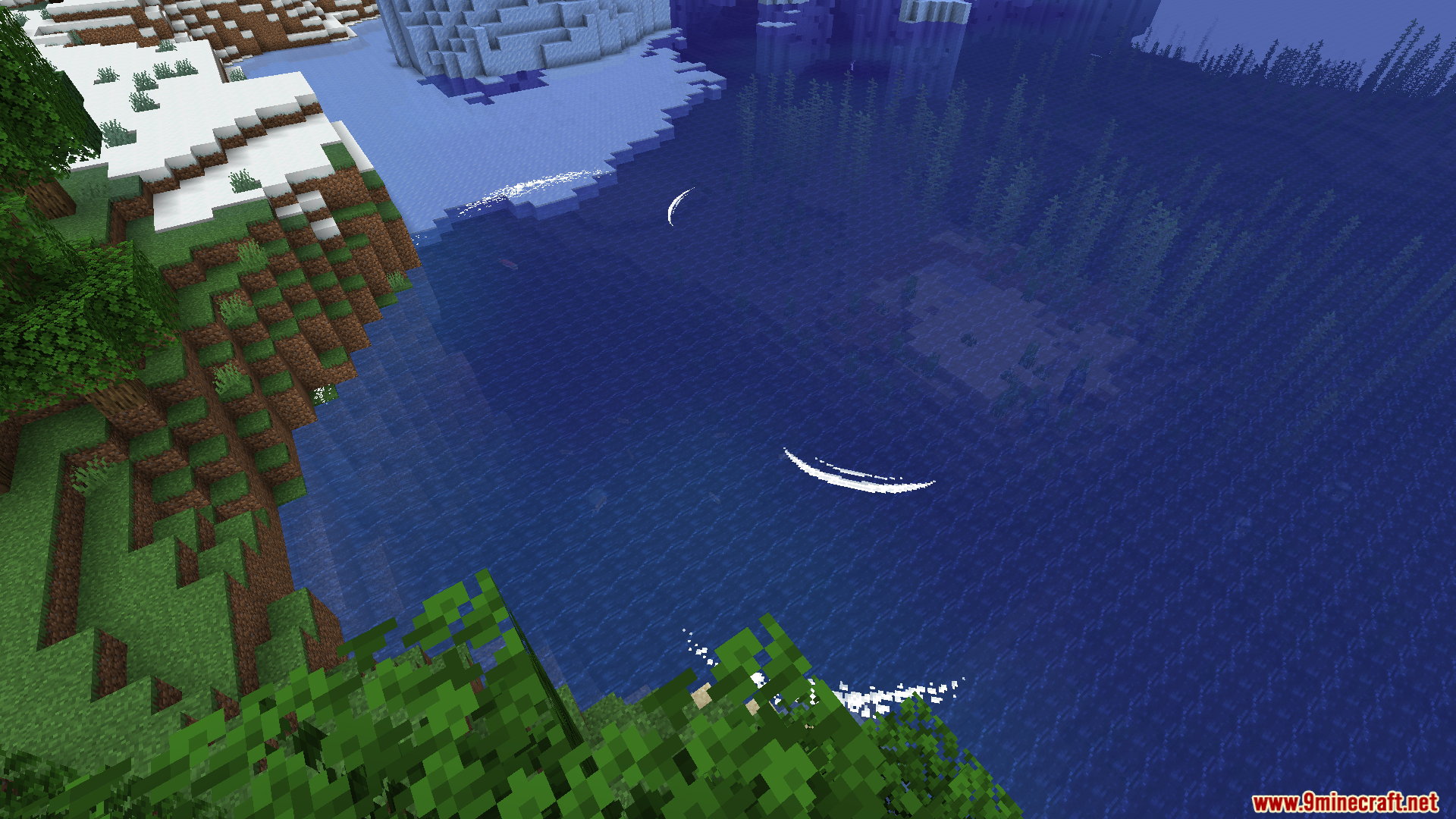
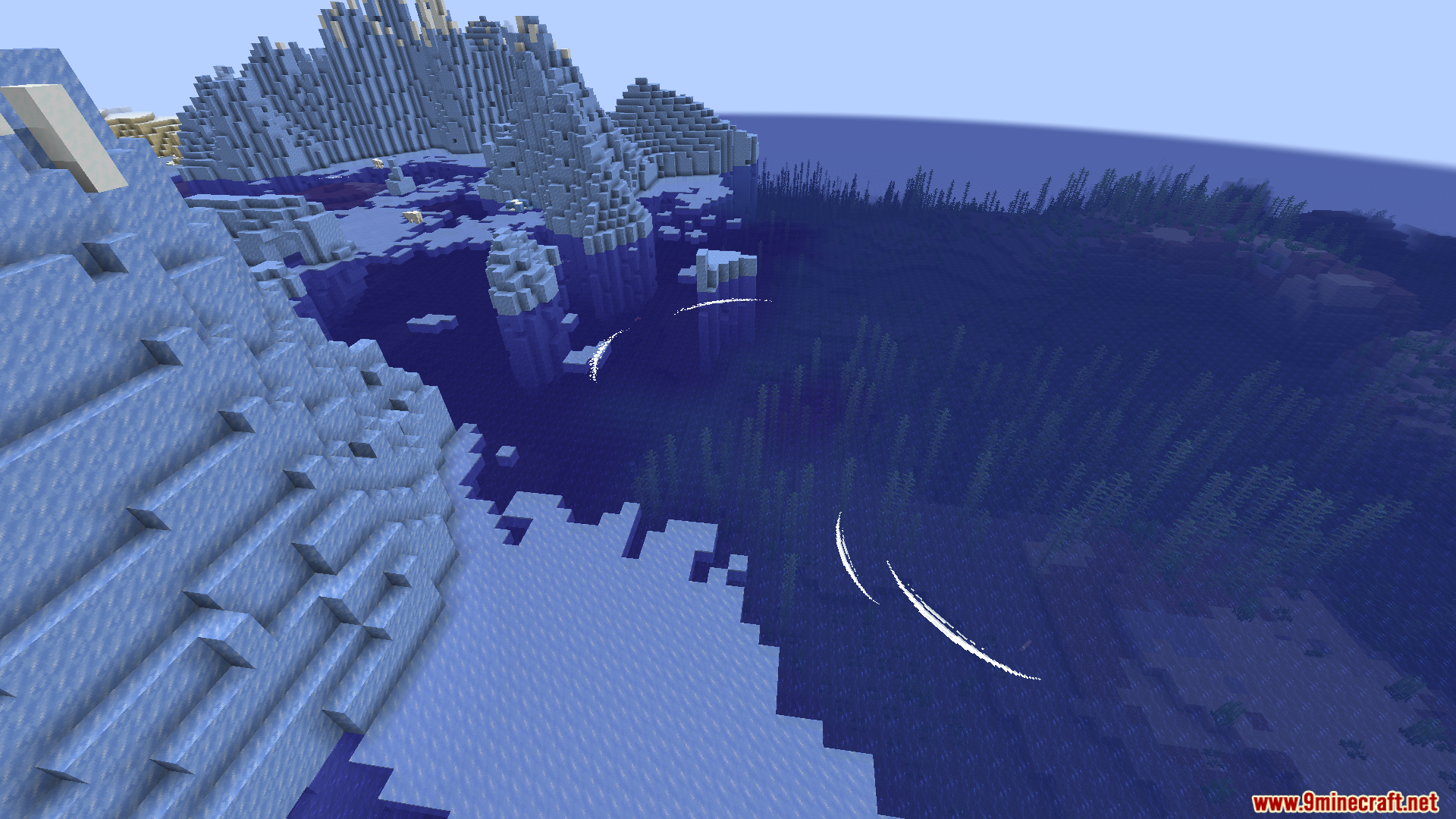
Coastal Waves Mod brings breaking waves to beaches across your Minecraft world. It adds scenic waves and calm, peaceful sounds to shorelines while you explore, build, or enjoy the view. The waves can leave useful materials on the shore and interact with entities in their path. You can also adjust spawn heights, wave spots, and behavior with editable tags and a JSON config file.
Coastal Waves Mod – Video Showcase
Features:
- Adds breaking waves to beaches with calm and peaceful ocean sounds.
- Gives waves a random chance to leave useful blocks and materials on the shore.
- Lets waves interact with entities that move into their path.
- Supports custom block, fluid, biome, and entity tags so you can choose where waves spawn, what they drop, and what they interact with.
- Allows you to set the y-level where waves spawn through a JSON config file with default settings for vanilla dimensions.
- Uses the wave entity ID
waves:wavesso players can hide waves on minimap mods with entity radars.
Configuration:
./config/waves/waves.json: Configures the y-level where waves spawn and includes default settings for vanilla dimensions.waves:wave_blocks: Block tag that lists the blocks waves can leave on the shore at random.waves:has_waves: Fluid tag that lists the fluids where waves can spawn.waves:has_waves: Biome tag that lists the biomes where waves can spawn.waves:wave_interaction_blacklist: Entity tag that lists entities blocked from wave interaction.waves:wave_interaction_whitelist: Entity tag that lists entities allowed for wave interaction.waves:waves: Entity ID for the wave entity, used to hide waves on minimap mods with entity radars.
How to Use:
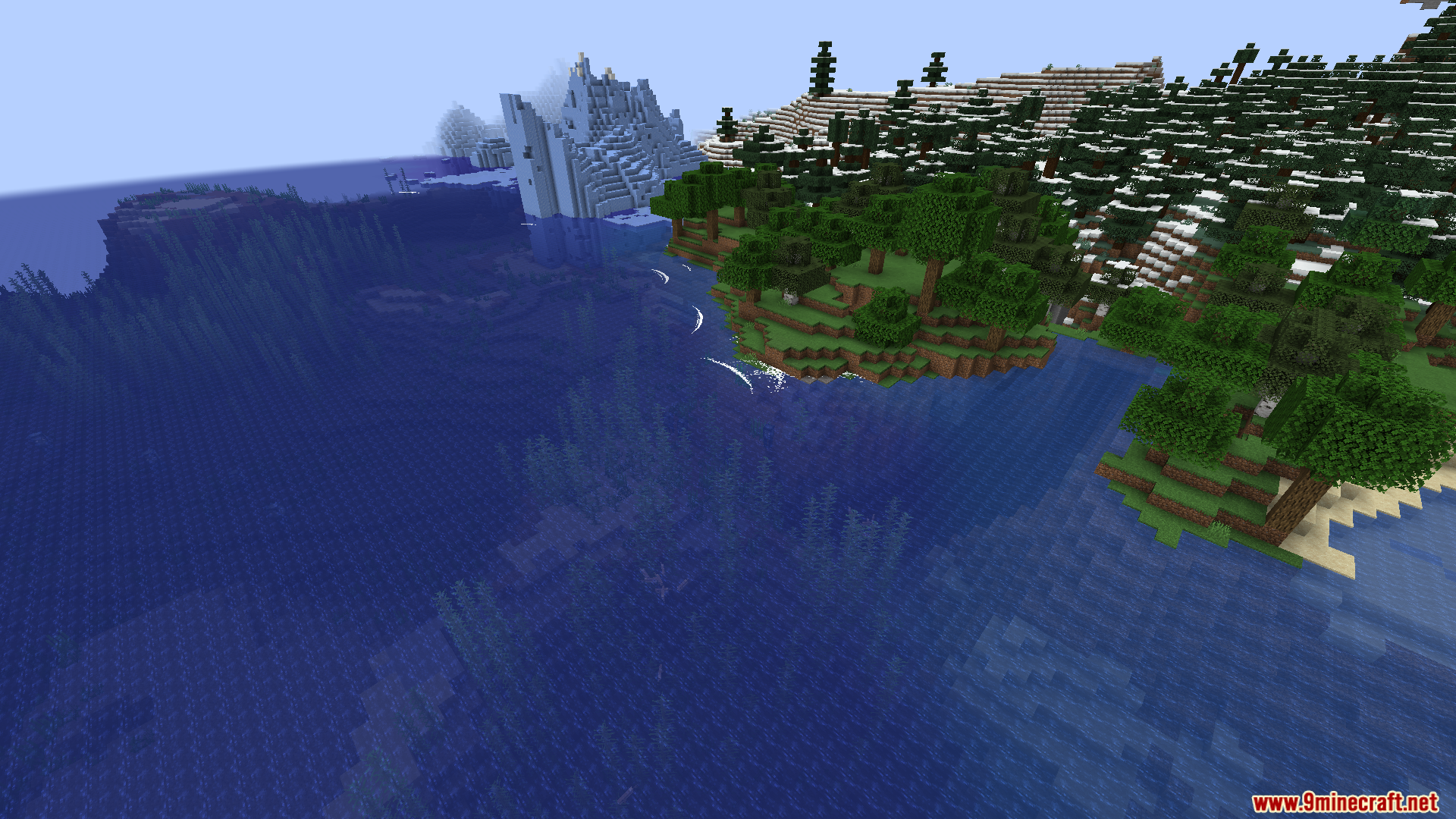
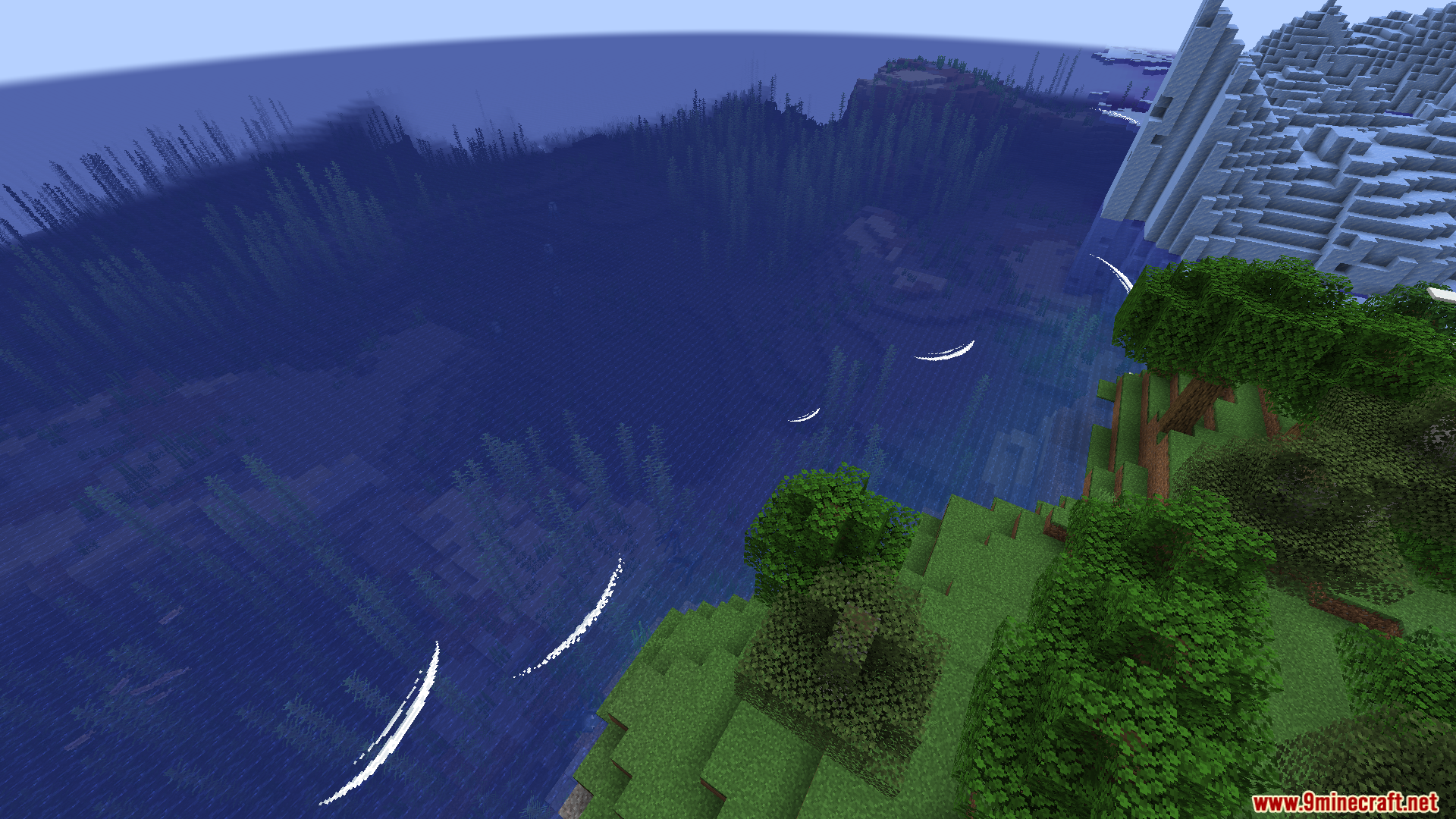
- Walk to a beach or shoreline in your world to see and hear the breaking waves.
- Check the sand as waves roll in to pick up useful materials that may drop on the shore at random.
- Open
./config/waves/waves.jsonto change the y-level where waves spawn in your dimensions. - Edit the block tag
waves:wave_blocks, the fluid and biome tagswaves:has_waves, and the entity tagswaves:wave_interaction_blacklistandwaves:wave_interaction_whitelistto customize wave drops, spawn areas, and entity interactions. - Use the entity ID
waves:wavesin your minimap mod’s entity radar settings if you want to hide wave entities from the map.
Screenshots:
How to Install:
New to Minecraft? Follow our step-by-step guide to install Mods on your PC.View Guide
Coastal Waves Mod Download Links
For Minecraft 1.21.4
NeoForge Version: Download from Server 1 – Download from Server 2
For Minecraft 1.21.1, 1.21
NeoForge Version: Download from Server 1 – Download from Server 2
For Minecraft 1.20.1, 1.20
Forge/NeoForge Version: Download from Server 1 – Download from Server 2
Click to rate this post!
[Total: 5 Average: 3.6]

1 Comment
 What do you think?
Your opinion means a lot - we'd love to hear from you.
You May Also Like
Picked for this page
 Cheat Mode Mod (26.2, 1.20.1) – Opening The Creative Inventory In Survival Mode
 Better Archeology Mod (26.3, 1.20.1) – Discover Artifacts & Fossils
 Simple Fog Control Mod (26.3, 1.20.1) – Clearing The Mist, Customizing Fog
 Caupona Mod (26.1.2, 1.20.1) – A Revision of The Cooking
 Structure Essentials Mod (26.3, 1.20.1) – A Crash-Free Modded World
 Cook Your Food Mod (26.3, 1.20.1) – Negative Effects for Raw Food
 Cobblemon: Legends Untold Mod (1.21.1, 1.20.1) – Legendary and Mythical Pokémon
 Stony Cliffs Are Cool Mod (26.1, 1.20.1) – Terrain Improvement
 Compact Help Command Mod (26.3, 1.20.1) – Show All Information
 DragN’s Livestock Overhaul Mod (1.20.1, 1.18.2) – Raise Realistic Farm Animals
 Crop Critters Mod (26.2, 1.20.1) – Living Crops Farming Automation
 Let’s Do Apple Wood Mod (1.20.1, 1.20) – Craft Blocks From Apple Logs
Most viewed in Mods over the last 7 days
 Ala Industrial Mod (26.3) – Run Electric Power Grids and Automated Factories
 PleasureCraft Mod (26.3, 1.21.1) – Jenny Mod Remake for Fabric
 Jennycraft Mod (26.3, 1.20.1) – Virtual Girlfriend in Minecraft
 Fapcraft Mod (26.3, 1.12.2) – Comprehensive and Detailed Content
 Jenny Mod (Fapcraft) Official Complete Guide – How to use, Tutorial
 BangCraft Mod (1.20.1) – Jenny, Ellie and Elliot
 Fabric Loader (26.3, 1.20.1) – Fabric Installer for All Minecraft Versions
 The Shooting Star Demo Mod (26.3, 1.20.1) – Vaporize Terrain From Orbit
 Meteor Client Mod (26.3, 1.20.1) – Xray, HUD, Fly
 OptiFine HD (26.3, 1.20.1) – Run Faster, FPS Boost, Shaders Support
 Aristois Client Mod (1.21.4, 1.20.1) – World Class Minecraft Utility
 Prestige Client Mod (1.21.11, 1.21.4) – Powerful Ghost Features for Crystal & Sword PvP
More from Mods
 Nodeflow Mod (26.1.2, 1.21.1) – Wire Custom Redstone Logic on Visual Graph
 Winter Client Mod (1.21.11) – Survive Ruthless PvP on Anarchy Servers
 LARP Client Mod (1.21.11) – Dominate Crystal PvP on Anarchy Servers
 Berlin Client Mod (1.21.11) – Hunt Stashes and Win Crystal Fights
 Kaleidoscope Cookery Refabricated Mod (26.3, 1.20.1) – Cook Hearty Meals
 Minecraft MusicBox Mod (1.21.12) – Play Your Favorite Songs While Mining and Building
 MTR Navigation Mod (1.21.1) – Plan Railway Trips and Never Miss a Train Stop
 TheHouse Mod (1.21.11) – Host Casino Tables and Track Every Bet in Real Time
 CinematicInteractions Mod (1.21.1) – Watch Your Hands Work at Every Crafting Table
 Earth Platform Mod (1.21.1) – Travel Across Real Continents in a True Scale World
 Taunahi Mod (26.1.2) – Automate Daily Farming and Slayers in Hypixel Skyblock
 HORROR Fake Join Leave Messages Mod (1.20.1) – Trigger Creepy Chat Scares

Minicraf ini sangat bagus