
GriefLogger Mod (26.2, 1.20.1) – Catch Server Vandals Red-Handed

 0


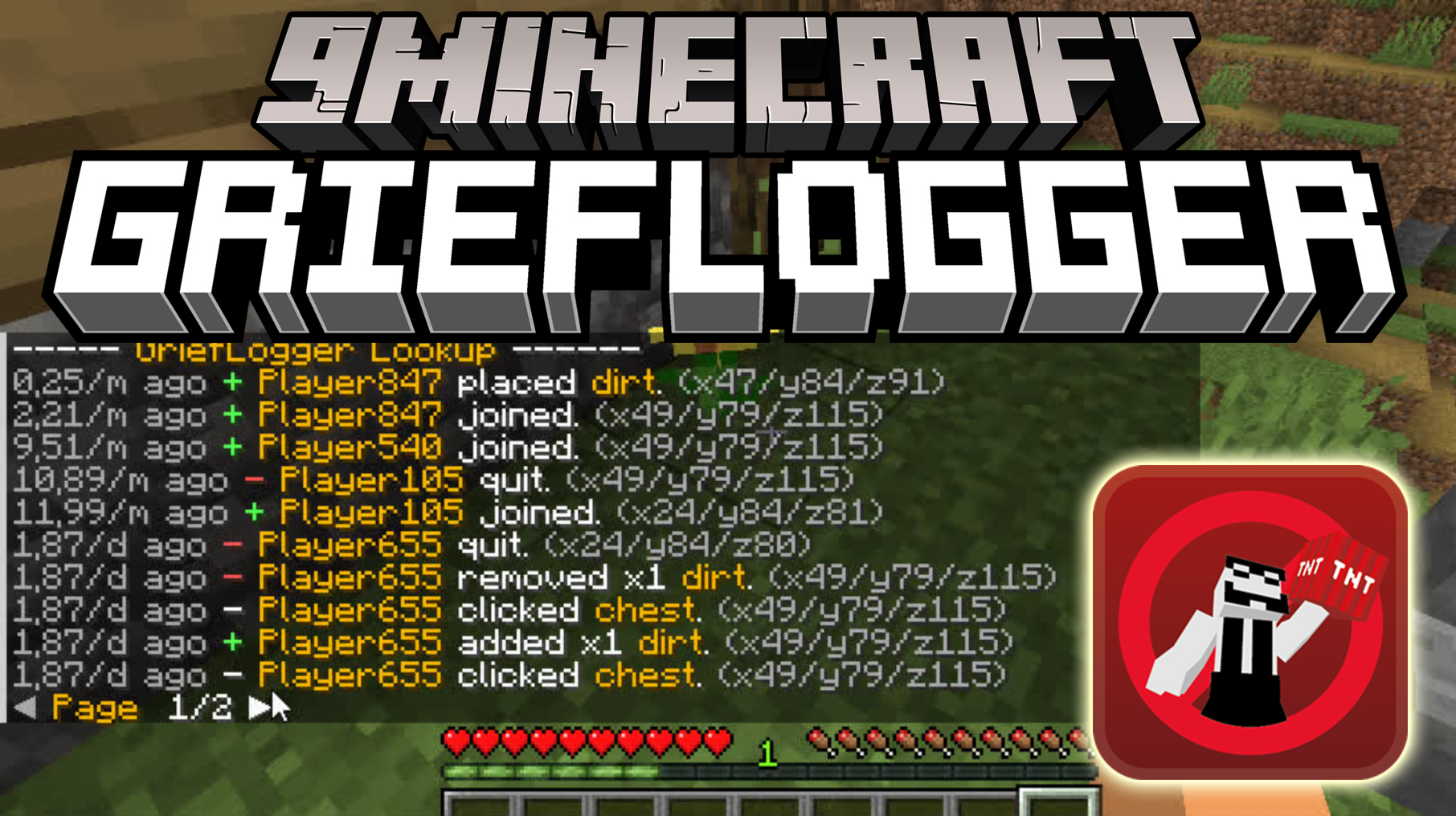
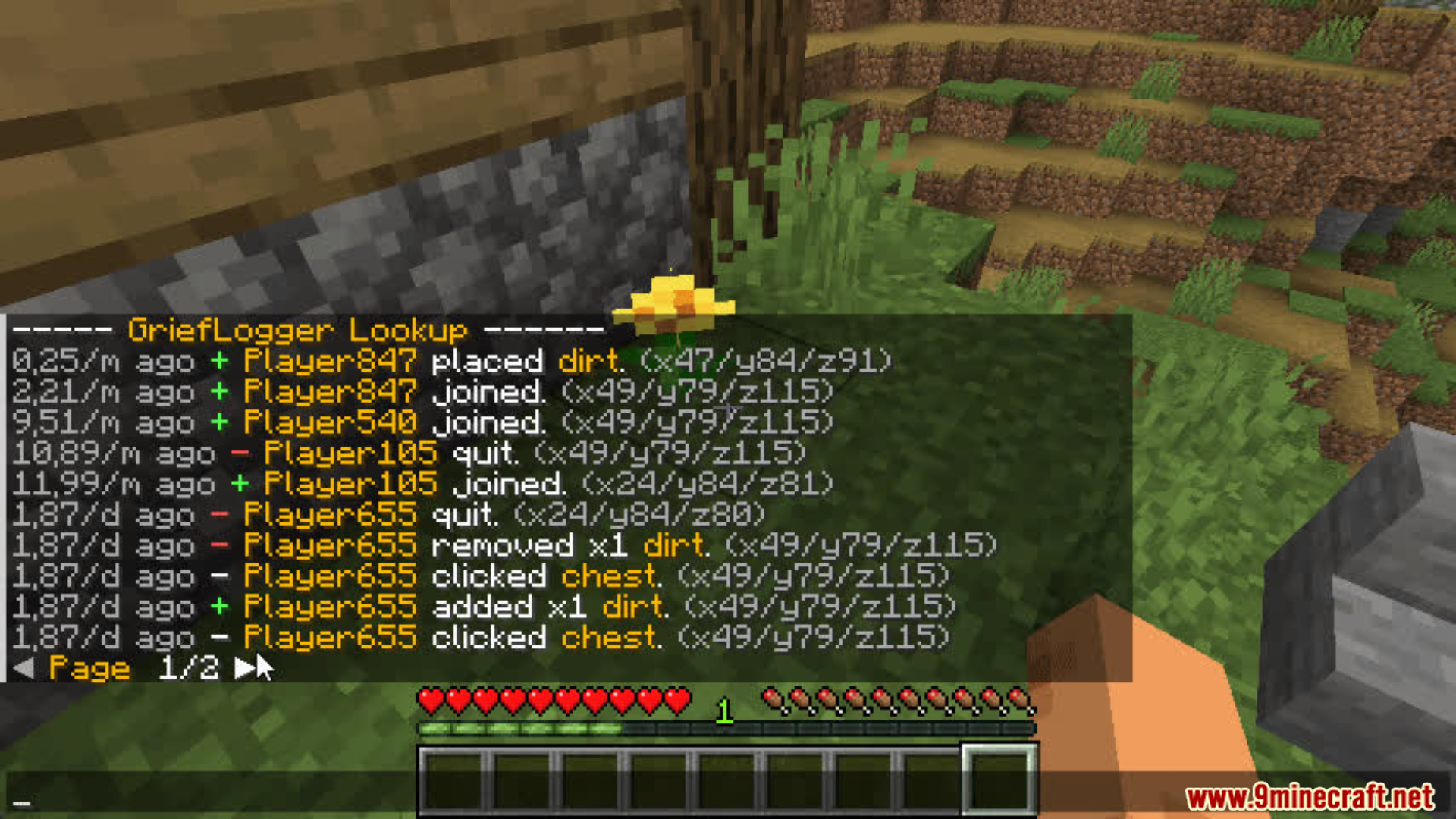
GriefLogger Mod tracks player actions on modded servers, much like CoreProtect. This mod logs block breaks and placements, mob kills, item actions, and container activity. It saves every log to a SQLite database by default, or to a MySQL database through the config for faster speed, and runs database work in the background to prevent server lag. You can check past activity right in the game with simple inspection clicks and filtered lookup commands.
Features:
- Logs block breaking and placing events across your server.
- Tracks mob kills by players.
- Records item actions, including picking up, dropping, breaking, and consuming items.
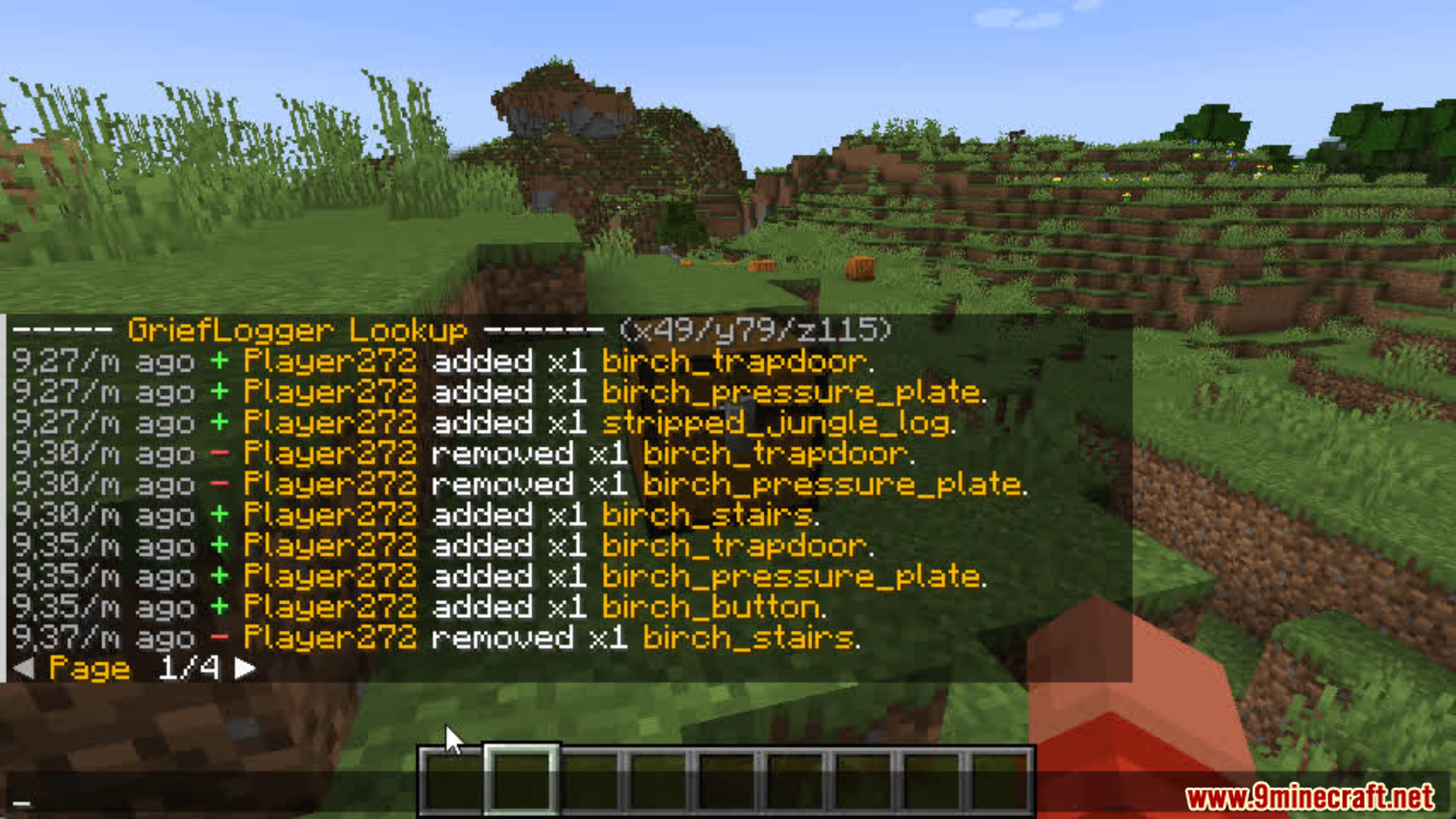
- Monitors container activity on any block that holds items, such as chests and furnaces, logging when items are added or removed and when the container is placed or broken.
- Saves all data to a SQLite database by default, stored inside the config file.
- Lets you connect to a MySQL database through the config file for even faster performance.
- Runs all database work asynchronously on separate threads so the server does not wait for database tasks and avoids lag.
- Adds an inspection mode so you can click blocks and containers to check their history right away.
- Includes a lookup command with six search filters and paged chat results with clickable arrows.
- Brings CoreProtect-style server logging to modded Minecraft.
Commands:
/grieflogger inspect: Turns inspection mode on or off./grieflogger lookup <filters>: Shows all logged data that matches your filters./grieflogger page <page number>: Opens a specific page of search results. You can also change pages by clicking the arrows in the chat message.
Available Filters:
- Action –
action:place_block,break_block: Shows only placed and broken blocks. - Exclude –
exclude:sand: Hides the sand block from your search results. - Include –
include:sand,dirt: Shows only dirt and sand interactions. - Radius –
radius:100: Shows all interactions within 100 blocks of your player. - Time –
time:1d: Shows all interactions from the last day. - User –
user:Player1: Shows all interactions made by Player1.
Note: The include and exclude filters cannot be used together.
How to Use:
- Type
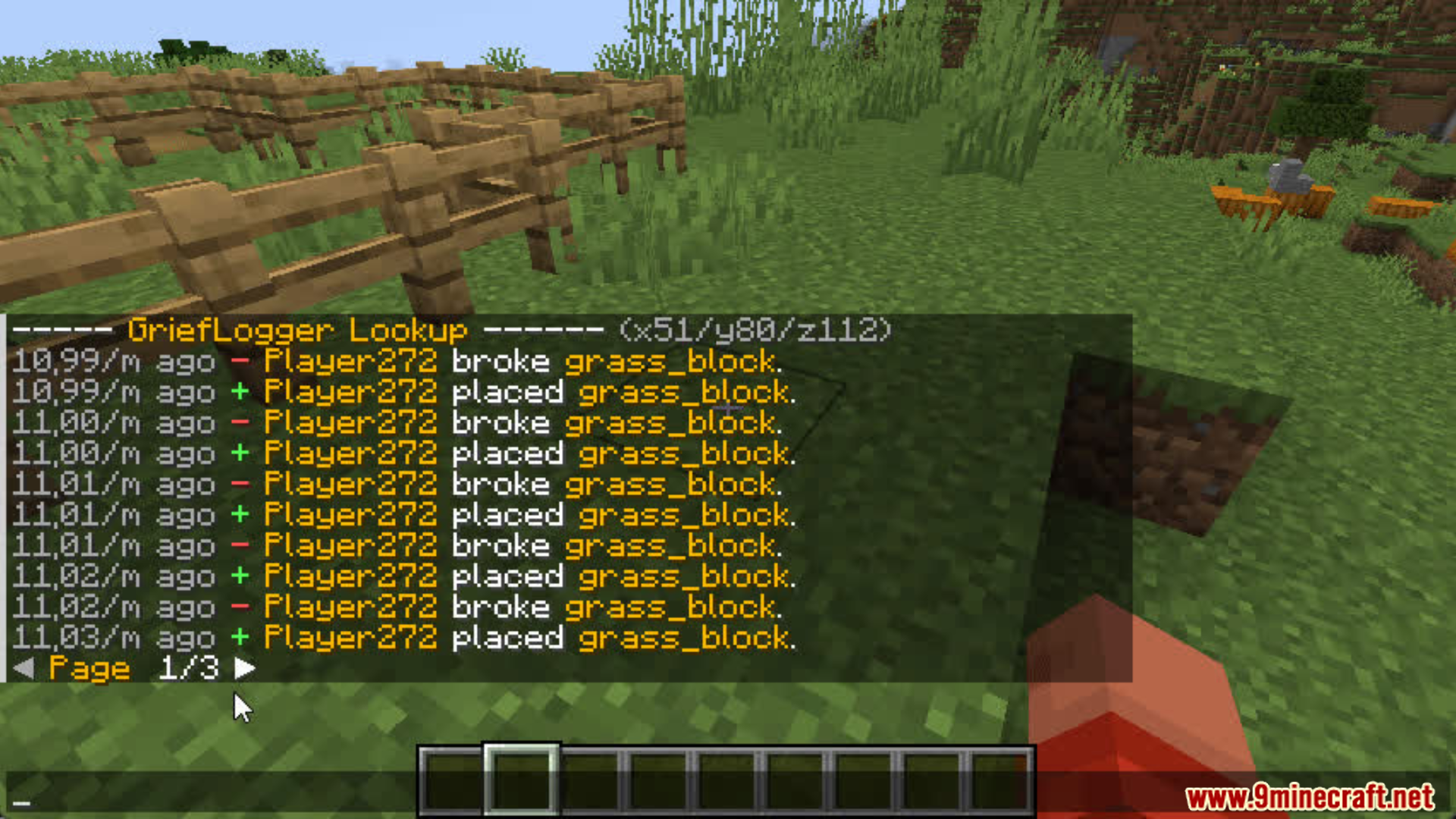
/grieflogger inspectin chat to turn inspection mode on or off. - Right-click a block while in inspection mode to see the interaction history of the block next to it.
- Left-click a block to see the interaction history of the exact block you clicked.
- Right-click a container (any block that holds items, such as a chest or furnace) to view item activity like items being added or removed.
- Left-click a container to see when that container was placed or broken.
- Type
/grieflogger lookup <filters>in chat with one or more filters, such asuser:Player1ortime:1d, to search logged actions across the server. - Type
/grieflogger page <page number>or click the arrows in the chat message to view other pages of your search results.
Screenshots:
How to Install:
New to Minecraft? Follow our step-by-step guide to install Mods on your PC.View Guide
Requirements:





GriefLogger Mod Download Links
For Minecraft 26.2
For Minecraft 26.1.2, 26.1.1, 26.1
For Minecraft 1.21.11
For Minecraft 1.21.10, 1.21.9
For Minecraft 1.21.8, 1.21.7, 1.21.6
For Minecraft 1.21.5
For Minecraft 1.21.4
For Minecraft 1.21.1, 1.21
For Minecraft 1.20.6
For Minecraft 1.20.1, 1.20
For Minecraft 1.19.2
For Minecraft 1.17.1
For Minecraft 1.15.2
For Minecraft 1.14.4
How do you feel about quest books in modpacks?
1 responses · See the full results →
You May Also Like
Picked for this page
 Iris Shaders Mod (26.3, 1.20.1) – Optifine for Fabric, Shaders Core
 Better Combat Mod (26.3, 1.20.1) – Animated Combat System
 To the Bat Poles Mod (26.3, 1.20.1) – Sliding Down The Poles
 ItemPhysic Lite Mod (26.3, 1.20.1) – Enhanced Item Animation
 Sculk Horn Mod (26.3, 1.20.1) – Create a Sonic Shock
 Healing Soup Mod (26.3, 1.20.1) – Soup Heals Health
 No LAN Cheating Mod (26.3, 1.20.1) – Disallow Players From Using Cheats
 Better Conduit Placement Mod (26.3, 1.20.1) – Placing Conduit Prismarine Blocks Easier
 Item Transform Helper Mod (26.3, 1.20.1) – Set Size & Location Of Items
 Clear Water Lava PowderSnow Mod (26.3, 1.20.1) – Clear Fog
 NoRollback Mod (26.3, 1.20.1) – Removes Up to 99% of Minecraft Rollbacks
 Vote Command Mod (26.3, 1.20.1) – Display Custom Text on Command
Most viewed in Mods over the last 7 days
 Ala Industrial Mod (26.3) – Run Electric Power Grids and Automated Factories
 PleasureCraft Mod (26.3, 1.21.1) – Jenny Mod Remake for Fabric
 Jennycraft Mod (26.3, 1.20.1) – Virtual Girlfriend in Minecraft
 Fapcraft Mod (26.3, 1.12.2) – Comprehensive and Detailed Content
 Jenny Mod (Fapcraft) Official Complete Guide – How to use, Tutorial
 BangCraft Mod (1.20.1) – Jenny, Ellie and Elliot
 Fabric Loader (26.3, 1.20.1) – Fabric Installer for All Minecraft Versions
 The Shooting Star Demo Mod (26.3, 1.20.1) – Vaporize Terrain From Orbit
 Meteor Client Mod (26.3, 1.20.1) – Xray, HUD, Fly
 OptiFine HD (26.3, 1.20.1) – Run Faster, FPS Boost, Shaders Support
 Aristois Client Mod (1.21.4, 1.20.1) – World Class Minecraft Utility
 Prestige Client Mod (1.21.11, 1.21.4) – Powerful Ghost Features for Crystal & Sword PvP
More from Mods
 Enhanced Overlay Mod (26.3, 1.21.11) – Remove Screen Clutter
 Flint Mod (1.21.11) – Run DiamondFire Community Addons Without Crashing
 Not Just Sandwich Mod (26.3, 1.20.1) – Edibles, Sandwiches
 Waddles Mod (26.3, 1.20.1) – Make Icy Biomes Feel Alive
 Artemis’ Thin Logs Mod (26.3, 1.20.1) – Build Custom Trees and Detailed Wood
 Asterion Mod (26.3, 1.20.1) – Survive Ancient Mazes and Slay the Legendary Minotaur
 Passthrough Signs Mod (26.3, 1.20.1) – Right-Click Through Wall Signs
 Packing Tape Mod (26.3, 1.20.1) – Move Chests, Machines
 No XP Anvils Mod (26.3, 1.20.1) – Repair And Enchant Without XP
 Naruto Shippuden Mod (26.3, 1.16.5) – Immerse Yourself in The World of Ninja
 Araxer’s Bestiary Mod (26.3, 1.20.1) – Build an In-Game Encyclopedia of Every Mob
 Villagers Plus Mod (26.3, 1.20.1) – Expanded Villager Types and Villages

This post has no comments yet. Be the first — your comment will appear here.