
Soup API Mod (1.21.4, 1.20.1) – Master Fast Duels with Clear Combat Visuals

 0


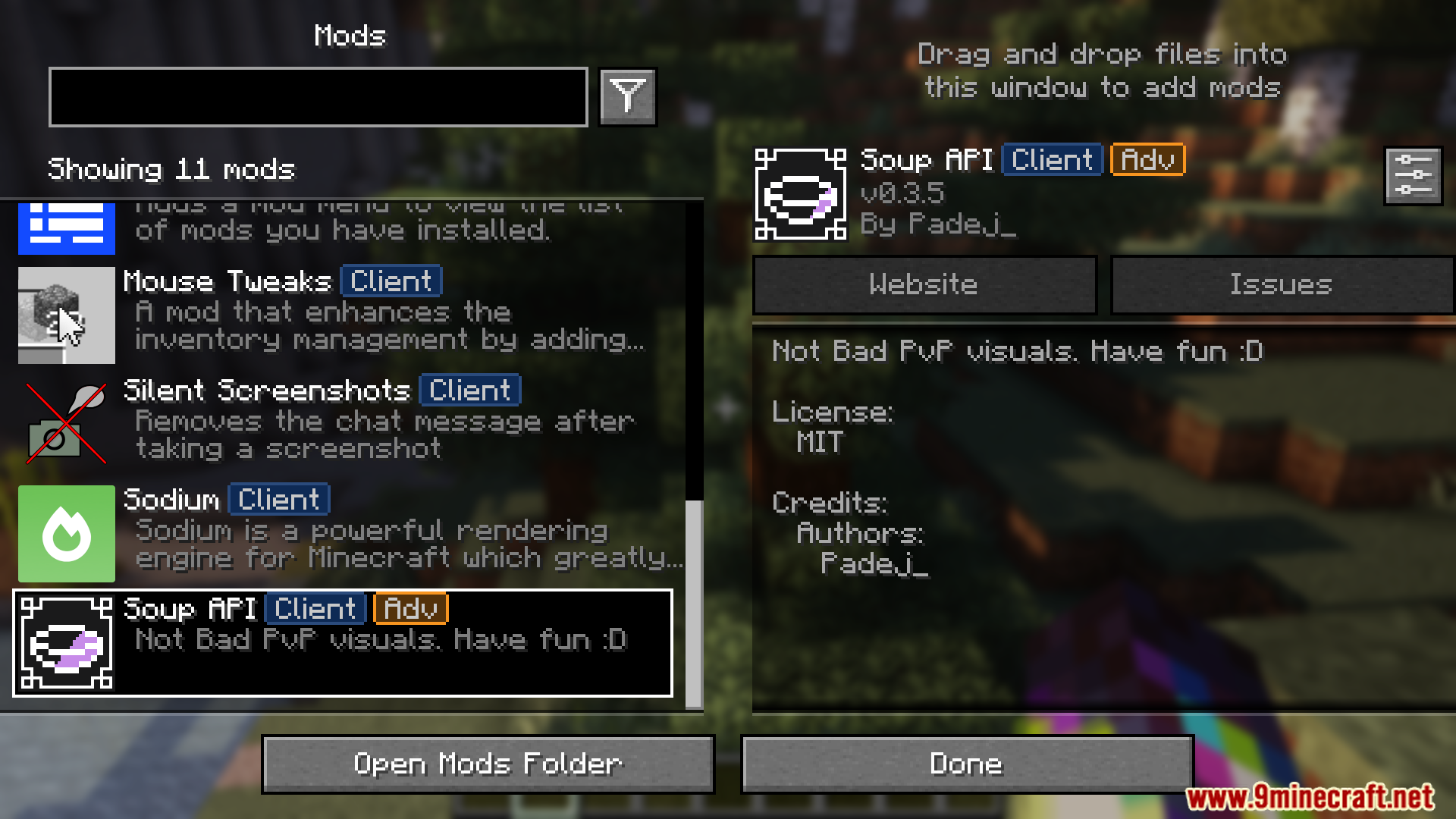
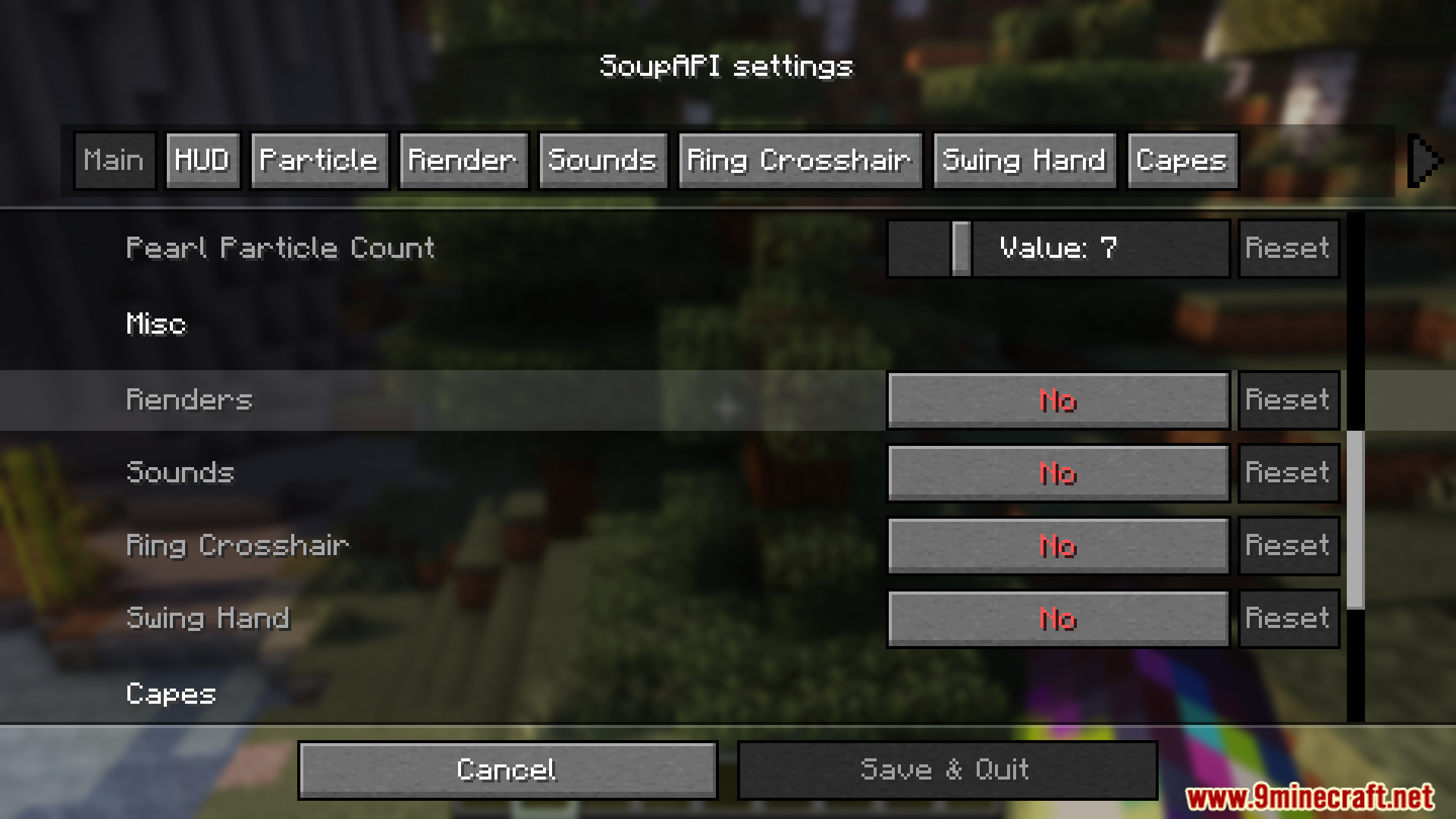
Soup API Mod adds customizable visual effects and combat tweaks to improve PvP in Minecraft. It brings a Target HUD to track enemies, custom hit particles, jump circles, Ender Pearl trajectories, and movement trails. You can also adjust combat sounds, ring crosshairs, hand swing animations, player capes, and menu theme colors. Every effect comes with sliders and style options so you can match the look to your playstyle. This mod runs in both singleplayer worlds and multiplayer servers, though it does not increase FPS, so you should tune the settings to fit your PC.
Features:
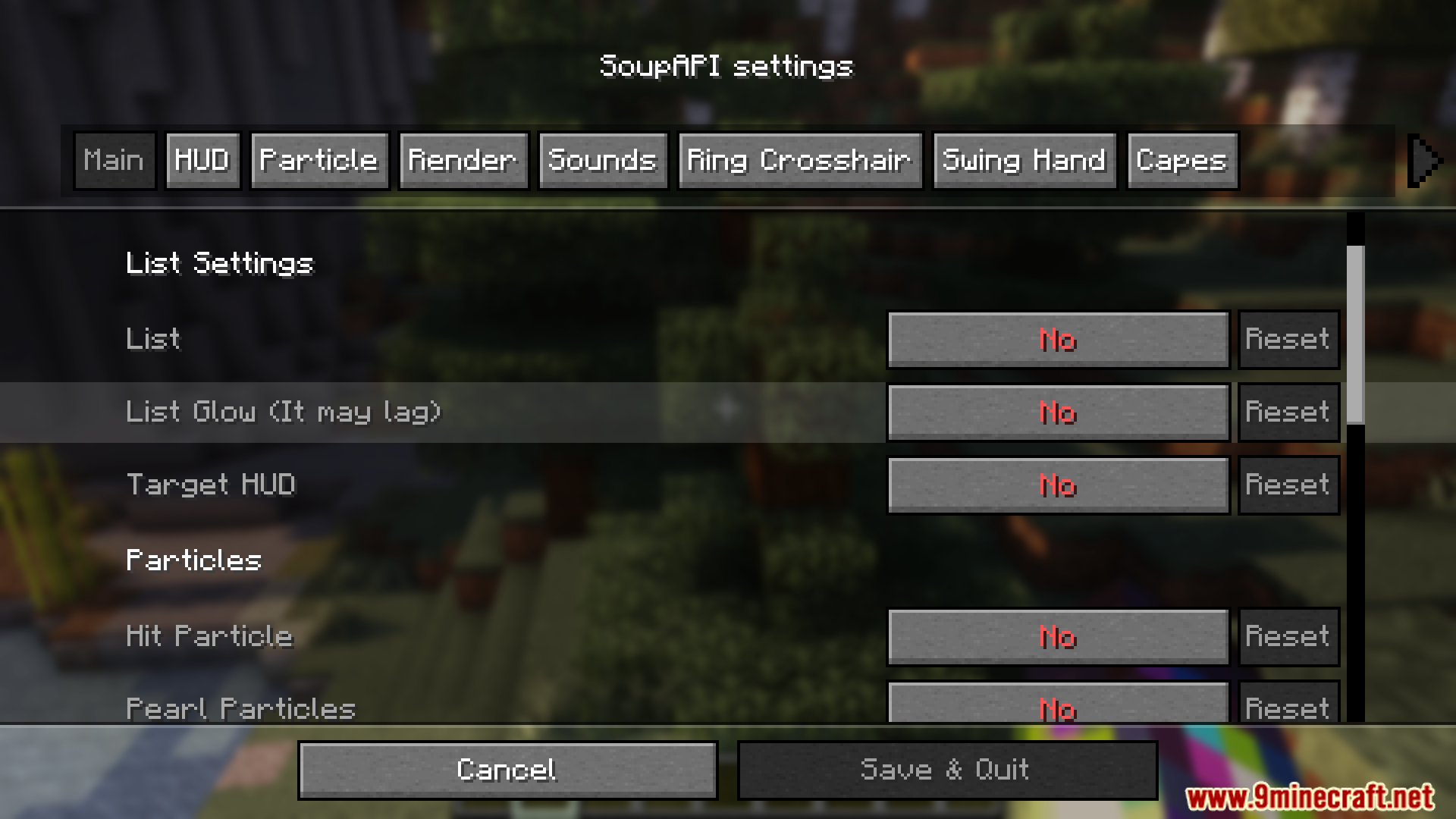
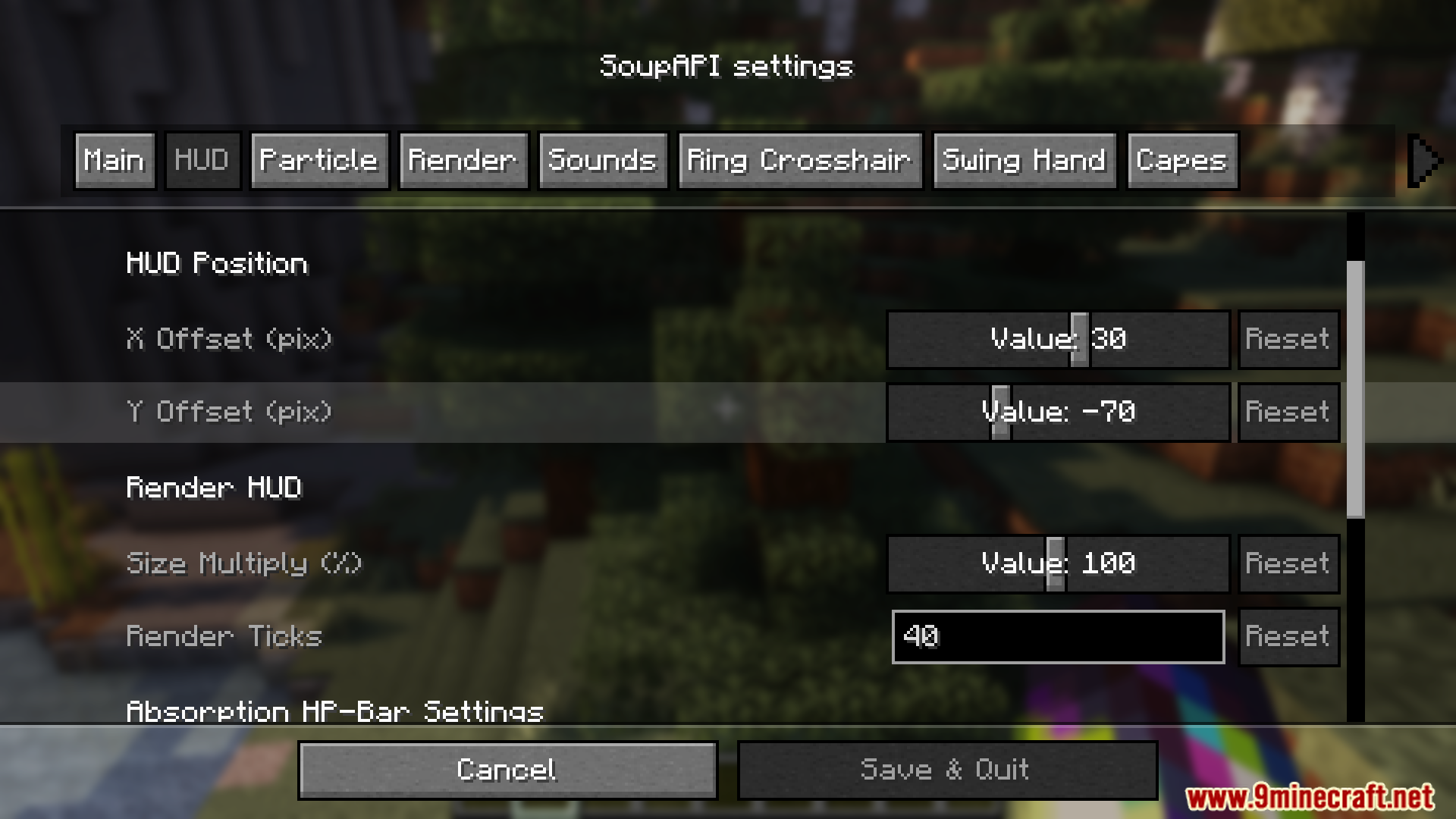
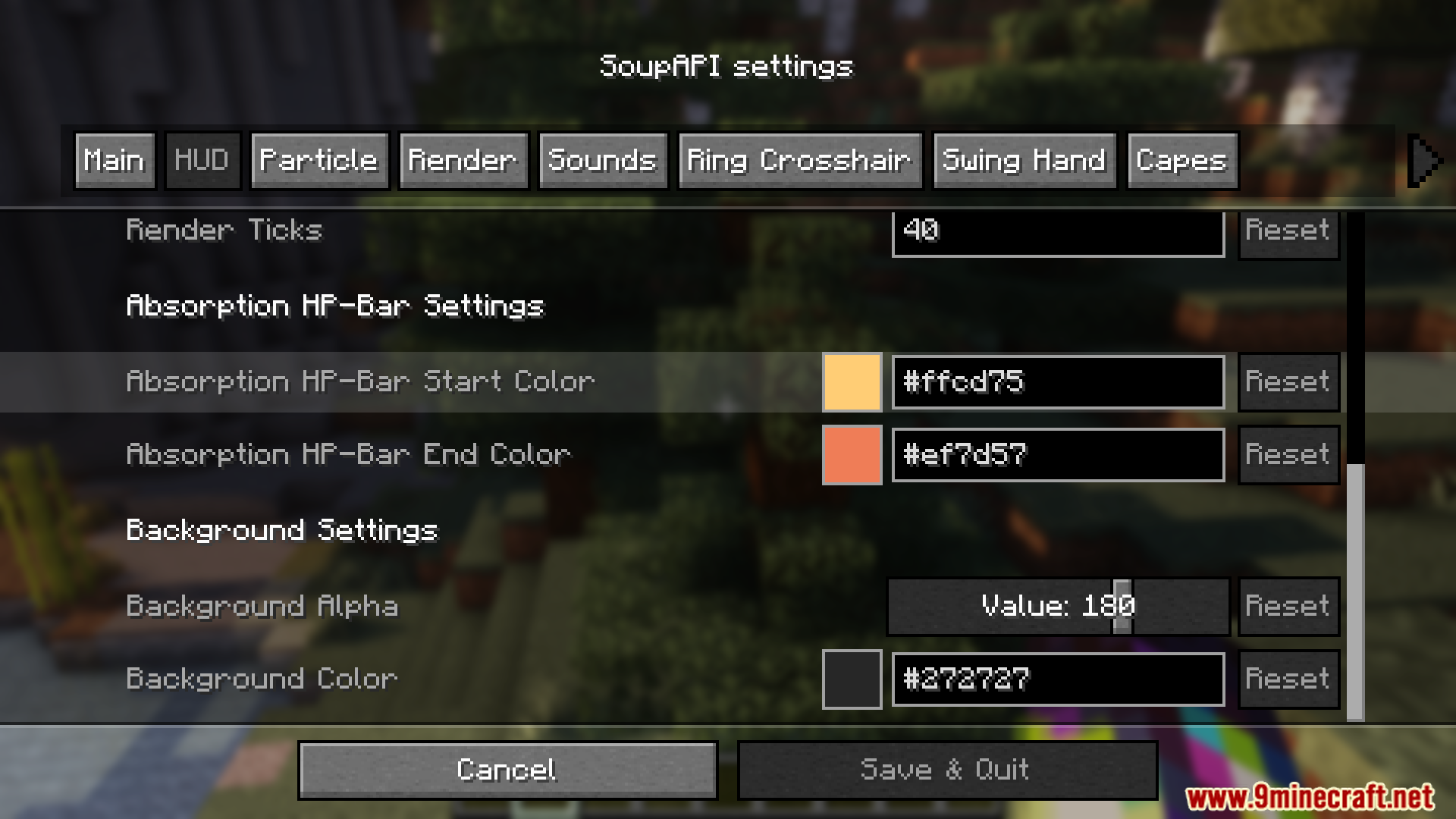
- Target HUD: Shows an on-screen window to track nearby enemies, with controls for position offsets, display settings, health bar colors, and background options.
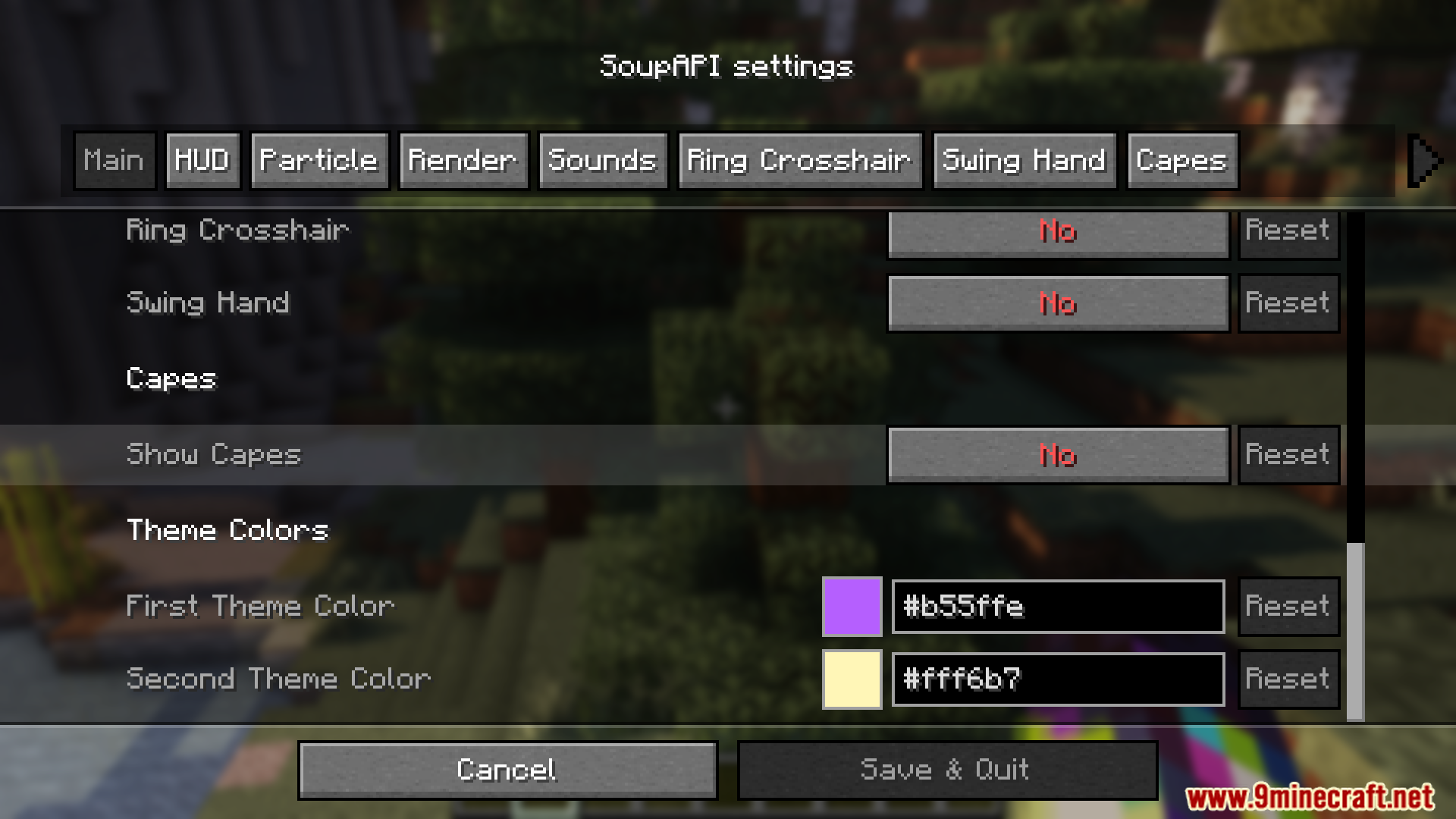
- Custom Theme Colors: Lets you set a first theme color and a second theme color with color codes across the mod menu and HUD.
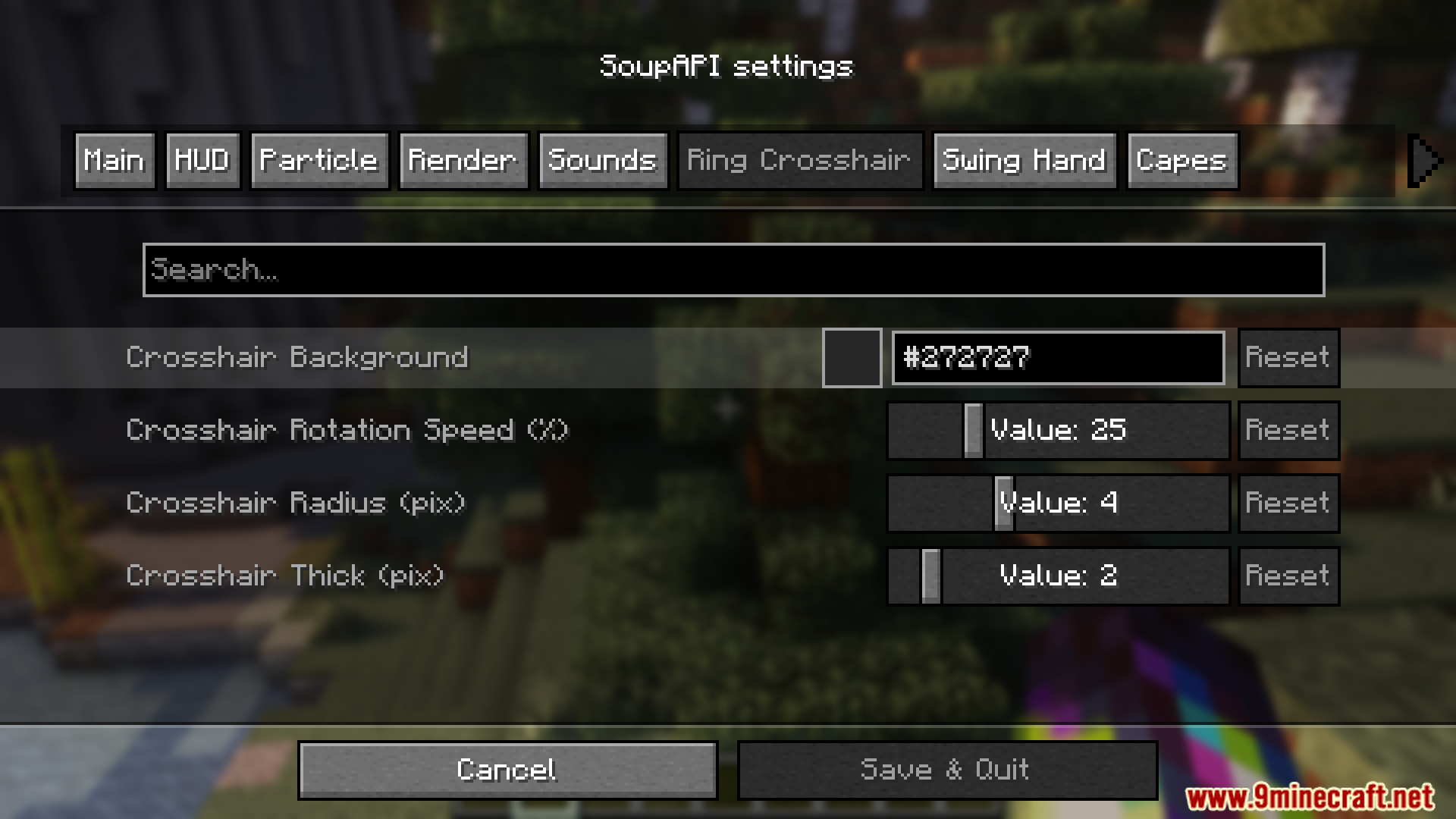
- Ring Crosshair: Styles your crosshair with adjustable ring visuals inside the settings menu.
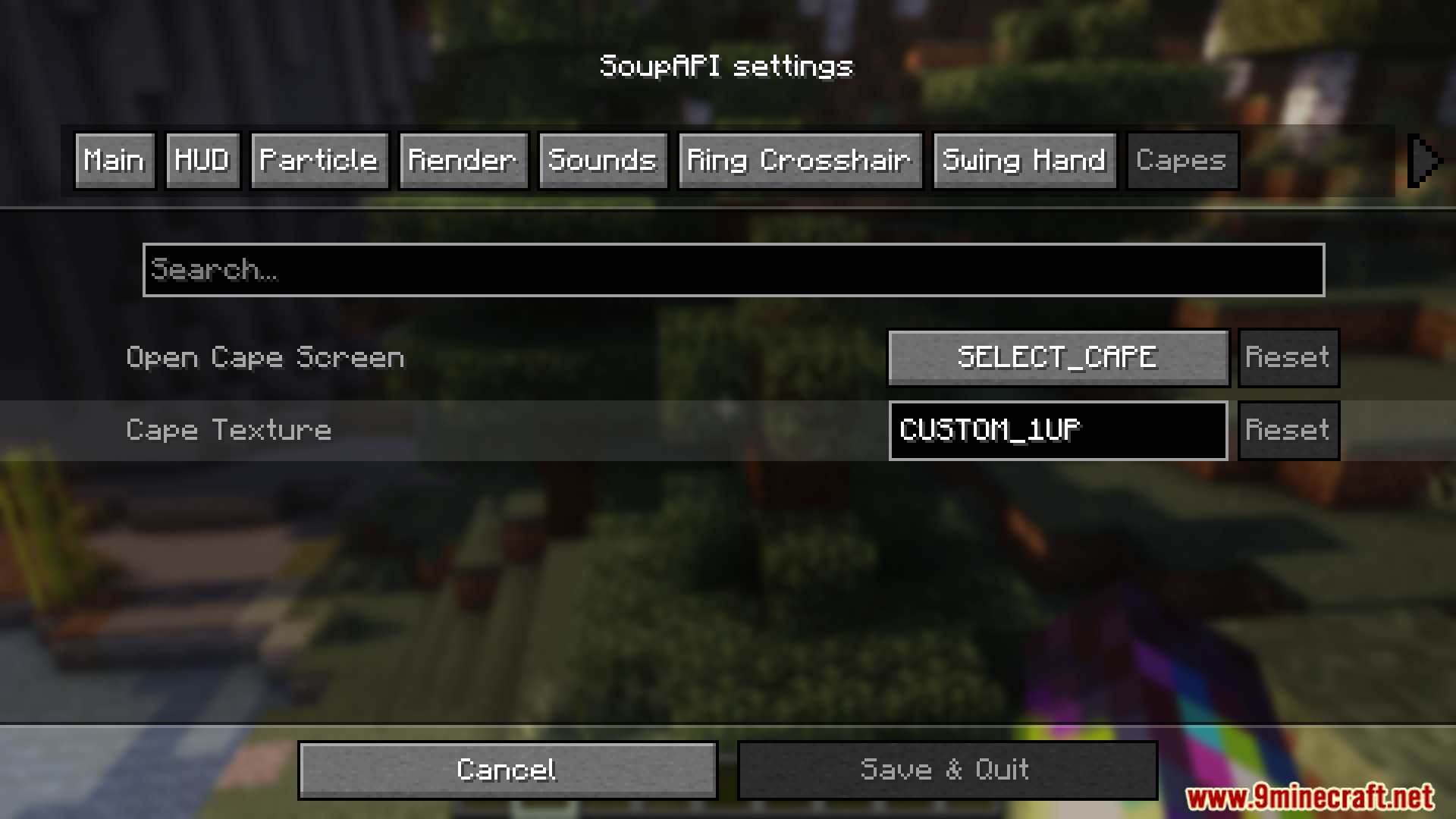
- Player Capes: Includes a cape menu where you can search for and pick custom cape textures for your character.
- Works in both singleplayer worlds and multiplayer servers, though older versions are not supported on servers.
- Does not increase FPS, so you can toggle effects on or off to match your system performance.
Hit Particles:
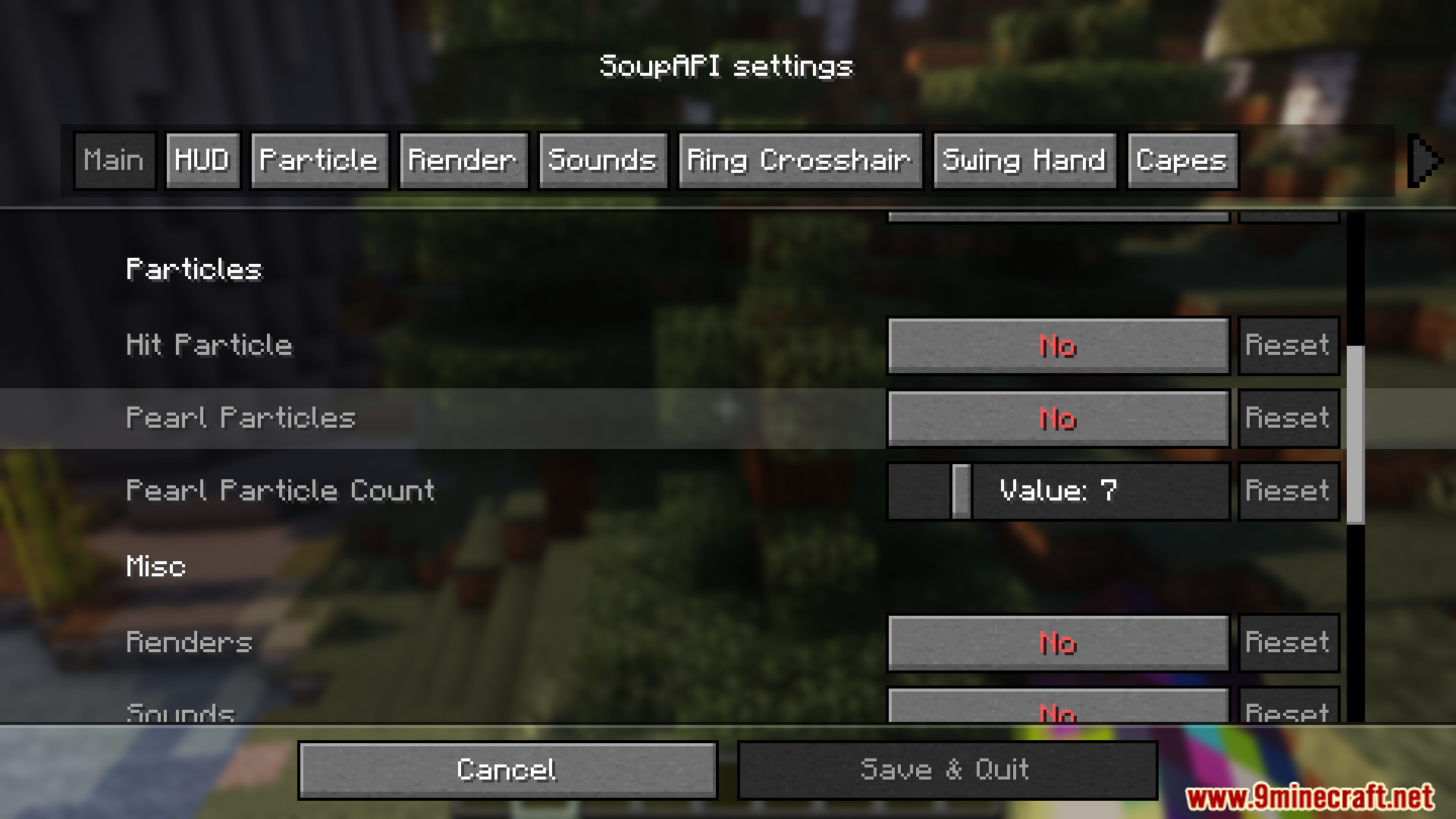
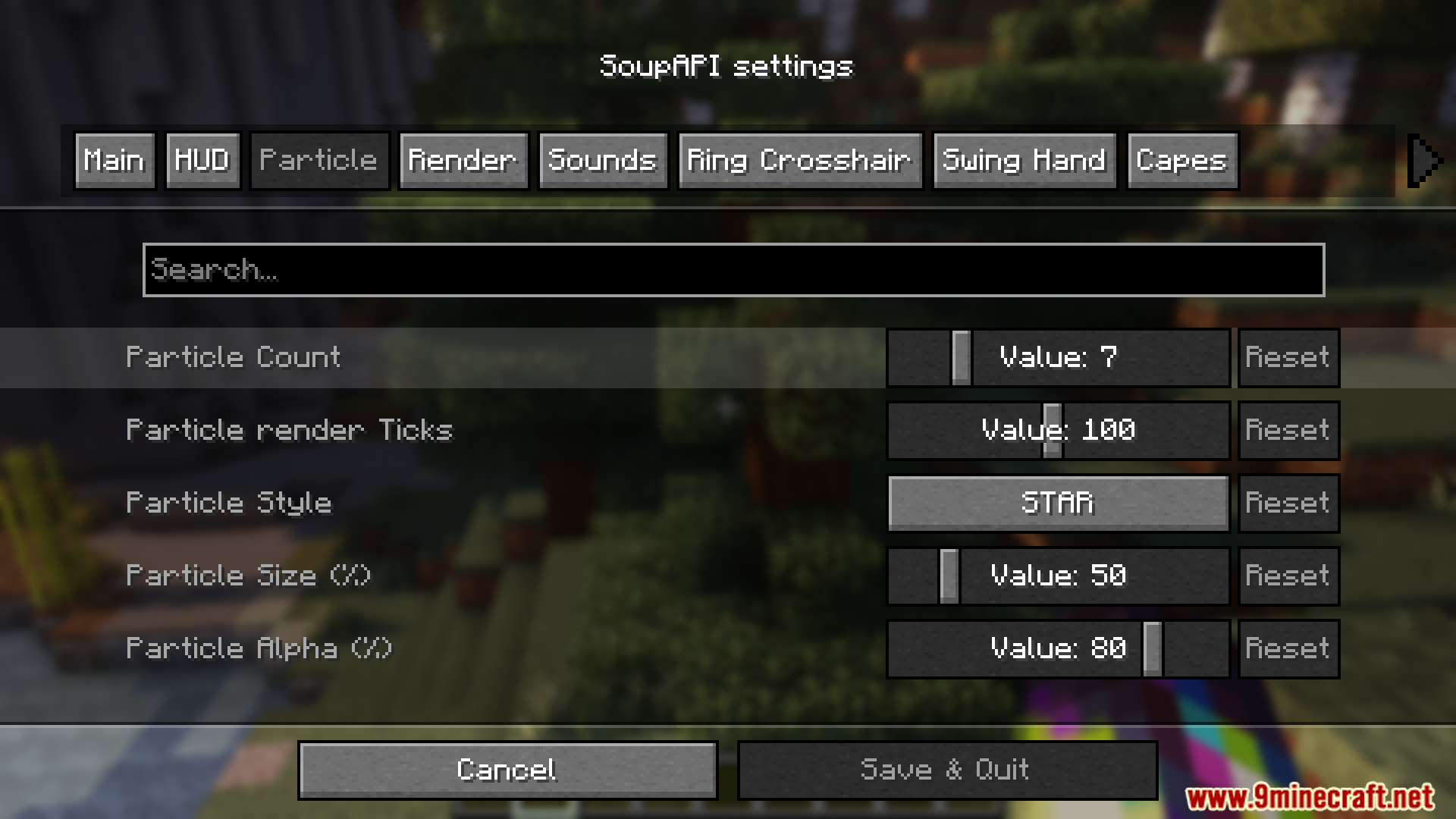
- Changes the total particle count that appears when you land a hit.
- Lets you pick combat hit particle styles, sizes, and transparency (alpha) levels.
- Adds special pearl particles when you throw an Ender Pearl.
Render Options:
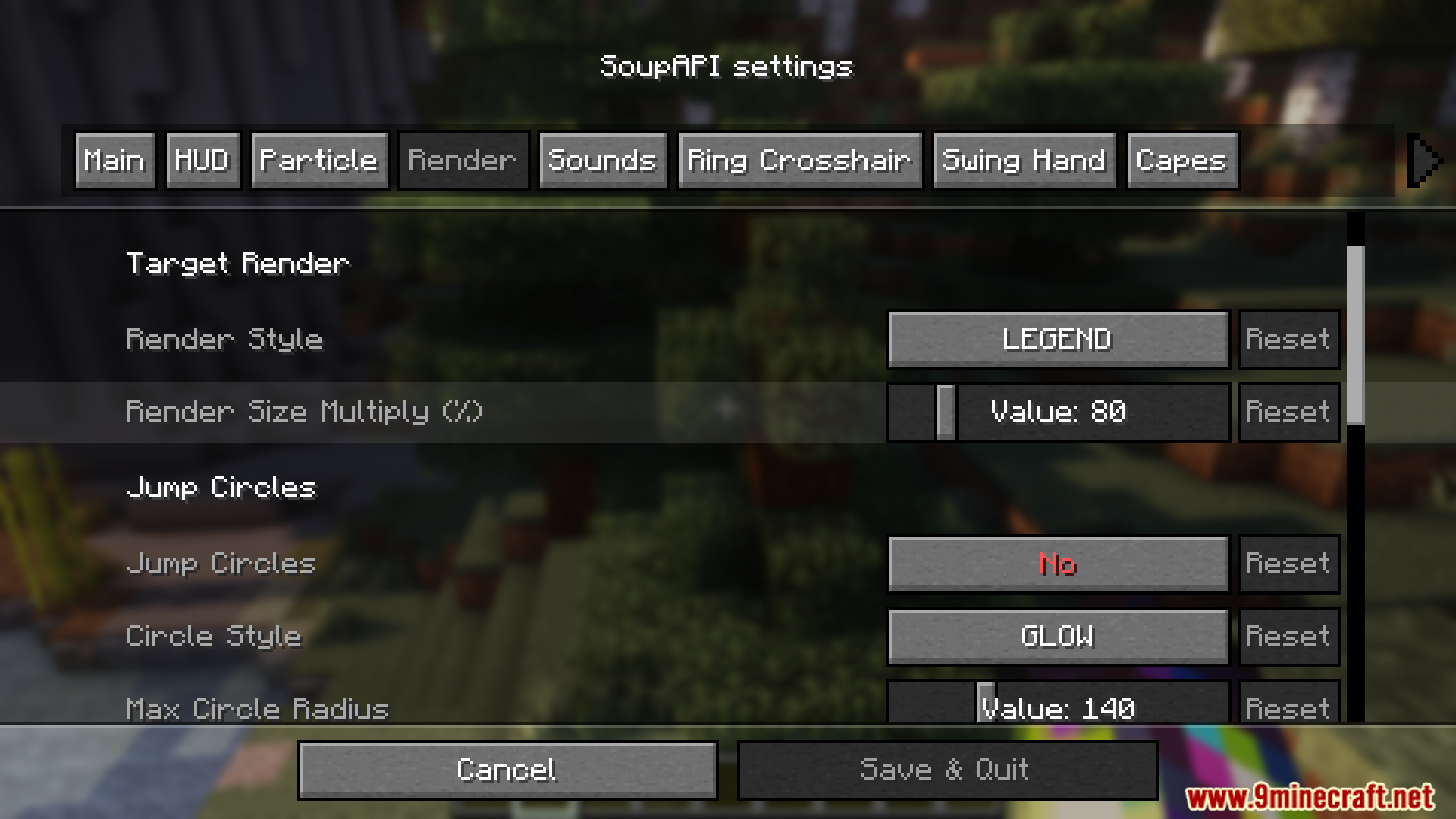
- Changes how targeted enemies look with selectable Target Render styles.
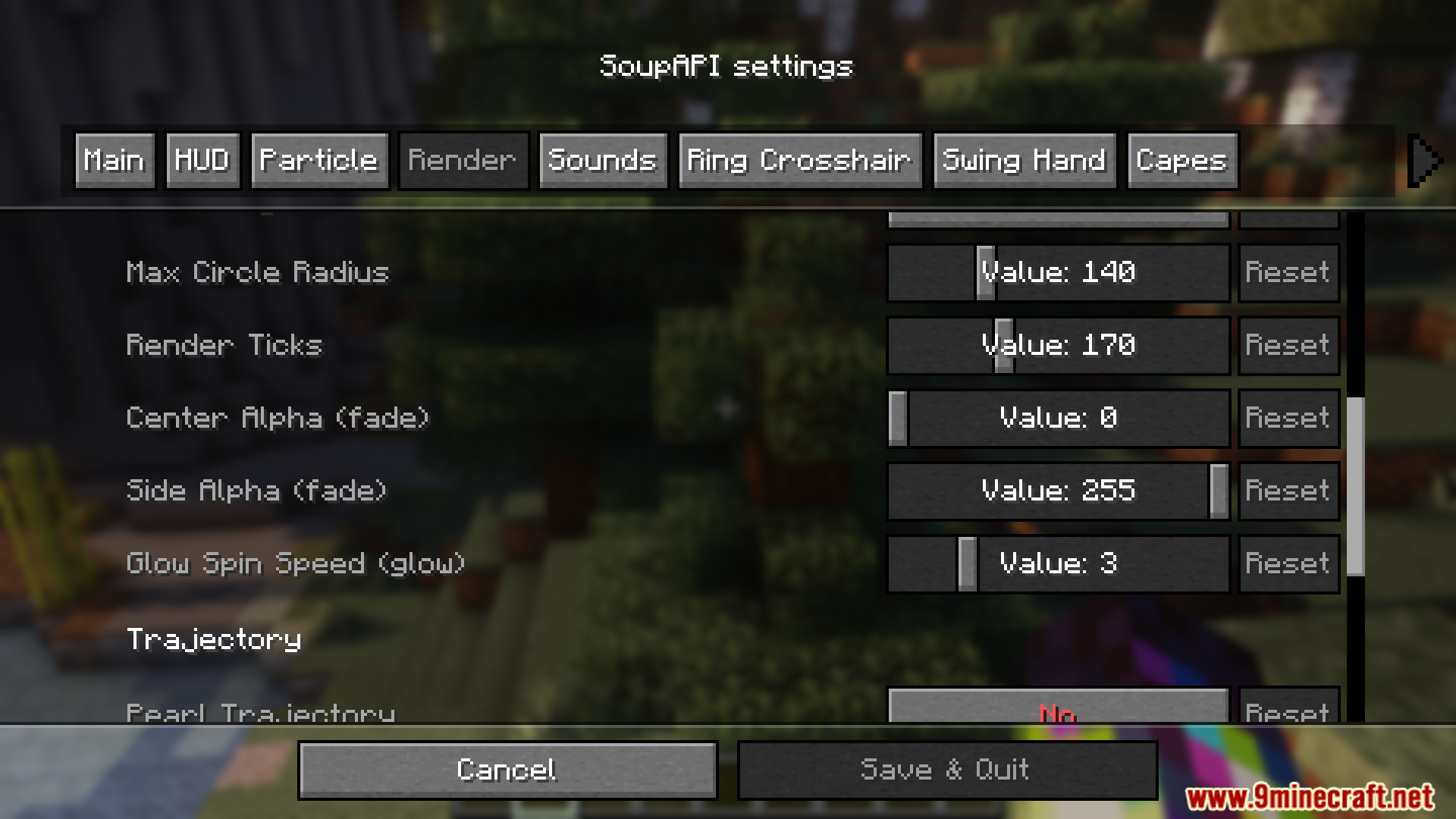
- Adds Jump Circles with selectable styles, circle radius sliders, and fade sliders.
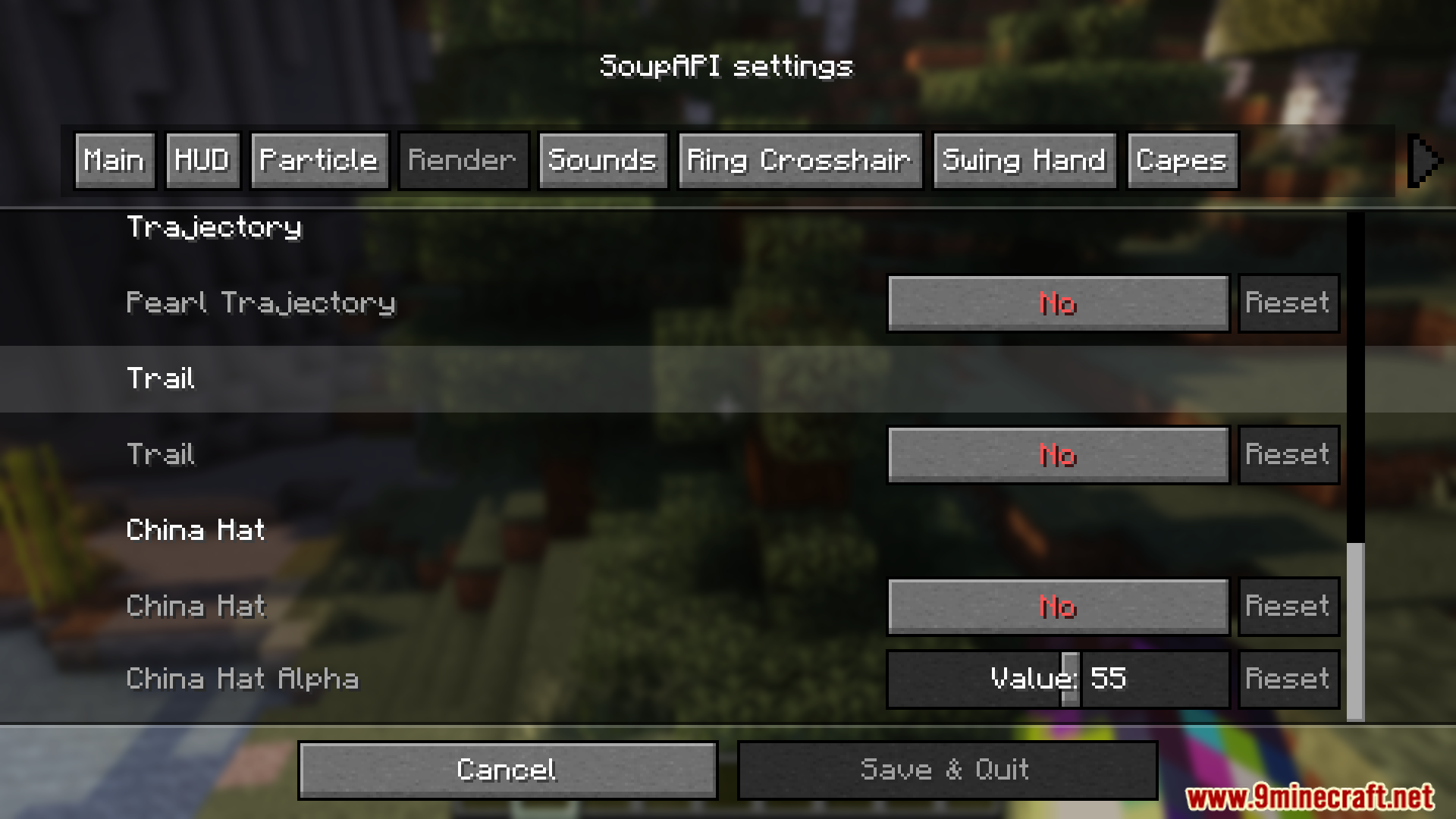
- Draws a Pearl Trajectory line to show the path of thrown Ender Pearls.
- Leaves custom movement trail effects behind your player as you move.
- Adds a China Hat visual cosmetic above your character.
Sound Tweaks:
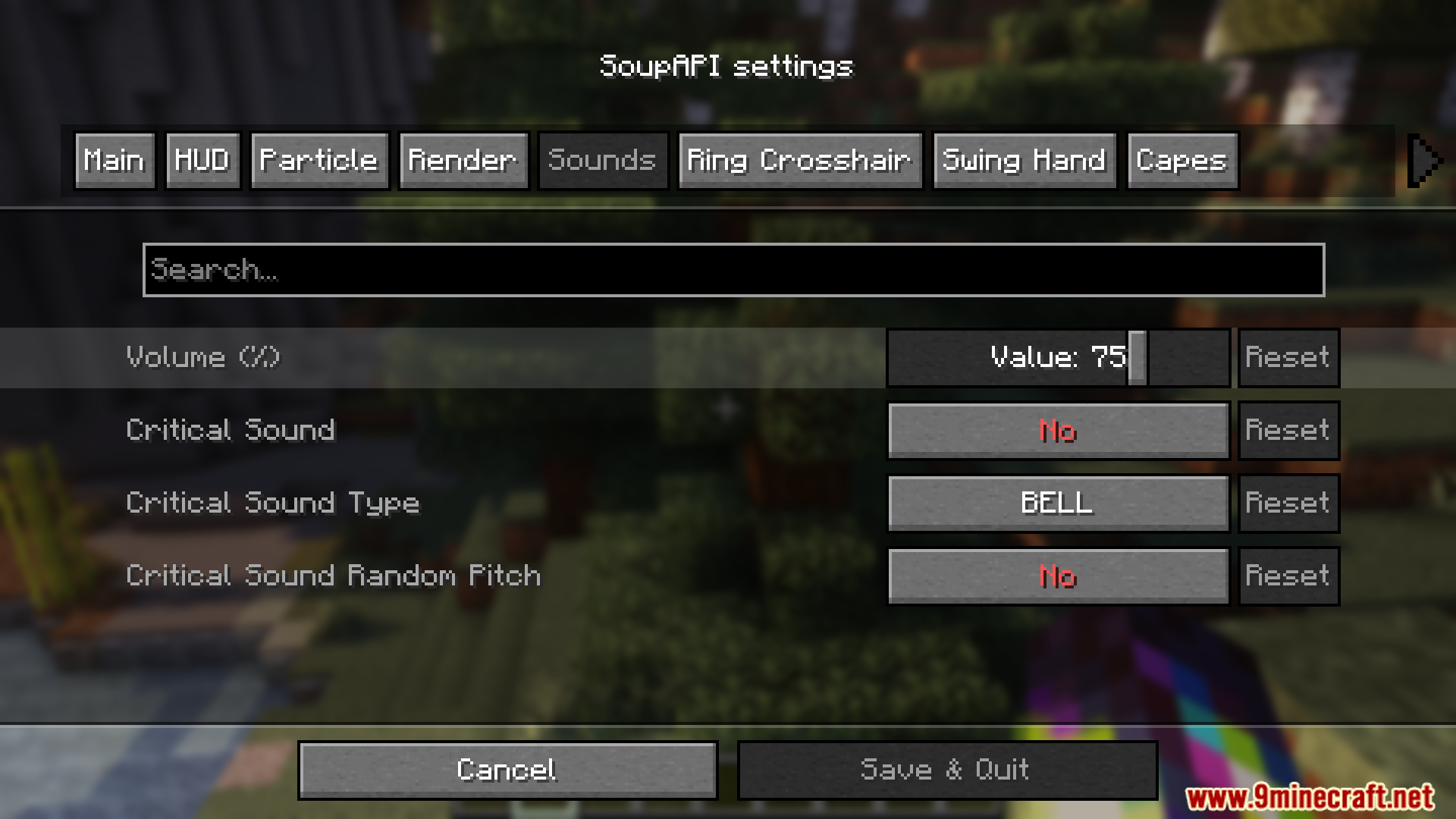
- Provides a volume slider to control combat sound levels.
- Lets you select critical hit sound types and turn on pitch randomness.
Hand Swing Animations:
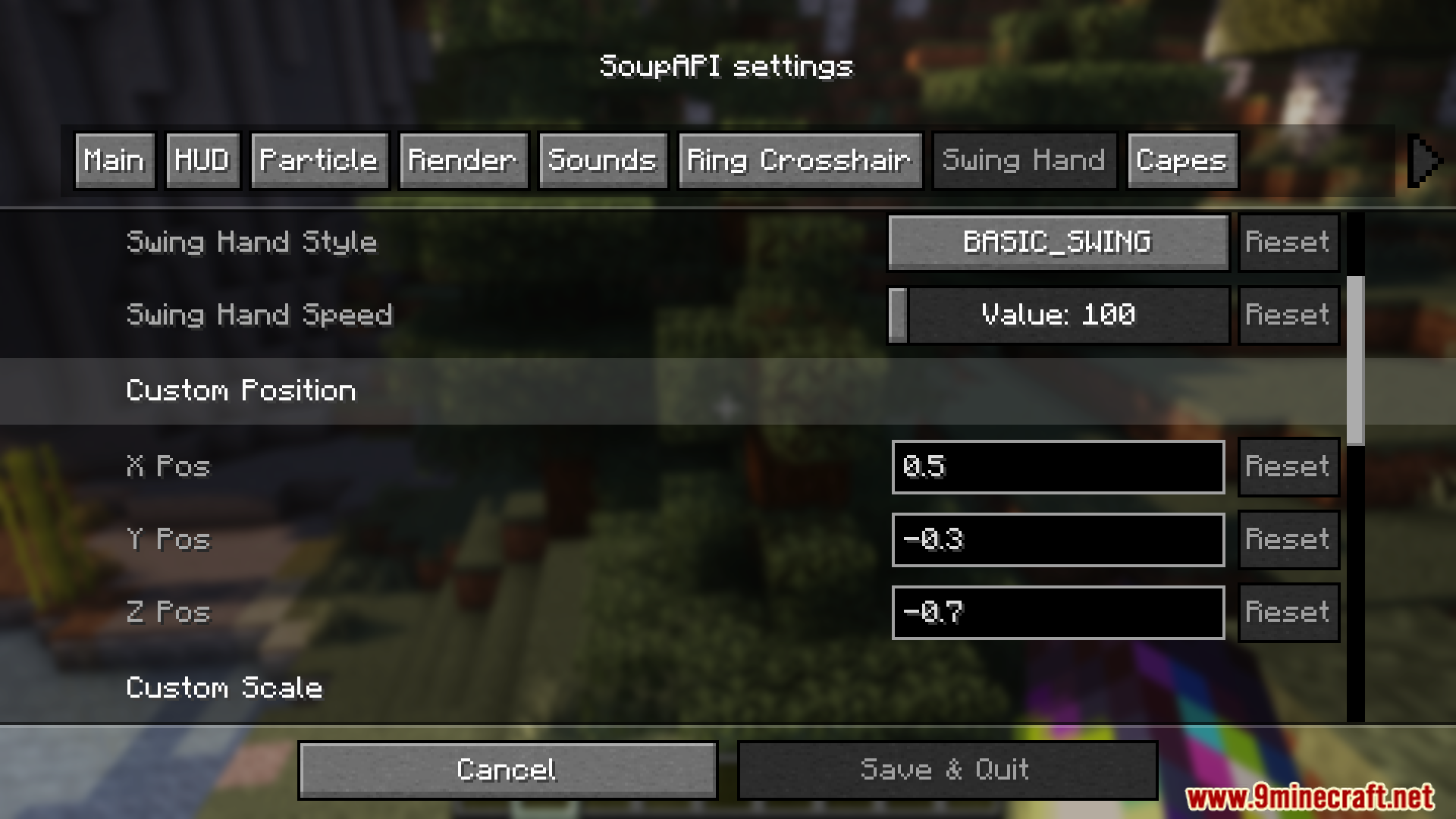
- Lets you pick custom hand swing styles for combat.
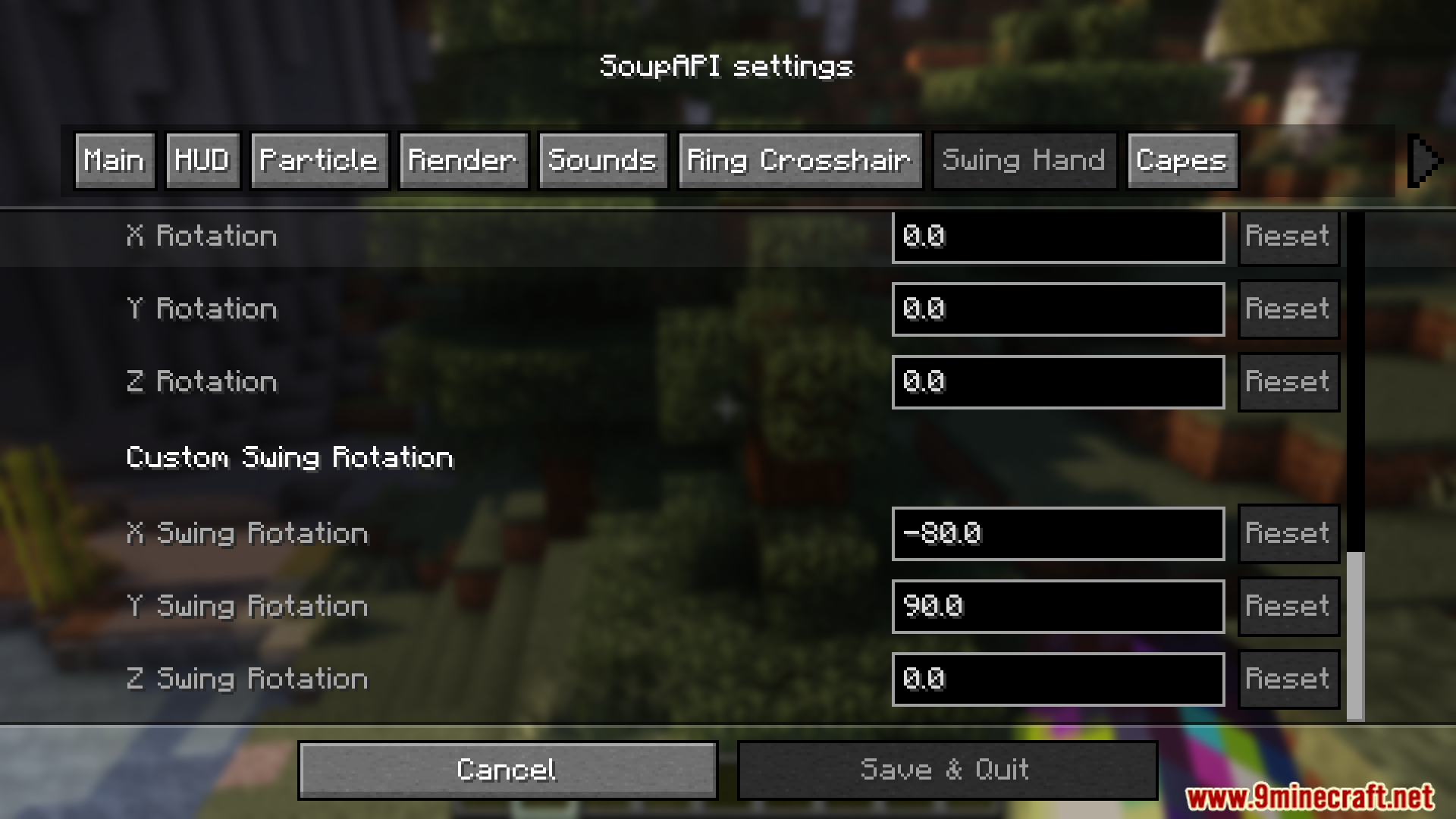
- Adjusts hand position, swing rotation, and animation values using sliders in the menu.
How to Use:
- Press 0 (zero key) on Recode versions (3.0.0-beta and newer) to open the in-game settings menu.
- Press Right Control + Right Alt on legacy versions, or open the settings menu through ModMenu.
- Pick a category in the menu, such as Target HUD, Hit Particles, Render, Sounds, Ring Crosshair, Swing Hand, or Capes, to turn each effect on or off.
- Move the sliders to change size, count, radius, fade, position, rotation, or volume until the effects fit your PvP style.
- Enter custom color codes to set your first and second theme colors, or search the cape menu to choose a cape texture.
- Turn down visual effects if your game slows down, since this mod does not boost FPS.
Screenshots:
How to Install:
New to Minecraft? Follow our step-by-step guide to install Mods on your PC.View Guide
Requirements:


Soup API Mod Download Links
For Minecraft 1.21.4
Fabric Version: Download from Server 1 – Download from Server 2
For Minecraft 1.21.1, 1.21
Fabric Version: Download from Server 1 – Download from Server 2
For Minecraft 1.20.6
Fabric Version: Download from Server 1 – Download from Server 2
For Minecraft 1.20.4
Fabric Version: Download from Server 1 – Download from Server 2
For Minecraft 1.20.1
Fabric Version: Download from Server 1 – Download from Server 2
What is your biggest frustration when playing with mods?
22 responses · See the full results →
You May Also Like
Picked for this page
 Immersive UI Mod (26.3, 1.20.1) – Smoother Animated Minecraft Menus
 Trample Everything Mod (26.3, 1.20.1) – Realistic Interactions In Minecraft
 Stat Tinkerer Mod (26.2, 1.20.1) – Keep Various Stats On Death
 Extended Block Shapes Blockus Mod (26.2, 1.20.1) – More Shapes For Blockus Blocks
 Drop Confirm Mod (26.3, 1.20.1) – Safeguard Your Items
 Differentiate Mod (1.21.1) – Library for Eltrutlikes’s Mods
 Integrated Scripting Mod (26.3, 1.20.1) – Advanced Automation Made Simple
 More Kills More Damage Mod (26.3, 1.21.1) – More Kills Increases Player Attack Damage
 Smelt All Stone Blocks in Blast Furnaces Mod (26.2, 1.20.1) – Smelts All Blocks
 Panorandom Mod (26.3, 1.21.11) – Picks Panorama From All Resource Packs
 Noba Addon Mod (1.21.11, 1.21.1) – Modern SkyBlock Enhancements
 Soulwarden RPG Series Plus Mod (1.21.11, 1.21.1) – Weaponize the Souls
Most viewed in Mods over the last 7 days
 Ala Industrial Mod (26.3) – Run Electric Power Grids and Automated Factories
 PleasureCraft Mod (26.3, 1.21.1) – Jenny Mod Remake for Fabric
 Jennycraft Mod (26.3, 1.20.1) – Virtual Girlfriend in Minecraft
 Fapcraft Mod (26.3, 1.12.2) – Comprehensive and Detailed Content
 Jenny Mod (Fapcraft) Official Complete Guide – How to use, Tutorial
 BangCraft Mod (1.20.1) – Jenny, Ellie and Elliot
 Fabric Loader (26.3, 1.20.1) – Fabric Installer for All Minecraft Versions
 The Shooting Star Demo Mod (26.3, 1.20.1) – Vaporize Terrain From Orbit
 Meteor Client Mod (26.3, 1.20.1) – Xray, HUD, Fly
 OptiFine HD (26.3, 1.20.1) – Run Faster, FPS Boost, Shaders Support
 Aristois Client Mod (1.21.4, 1.20.1) – World Class Minecraft Utility
 Prestige Client Mod (1.21.11, 1.21.4) – Powerful Ghost Features for Crystal & Sword PvP
More from Mods
 Artemis Laboratory Blocks Mod (26.3, 1.20.1) – Lab Blocks And Dynamic Decorations
 Fabric ORM Jimmer Mod (26.3, 1.20.1) – Prevent Sudden Server Crashes
 Cafe Core Mod (26.2, 1.21.1) – Bypass Anvil Limits and Tame Pets in Seconds
 GTNH’s Forgelin Mod (1.7.10) – Play Kotlin-Powered Mods on Minecraft 1.7.10
 Nodeflow Mod (26.1.2, 1.21.1) – Wire Custom Redstone Logic on Visual Graph
 Winter Client Mod (1.21.11) – Survive Ruthless PvP on Anarchy Servers
 LARP Client Mod (1.21.11) – Dominate Crystal PvP on Anarchy Servers
 Berlin Client Mod (1.21.11) – Hunt Stashes and Win Crystal Fights
 Kaleidoscope Cookery Refabricated Mod (26.3, 1.20.1) – Cook Hearty Meals
 Minecraft MusicBox Mod (1.21.12) – Play Your Favorite Songs While Mining and Building
 MTR Navigation Mod (1.21.1) – Plan Railway Trips and Never Miss a Train Stop
 TheHouse Mod (1.21.11) – Host Casino Tables and Track Every Bet in Real Time

This post has no comments yet. Be the first — your comment will appear here.