
Camera Motion Blur Mod (26.1.2, 1.21.1) – Turn Every Run Into Film



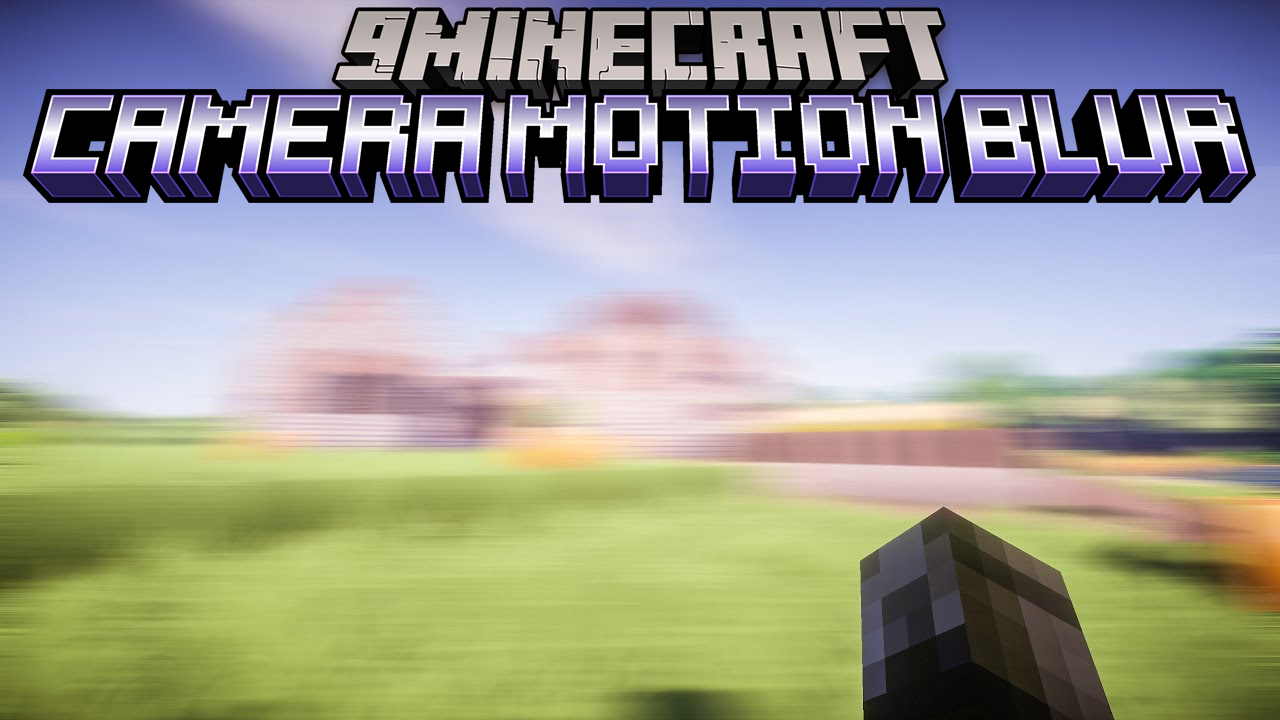
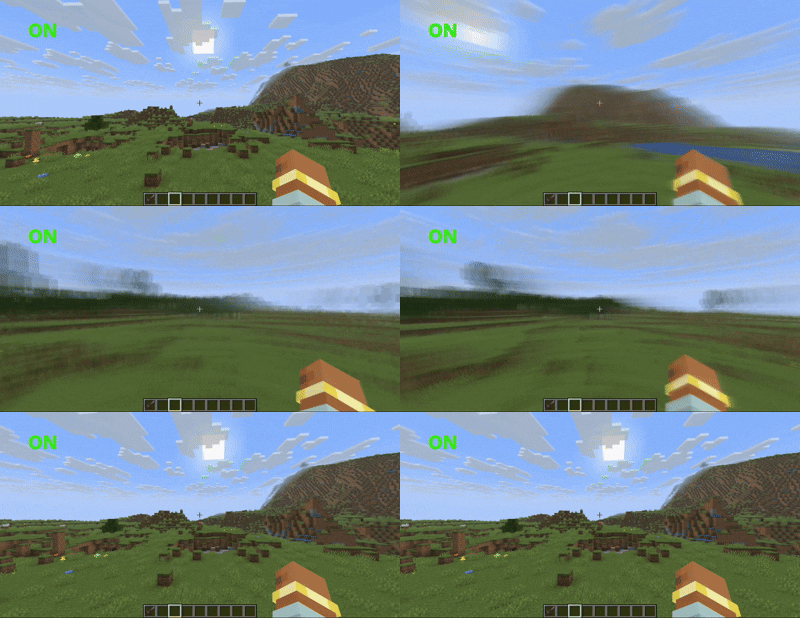
Camera Motion Blur Mod adds a motion blur effect to your camera so movement looks smoother and more cinematic. You can control the blur strength, try custom color modes, and adjust everything right inside the game with no config file edits. This mod is simple to use and fits both casual players and players who record gameplay.
Features:
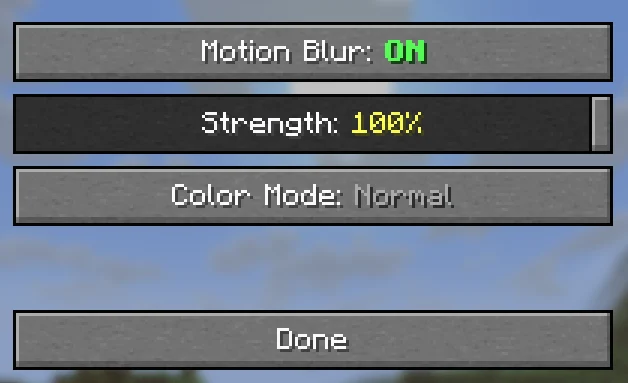
- Adjustable Blur Strength: Control how strong the motion blur looks on a scale from 0.0 to 1.0. Use a light blur for normal gameplay or a stronger blur for cinematic effects.
- Color Effects and Rainbow Mode: Pick between
normal,tinted, andrainbowcolor modes. Add custom RGB color overlays with adjustable tint intensity, or switch torainbowmode to cycle through colors automatically. - Lets you change all settings through a built-in in-game menu, so you never need to edit config files.
- Supports quick chat commands using
/to toggle the blur or tweak settings while you play. - Saves all your settings automatically so you do not have to set them up again after restarting the game.
Commands:
/camerablur: Opens the built-in settings GUI./camerablur toggle: Turns motion blur on or off./camerablur strength 0.5: Sets the blur strength from 0.0 to 1.0./camerablur mode tinted: Sets the color mode tonormal,tinted, orrainbow./camerablur color 1 0 0: Sets the RGB tint color using values from 0.0 to 1.0 for each color./camerablur tint 0.5: Sets the tint intensity from 0.0 to 1.0.
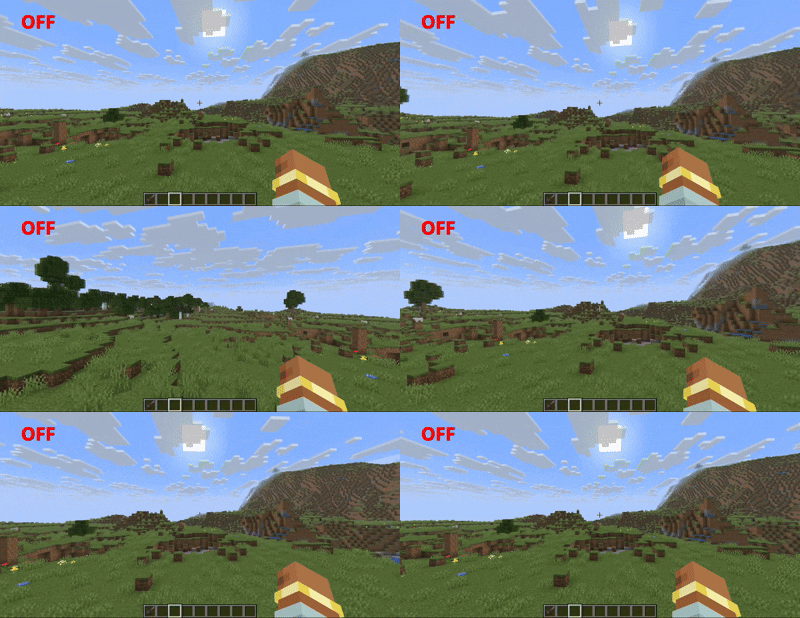
Screenshots:
Before
After
How to Install:
New to Minecraft? Follow our step-by-step guide to install Mods on your PC.View Guide



Camera Motion Blur Mod Download Links
For Minecraft 26.1.2, 26.1.1, 26.1
For Minecraft 1.21.11, 1.21.10, 1.21.9
For Minecraft 1.21.1, 1.21
Click to rate this post!
[Total: 3 Average: 2.3]

1 Comment
 What do you think?
Your opinion means a lot - we'd love to hear from you.
You May Also Like
Picked for this page
 AppleSkin Mod (26.3, 1.20.1) – Food-Related HUD
 Better Archeology Mod (26.3, 1.20.1) – Discover Artifacts & Fossils
 Better Clouds Mod (26.3, 1.20.1) – Realistic Sky
 Blast Mod (26.3, 1.20.1) – Bombs, Explosion
 Better McDonald’s Mod (26.3, 1.20.1) – Food & Drink Additions
 Structure Essentials Mod (26.3, 1.20.1) – A Crash-Free Modded World
 TNT Breaks Bedrock Mod (26.3, 1.20.1) – Easy Access to The Nether Roof
 Banner Flags Mod (26.3, 1.20.1) – Customize Your World With Banner Flags
 Cook Your Food Mod (26.3, 1.20.1) – Negative Effects for Raw Food
 Advanced Shulkerboxes Mod (26.2, 1.20.1) – Improved Function of Shulker Box
 Simple Music Control Mod (26.3, 1.21.1) – Take Over Minecraft Soundtrack
 Alex’s Caves Delight Mod (1.21.1, 1.20.1) – Bring The Flavor Of Caves To Your Table
Most viewed in Mods over the last 7 days
 Ala Industrial Mod (26.3) – Run Electric Power Grids and Automated Factories
 PleasureCraft Mod (26.3, 1.21.1) – Jenny Mod Remake for Fabric
 Jennycraft Mod (26.3, 1.20.1) – Virtual Girlfriend in Minecraft
 Fapcraft Mod (26.3, 1.12.2) – Comprehensive and Detailed Content
 Jenny Mod (Fapcraft) Official Complete Guide – How to use, Tutorial
 BangCraft Mod (1.20.1) – Jenny, Ellie and Elliot
 Fabric Loader (26.3, 1.20.1) – Fabric Installer for All Minecraft Versions
 The Shooting Star Demo Mod (26.3, 1.20.1) – Vaporize Terrain From Orbit
 Meteor Client Mod (26.3, 1.20.1) – Xray, HUD, Fly
 OptiFine HD (26.3, 1.20.1) – Run Faster, FPS Boost, Shaders Support
 Aristois Client Mod (1.21.4, 1.20.1) – World Class Minecraft Utility
 Prestige Client Mod (1.21.11, 1.21.4) – Powerful Ghost Features for Crystal & Sword PvP
More from Mods
 Automobility Autoradio Mod (26.3, 26.1.2) – Trade Custom Mixtapes with Friends
 Towers of the Wild 9minecraft Mod (26.3, 26.2) – Climb Tall Towers for Loot
 Ender Storage 9minecraft Mod (26.3, 26.2) – Send Loot Back Home From Any Dimension
 Snad 9minecraft Mod (26.3, 26.2) – Build Faster Sugar Cane and Nether Wart Farms
 Together Forever Unofficial Mod (1.12.2) – Share Team Advancements
 GroovyDuvet Mod (1.21.11, 1.20.1) – Run Groovy Scripted Addons Without Game
 Swing Through Grass 9minecraft Mod (26.3, 26.2) – Fight Mobs Without Breaking Tall Grass
 Improved Boss Bars 9minecraft Mod (26.3) – Unique Health Bars for Every Boss Fight
 Cozy’s Improved Wolves Mod (26.3, 1.20.1) – Bond with Loyal Dogs That Never Die
 Cuisine Craft Mod (1.21.11, 1.20.1) – Cook Restaurant Dishes with Fresh Farm
 Nekoro Coins Mod (1.21.1, 1.20.1) – Trade Physical Currency Across Player
 Create Beyond Limits Mod (1.21.1, 1.20.1) – Build Smarter Factories

can’t even download the mod with the amount of pop ups