


Admin Craft Mod (26.1.2, 1.20.1) – Keep Your Multiplayer Server Safe

 0
0 

Admin Craft Mod equips server operators with practical moderation tools to manage rulebreakers, inspect inventories, and safeguard key zones. It brings punishment options like temporary bans, mutes, and freeze states directly to chat commands. Staff members can track alternate accounts, review punishment histories, and handle offline player data without disruption.
Features:
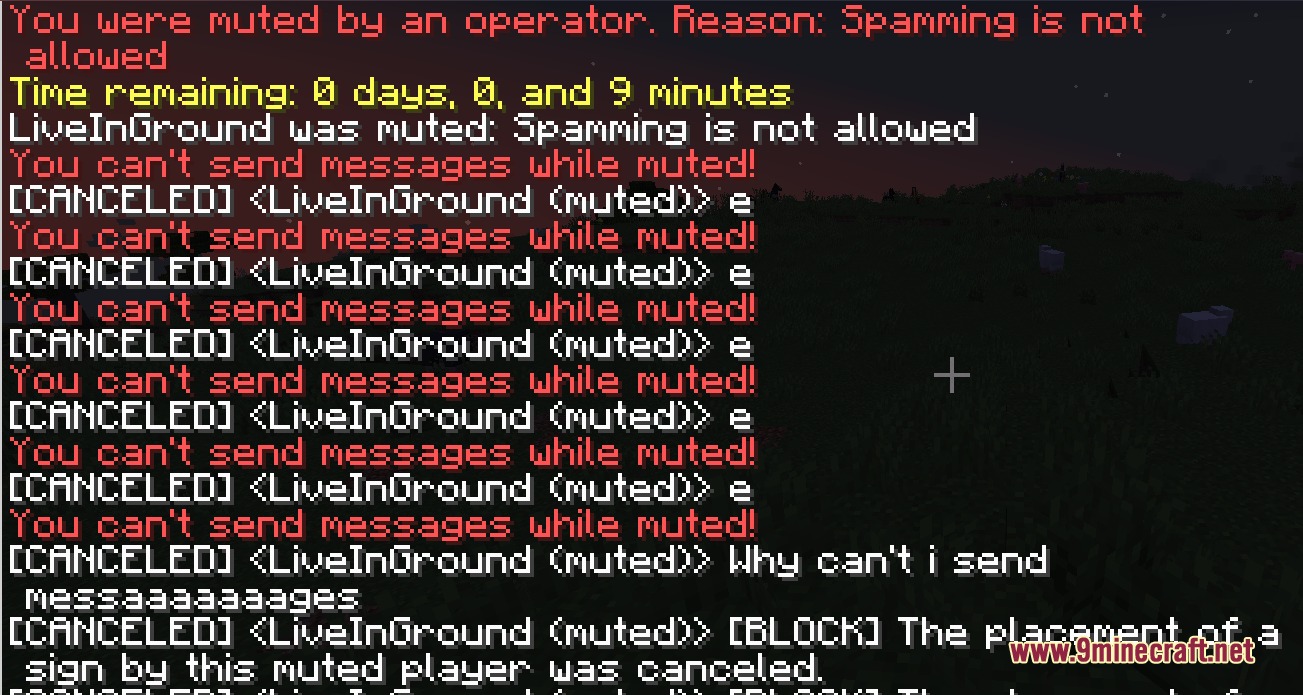
- Moderation Controls: Mute disruptive users, freeze suspicious players in place, and issue temporary bans.
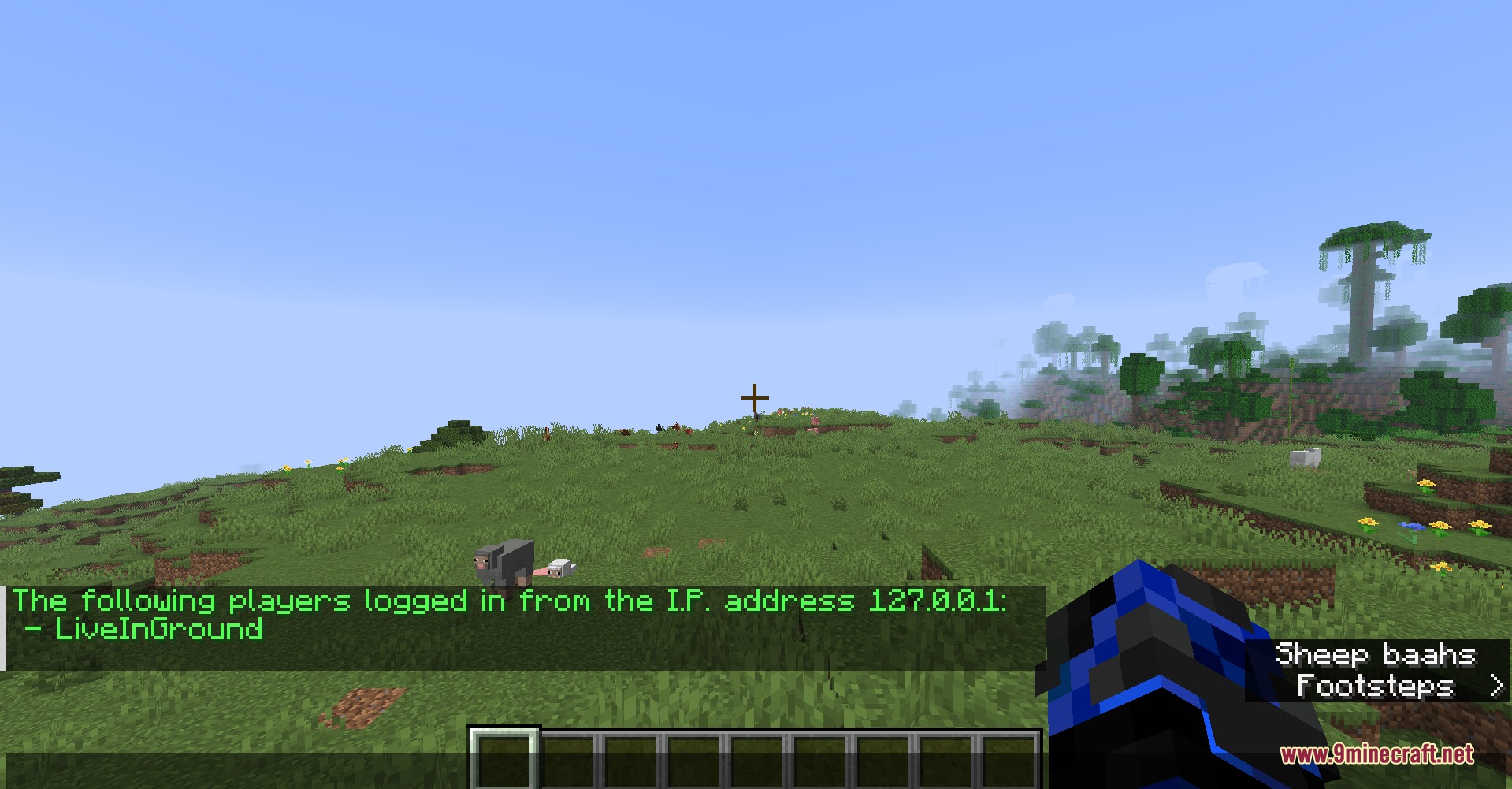
- Alt Account Detection: Checks player connection records to spot users sharing IP addresses.
- Spawn Protection: Prevents griefing and block destruction around the main server spawn area.
- Inspects and edits player inventories or ender chests, including users who are offline.
- Teleports to offline players, moves offline players, and edits tags directly.
- Saves a complete record of all issued warnings, bans, and reports in a punishment database.
- Includes a Discord webhook system to deliver player reports and handle appeal requests.
- Offers pre-set punishment templates to issue quick penalties based on previous infractions.
Commands:
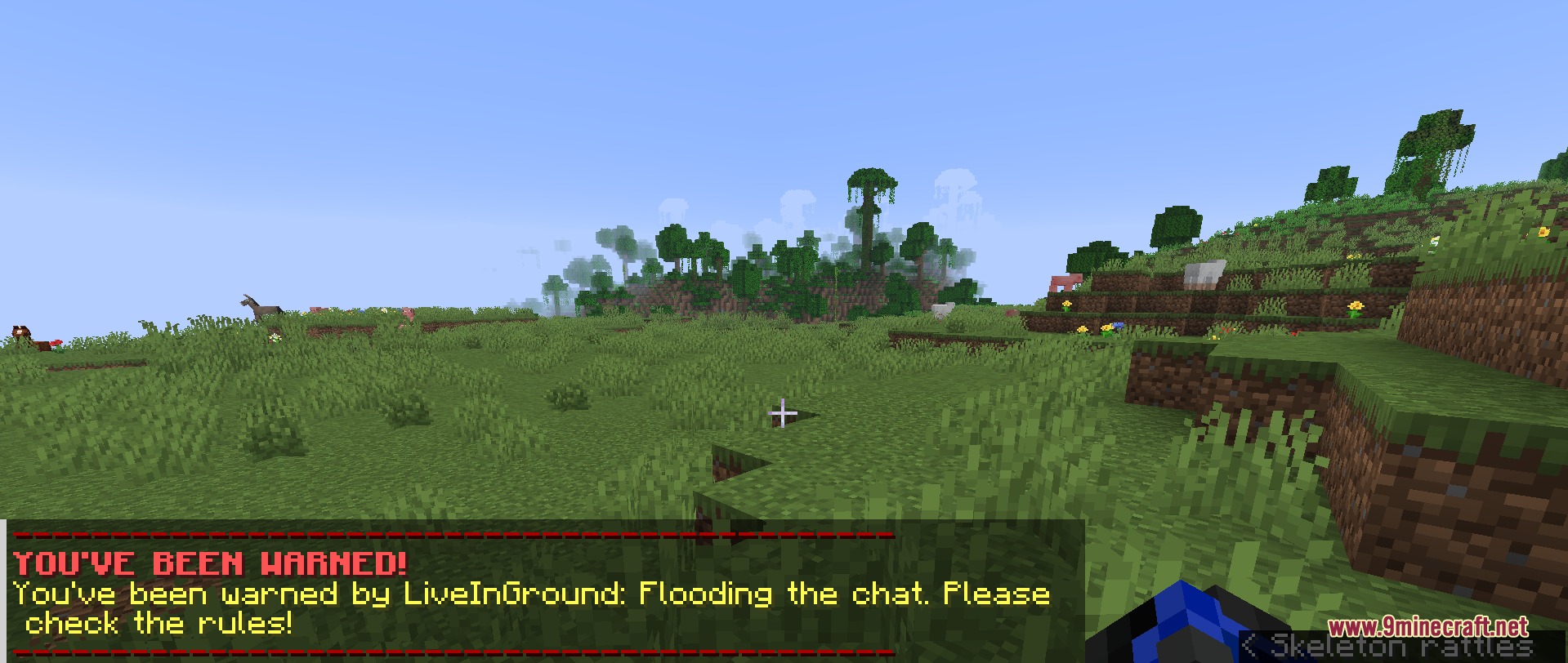
/mute <player> <reason>: Prevents a player from chatting or placing signs./tempmute <player> <duration> <reason>: Mutes a player for a set amount of time./unmute <player>: Removes an active mute from a player./warn <player> <reason>: Sends an official warning message in chat to a player./tempban <player> <duration> <reason>: Temporarily bans a player from joining the server./sanction <player> [reason]: Applies a preconfigured punishment template to a target player./alts <player>: Lists other player accounts sharing the same IP address./freeze <player>: Freezes a player so they cannot move or interact with blocks./history <player>: Displays all past punishments and reports linked to a player./reports <player>: Shows active and previous player reports filed against a user./otp <target> <destination>: Teleports an offline player or teleports to an offline player./otag <target> [add|list|remove] <tag>: Manages tags on an offline player profile./editappeal <id> [delay|status] <value>: Modifies the status or delay of a sanction appeal./editduration <id> <duration>: Changes the duration of an active sanction./playerinfo <player>: Displays player information including coordinates and active punishments./report <player> <reason>: Allows regular players to submit a report to the moderation staff.
Screenshots:
How to Install:
New to Minecraft? Follow our step-by-step guide to install Mods on your PC.View Guide
Requirements:


Admin Craft Mod Download Links
For Minecraft 26.1.2, 26.1.1, 26.1
For Minecraft 1.21.10, 1.21.9
For Minecraft 1.21.8, 1.21.7, 1.21.6
For Minecraft 1.21.5
For Minecraft 1.20.1, 1.20
Click to rate this post!
[Total: 0 Average: 0]
You May Also Like















This post has no comments yet. Be the first — your comment will appear here.