
AlinLib Mod (26.3, 1.20.1) – Polished In-Game Alerts and Mod Menus

 0


AlinLib Mod makes custom user interfaces, settings menus, and toast notifications easy to build in Minecraft. It keeps menus, widgets, and popups in one shared design style with support for both modern flat layouts and legacy designs. This library also offers flexible notification popups that display titles, messages, custom items, colors, and success or failure statuses.
Features:
- Provides tools to build custom user interfaces and configuration menus under one shared design style.
- Supports both modern flat layouts and legacy design styles for settings screens.
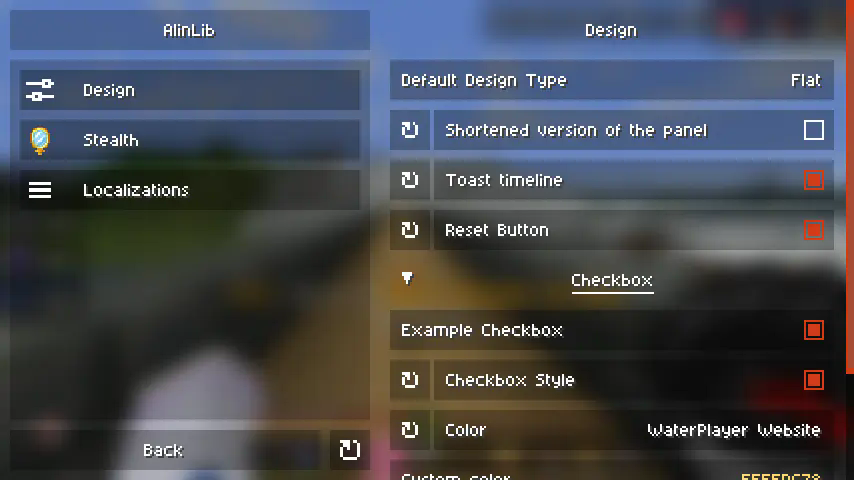
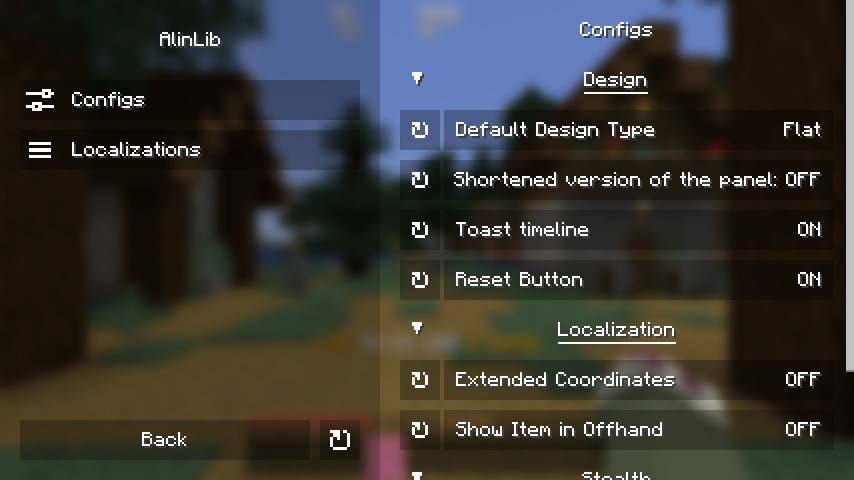
- Includes customizable interface options such as widget designs, checkbox styles, display settings, and localization toggles.
- Adds a toast notification system that pops up on screen with a title and message.
- Supports custom toast alerts with a chosen item icon and custom color.
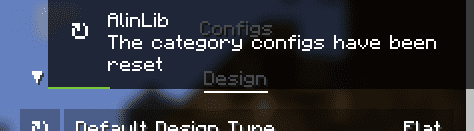
- Displays clear status popups for actions like config resets, successes, errors, and failed tasks.
Screenshots:
Interface
Toast
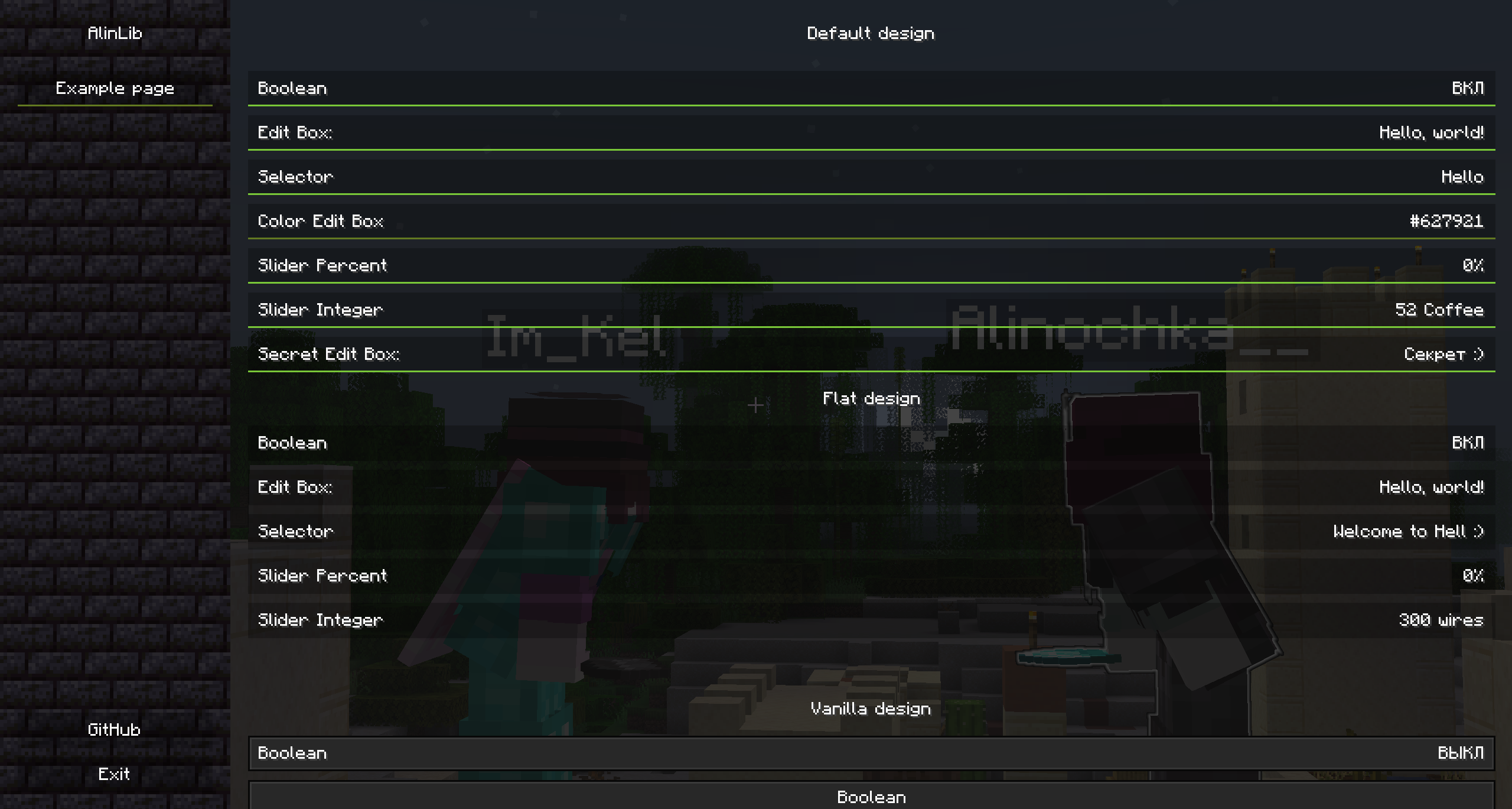
Interface Example: All widget design options are shown here
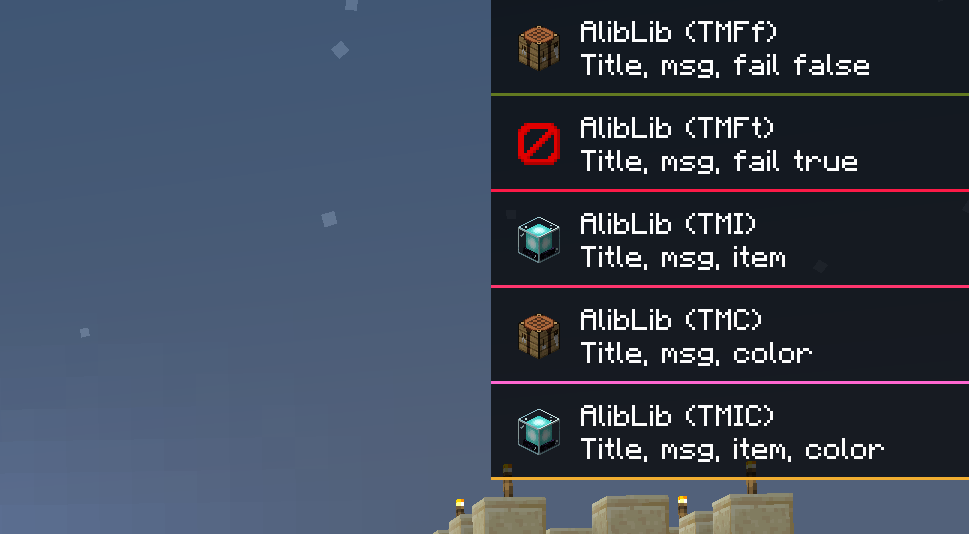
Example Toast: All toasts options are shown here
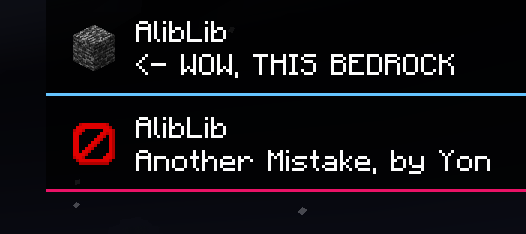
Custom Toast: Example of a notification with a specified item and color
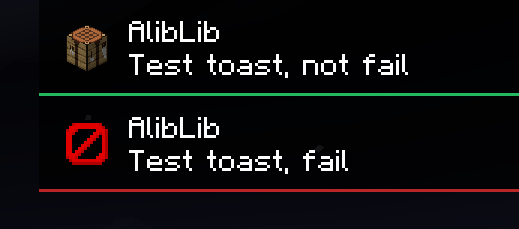
Toast: Example of a notification with message, title and whether it failed
How to Install:
New to Minecraft? Follow our step-by-step guide to install Mods on your PC.View Guide
Requirements:





AlinLib Mod Download Links
For Minecraft 26.3
For Minecraft 26.2
For Minecraft 1.21.11
For Minecraft 1.21.10, 1.21.9
For Minecraft 1.21.8, 1.21.7, 1.21.6
For Minecraft 1.21.5
For Minecraft 1.21.4
For Minecraft 1.21.3, 1.21.2
For Minecraft 1.21.1, 1.21
For Minecraft 1.20.6
For Minecraft
1.20.5,
1.20.4,
1.20.3
All Versions Covered
1.20.5
1.20.4
1.20.3
1.20.2
For Minecraft 1.20.1, 1.20
You May Also Like
Picked for this page
 Cloth Config API (26.3, 1.20.1) – Client Sided Config Screen
 GeckoLib Mod (26.3, 1.20.1) – Powerful Animation and Rendering Engine
 Continuity Mod (26.3, 1.20.1) – Efficient Connected Textures
 Puzzles Lib (26.3, 1.20.1) – Library for Fuzs’s Mods
 Citadel Mod (26.3, 1.20.1) – Library for Advanced Animations
 Cardinal Components API Mod (26.3, 1.20.1) – API for Data-Driven Content
 IkkatsuHakai Mod (26.3, 1.20.1) – Block Break, Mass Storage, etc
 BCLib Mod (26.3, 1.20.1) – Library for BetterX Team’s Mods
 Essential Commands Mod (26.3, 1.20.1) – Utility Commands for Servers
 JamLib Mod (26.3, 1.20.1) – Library for JamCoreModding’s Mods
 OwO Lib Mod (26.2, 1.21.1) – Run New and Complex Mods
 Fabric Permissions API (26.3, 1.20.1) – For Mod Developers
Most viewed in Mods over the last 7 days
 Ala Industrial Mod (26.3) – Run Electric Power Grids and Automated Factories
 PleasureCraft Mod (26.3, 1.21.1) – Jenny Mod Remake for Fabric
 Jennycraft Mod (26.3, 1.20.1) – Virtual Girlfriend in Minecraft
 Fapcraft Mod (26.3, 1.12.2) – Comprehensive and Detailed Content
 Jenny Mod (Fapcraft) Official Complete Guide – How to use, Tutorial
 BangCraft Mod (1.20.1) – Jenny, Ellie and Elliot
 Fabric Loader (26.3, 1.20.1) – Fabric Installer for All Minecraft Versions
 The Shooting Star Demo Mod (26.3, 1.20.1) – Vaporize Terrain From Orbit
 Meteor Client Mod (26.3, 1.20.1) – Xray, HUD, Fly
 OptiFine HD (26.3, 1.20.1) – Run Faster, FPS Boost, Shaders Support
 Aristois Client Mod (1.21.4, 1.20.1) – World Class Minecraft Utility
 Prestige Client Mod (1.21.11, 1.21.4) – Powerful Ghost Features for Crystal & Sword PvP
More from Mods
 Morrowless Mod (1.21.1) – Defend Your Shelter From Nightmare Creatures
 THE SLOPSTROSITY Mod (1.21.1) – Battle a Ridiculous Slime Boss
 Decoween Mod (1.21.1, 1.20.1) – Transform Ordinary Survival Bases
 Simply Light 9minecraft Mod (26.3) – Decorate Builds Without Torches
 Alex’s Caves Continued Mod (26.3, 1.20.1) – Conquer Six Massive Underground
 Anvil Uses Mod (26.3, 1.20.1) – Track Item Anvil Usage
 Animal Info Mod (26.3, 1.21.11) – Quick Stats For Your Animals
 Timber Tales Dynamic Tree System Mod (26.3, 1.20.1) – Watch Entire Trees Topple
 Gabou’s Libs Mod (26.3, 1.20.1) – Keep Custom Weather and Survival Mods Stable
 /Sit Mod (26.3, 1.21.1) – Make The Player Sit Down
 Arcane Redstone Dial Mod (26.3, 1.20.1) – Trigger Commands and Shortcuts
 The Graveyard Mod (26.3, 1.20.1) – Cemeteries in Minecraft

This post has no comments yet. Be the first — your comment will appear here.