
Backport Core Mod (1.12.2) – Bring Modern Textures and Systems
 3
 0

Backport Core Mod provides the shared code, textures, and systems needed for Minecraft 1.12.2 update backports like Village & Pillage Backport and Update Aquatic Backport. It adds no blocks or items on its own, acting instead as a base library that handles 1.14 textures, 1.13 waterlogging, player swimming poses, and structure placement. This mod keeps multiple backports working together without creating duplicate blocks or recipes. It needs to be installed on both the client and the server alongside Fluidlogged API whenever you play with any supported backport mod.

Features:
- 1.14 Texture Update: Brings 1.14 textures to vanilla blocks, items, and mobs, along with the 1.15 enchantment glint. Custom resource packs and other mods that purposely change vanilla textures still take priority over these textures.
- 1.13 Waterlogging: Lets backported blocks like lanterns, sea pickles, and kelp hold water inside them via Fluidlogged API. Buckets can fill and empty these blocks, and water flows in and out of them naturally (without Fluidlogged API, the mod still runs and the blocks simply stay dry).
- 1.14 Player Poses: Shrinks swimming players down to 0.6 blocks tall and makes players crawl when they have no room to stand. Other players in multiplayer can see both poses, and this hook stays inactive until a backport with swimming is installed.
- Modern Structure System: Reads official structure files into 1.12.2 blocks so shipwrecks, ocean ruins, and other structures match the modern game. Structures place chunk by chunk without loading neighboring chunks, and backports can locate the nearest structure of a specific type.
- No Duplicate Blocks: Tracks which backport owns shared blocks (such as 1.14 villages needing 1.13 stripped logs and blue ice) so only one copy exists in the game. Worlds can also migrate blocks and items from other mods on demand or when a mod is removed, while keeping only one recipe and creative tab per shared block.
- Fits structures cleanly onto the surface or sea floor across vanilla, superflat, Open Terrain Generator, Biomes O’ Plenty, Realistic Terrain Generation, and 1.18-height terrain.
- Includes a unified settings menu under Mod Options where each installed backport gets its own page with toggle switches, a search bar, and badges showing if a setting needs a restart or only affects new chunks.
- Allows server operators to edit server settings directly from the in-game settings screen while keeping existing files in the
config/folder working for modpacks. - Provides a registry that lets other mods add custom villager trades, wandering trader trades, and smithing table upgrades.
- Translates the mod and its config screen into 18 languages: English, Spanish (Spain and Latin America, including Argentina, Uruguay, and Venezuela), Brazilian Portuguese, French, German, Russian, Simplified Chinese, Traditional Chinese, Japanese, Korean, Italian, Polish, Turkish, Ukrainian, and Dutch.
Configuration:
textures.modernTextures: Turn this setting off if you prefer the original 1.12.2 vanilla look instead of the 1.14 texture update.
How to Use:
- Install this mod along with a supported backport mod such as Village & Pillage Backport (2.4.0 or newer) or Update Aquatic Backport (1.0.0 or newer).
- Open the Mod Options menu in-game to access the shared settings screen for every installed backport.
- Select a backport’s page and use the search bar or switches to turn features on and off, checking the badges to see if a game restart or new chunks are required.
- Turn off
textures.modernTexturesin the config if you want to revert back to default 1.12.2 textures.
How to Install:
New to Minecraft? Follow our step-by-step guide to install Mods on your PC.View Guide
Requirements:
 Minecraft Forge Required
Fluidlogged API Required
Backport Core Mod Download Links
For Minecraft 1.12.2
Click to rate this post!
[Total: 0 Average: 0]
You May Also Like
Picked for this page
 Applied Flux Mod (26.1.2, 1.20.1) – Store FE in Your ME System
 Just Enough Advancements Mod (1.21.1, 1.20.1) – Track Every Quest and Goal
 Loot Integrations Underground Villages Stoneholm Mod (1.21.11, 1.20.1) – More Loots For New Structures
 Block Party Havoc Mod (26.3, 1.21.1) – Play Classic Arcade Minigames Right
 Pastel Petal Patches Mod (1.20.1) – Build Cute Cottagecore Bases
 Cobblemon Minimons Mod (1.21.11, 1.21.1) – Decorate Your Base with Mini Pokemon
 Mantle Vault Mod (1.21.1, 1.20.1) – Switch and Create Custom HD Capes on the Fly
 Goety Ominous Mod (1.21.1, 1.20.1) – Command Dark Minion Armies to Fight
 Amethyst Tools and More Mod (26.3, 26.1.2) – Mine Obsidian Fast
 Chest Light Mod (26.3) – Light Up Mobs and Entities with Custom Colored Glows
 Leo’s Monuments Mod (1.20.1) – Raid Secure Keycard Monuments for High Tier Loot
 Aeronautic Additions Tweaks Mod (1.21.1) – Create Styled Airship Utility Tweaks
Most viewed in Mods over the last 7 days
 Ala Industrial Mod (26.3) – Run Electric Power Grids and Automated Factories
 PleasureCraft Mod (26.3, 1.21.1) – Jenny Mod Remake for Fabric
 Jennycraft Mod (26.3, 1.20.1) – Virtual Girlfriend in Minecraft
 Fapcraft Mod (26.3, 1.12.2) – Comprehensive and Detailed Content
 Meteor Client Mod (26.3, 1.20.1) – Xray, HUD, Fly
 Jenny Mod (Fapcraft) Official Complete Guide – How to use, Tutorial
 BangCraft Mod (1.20.1) – Jenny, Ellie and Elliot
 OptiFine HD (26.3, 1.20.1) – Run Faster, FPS Boost, Shaders Support
 Fabric Loader (26.3, 1.20.1) – Fabric Installer for All Minecraft Versions
 Patched Mod (26.3, 1.20.1) – Edit Game Files Without Breaking Packs
 CatLean Client Mod (26.2, 1.21.11) – ThunderHack Recode Alternatives
 Baritone Client Mod (26.3, 1.20.1) – Autominer, Build with AI, Xray
More from Mods
 Compact Storage Mod (26.3, 1.20.1) – Carry Everything You Find
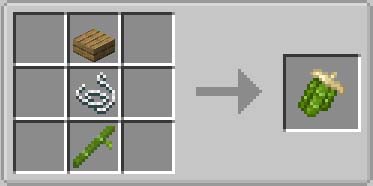 Chimes Mod (26.3, 1.20.1) – Soothing Sounds for Peaceful Bases
 Ageratum Mod (26.3, 1.21.1) – Read Custom Markdown Guidebooks Directly in Game
 No Nametags Hidden Nametags Mod (26.3, 1.20.1) – True Stealth for Multiplayer PvP
 Vistas Mod (26.3, 1.20.1) – New Views on Every Launch
 Star Struck Mod (26.3, 1.20.1) – Chart Night Skies to Control Weather
 Neoforge Knowledge Codex Mod (26.3, 1.21.1) – Browse In-Game Guides
 Strike Stream Gauge Mod (26.3, 1.20.1) – Track Combat DPS and Earn Boss Fight
 Mouse Wheelie Mod (26.3, 1.20.1) – Great Replacement for Inventory Tweaks
 RFTools Storage Mod (26.3, 1.20.1) – Reach Your Items Anywhere
 Rain Shield Mod (26.3, 1.20.1) – Enjoy Clear Skies Above Your Home
 Mindworks Core Mod (1.21.1, 1.20.1) – Powering Perception Effects

This post has no comments yet. Be the first — your comment will appear here.