
Better Trims Mod (1.21.10, 1.20.1) – Wear Trims for Gear Buffs

 0


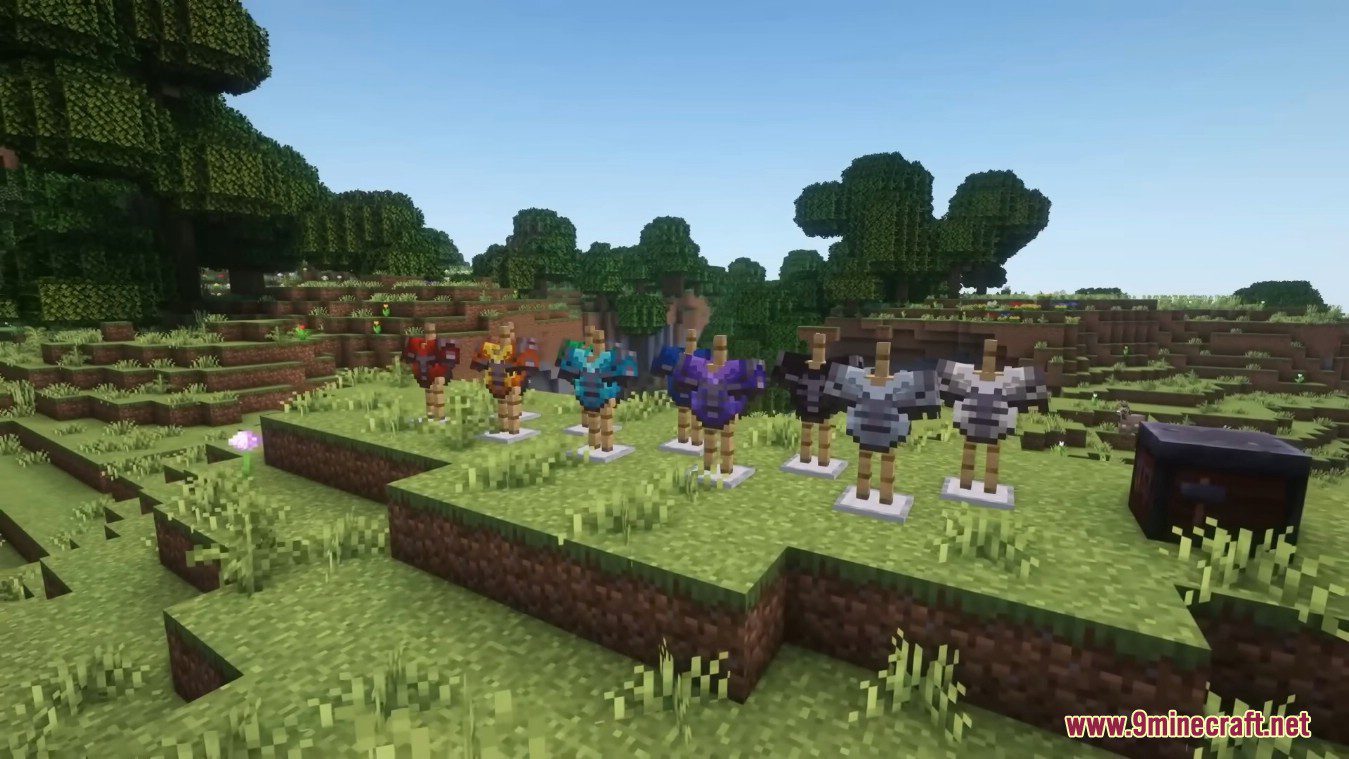
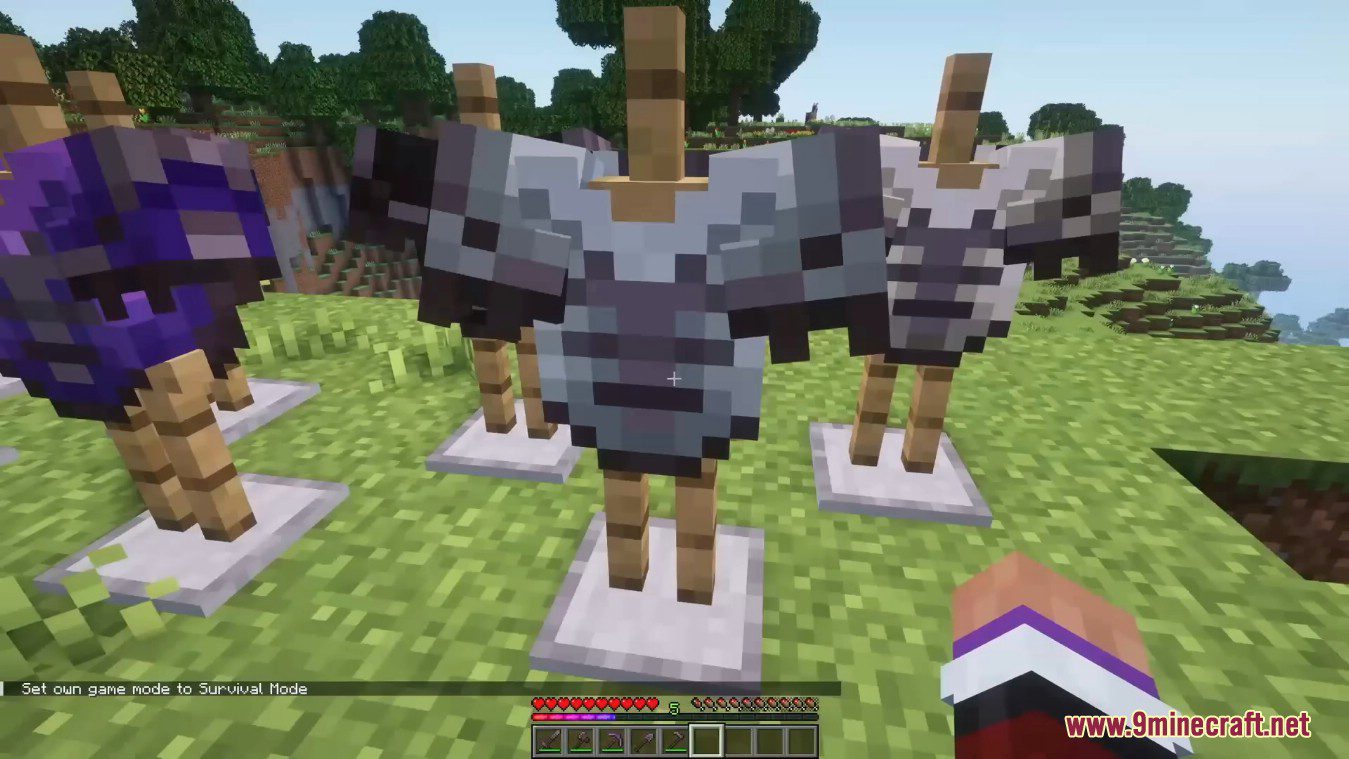
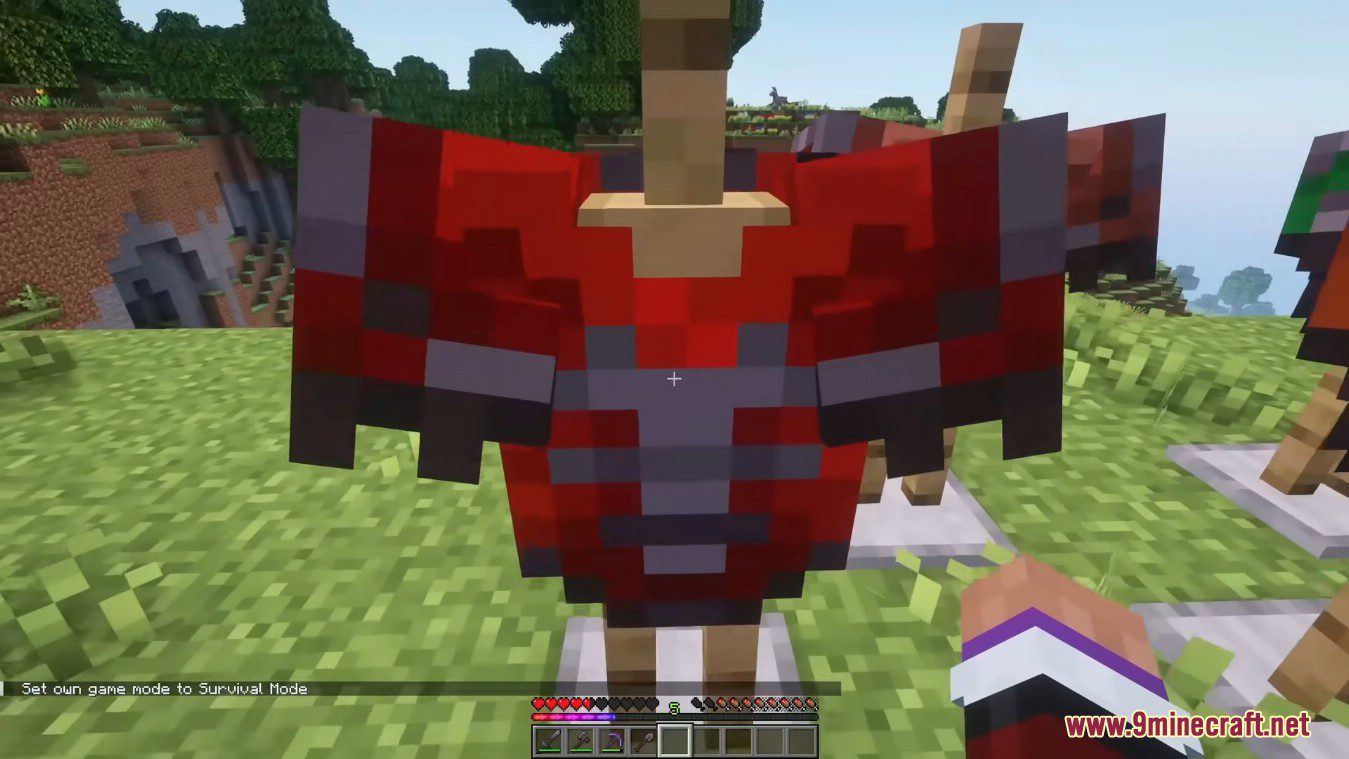
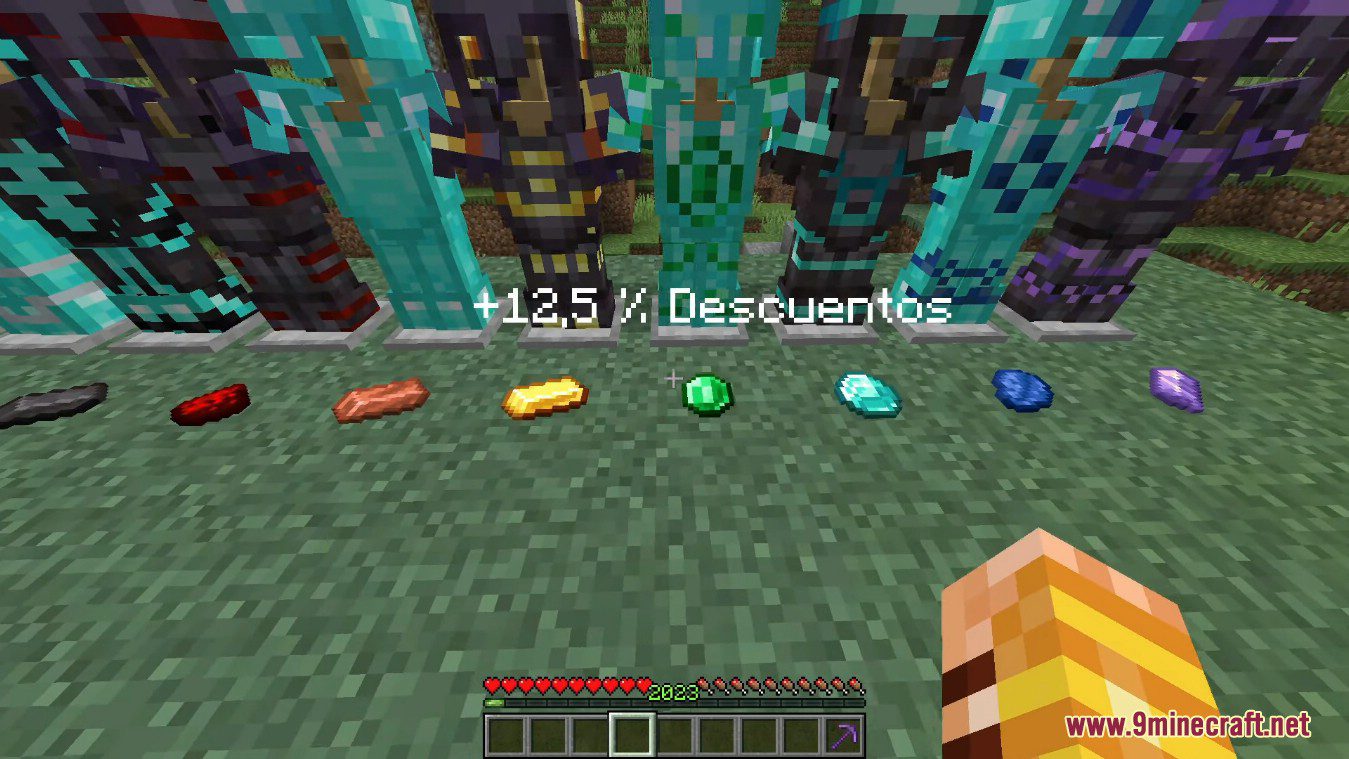
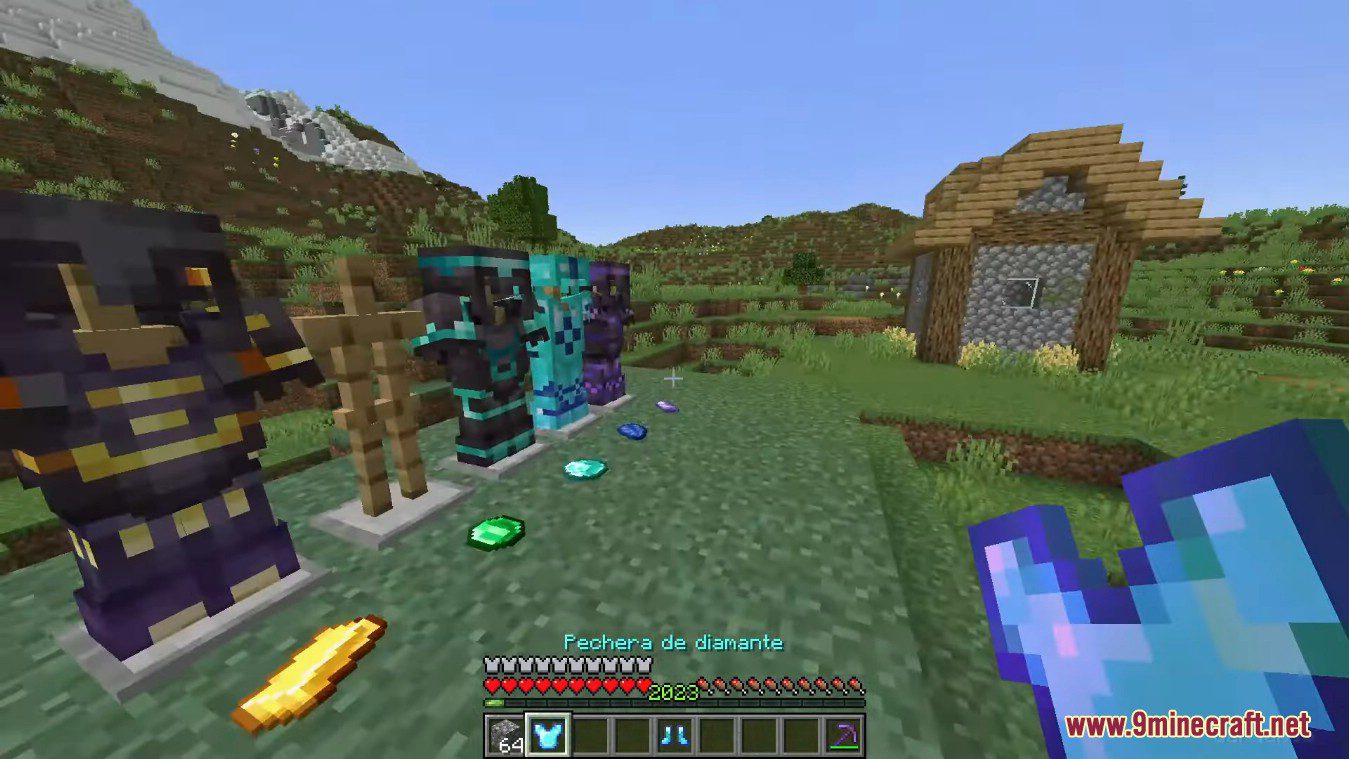
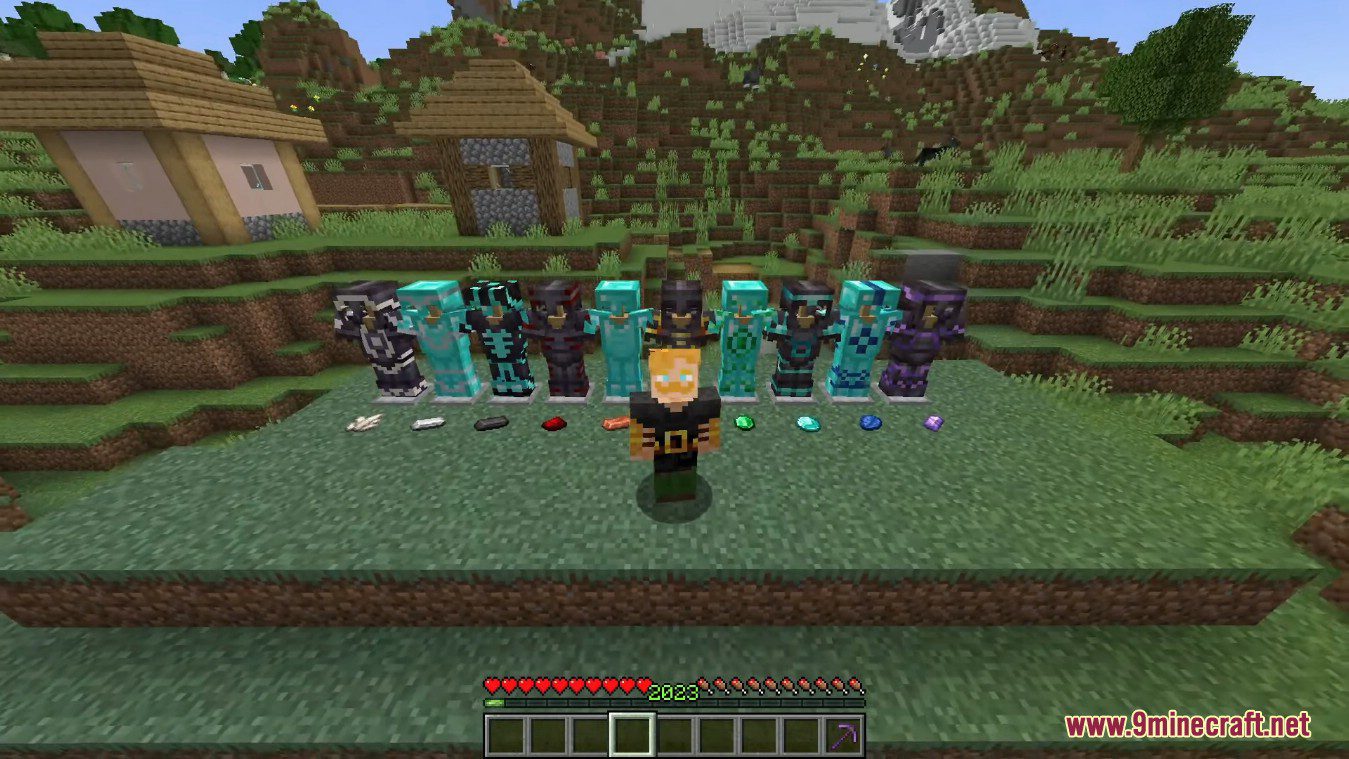
Better Trims Mod gives each armor trim material a unique effect when you wear it. This mod adds gameplay perks to 10 vanilla trim materials, 13 extra vanilla items, and 2 modded materials, giving you boosts like faster mining, quicker swimming, mob protection, and longer potion effects. It uses a data-driven property system with worn perks, in-world effects, and set bonuses, plus smart tooltips that show extra details only when you need them. You also get two included datapacks, Default and Trim Effects, and you can edit most effects in-game with ModMenu and YetAnotherConfigLib.
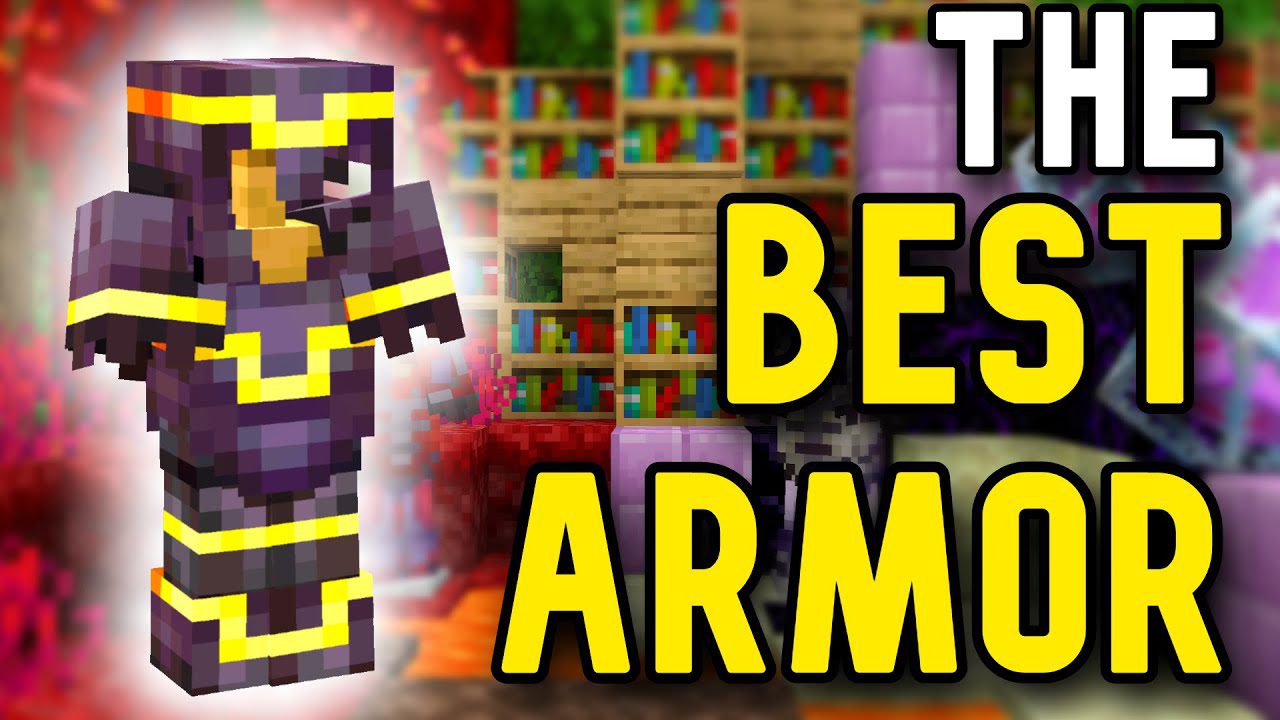
Features:
- Data-Driven Armor Trim System: Uses a custom property system with worn properties, in-world properties, set bonuses, and wide customization options.
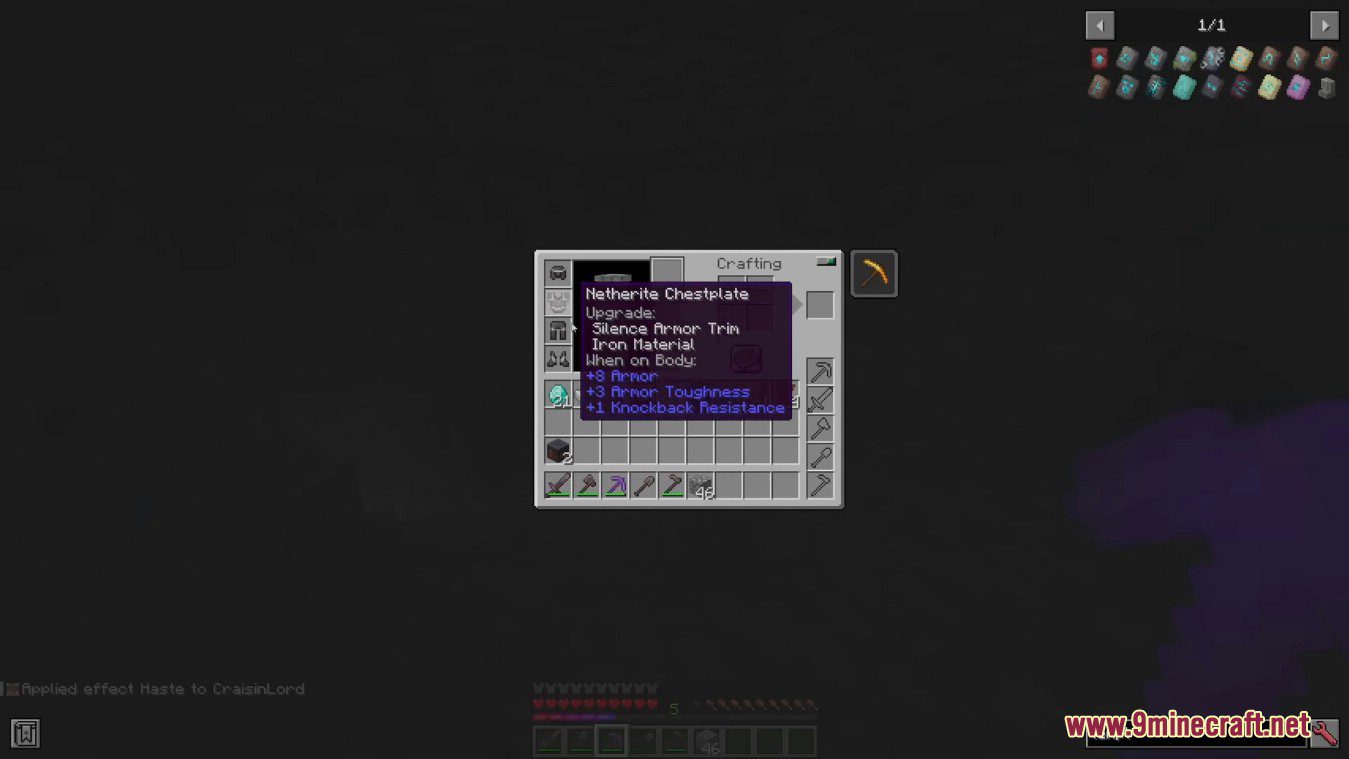
- Smart Context Tooltips: Keeps tooltips clean by showing trim details only when you hold Alt or Option, expanding nested or complex conditions only when you hold Shift, and color-coding elements by type.
- Two Built-In Datapacks: Includes a Default pack with popular effects similar to version 2.0 and a Trim Effects pack that re-implements and balances the TrimsEffects mod.
- Builds its condition system on the Predicate Data API for flexible effect rules.
- Generates tooltip text directly from each trim’s properties, with most of the roughly 10,000 possible combinations already translated.
Vanilla Material Effects:
- Quartz: Gives you bonus experience when you gain XP.
- Iron: Increases your mining speed; wearing a full set with an Efficiency 5 Netherite pickaxe and Haste 2 lets you mine deepslate instantly.
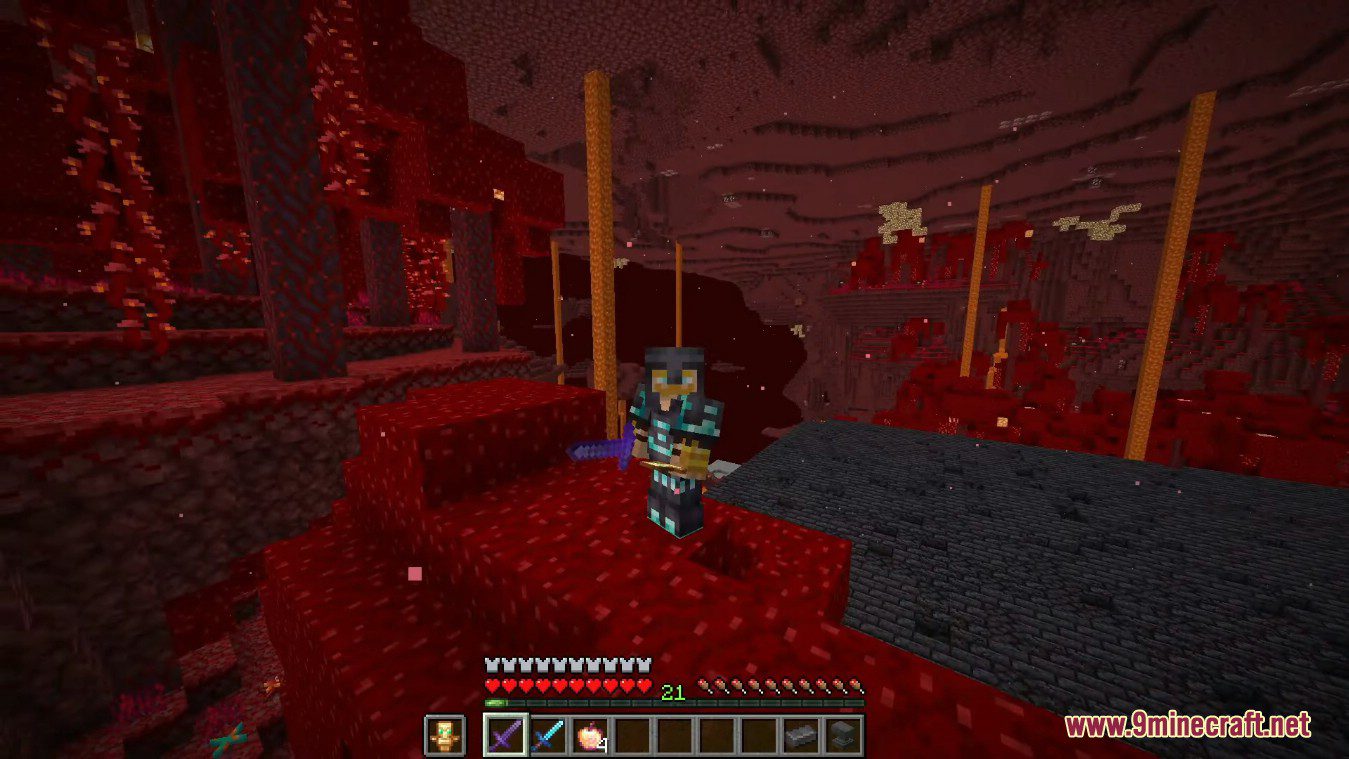
- Netherite: Protects armor from being destroyed by fire or lava and lowers the damage you take from fire and lava.
- Redstone: Increases your movement speed.
- Copper: Lets you swim faster, though this effect does not stack with Depth Strider or Dolphin’s Grace.
- Gold: Makes Piglins ignore you.
- Emerald: Gives you a discount when trading with villagers.
- Diamond: Grants extra damage reduction.
- Lapis: Makes trimmed armor pieces more enchantable.
- Amethyst: Gives each piece a chance every second to shorten a negative potion effect by 1 second or extend a positive potion effect by 1 second.
Added Vanilla Material Effects:
- Coal: Doubles the cooking speed of furnaces when you stand within 5 blocks of them.
- Dragon’s Breath: Shares your active potion effects with nearby mobs.
- Chorus Fruit: Gives you a chance to dodge attacks from End mobs and teleport a short distance away.
- Echo Shard: Shortens the range at which sculk sensors can detect you.
- Ender Pearl: Gives you a chance to dodge any damage and teleport a short distance, but water and rain hurt you.
- Fire Charge: Sets mobs on fire when they hit you.
- Glowstone Dust: Gives a chance to boost positive potions by 1 level when you get them.
- Leather: Increases your step height while wearing the armor.
- Nether Brick: Wearing 2 trims makes Blazes ignore you, while wearing 4 trims makes Wither Skeletons ignore you but makes Piglins angry at you.
- Prismarine Shard: Makes Guardians ignore you, and wearing 4 trims makes you immune to Mining Fatigue from Elder Guardians.
- Rabbit Hide: Stops passive animals from running away from you, even after you hit them.
- Slime Ball: Lowers the fall damage you take, but makes you take more knockback.
- Enchanted Golden Apple: Slowly grants you Absorption hearts over time up to a maximum limit.
Modded Trim Material Effects:
- Platinum: Makes Illagers ignore you.
- Silver: Makes you stronger at night with small boosts to movement speed, jump height, attack damage, attack speed, damage reduction, and improved vision.
How to Use:
- Wear armor trimmed with a supported material to activate its unique effect; some materials like Nether Brick and Prismarine Shard unlock extra perks when you wear 2 or 4 trimmed pieces.
- Hold Alt or Option while looking at a trimmed armor piece to show its trim property tooltip.
- Hold Shift to expand nested and complex condition details inside the tooltip.
- Choose either the Default datapack or the Trim Effects datapack depending on which set of trim effects you want to play with.
- Open the in-game config menu from ModMenu and YetAnotherConfigLib to adjust most trim effects.
Configuration:
- You can customize most armor trim effects to fit how you want to play.
- You can edit settings inside the game through a config menu when ModMenu and YetAnotherConfigLib are installed.
Screenshots:
How to Install:
New to Minecraft? Follow our step-by-step guide to install Mods on your PC.View Guide
Requirements:

Better Trims Mod Download Links
For Minecraft 1.21.10
NeoForge version: Download from Server 1 – Download from Server 2
Fabric version: Download from Server 1 – Download from Server 2
For Minecraft 1.21.8, 1.21.7, 1.21.6
NeoForge version: Download from Server 1 – Download from Server 2
Fabric version: Download from Server 1 – Download from Server 2
For Minecraft 1.21.1, 1.21
NeoForge version: Download from Server 1 – Download from Server 2
Fabric version: Download from Server 1 – Download from Server 2
For Minecraft 1.20.1, 1.20
Fabric version: Download from Server 1 – Download from Server 2
Have you ever financially supported a mod creator (via Patreon, Ko-fi, or donations)?
1 responses · See the full results →
You May Also Like
Picked for this page
 Falling Leaves Mod (26.3, 1.20.1) – Visually Appealing Addition
 Simple Block Overlay Mod (26.2, 1.20.1) – Configurable Block Overlays
 Transcending Trident Mod (26.3, 1.20.1) – Riptide Without Rain
 MineMenu Mod (26.1.2, 1.20.1) – Make Your Life Easier
 Simple Voice Chat Enhanced Groups Mod (26.3, 1.20.1) – Optimizing Multiplayer Communication
 Loot Integrations Moog’s Voyager, Soaring, End, Nether Structures Mod (26.3, 1.20.1)
 Player Ladder Mod (1.21.11, 1.20.1) – Allows Riding or Picking Up Players
 Nemo’s Woodcutter Mod (26.3, 1.20.1) – Simplify Wooden Item Crafting
 Dragon Feed Mod (1.18.2) – Growth Boosting Foods For Baby Dragons
 Info Overlay Mod (26.3, 1.20.1) – Replace the Messy F3 Menu with a Clean HUD
 Tiny Coal (26.3, 1.20.1) – Tiny Charcoal Mod – Smelts One Items
 TaCZ Bleeding Mod (1.20.1) – Bandage Your Wounds Before You Bleed Out
Most viewed in Mods over the last 7 days
 Ala Industrial Mod (26.3) – Run Electric Power Grids and Automated Factories
 PleasureCraft Mod (26.3, 1.21.1) – Jenny Mod Remake for Fabric
 Jennycraft Mod (26.3, 1.20.1) – Virtual Girlfriend in Minecraft
 Fapcraft Mod (26.3, 1.12.2) – Comprehensive and Detailed Content
 Jenny Mod (Fapcraft) Official Complete Guide – How to use, Tutorial
 BangCraft Mod (1.20.1) – Jenny, Ellie and Elliot
 Fabric Loader (26.3, 1.20.1) – Fabric Installer for All Minecraft Versions
 The Shooting Star Demo Mod (26.3, 1.20.1) – Vaporize Terrain From Orbit
 Meteor Client Mod (26.3, 1.20.1) – Xray, HUD, Fly
 OptiFine HD (26.3, 1.20.1) – Run Faster, FPS Boost, Shaders Support
 Aristois Client Mod (1.21.4, 1.20.1) – World Class Minecraft Utility
 Prestige Client Mod (1.21.11, 1.21.4) – Powerful Ghost Features for Crystal & Sword PvP
More from Mods
 Ore Excavation 9minecraft Mod (26.3) – Mine Ores and Chop Trees in a Single Swing
 Dirigo Mod (26.1.2, 1.21.1) – Walk Across Nether Lava Seas and Automate Animal
 HandLib Mod (26.3, 1.21.1) – Keep Your Multiplayer World Stable
 Happy Ghasts Boost Mod (26.1.2, 1.20.1) – Fly Across Vast Distances at Top Speed
 LiquidBounce Client Mod (26.3, 1.20.1) – LiquidLauncher, A Free Client
 Create Hand Made Mod (1.21.1) – Craft Create Recipes By Hand in Your Workshop
 Seed Map for Xaero Mod (26.1) – See Rare Biomes and Dungeons Before You Travel
 MCPersist Mod (26.3) – Keep Your World Online for Friends Even After Logging Off
 Minecraft Java MCP Server Mod (1.21.11) – Command Your World Through External AI Tools
 Arcanism Mod (26.2) – Build Magic Factories and Program Custom Spells
 Archangel Client Mod (1.21.11) – Master Every PvP Duel with Clean Screen Stats
 Block Front Survival Patch Mod (1.21.1) – Wage Tactical Warfare in Survival

This post has no comments yet. Be the first — your comment will appear here.