
Chat Image Mod (1.21.5, 1.20.1) – Send Memes and Screenshots to Teammates

 0

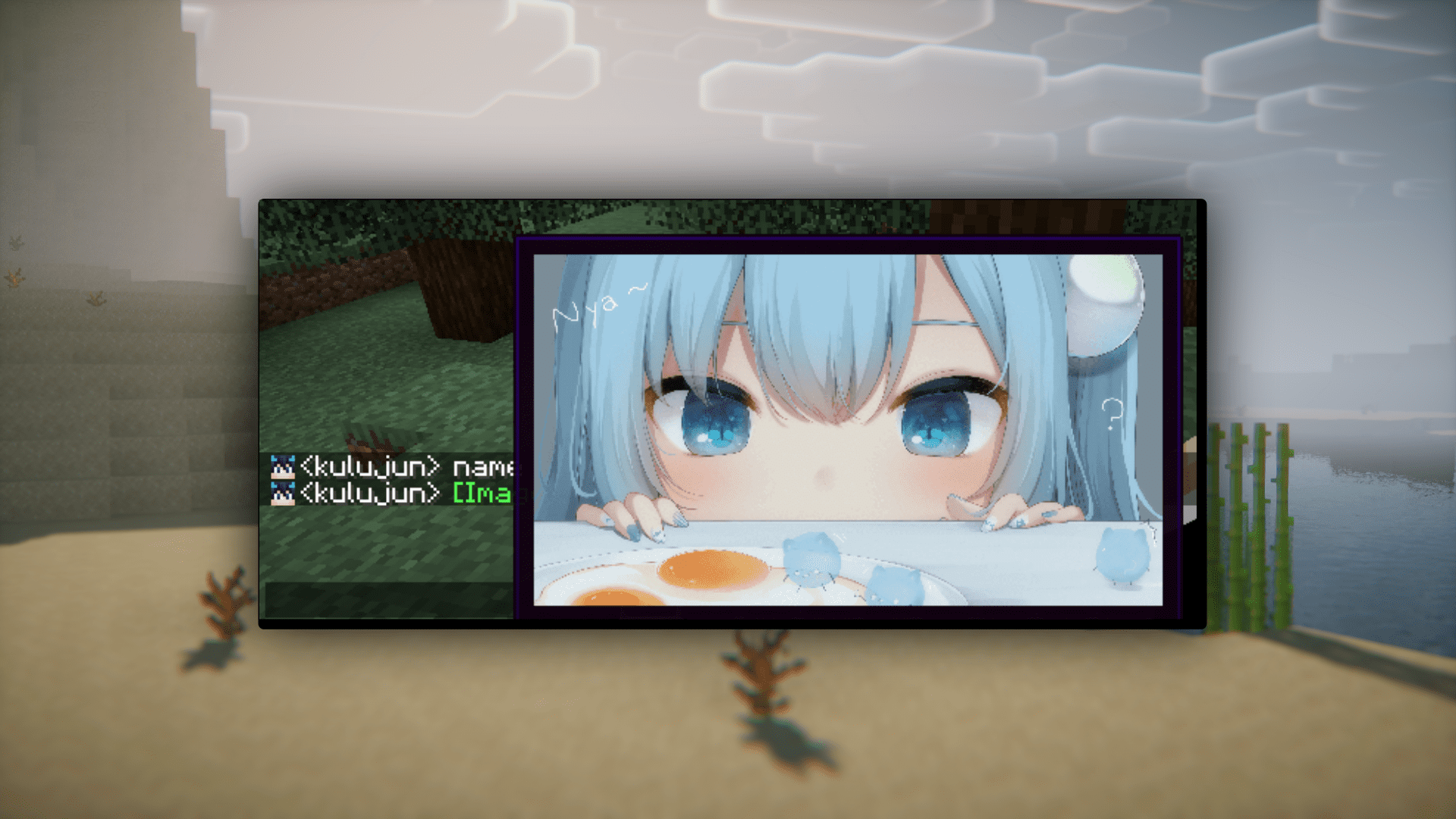
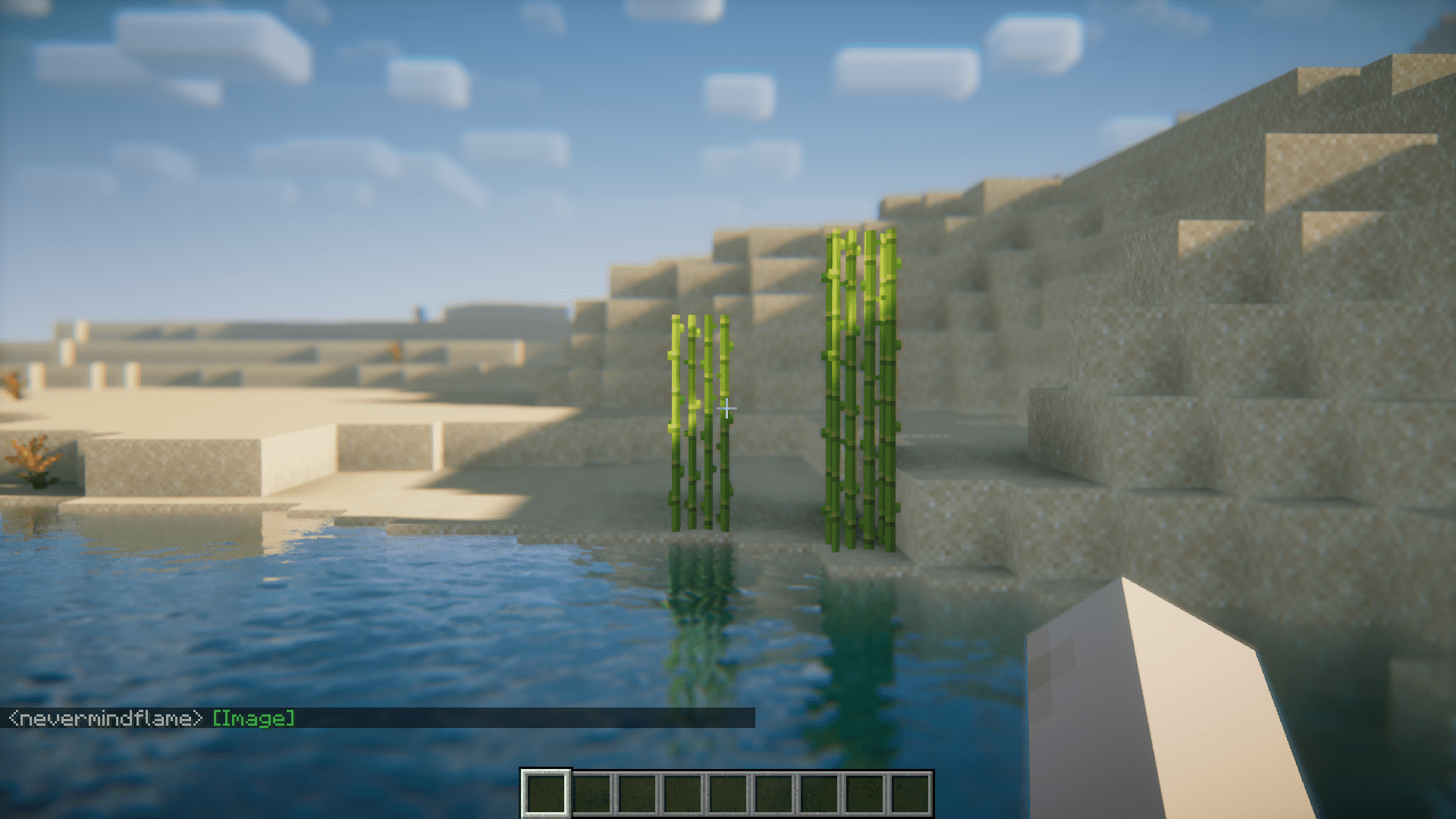
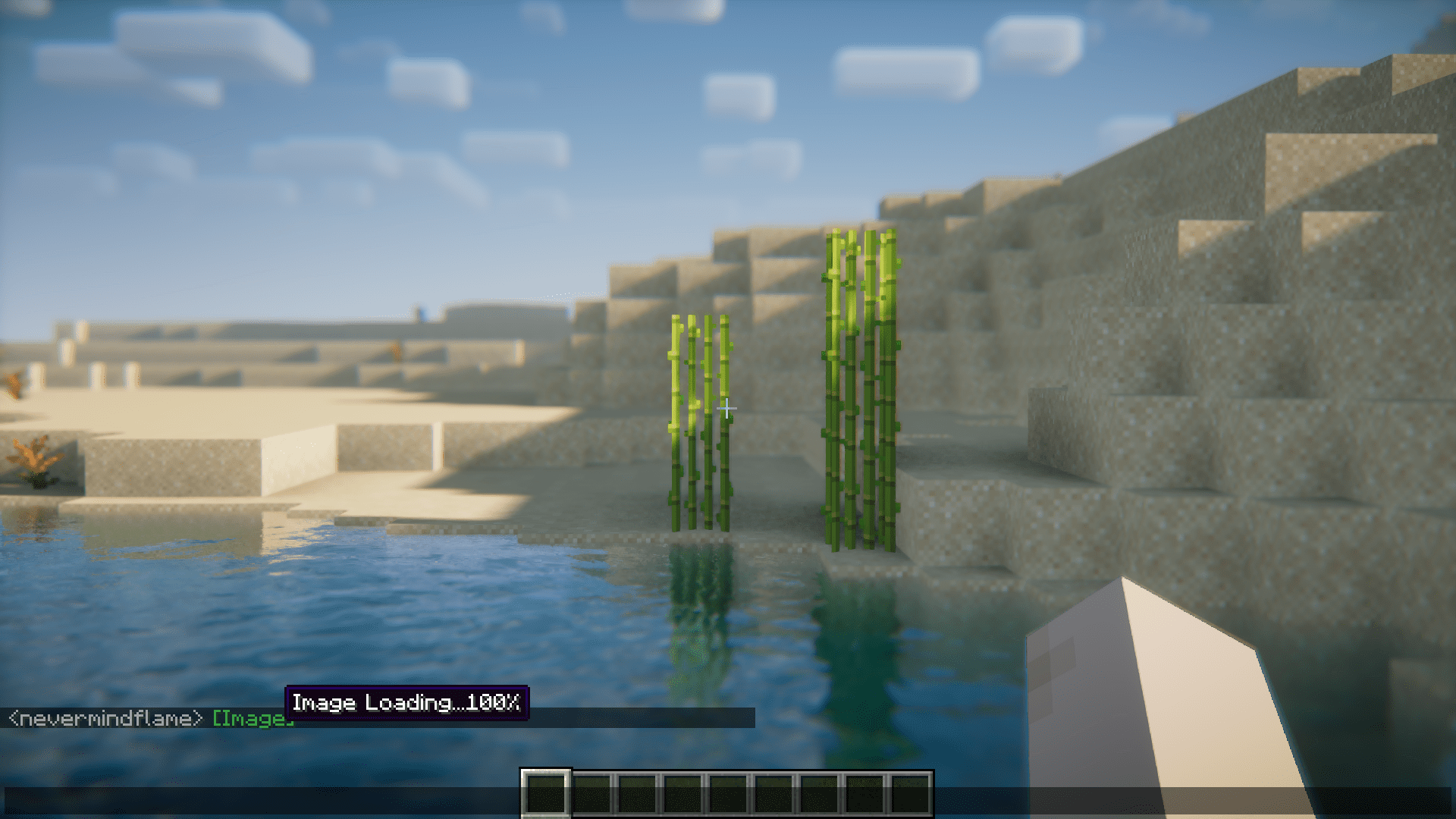
Chat Image Mod lets you send and view pictures right inside the Minecraft chat. It supports web links, local image files from your computer, and GIFs across formats like PNG, JPG, JPEG, JFIF, ICO, and BMP. You can share images by dragging them into the chat screen, running simple commands, or typing custom CICode tags with options for display names, prefixes, suffixes, and an NSFW filter. Showing local files requires the mod on the server side, and it works smoothly with mods like Chat Heads, McBot, ChatBridge, and NoChatReports.
Features:
- Web Image Support: Turns web image links and direct HTTP URLs into pictures right inside the chat box.
- Local Image Support: Displays image files stored on your computer using
file:///and an absolute file path when the mod is also installed on the server. - Multiple Image Formats: Renders PNG, JPG, JPEG, JFIF, GIF, ICO, and BMP files directly in chat.
- Lets you share pictures in three ways: drag an image straight into the chat screen, use built-in commands, or type
CICodetags manually. - Includes an NSFW mode setting in the config file so you can choose whether marked images show up right away or stay hidden until clicked.
- Gives you easy ways to change settings using the default End key, the Mod Menu config button, or the JSON config file.
- Works with Chat Heads, McBot, ChatBridge (CQCode), and NoChatReports.
CICode Parameters:
url(required, string): Sets the web link or localfile:///path for the image.nsfw(optional, boolean): Set totrueto hide the image until someone clicks it.name(optional, string): Changes the display name shown in chat.pre(optional, string): Sets a custom prefix before the name (defaults to[and cannot be,).suf(optional, string): Sets a custom suffix after the name (defaults to]and cannot be,).
Commands:
/chatimage send <display name> <url>: Sends a CICode image with your chosen display name and image link./chatimage url <url>: Sends a CICode image from a link using the default display name./chatimage reload: Reloads the config file after you make changes.
How to Use:
- Drag an image file straight into the Minecraft chat screen to send it right away.
- Paste a direct HTTP image link into chat, or type
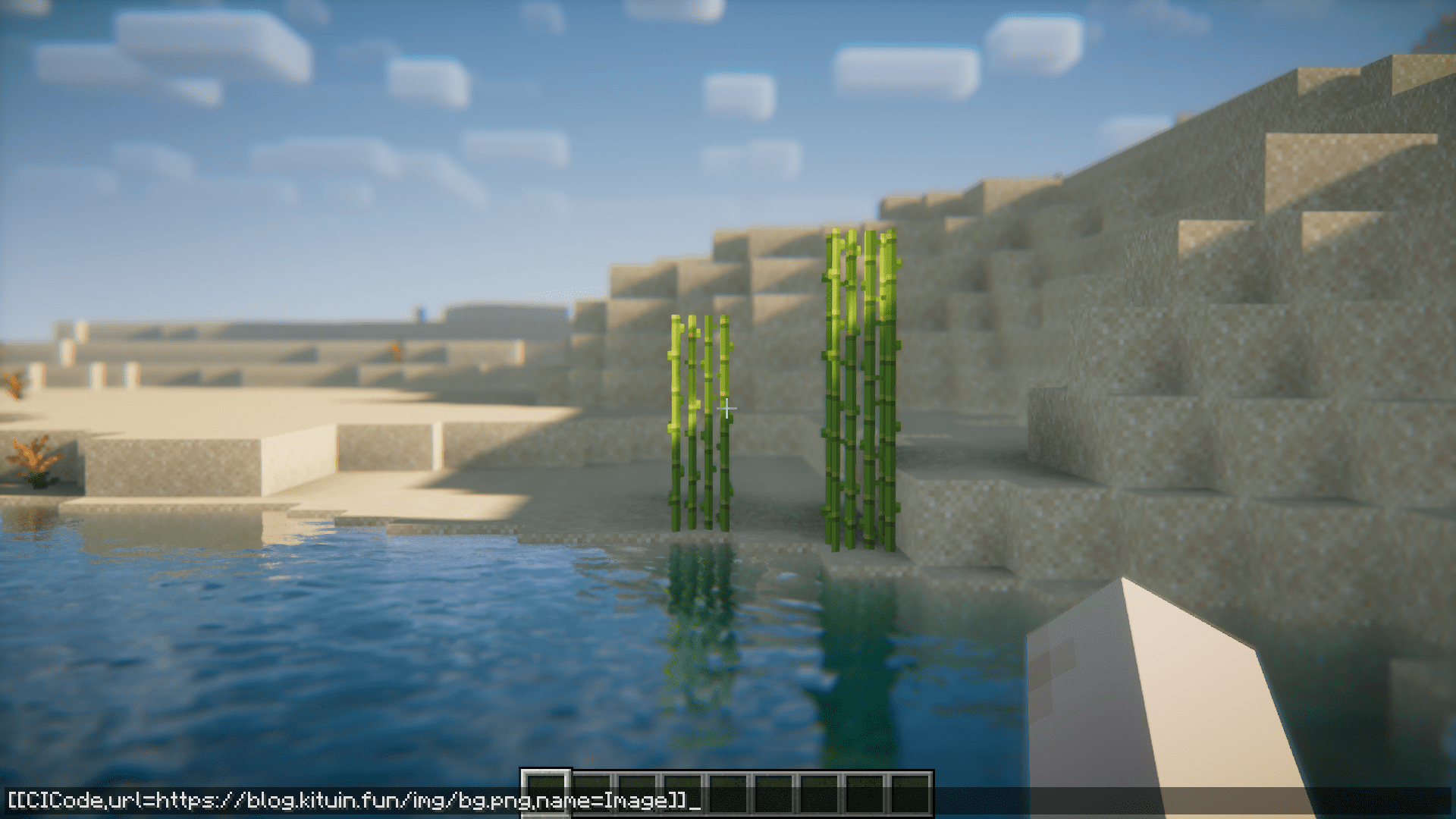
[[CICode,url=<Web Url>,name=Image]](for example,[[CICode,url=https://blog.kituin.fun/img/bg.png,name=Image]]) to display a web picture in chat. - To share a local picture from your computer, make sure the mod is installed on the server, then type
[[CICode,url=file:///<absolute file path>,name=Image]](for example,[[CICode,url=file:///C:blogkituinfunimgbg.png,name=Image]]) in chat. - Use
/chatimage send <display name> <url>to post an image with a custom name, or run/chatimage url <url>to send it with the default name. - Add optional tags like
nsfw=true,pre=[, orsuf=]inside a[[CICode,...]]message to hide sensitive images behind a click or customize the brackets around the name. - Press the default End key or click the config button inside Mod Menu to open and adjust settings in game.
- To edit settings by hand, open
.minecraft/config/fabric/chatimageconfig.json, save your changes (such as enabling NSFW mode), and run/chatimage reloadin chat to apply them.
Screenshots:
How to Install:
New to Minecraft? Follow our step-by-step guide to install Mods on your PC.View Guide
Chat Image Mod Download Links
For Minecraft 1.16.5
Forge version: Download from Server 1 – Download from Server 2
Fabric/Quilt version: Download from Server 1 – Download from Server 2
For Minecraft 1.17.1
Fabric/Quilt version: Download from Server 1 – Download from Server 2
For Minecraft 1.18.2
Forge version: Download from Server 1 – Download from Server 2
Fabric/Quilt version: Download from Server 1 – Download from Server 2
For Minecraft 1.19.2
Forge version: Download from Server 1 – Download from Server 2
Fabric/Quilt version: Download from Server 1 – Download from Server 2
For Minecraft 1.19.4
Forge version: Download from Server 1 – Download from Server 2
Fabric/Quilt version: Download from Server 1 – Download from Server 2
For Minecraft 1.20.1
Forge version: Download from Server 1 – Download from Server 2
Fabric/Quilt version: Download from Server 1 – Download from Server 2
For Minecraft 1.20.4
Forge/NeoForge version: Download from Server 1 – Download from Server 2
Fabric/Quilt version: Download from Server 1 – Download from Server 2
For Minecraft 1.20.6
Fabric/Quilt version: Download from Server 1 – Download from Server 2
For Minecraft 1.21.1, 1.21
Fabric/Quilt version: Download from Server 1 – Download from Server 2
For Minecraft 1.21.3, 1.21.2
NeoForge version: Download from Server 1 – Download from Server 2
Fabric/Quilt version: Download from Server 1 – Download from Server 2
For Minecraft 1.21.4
Fabric/Quilt version: Download from Server 1 – Download from Server 2
For Minecraft 1.21.5
NeoForge version: Download from Server 1 – Download from Server 2
Fabric/Quilt version: Download from Server 1 – Download from Server 2
What do you usually do when your modded game crashes on startup?
24 responses · See the full results →
You May Also Like
Picked for this page
 The Magic Mirror Mod (26.3, 1.20.1) – A Mirror that is Magic
 Elytra Chestplate Swapper Mod (26.3, 1.20.1) – Functionality to Keystroke
 Easier Sleeping Mod (26.3, 1.20.1) – Server-Sided Sleeping
 More Crafting Tables Mod (1.21.11, 1.20.1) – Made from All Types of Wood
 Noxesium Mod (26.3, 1.20.1) – Elevate Your Minecraft Experience
 Configuration API (26.3, 1.20.1) – Simple Annotation Based Config
 Mob Filter Mod (26.3, 1.20.1) – Managing Mob Populations
 QuickCraft Mod (26.1.2, 1.20.1) – Simplify Your Crafting Experience
 Cardboard Mod (26.1.2, 1.20.1) – Implements Plugins API as a Fabric Mod
 Leons Dungeons Paintings Mod (26.1.2, 1.20.1) – New Stunning Paintings
 Clover Mod (1.21.10, 1.20.1) – View Pronouns & Name Colors
 No More Phantoms Mod (1.21.5, 1.20.1) – Disables Phantoms From Spawning
Most viewed in Mods over the last 7 days
 Ala Industrial Mod (26.3) – Run Electric Power Grids and Automated Factories
 PleasureCraft Mod (26.3, 1.21.1) – Jenny Mod Remake for Fabric
 Jennycraft Mod (26.3, 1.20.1) – Virtual Girlfriend in Minecraft
 Fapcraft Mod (26.3, 1.12.2) – Comprehensive and Detailed Content
 Jenny Mod (Fapcraft) Official Complete Guide – How to use, Tutorial
 BangCraft Mod (1.20.1) – Jenny, Ellie and Elliot
 Fabric Loader (26.3, 1.20.1) – Fabric Installer for All Minecraft Versions
 The Shooting Star Demo Mod (26.3, 1.20.1) – Vaporize Terrain From Orbit
 Meteor Client Mod (26.3, 1.20.1) – Xray, HUD, Fly
 OptiFine HD (26.3, 1.20.1) – Run Faster, FPS Boost, Shaders Support
 Aristois Client Mod (1.21.4, 1.20.1) – World Class Minecraft Utility
 Prestige Client Mod (1.21.11, 1.21.4) – Powerful Ghost Features for Crystal & Sword PvP
More from Mods
 Minecraft MusicBox Mod (1.21.12) – Play Your Favorite Songs While Mining and Building
 MTR Navigation Mod (1.21.1) – Plan Railway Trips and Never Miss a Train Stop
 TheHouse Mod (1.21.11) – Host Casino Tables and Track Every Bet in Real Time
 CinematicInteractions Mod (1.21.1) – Watch Your Hands Work at Every Crafting Table
 Earth Platform Mod (1.21.1) – Travel Across Real Continents in a True Scale World
 Taunahi Mod (26.1.2) – Automate Daily Farming and Slayers in Hypixel Skyblock
 HORROR Fake Join Leave Messages Mod (1.20.1) – Trigger Creepy Chat Scares
 Bons Voyage Mod (1.20.1) – Teleport Across Biomes Through Hidden Waystones
 Orbital Railgun UPDATED Mod (26.3) – Flatten Giant Landscapes From Space
 Automobility Autoradio Mod (26.3, 26.1.2) – Trade Custom Mixtapes with Friends
 Towers of the Wild 9minecraft Mod (26.3, 26.2) – Climb Tall Towers for Loot
 Ender Storage 9minecraft Mod (26.3, 26.2) – Send Loot Back Home From Any Dimension

This post has no comments yet. Be the first — your comment will appear here.