


Chatty Plugin (1.20.1, 1.19.4) – Spigot
 2,341
2,341
 0
0
 August 16, 2023
 MrBrikster
Chatty Plugin is a meticulously designed tool that enhances communication channels within Minecraft servers. It offers a range of features designed to streamline conversations, facilitate private messages, enable cross-server communication, and even provide integration with external chat platforms. The plugin’s primary goal is to create a dynamic and interactive communication experience for players and server administrators.
Features:
- Supports old versions (1.7.10 and higher).
- Supports Thermos and Cauldron servers.
- Multiple world-wide, server-wide or ranged chats.
- Cooldowns for chats.
- Advertisement and caps moderation.
- Notifications at chat, ActionBar (1.8+) and Advancements (1.12+).
- JSON chat formatting (1.7.10+).
- HEX-colorcodes support.
- @Mentions system.
- Multiline fully configurable chat formats.
- Private messages.
- Swearing protection.
- Hover tooltips on swears for admins.
- Command for changing prefixes and suffixes.
- BungeeCord support.
Permissions:
- chatty.chat.<chat> (chatty.chat.<chat>.see or chatty.chat.<chat>.write) – grants access for chat.
- chatty.spy.<chat> or chatty.spy – allows to see all messages from chat-modes.
- chatty.command.spy – allows to use “/spy” command for enabling/disabling spy-mode.
- chatty.command.reload – allows to use “/chatty” command for reloading configuration.
- chatty.command.chat – allows to use “/chat” command.
- chatty.command.swears – allows to use “/swears” command.
- chatty.command.clearchat – allows to use “/clearchat” command (clear chat for yourself).
- chatty.command.clearchat.all – allows to use “/clearchat all” command.
- chatty.command.ignore – allows to use “/ignore” command.
- chatty.command.msg – allows to use “/msg” command.
- chatty.command.reply – allows to use “/reply” command.
- chatty.command.prefix – allows to change your prefix by “/prefix” command.
- chatty.command.prefix.others – allows to change other’s prefix by “/prefix” command.
- chatty.command.suffix – allows to change your suffix by “/suffix” command.
- chatty.command.suffix.others – allows to change other’s suffix by “/suffix” command.
- chatty.style.<style> or chatty.style.<style>.<chat> – allows to use styles in chat (styles: colors, bold, magic, reset, italic, underline, strikethrough).
- chatty.notification.chat.<list> – allows to see messages from Chat notification list.
- chatty.notification.advancements.<list> – allows to see messages from Advancements notification list.
- chatty.notification.actionbar – allows to see messages from ActionBar notification.
- chatty.moderation.advertisement – bypass advertisement moderation.
- chatty.moderation.caps – bypass caps moderation.
- chatty.cooldown or chatty.cooldown.<chat> – allows to bypass cooldown of chat.
- chatty.mentions – allows to use mentions in chat.
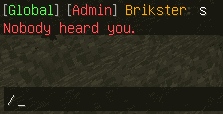
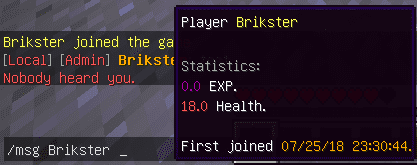
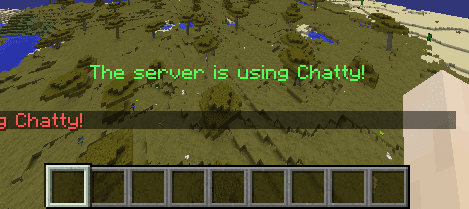
Screenshots:

How to Install:
New to Minecraft? Follow our step-by-step guide to install Plugins on your PC.View Guide
Chatty Plugin Download Links
For All Versions from Minecraft Spigot 1.7 to Minecraft Spigot 1.20.1
Click to rate this post!
[Total: 4 Average: 4.5]
You May Also Like

















This post has no comments yet. Be the first — your comment will appear here.