
Choose Your Spawn Mod (26.3, 1.20.1) – Teleport Directly to Any Overworld Biome
 4
 0

Choose Your Spawn Mod lets you pick your starting biome when you join a new world or server. A simple menu pops up with every available Overworld biome, and selecting one teleports you directly to a matching spot above ground. You can pick places like a Cherry Grove, Badlands, Pale Garden, or an ocean island to begin your survival journey. Each player gets their own unique starting choice, which stays saved so the menu never pops up again after your first join. This mod works in both singleplayer and multiplayer setups, helping friends spawn in different environments.

Features:
- First-Join Menu: Opens a spawn selection screen only once when you first enter a world or server.
- Safe Spawning: Teleports players directly onto the surface to prevent suffocation inside solid blocks.
- Modded Biome Support: Detects and lists both vanilla and custom modded Overworld biomes present in your world.
- Alphabetical Directory: Organizes all detected biomes alphabetically and includes preview icons on supported versions.
- Randomizer Option: Includes a Random button that picks a surprise biome for you automatically.
- Default Exit Option: Includes an Exit button that lets you keep your original vanilla spawn point.
- Displays a Not Found message whenever a biome cannot be located within the world search range.
- Excludes Nether, End, underground, and Void biomes from the selection screen.
- Saves choices per player so each person on a server can pick a different starting location.
- Works across both singleplayer worlds and multiplayer servers.
How to Use:
- Join a new singleplayer world or server for the first time.
- Browse the alphabetical list of biomes in the menu window.
- Click your desired biome to teleport to that location.
- Click the Random button if you want the game to pick a biome for you.
- Click Exit if you want to cancel and remain at your normal vanilla spawn point.
Screenshots:


How to Install:
New to Minecraft? Follow our step-by-step guide to install Mods on your PC.View Guide



Choose Your Spawn Mod Download Links
For Minecraft 26.3
For Minecraft
26.2,
26.1.2,
26.1.1
All Versions Covered
26.2
26.1.2
26.1.1
26.1
For Minecraft
1.21.11,
1.21.10,
1.21.9
All Versions Covered
1.21.11
1.21.10
1.21.9
1.21.8
1.21.7
1.21.6
1.21.5
1.21.4
1.21.1
1.21
For Minecraft 1.21.10, 1.21.9
For Minecraft 1.21.8, 1.21.7, 1.21.6
For Minecraft 1.21.1, 1.21
For Minecraft 1.20.1, 1.20
For Minecraft 1.19.2, 1.19
Which Minecraft version do you spend the most time playing with mods?
25 responses · See the full results →
You May Also Like
Picked for this page
 Vein Miner Mod (26.3, 1.20.1) – Harvest Whole Ore Veins Instantly
 Doggy Talents Next Mod (1.21.11, 1.20.1) – Explore with Smarter Wolves
 Just Enough Professions Mod (26.3, 1.20.1) – View Villager Jobs in JEI
 Puzzle Mod (26.3, 1.20.1) – Tweak Visuals on the Fly
 Convenient Curios Container Mod (26.1.2, 1.20.1) – Swap Trinket Loadouts
 Step It Up Mod (26.2, 1.20.1) – Walk Up Ledges Without Jumping
 Xaeros Maps x Waystones Mod (26.2, 1.20.1) – Track Fast Travel Points
 Server Side Horror Mod (26.3, 1.20.1) – Terrify Your Server Without Client
 GrowableOres Extension Mod (26.3, 1.20.1) – Turn Ore Canes Into Pure Minerals
 Tower Game Mod (26.3, 1.20.1) – Host Massive Attack and Defense Matches
 Refined Construction Sticks Mod (26.2, 1.21.1) – Build Mega Bases From Digital
 MBU More Berry Uses Berry Food Expansion Mod (26.3, 1.20.1)
Most viewed in Mods over the last 7 days
 Ala Industrial Mod (26.3) – Run Electric Power Grids and Automated Factories
 PleasureCraft Mod (26.3, 1.21.1) – Jenny Mod Remake for Fabric
 Jennycraft Mod (26.3, 1.20.1) – Virtual Girlfriend in Minecraft
 Fapcraft Mod (26.3, 1.12.2) – Comprehensive and Detailed Content
 Jenny Mod (Fapcraft) Official Complete Guide – How to use, Tutorial
 Meteor Client Mod (26.3, 1.20.1) – Xray, HUD, Fly
 BangCraft Mod (1.20.1) – Jenny, Ellie and Elliot
 OptiFine HD (26.3, 1.20.1) – Run Faster, FPS Boost, Shaders Support
 Fabric Loader (26.3, 1.20.1) – Fabric Installer for All Minecraft Versions
 SeedCrackerX Mod (26.3, 1.20.1) – Find Any World Seed
 CatLean Client Mod (26.2, 1.21.11) – ThunderHack Recode Alternatives
 Baritone Client Mod (26.3, 1.20.1) – Autominer, Build with AI, Xray
More from Mods
 Immersive Tree Chop Mod (26.2, 1.20.1) – Chop Down Trees with Realistic Falling
 Hit Color V2 Mod (26.3, 1.21.1) – Customize Your Combat Damage Flash Colors
 Letterblock Mod (26.3, 1.20.1) – Turn Every Adventure Into a Widescreen Film
 Masa Gadget Dev Mod (26.2, 1.20.1) – Early Access Utility Features for Masa Mods
 Dragon Mine Z Do Anything Mod (1.20.1) – Build Custom Fighter Races
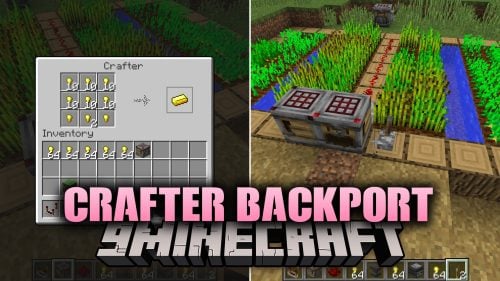 Crafter Backport Mod (1.20.1) – Automate Item Crafting in Older Game Versions
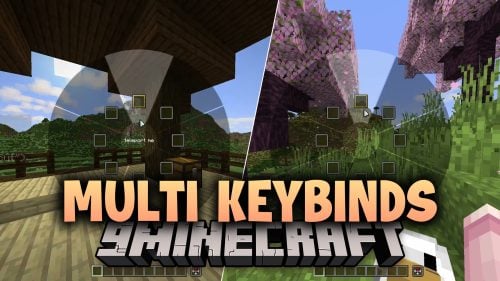 Multi Keybinds Mod (26.3, 1.21.11) – Bind Multiple Keys to Any Single In-Game
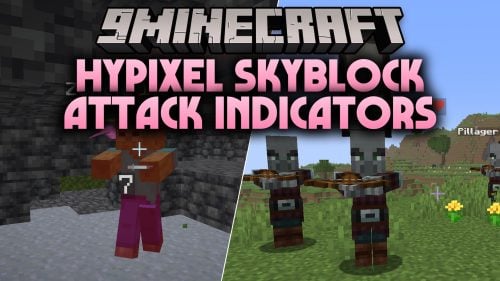 Hypixel Skyblock Attack Indicators Mod (26.3) – Track Damage and Health
 Hoplite Health Indicator Mod (26.2, 1.21.1) – Track Opponent Hearts
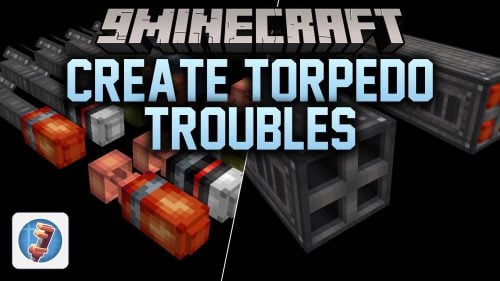 Create Torpedo Troubles Mod (1.21.1) – Arm Your Vehicles with Bombs
 Strange Supreme Power Mod (1.20.1) – Devour Mob Souls and Cast Dark Magic Spells
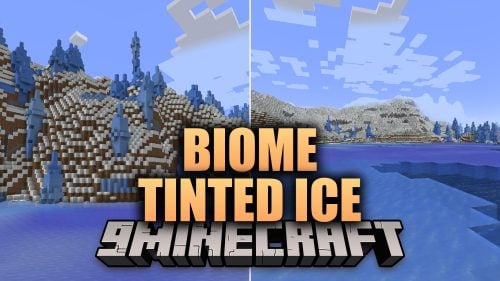 Biome Tinted Ice Mod (1.21.1, 1.20.1) – Match Ice Block Colors to Local Biome

This post has no comments yet. Be the first — your comment will appear here.