
Compass Coordinates Plugin (26.3, 1.21.1) – Make Exploration Fair
 28
 0

Compass Сoordinates Plugin hides world position numbers from the debug screen and action bar until you hold a compass. The plugin gives vanilla compasses a clear purpose by showing exact location data only when you carry one in either hand. When you put the compass away, all position numbers disappear from your view to promote fair exploration across your server.

Features:
- Displays your location in the action bar while holding a compass in your main hand or off-hand.
- Hides debug screen coordinates automatically whenever you put the compass away.
- Lets server owners customize text format, colors, update speeds, and direction labels.
- Works cleanly without permanently altering default server rule files.
How to Use:
- Hold a standard compass in your main hand or off-hand.
- Check the action bar at the bottom of your screen to view your active coordinates and facing direction.
- Open the F3 debug screen to view vanilla location numbers while keeping the compass equipped.
- Switch to an empty hand or another item to hide your position data again.
Configuration:
# This file explains every option. Copy the keys to `plugins/CompassCoords/config.yml`.
#
# Placeholders available in the `text` value:
#   %x, %y, %z          - player coordinates (integers)
#   %dx, %dy, %dz       - player coordinates with one decimal
#   %world              - world name
#   %yaw, %pitch        - player rotation (integers)
#   %dyaw, %dpitch      - player rotation with one decimal
#   %dir                - cardinal direction derived from yaw (uses `directions` mapping below)
#
# Color codes:
#   Use `&`-codes (e.g. &6, &r). They will be converted to §-codes at runtime.
#   You can also write §-codes directly if you prefer.

# Whether the plugin is enabled at all.
enabled: true

# How often to update the Action Bar (in ticks). 20 ticks = 1 second.
# Lower values update more frequently but may be noisier.
delay: 5

# The Action Bar message format shown while holding a compass.
# Combine any placeholders listed above. Colors: use &-codes or §-codes.
# Example with integer coords:
#   "&6%dir&r | &6X:&r %x &6Y:&r %y &6Z:&r %z"
# Example with one-decimal coords:
#   "§6%dir§r | §6X:§r %dx §6Y:§r %dy §6Z:§r %dz"
text: "§6%dir§r | §6X:§r %x §6Y:§r %y §6Z:§r %z"

# Labels for the 8 compass directions used by %dir.
# Customize them to your language or style if you want.
directions:
  north: "N"
  northeast: "NE"
  east: "E"
  southeast: "SE"
  south: "S"
  southwest: "SW"
  west: "W"
northwest: "NW"How to Install:
New to Minecraft? Follow our step-by-step guide to install Plugins on your PC.View Guide
Requirements:
ProtocolLib Required
Compass Сoordinates Plugin Download Links
For Minecraft 26.3
For Minecraft 26.2
For Minecraft 26.1.2, 26.1.1, 26.1
For Minecraft 1.21.11
For Minecraft 1.21.10, 1.21.9
For Minecraft 1.21.8, 1.21.7, 1.21.6
For Minecraft 1.21.5
For Minecraft 1.21.4
For Minecraft 1.21.1, 1.21
Click to rate this post!
[Total: 0 Average: 0]
You May Also Like
Picked for this page
 Grim Anticheat Plugin (26.3, 1.20.1) – Realtime Cheat Detection Plugin
 Advanced Crates Plugin (1.21.11, 1.20.1) – Premium Animated Crate
 Player’s Head Drop Plugin (26.2, 1.21.1) – Turn PvP Rivalries Into Collectible
 Hrda Valorant Plugin (26.2, 1.21.11) – Turn Your World Into a Tactical Shooter
 Hydration Vitality Plugin (26.2, 1.21.1) – Make Players Search for Clean Water
 Hrda Nick Plugin (26.2, 1.21.1) – Play Incognito with Matching Names and Skins
 Inventory Stacks Plugin (26.2, 1.20.1) – Stack Potions and Weapons
 Donut Orders Plugin (26.2, 1.20.1) – Trade Items Safely Without Building Chest
 Ax Vaults Plugin (26.2, 1.20.1) – Stop Losing Valuable Items on Long Mining
 Fancy Npcs Plugin (26.3, 1.21.11) – Fill Empty Lobbies with Characters Players
 Maria Craft Plugin (26.2, 1.20.1) – Fast Travel and Fun Spleef Breaks
 Omichall’s PVP Plugin (26.3, 1.21.1) – Fair Combat, Player Bounties
Most viewed in Plugins over the last 7 days
 Dynmap 9minecraft Plugin (26.3) – A Live Google-Maps-Style View of Your Whole Server
 Vulcan Anti Cheat Plugin (1.21.8, 1.20.1) – A Powerful Shield Against Cheating
 Citizens Plugin (1.21.10, 1.20.1) – The Best NPC Plugin
 Displaymotion Plugin (1.21.4) – Amaze Players with Custom Animations and No Client Mods
 MMOItems Premium Plugin (1.21.8, 1.20.1) – Create Stunning Custom Items
 Citizens2 Plugin (1.21.8, 1.20.1) – Craft Unique NPCs
 MythicCrucible Plugin (1.21.8, 1.20.1) – Addon for MythicMobs
 Fish Rework Fishing Plugin (26.3, 1.21.1) – Turn Simple Fishing
 L Claim Plugin (26.3, 1.20.1) – Build Protected Towns and Trade Peacefully
 MythicMobs Premium Plugin (1.21.9, 1.20.1) – Craft Epic Custom Mobs And Bosses
 Ultimate Donut SMP Plugin (26.3, 1.20.1) – Build Teams Trade Goods
 RaspberryJuice Plugin (1.21) – Turn Your World Into a Shared Coding Playground
More from Plugins
 Aegis Guard Modern Land Protection & Economy Plugin (26.3, 1.20.1)
 AtlasPractice Plugin – Give Players Nonstop Ranked Duels and Arena Battles
 King in Yellow Plugin (26.3, 1.21.11) – Terrify Server Players with Cosmic
 Join Book by Nis Plugin (1.21.11, 1.21.1) – Welcome New Players
 PluginV2 Plugin (26.3) – Shield Players From Glitches While Testing New Ideas
 OPProtector Plugin (1.13) – Stop Power Abuse So Everyone Plays in Peace
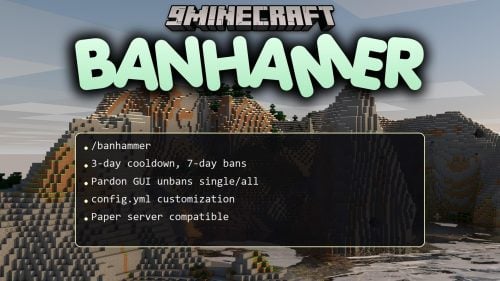 Banhamer Plugin (26.3, 1.20.1) – Turn Server Rivalries Into High-Stakes Rescue
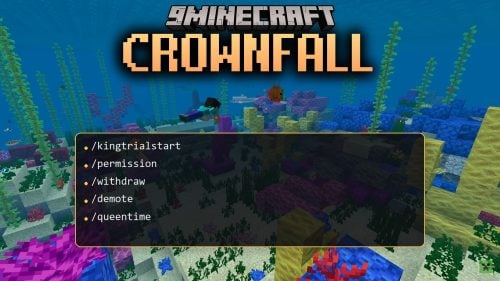 Crownfall Plugin (26.3, 1.21.1) – Fight for the Throne in High Stakes Chess
 AstralPractice Plugin (1.13) – Turn Idle Lobbies Into Non-Stop Duel Arenas
 Archaeo Plugin (1.21.10) – Unearth Fragile Relics and Build Server Museums Together
 ActivityTF Plugin (1.21.10) – Keep Your Community Active with Rewarding Daily Tasks
 Tk Chat Plugin (26.3, 1.21.1) – Keep Players Talking Together

This post has no comments yet. Be the first — your comment will appear here.