
Connectedness Mod (1.19.2, 1.18.2) – OptiFine Visuals on Forge

 0


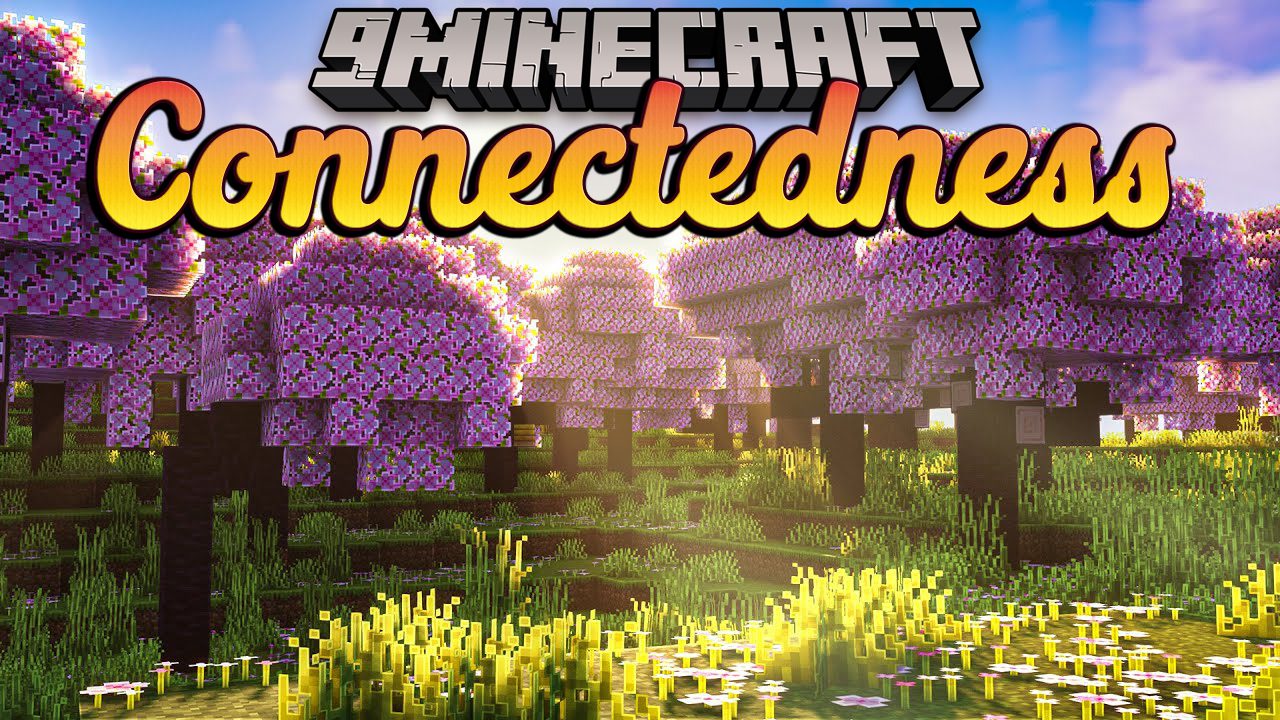
Connectedness Mod ports the Continuity mod to Minecraft Forge and gives you optimized connected textures for resource packs that use the OptiFine CTM format. It provides full support for OptiFine-format emissive textures on block and item models. This mod works with Forge Hooks to stay compatible with all Forge mods, and it comes with two built-in resource packs for default connected textures and a glass pane culling fix. It requires the Reforgium mod to work properly.
Features:
- Ports the Continuity mod to Minecraft Forge as an unofficial fork.
- Supports optimized connected textures for resource packs that use the OptiFine CTM format.
- Gives full support for OptiFine-format emissive textures on block and item models.
- Works with Forge Hooks to stay compatible with all Forge mods.
- Includes a built-in resource pack that adds default connected textures like OptiFine.
- Includes a second built-in resource pack that fixes glass pane culling.
How to Use:
- Make sure you have the Reforgium mod alongside this mod so it works properly.
- Open the Resource Packs menu in Minecraft and turn on the built-in default connected textures pack, the glass pane culling fix pack, or any resource pack that uses the OptiFine CTM format.
- Load into your world to see connected textures and fixed glass panes on your blocks.
How to Install:
New to Minecraft? Follow our step-by-step guide to install Mods on your PC.View Guide
Requirements:
Connectedness Mod Download Links
For Minecraft 1.19.2
Forge version: Download from Server 1 – Download from Server 2
For Minecraft 1.18.2
Forge version: Download from Server 1 – Download from Server 2
You May Also Like
Picked for this page
 Botany Pots Mod (1.21.1, 1.20.1) – Automate The Cultivation of Any Crop
 Capes Mod (26.3, 1.20.1) – Wear any Cape You Wish In-Game
 Moog’s Voyager Structures Mod (26.3, 1.20.1) – Give Exploration a Purpose
 SlimyFloor Mod (1.21.11, 1.20.1) – Hint Players on Slime Chunk Location
 Spiders Produce Webs Mod (26.3, 1.20.1) – Slow Down Player
 DataPack Anvil Mod (1.21.1, 1.20.1) – Library for Sirttas’s Mods
 Armor Stand Editor Mod (26.3, 1.20.1) – In-Game Editing Tool
 Wooden Tools Are Dumb Mod (26.2, 1.20.1) – More Realistic Tools
 Good Recipes Mod (26.2, 1.20.1) – New & Interesting Crafting Recipes
 Cthulhu Fishing Mod (1.20.1, 1.19.2) – Sacrifice Fish For Powerful Amulets
 Minepedia Mod (26.3, 1.21.1) – Bedrock Edition Encyclopedia
 Glow Squids Actually Glow Mod (26.3, 1.20.1) – Underwater Brightness
Most viewed in Mods over the last 7 days
 Ala Industrial Mod (26.3) – Run Electric Power Grids and Automated Factories
 PleasureCraft Mod (26.3, 1.21.1) – Jenny Mod Remake for Fabric
 Jennycraft Mod (26.3, 1.20.1) – Virtual Girlfriend in Minecraft
 Fapcraft Mod (26.3, 1.12.2) – Comprehensive and Detailed Content
 Jenny Mod (Fapcraft) Official Complete Guide – How to use, Tutorial
 BangCraft Mod (1.20.1) – Jenny, Ellie and Elliot
 Fabric Loader (26.3, 1.20.1) – Fabric Installer for All Minecraft Versions
 The Shooting Star Demo Mod (26.3, 1.20.1) – Vaporize Terrain From Orbit
 Meteor Client Mod (26.3, 1.20.1) – Xray, HUD, Fly
 OptiFine HD (26.3, 1.20.1) – Run Faster, FPS Boost, Shaders Support
 Aristois Client Mod (1.21.4, 1.20.1) – World Class Minecraft Utility
 Prestige Client Mod (1.21.11, 1.21.4) – Powerful Ghost Features for Crystal & Sword PvP
More from Mods
 THE SLOPSTROSITY Mod (1.21.1) – Battle a Ridiculous Slime Boss
 Decoween Mod (1.21.1, 1.20.1) – Transform Ordinary Survival Bases
 Simply Light 9minecraft Mod (26.3) – Decorate Builds Without Torches
 Alex’s Caves Continued Mod (26.3, 1.20.1) – Conquer Six Massive Underground
 Anvil Uses Mod (26.3, 1.20.1) – Track Item Anvil Usage
 Animal Info Mod (26.3, 1.21.11) – Quick Stats For Your Animals
 Timber Tales Dynamic Tree System Mod (26.3, 1.20.1) – Watch Entire Trees Topple
 Gabou’s Libs Mod (26.3, 1.20.1) – Keep Custom Weather and Survival Mods Stable
 /Sit Mod (26.3, 1.21.1) – Make The Player Sit Down
 Arcane Redstone Dial Mod (26.3, 1.20.1) – Trigger Commands and Shortcuts
 The Graveyard Mod (26.3, 1.20.1) – Cemeteries in Minecraft
 Enhanced Overlay Mod (26.3, 1.21.11) – Remove Screen Clutter

This post has no comments yet. Be the first — your comment will appear here.