
Create Turbolifts Mod (1.21.1) – Ride Walkable Rail Elevators Across Bases
 0
 0

Create Turbolifts Mod extends Create and Sable with rail-guided elevator cars that travel in any direction and work on Sable ships. This mod adds 34 blocks, 3 items, 49 recipes, 61 textures, 35 loot tables, and 6 sounds for tracks, power units, bulkhead doors, control panels, and warning lights. You build elevator cabins out of ordinary blocks and ride them up shafts or along rails on walls, floors, and ceilings. Each cabin operates as a Sable sub-level, so players walk around freely inside while the car moves, call cars to any landing, and pick stops from inside. This addon requires Create and Sable to run, pairs with CC: Tweaked for computer control, and works with JEI or EMI to display every recipe.

Features:
- Multi-Direction Rail Travel: Runs elevator cars up vertical shafts or horizontally along rails placed on walls, floors, and ceilings.
- Walkable Moving Cabins: Treats every cabin built from ordinary blocks as a Sable sub-level, letting you walk around inside while the elevator moves.
- Sable Ship Compatibility: Works directly on Sable ships so large vessels can run onboard elevator networks.
- Full Landing Controls: Lets you call an elevator car to any landing and pick your target stop from inside the cabin.
- Adds 34 blocks, 3 items, 49 recipes, 35 loot tables, 61 block and item textures, and 6 sounds for building full elevator networks.
- Pairs with CC: Tweaked on the computer side for automated control setups.
- Works with JEI and EMI as optional helpers so you can check every crafting recipe in-game.
Track, Movement, and Power Blocks:
- Turbolift Rail: Guided rail block for laying paths along shafts, walls, floors, and ceilings.
- Turn Track: Rail piece for turning tracks around corners so cars change travel direction.
- Guide Shoe: Track guide block for rail-mounted elevator cars.
- Cabin Carriage: Carriage block for custom elevator cabins built from ordinary blocks.
- Station: Landing block marking stops along an elevator route.
- Track Power Unit: Standard power unit block for elevator tracks.
- Electric Track Power Unit: Electric power unit variant for elevator tracks.
- Creative Track Power Unit: Creative-mode power unit variant for testing and building track setups.
Control Panels and Bulkhead Doors:
- Call Panel: Landing panel used to call an elevator car to your stop.
- Destination Panel: Cabin panel used to pick your target stop from inside the car.
- Bulkhead Door: Standard bulkhead door block for shafts and cabins.
- Glass Bulkhead Door: Glass variant of the standard bulkhead door.
- Copycat Bulkhead Door: Copycat variant of the standard bulkhead door.
- Large Bulkhead Door: Larger bulkhead door block for wider entrances.
- Large Glass Bulkhead Door: Larger glass bulkhead door variant.
- Large Copycat Bulkhead Door: Larger copycat bulkhead door variant.
Alarms, Warning Lights, and Items:
- Strobe Light: Flashing strobe signal block for shafts and stations.
- Klaxon: Alarm block for elevator shafts and landings.
- Warning Lights: Colored signal light blocks including White Warning Light, Orange Warning Light, Magenta Warning Light, Light Blue Warning Light, Yellow Warning Light, Lime Warning Light, and more color variants across the 34 blocks.
- Track Debugger: Utility item for checking track layouts.
- Incomplete Turbolift Rail: Intermediate crafting item used when making rails.
How to Use:
- Make sure both Create and Sable are active in your world before building, and add JEI or EMI if you want to view all 49 crafting recipes in-game.
- Place rails along shafts, walls, floors, or ceilings in any direction your elevator route needs to go, using Turn Track blocks where the path bends.
- Build your elevator cabin out of ordinary blocks so it rides along the rails as a Sable sub-level.
- Set up a Call Panel at each landing so you can call an elevator car to any stop when needed.
- Enter the cabin, pick your destination from inside with the Destination Panel, and walk around freely while the car moves.
- Add CC: Tweaked to your setup if you want computer-side control over your elevators.
How to Install:
New to Minecraft? Follow our step-by-step guide to install Mods on your PC.View Guide
Requirements:
 NeoForge Required
 OreLib 1.12.2 (Library for OreCruncher’s Mods) Required
 Experimental Settings Disabler Mod Required
Create Turbolifts Mod Download Links
For Minecraft 1.21.1, 1.21
Which performance or optimization mod do you rely on the most?
22 responses · See the full results →
You May Also Like
Picked for this page
 Simple Grinder Mod (26.3, 1.20.1) – Crush Ores Into Double Dust Without Complex
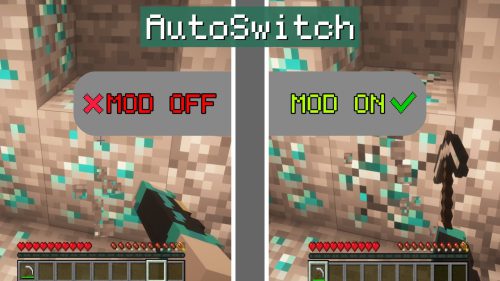 AutoSwitch Mod (26.3, 1.20.1) – Never Open Your Inventory to Change Tools Again
 Staff of Building Mod (1.21.11, 1.20.1) – Place Entire Walls in Seconds
 Ceramic Shears Mod (26.3, 1.20.1) – Sleep Safely on Night One
 Reinforced Shulker Boxes Mod (1.21.11, 1.20.1) – Carry Massive Storage Anywhere
 Silent Lib (26.3, 1.20.1) – Read and Export NBT Data
 Larger Ore Veins Deluxe Mod (1.21.11, 1.20.1) – Mine Massive Mineral Deposits
 Netherite Plus Mod (26.3, 1.20.1) – Upgrade Gear and Survive Lava
 MP Moog’s Paths Mod (26.3, 1.20.1) – Follow Scenic Roads and Trails
 BUTTERFINGERS Mod (26.3, 1.20.1) – Defend Your Base and Sort Chests
 Kinetic Living Solids Mod (1.21.1) – Ride Custom Furniture on Moving
 Threshold of Echoes Mod (1.21.1, 1.20.1) – Battle Through Arena Domains
Most viewed in Mods over the last 7 days
 Ala Industrial Mod (26.3) – Run Electric Power Grids and Automated Factories
 PleasureCraft Mod (26.3, 1.21.1) – Jenny Mod Remake for Fabric
 Jennycraft Mod (26.3, 1.20.1) – Virtual Girlfriend in Minecraft
 Fapcraft Mod (26.3, 1.12.2) – Comprehensive and Detailed Content
 Meteor Client Mod (26.3, 1.20.1) – Xray, HUD, Fly
 Jenny Mod (Fapcraft) Official Complete Guide – How to use, Tutorial
 BangCraft Mod (1.20.1) – Jenny, Ellie and Elliot
 OptiFine HD (26.3, 1.20.1) – Run Faster, FPS Boost, Shaders Support
 CatLean Client Mod (26.2, 1.21.11) – ThunderHack Recode Alternatives
 Fabric Loader (26.3, 1.20.1) – Fabric Installer for All Minecraft Versions
 Patched Mod (26.3, 1.20.1) – Edit Game Files Without Breaking Packs
 Meteor Client Addons (26.3, 1.20.1) – Modify Almost Anything in Meteor
More from Mods
 Hands on Let’s Do Mod (1.21.1, 1.20.1) – Stir Soup, Crank Mincers
 Tavern Tales Mod (1.21.1) – Cook, Brew, And Serve Guests In Your Own Medieval
 Weather Glass Mod (26.3, 1.20.1) – See Rain, Frost, Sand, And Breath Fog
 Popping Leaves Mod (26.3, 1.20.1) – Chop Trees And Watch Canopies Burst Away
 Words Added 2 Mod (26.3) – Rename Vanilla Items And Mobs Into Wild Chaotic
 Aquatic Weirdos Mod (1.20.1) – Catch Bizarre Sea Creatures To Unlock Survival
 Hands on Vanilla by Pocky-l Mod (26.3, 1.20.1) – Craft And Smelt In-World
 Unstable Orbitals Mod (26.3, 1.21.11) – Call Down Low-Lag TNT Strikes
 Creeper Griefing Off Mod (26.3, 26.1.2) – Keep Your Builds Safe While Creepers
 Light Load Mod (26.1.2, 1.20.1) – Launch Large Modpacks Faster
 Simply Skills Tweaks Mod (1.20.1) – Rebalance Skill Damage For Melee, Tank
 Wyrmcaller Mod (1.21.1) – Cast Draconic Ender Spells And Duel A Five-Phase End

This post has no comments yet. Be the first — your comment will appear here.