
DRYVOX Kit Editor Plugin (1.21.11, 1.21.1) – Give Players Custom Gear
 5
 0

DRYVOX Kit Editor Plugin simplifies setting up item kits on Paper servers without spending ages editing config files. Players can browse, claim, or buy kits through a clean menu. Server staff can create kits and adjust items, prices, cooldowns, and requirements straight inside an in-game GUI. The plugin connects with Vault and economy providers like EssentialsX for paid kits, and works with LuckPerms for rank access.

Features:
- In-Game Kit GUI: Lets admins create kits, swap items, and set prices, cooldowns, and unlock rules directly through a visual menu instead of editing text files.
- Player Kit Menu: Gives players a menu to look through available kits, claim free gear, or purchase locked kits.
- Flexible Payment Options: Paid kits can either charge a one-time fee to unlock forever or charge money on every single claim.
- Custom Unlock Requirements: Locks specific kits behind player stats such as a certain number of kills, deaths, playtime, or money.
- Lets you set custom wait times between claims, such as making a free starter kit available every five minutes.
- Restricts kit access to certain player ranks using permissions, working alongside LuckPerms.
- Uses Vault paired with an economy plugin like EssentialsX to handle all money features.
Commands:
/kit: Opens the menu for players to browse, claim, or buy kits./admin kit: Opens the admin GUI to create kits, change their items, and set prices, cooldowns, and requirements.
How to Use:
- Type
/admin kitin chat to open the kit editor GUI. - Create a new kit inside the menu and place the desired items into it.
- Set the kit’s price, cooldown timer, and any kill, death, playtime, or rank requirements inside the GUI.
- Have players type
/kitto browse the menu and claim or buy the kits you made.
Screenshots:


How to Install:
New to Minecraft? Follow our step-by-step guide to install Plugins on your PC.View Guide
DRYVOX Kit Editor Plugin Download Links
For Minecraft
1.21.11,
1.21.10,
1.21.9
All Versions Covered
1.21.11
1.21.10
1.21.9
1.21.8
1.21.7
1.21.6
1.21.5
1.21.4
1.21.3
1.21.2
1.21.1
1.21
All Versions Covered
1.21.11
1.21.10
1.21.9
1.21.8
1.21.7
1.21.6
1.21.5
1.21.4
1.21.3
1.21.2
1.21.1
1.21
Click to rate this post!
[Total: 0 Average: 0]
You May Also Like
Picked for this page
 Bed Home Plugin (1.21.11, 1.20.1) – Save Your Players From Long Walks Back Home
 All Items Mini Mini All Items Challenge Plugin (26.2, 1.21.1)
 Ultimate Duels Plugin (1.21.11, 1.21.1) – Let Players Settle Grudges
 Donut Orders Plugin (26.2, 1.20.1) – Trade Items Safely Without Building Chest
 Wormhole X Treme Plugin (26.3, 1.20.1) – Link Server Bases Instantly
 Inventory Stacks Plugin (26.2, 1.20.1) – Stack Potions and Weapons
 Voidrp Ui Plugin (1.21) – Modern Clickable Menus for Every Unmodded Player
 Timber Replant Plugin (26.2, 1.21.1) – Save Builders Time and Keep Your Forests
 Vote Ban Plugin (26.2, 1.20.1) – Let Players Vote Out Trolls When Staff
 DenarEconomy Plugin (1.21.10) – Give Each Roleplay Character Their Own Coin Purse
 Effect Lib Plugin (1.21.11, 1.20.1) – Fill Your Server with Flashy Visual
 PermCleaner Plugin (1.21.10) – Fresh Seasonal Starts Without Losing Earned Ranks
Most viewed in Plugins over the last 7 days
 WorldEdit Plugin (1.21.11, 1.20.1) – Easy In-Game Minecraft Map Editor
 Astro Powers Plugin (26.3, 1.21.1) – Unlockable Superpowers Spark Intense
 Lightning on Death Plugin (26.3, 1.21.1) – Every Death Gets a Dramatic Thunder
 Ultimate Donut SMP Plugin (26.2, 1.21.11) – Everything Players Need to Trade
 Citizens Plugin (1.21.10, 1.20.1) – Talk to Living Characters
 MCStat Plugin (1.20.4, 1.13) – Track Active Playtime and Spot Lag Before Players Quit
 Totem of Null Plugin (26.3, 1.21.1) – Prank Your Friends By Sending Them
 CustomAliases Plugin (1.20) – Turn Long Server Commands Into Quick Chat Shortcuts
 Multiverse Netherportals Plugin (26.3, 1.20.1) – Fixes Portal Links Across Worlds
 Genius Shop Plugin (26.2, 1.21.1) – A Busy Marketplace Where Players Trade
 Dynmap 9minecraft Plugin (26.3) – A Live Google-Maps-Style View of Your Whole Server
 Christmas Season Plugin (26.3, 1.21.11) – Turn Worlds Into Snowy Wonderlands
More from Plugins
 The Upgrader Plugin (26.3, 1.21.1) – Risk Extra Gear for Better Rewards
 Vacuum Hopper Plugin (26.3, 1.20.1) – Collect Loose Items Without Messy Water
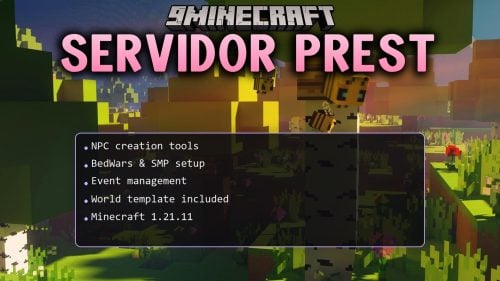 Servidor Prest Plugin (1.21.11) – Active Minigame Hubs with BedWars
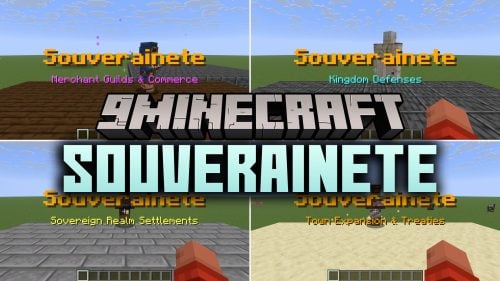 Souverainete Plugin (26.2, 1.21.1) – Bring Towns Alive with Smart AI Villagers
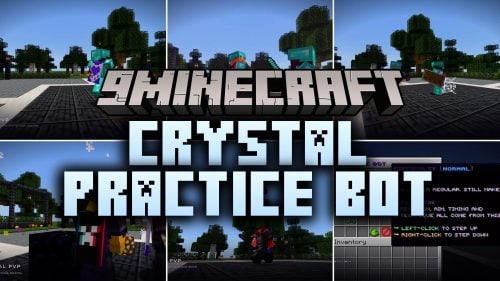 Crystal Practice Bot Plugin (26.2, 1.21.11) – Train Crystal Combos
 Server Wrapped Plugin (26.2) – Season Recaps Your Whole Community Will Share
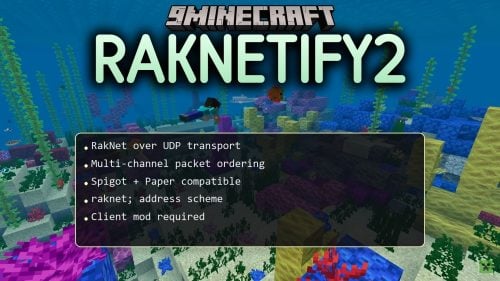 Raknetify2 Plugin (26.3) – Smoother Multiplayer Even When Packets Go Missing
 Terranite Plugin (1.21.11, 1.21.1) – Shape Huge Builds in Seconds on Folia
 Score Smp V Plugin (26.3, 1.21.1) – Earn Points From Tasks or Face the BanBox
 Totem of Keeping Plugin (1.21) – Keep Gear and XP After PvP Deaths Without Abuse
 Psycho1v1Rtp Plugin (1.21) – Queue Up for Instant 1v1 Duels Out in the Wild
 InlayX Plugin (1.21) – Socket Custom Gems Into Your Gear for Deeper Loot Progression

This post has no comments yet. Be the first — your comment will appear here.