


Vote Ban Plugin (26.2, 1.20.1) – Let Players Vote Out Trolls When Staff

 0
0 

Vote Ban Plugin lets your regular players deal with rule-breakers when staff members are offline. It gives the community the power to start a vote to kick, mute, or ban someone who is causing trouble. This plugin uses your server’s normal punishment commands, so it works with the setup you already have. It is a helpful way to keep your server safe and clean without needing admins online all the time.
Features:
- Community Moderation: Players can start votes to punish rule-breakers when server staff are busy or offline.
- Uses your server’s existing ban, kick, and mute commands so you do not need to change how things work.
- Stops players from spamming votes with built-in settings and permission limits.
- Lets you decide if a vote passes based on a specific number of votes or a percentage of people online.
- Broadcasts vote updates in the chat so everyone knows what is happening.
- Locks the chat during an active vote if you want players to focus on voting.
Commands:
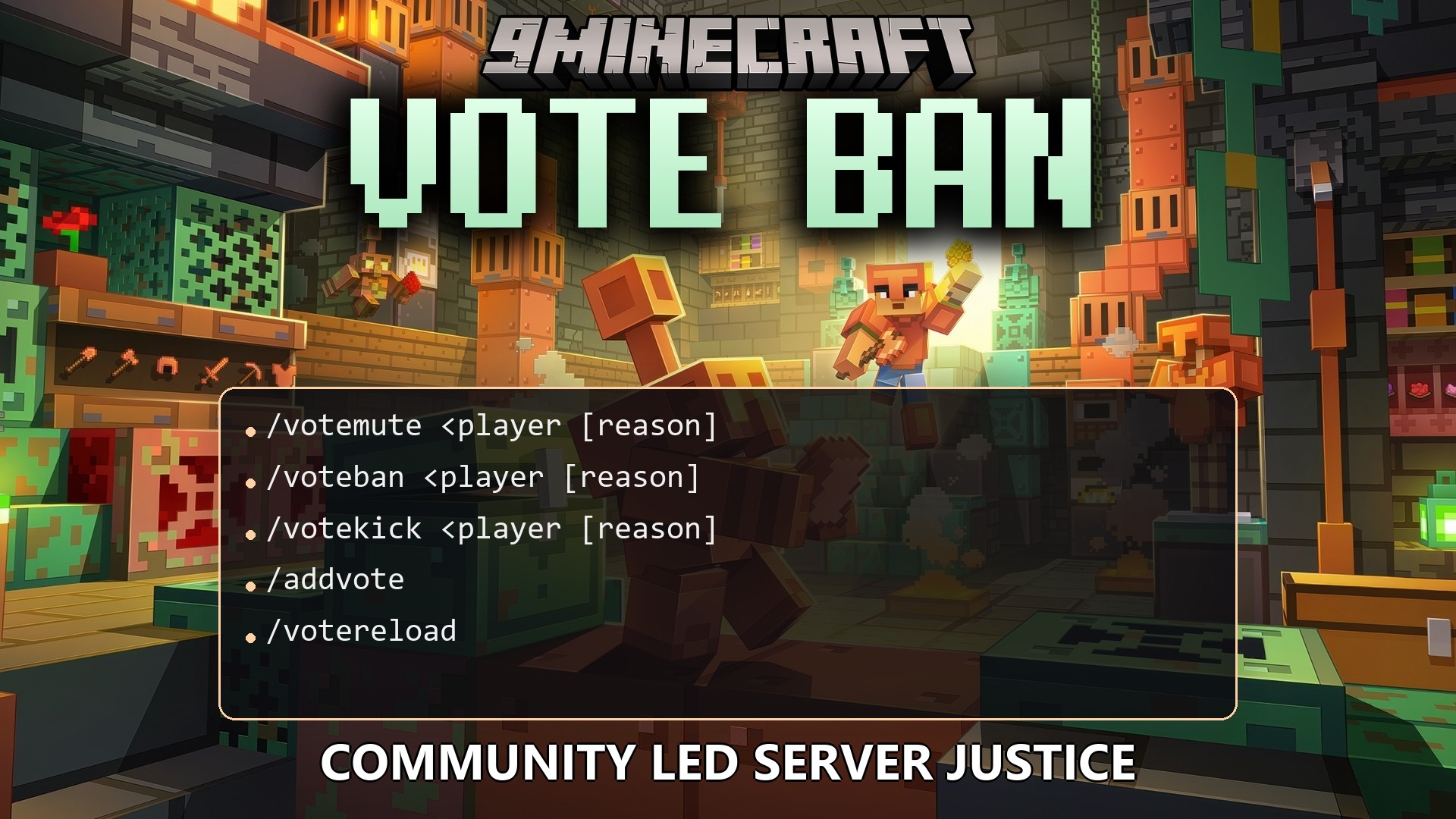
/votemute <player> [reason]: Start a vote to mute a specific player./voteban <player> [reason]: Start a vote to ban a specific player./votekick <player> [reason]: Start a vote to kick a specific player./addvote: Cast your vote for an active session./votereload: Reloads the plugin configuration.
Configuration:
VOTEBAN.*: Grants access to all plugin commands and features.VOTEBAN.RELOAD: Allows the user to reload the configuration file.VOTEBAN.BYPASS: Prevents a player from being targeted by any punishment votes.VOTEBAN.STARTBAN: Allows the player to start a vote to ban others.VOTEBAN.STARTKICK: Allows the player to start a vote to kick others.VOTEBAN.STARTMUTE: Allows the player to start a vote to mute others.VOTEBAN.VOTE: Allows the player to participate in active votes.VOTEBAN.STOPCHAT: Allows the user to trigger a chat lockdown during a vote.
How to Use:
- Type a command like /votekick followed by the player’s name and the reason.
- Wait for other players on the server to type /addvote to agree with the punishment.
- Reach the required number of votes or percentage set by the server.
- Watch the plugin automatically apply the mute, kick, or ban using your normal server commands.
How to Install:
New to Minecraft? Follow our step-by-step guide to install Plugins on your PC.View Guide
Vote Ban Plugin Download Links
For Minecraft
26.2,
26.1.2,
26.1.1
All Versions Covered
26.2
26.1.2
26.1.1
26.1
1.21.11
1.21.10
1.21.9
1.21.8
1.21.7
1.21.6
1.21.5
1.21.4
1.21.3
1.21.2
1.21.1
1.21
1.20.6
1.20.5
1.20.4
1.20.3
1.20.2
1.20.1
1.20
1.19.4
1.19.3
1.19.2
1.19.1
1.19
1.18.2
1.18.1
1.18
1.17
1.16
1.15
1.14
1.13
1.12
1.11
1.10
1.9
1.8.3
1.8.1
1.8
All Versions Covered
26.2
26.1.2
26.1.1
26.1
1.21.11
1.21.10
1.21.9
1.21.8
1.21.7
1.21.6
1.21.5
1.21.4
1.21.3
1.21.2
1.21.1
1.21
1.20.6
1.20.5
1.20.4
1.20.3
1.20.2
1.20.1
1.20
1.19.4
1.19.3
1.19.2
1.19.1
1.19
1.18.2
1.18.1
1.18
1.17
1.16
1.15
1.14
1.13
1.12
1.11
1.10
1.9
1.8.3
1.8.1
1.8
Click to rate this post!
[Total: 0 Average: 0]
You May Also Like







This post has no comments yet. Be the first — your comment will appear here.