


Dusk Client (1.8.9) – Dominate PvP Matches with External Combat Tools
 371
371
 0
0

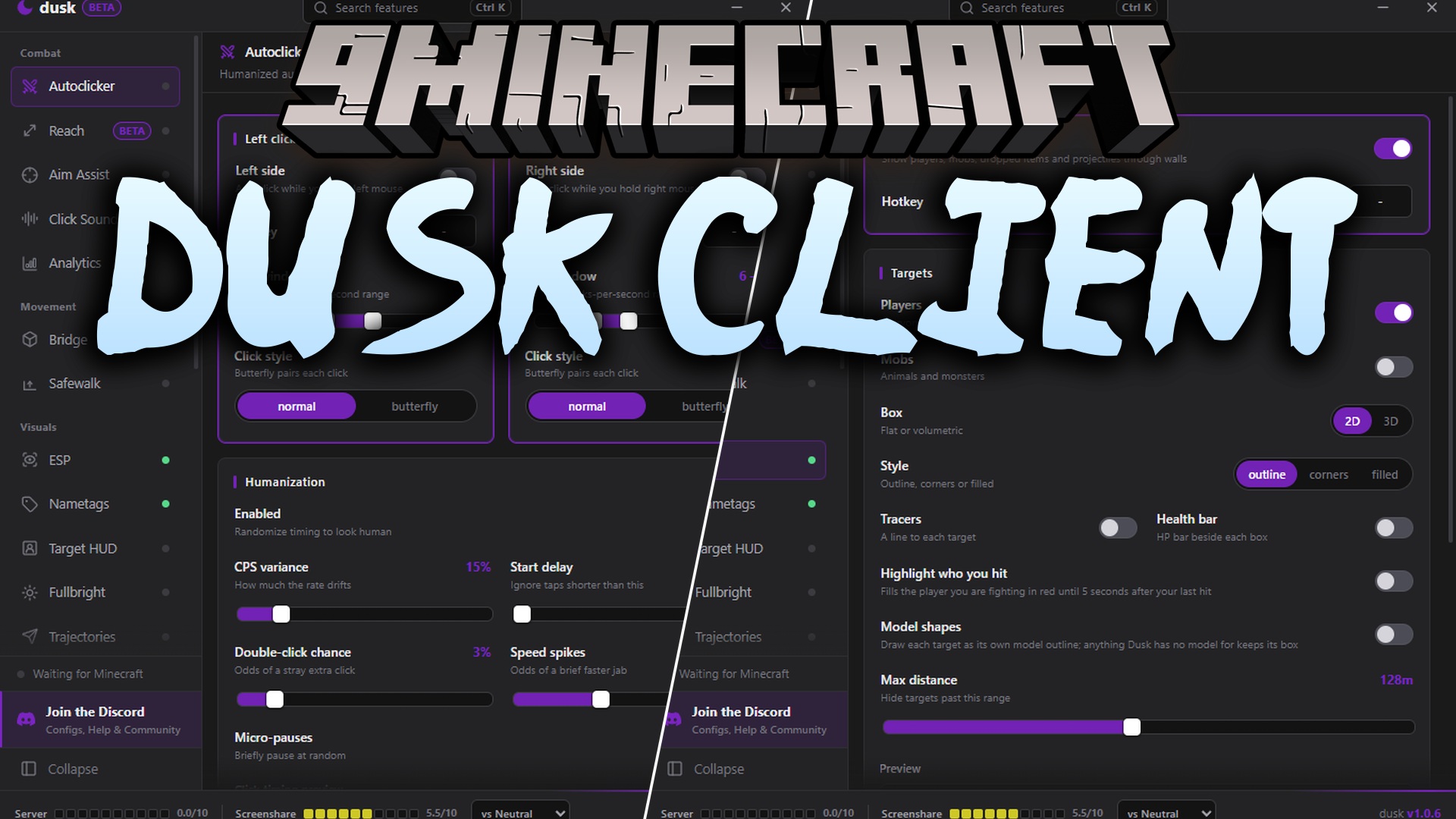
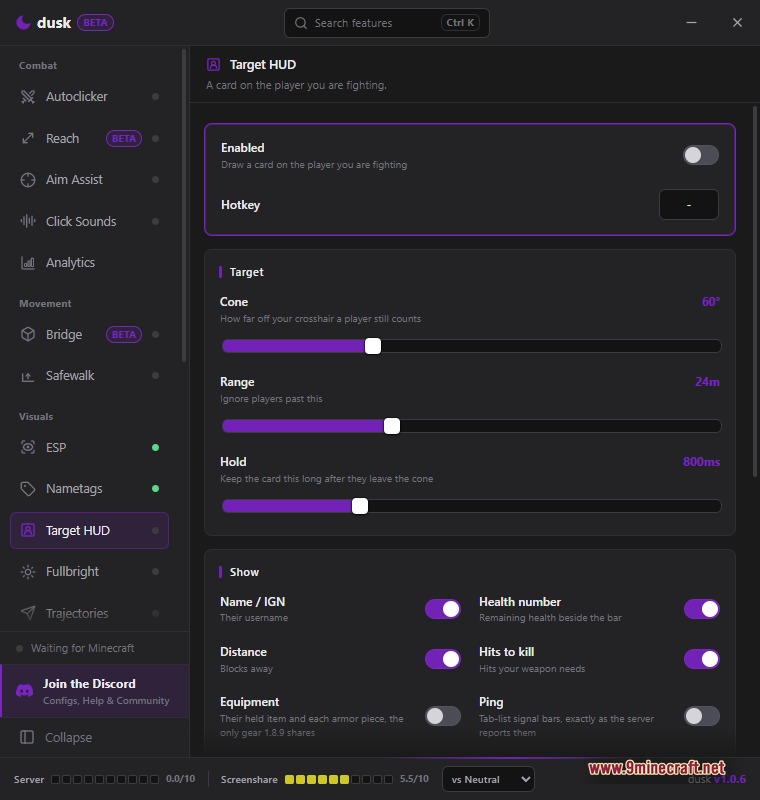
Dusk Client gives you an external control panel . Instead of opening a menu inside the game, this tool runs as a separate Windows desktop app. The purple-themed window stays open on your screen so you can adjust your settings while you play. It attaches directly to your running game without changing the original game files.
Features:
- Standalone App: Runs as a separate Windows program instead of a regular in-game mod.
- Live Configuration: Keeps a settings window open on your desktop so you can change options during a match.
- Displays a status bar at the bottom with a server signal indicator and a screenshot risk meter.
- Includes a target profile dropdown menu to easily change how aggressive your settings are against neutral targets.
- Connects to Discord Rich Presence so your friends can see your current activity.
- Attaches to the game process directly so you do not have to modify your vanilla Minecraft jar file.
Combat Modules:
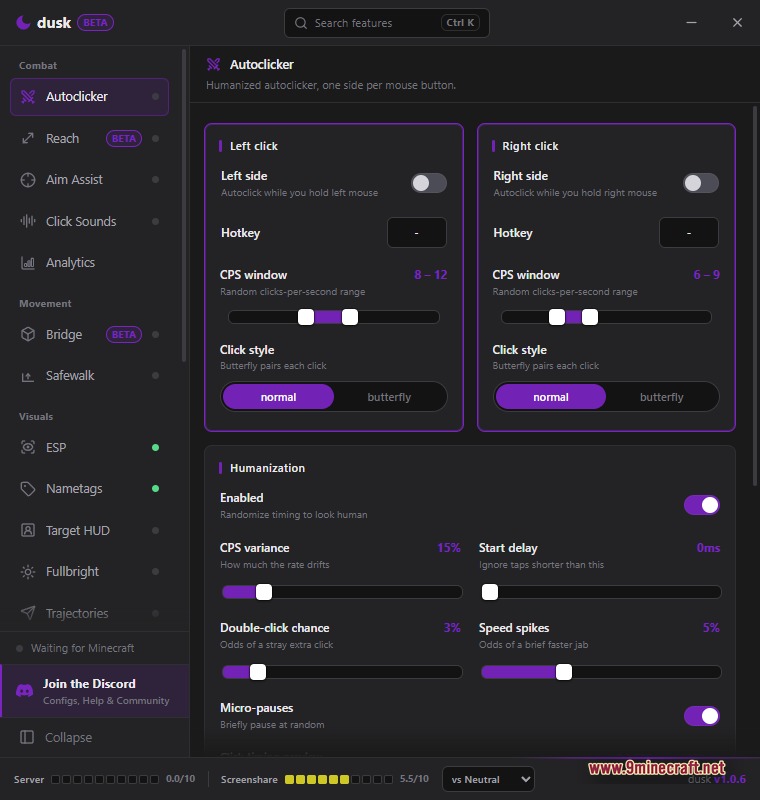
- Adds an Autoclicker with humanized settings, separate controls for each mouse button, and options for normal or butterfly click styles.
- Includes an older Reach module currently marked as beta for extending your hit distance.
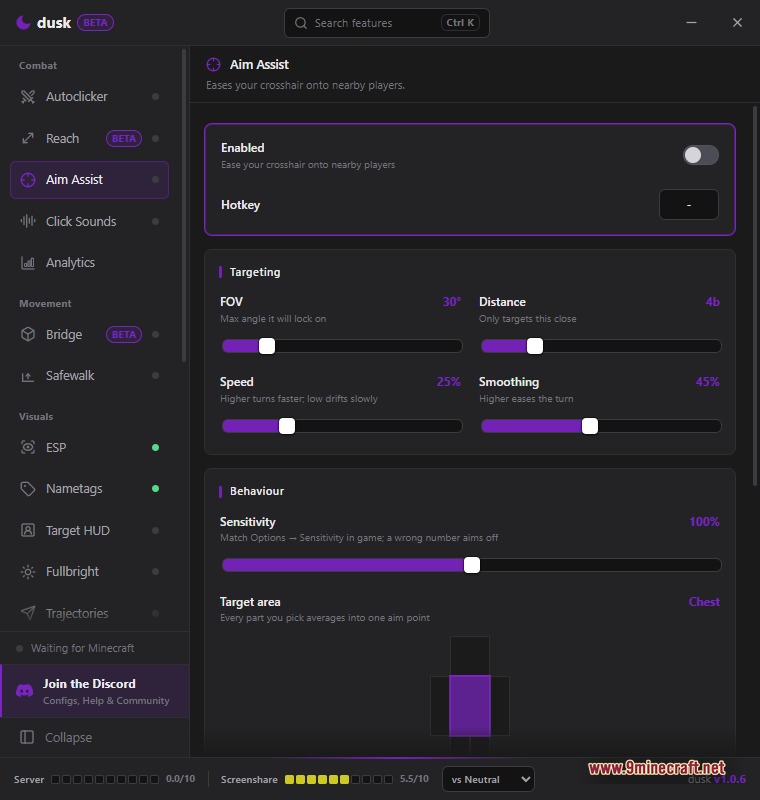
- Provides Aim Assist to guide your crosshair toward nearby players using custom distance, speed, and body-part targeting.
- Plays custom Click Sounds for every mouse click you make in the game.
- Tracks your in-game performance using the Analytics module for each session.
Movement Modules:
- Tests a beta Bridge module to help you build scaffold-style paths quickly.
- Activates Safewalk to stop you from accidentally falling off block edges.
Visuals Modules:
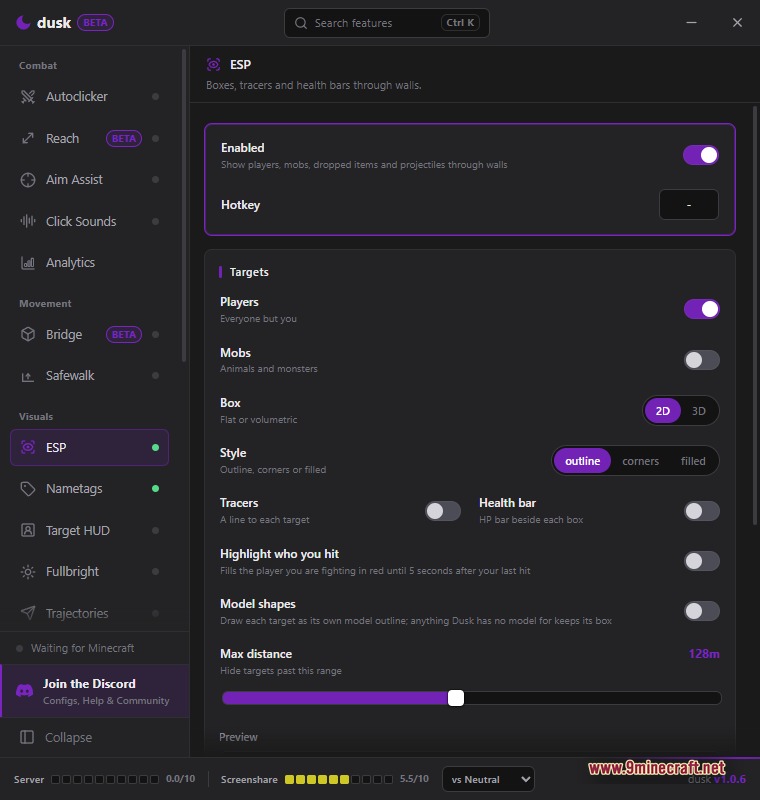
- Draws an ESP through walls using 2D or 3D boxes, health bars, and model shapes to track players up to 128 blocks away.
- Changes overhead text with customizable Nametags for other players.
- Shows a Target HUD on your screen to display information about the player you are fighting.
- Turns on Fullbright to remove all darkness from caves and the night sky.
- Paints Trajectories in the air to show exactly where your arrows and snowballs will land.
How to Use:
- Launch standard Minecraft version and join a world or server.
- Open the external Windows desktop application.
- Accept the Windows SmartScreen warning on your first run, as the app is unsigned.
- Wait for the tool to attach to the running game process.
- Adjust your modules and settings using the purple window while you play.
Screenshots:
Dusk Client Download Links
For Minecraft 1.8.9
Click to rate this post!
[Total: 2 Average: 3]
You May Also Like
Picked for this page
 Dqrkis Client Mod (1.21.11, 1.21.4) – Undetectable Ghost Client
 Cartcore Client Mod (1.21.11, 1.21.1) – Faster Cart Tech Execution
 Rich Modern Client Mod (1.21.11) – Powerful Modules for Anarchy, 2b2t Servers
 Xiu Client Mod (1.21.11) – Crystal PvP Ghost Client
 Water Client Mod (1.21.1) – Clean & Powerful PvP Tools
 Noxx Client Mod (1.21.11) – God Mode PvP Tools
 Leminx Client Mod (1.21.4) – PvP Ghost Client for MineBlaze
 Ethane Client Mod (1.21.1) – Destroying CubeCraft
 Frost Client Mod (1.21.11) – Dominate Anarchy Servers with Flawless Crystal PvP
 Minecraft Clients Archive Full Collection – Client Names Starting With The Letter Z
 Dama Client Mod (1.21.4) – Dominate PvP and Boost Elytra Speed
 Vexon Client Mod (1.21.11) – Automate Crystal PvP on Anarchy Servers
Most viewed in Clients over the last 7 days
 Baritone 9minecraft Client Mod (26.3, 26.1.2) – Mine and Build Bases Hands-Free
 CatLean Client Mod (26.2, 1.21.11) – ThunderHack Recode Alternatives
 Lunar Patcher (v10) – Using Lunar Client for Free
 OptiFine HD 9minecraft (26.3) – Run Smooth Shaders Without the Lag
 9minecraft Xray Client (26.3, 1.20.1) – The #1 Ore Finder of 2026
 Meteor Client Mod (26.2, 1.20.1) – Xray, HUD, Fly
 Wurst Client Mod (26.3, 1.20.1) – The Best Bypass for Minecraft
 DoomsDay Client (26.1.2, 1.20.1) – Best Free Injectable Client
 4E Client Mod (1.21.11, 1.21.1) – ChunkFinder, Base Finding for DonutSMP
- Baritone Client Mod (26.2, 1.20.1) – Autominer, Build with AI, Xray
 67 Client Mod (1.21.11) – Survive Anarchy Servers with Custom PvP Tools
 Item Dupe 9minecraft Mod (26.3, 26.1.2) – Clone Any Item Without Grinding
More from Clients
 Wimpy Client Mod (26.2) – Hunt Hidden Stashes on Anarchy Servers
 Base Debug Client Mod (1.21.11) – Track Hidden Bases and Stashes
 Soar 9minecraft Client Mod (26.3) – Win Fights and Look Good Doing It
 Amber 9minecraft Client Mod (26.3, 1.21.11) – Gain Godlike Survival Powers
 Bagel Client Mod (1.21.11) – Spot Hidden Stashes on Anarchy Servers
 Nox Client Mod (1.21.11) – Dominate Anarchy Servers and Crystal PvP
 Clutch Client Mod (1.21.11) – Hunt Bases and Dominate Anarchy Servers
 Goobaa Client Mod (1.21.11) – Dominate Crystal PvP on Anarchy Servers
 Code Engine Client Mod (1.21.11) – Hunt Enemy Bases on Anarchy Servers
 Swyzzy Client Mod (1.21.11, 1.21.4) – Dominate Anarchy Battles with Zero Lag
 Amethyst Client Mod (1.21.11) – Dominate Crystal PvP on Anarchy Servers

This post has no comments yet. Be the first — your comment will appear here.