
Dynmap Mod (1.21.11, 1.20.1) – Follow Player Adventures Live From Any Browser

 0


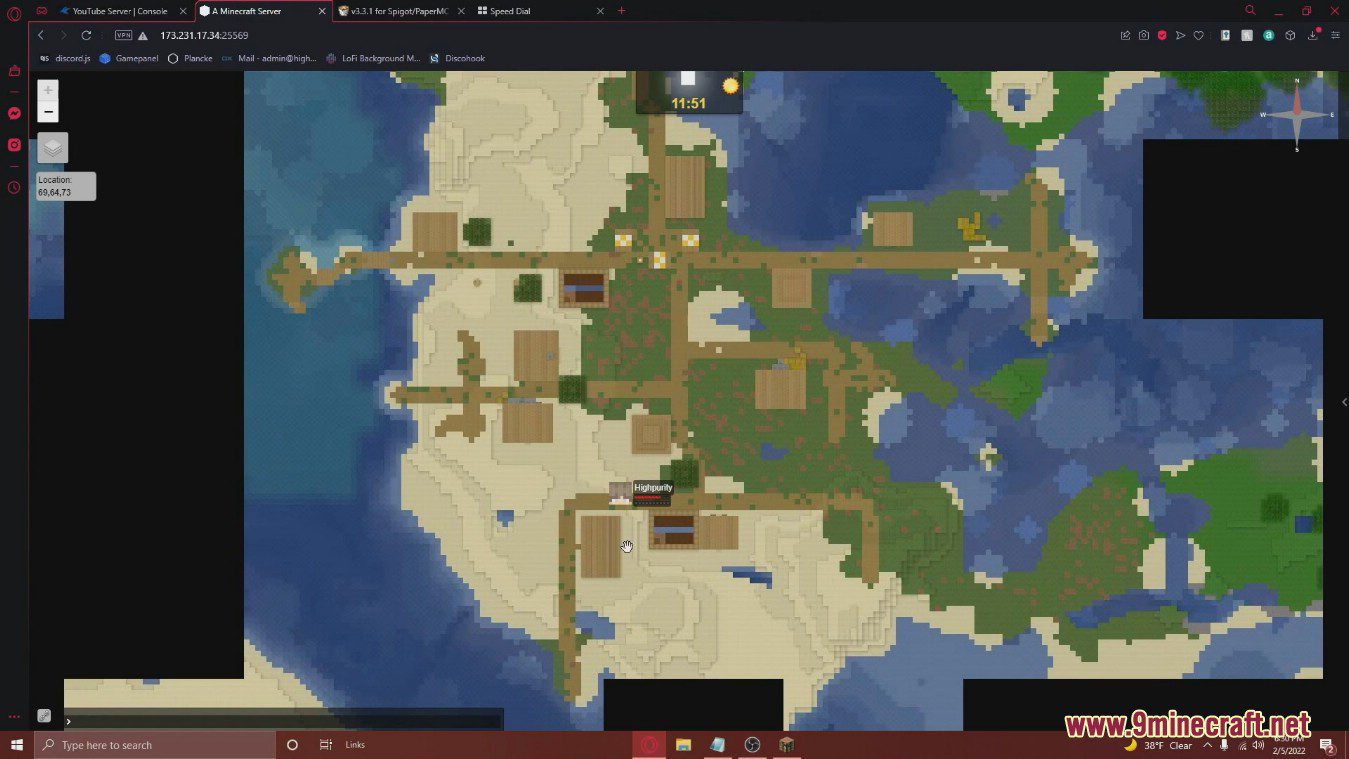
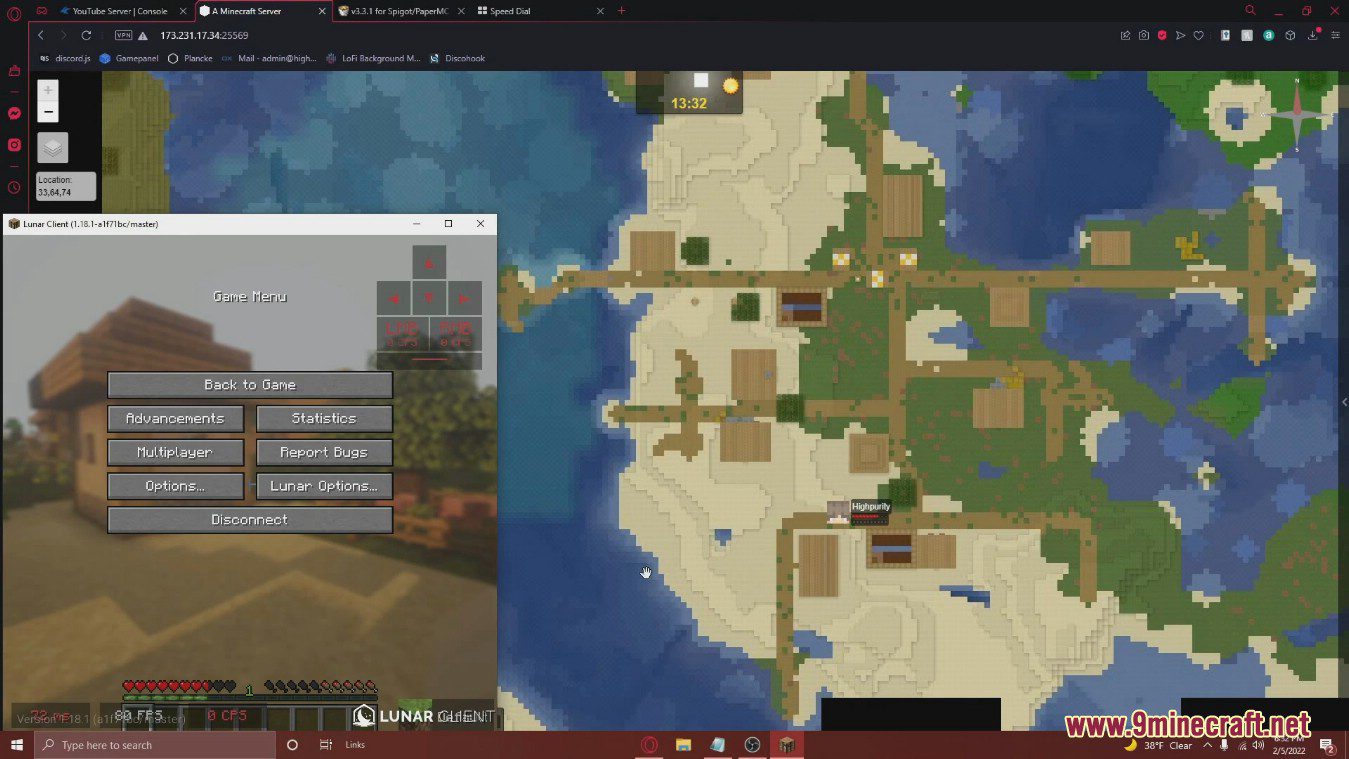
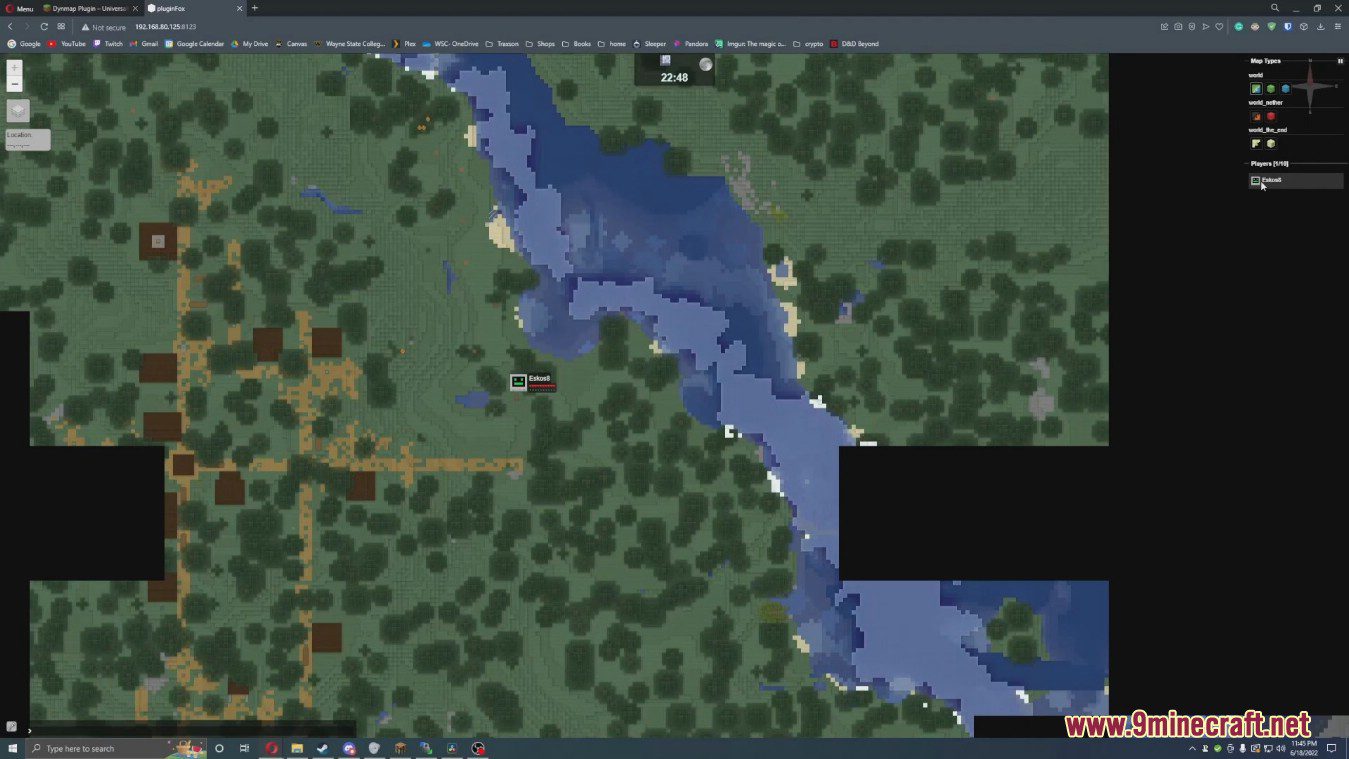
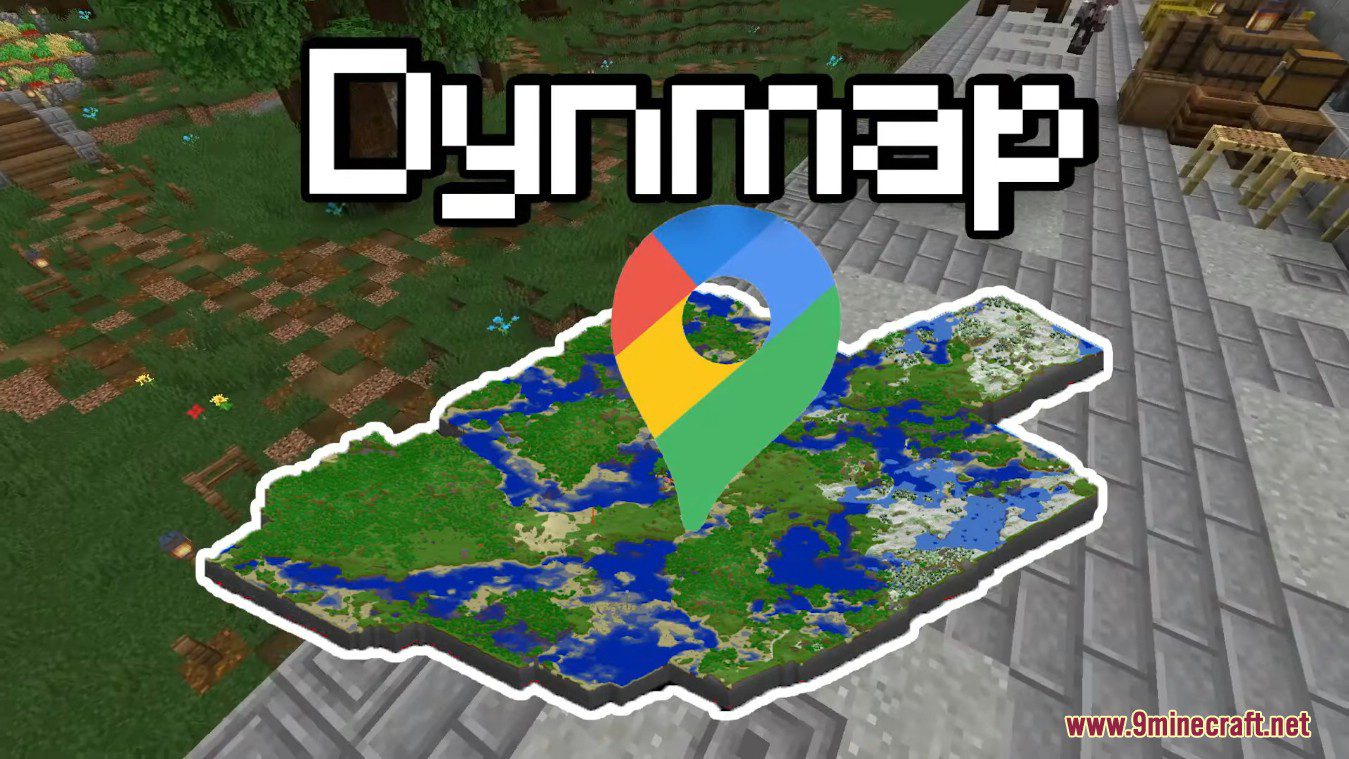
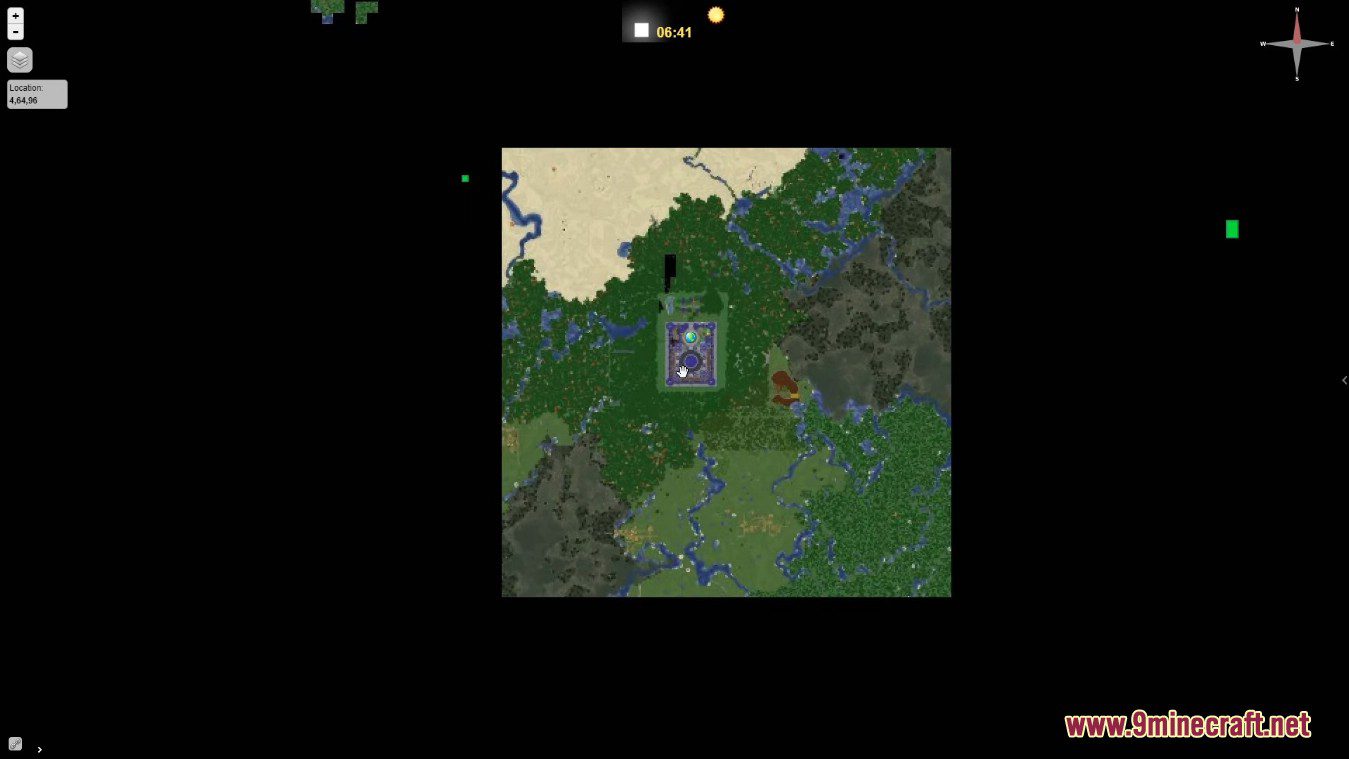
Dynmap Mod gives your Minecraft server a live map that you can view in any web browser, just like Google Maps. It brings the popular Spigot and Paper web map system to Forge and Fabric servers. This mod comes with a built-in web server that works right away, and it also connects to existing websites on software like Apache. You can choose between different world renderers for smoother performance or higher detail. It also lets you turn features on or off to fit your server, including chat balloons, web-to-game chat, and custom markers, areas, and lines.

Features:
- Real-Time Map Updates: Keeps your browser map in sync with the server and shows live world changes while the page stays open.
- Web-to-Game Chat: Shows in-game chat on the map as balloons or inside a chatbox, and lets browser viewers send messages to players in the game.
- Shows online players and their character faces right on the map.
- Displays the current Minecraft time on your browser screen.
- Shows the current in-game weather right on the map.
- Lets you set up custom markers, areas, and lines across your worlds.
- Offers different world renderers so you can pick faster performance or high-detail HD maps.
- Gives you flexible settings for each world along with optional components you can add or remove.
- Includes a built-in web server that works right away, or connects to an existing website on software like Apache.
- Supports map rendering for dozens of popular Minecraft mods.
Commands:
/dynmap fullrender: renders your whole world map and shows progress messages until the map finishes loading in your browser.
How to Use:
- Start your Minecraft server with the mod loaded.
- Open your web browser and go to
http://yourserverip:8123/, or visithttp://localhost:8123/if Minecraft runs on the same PC; online players appear right away, while the map background stays black until the world renders. - If you want high-detail HD maps, turn on
deftemplatesuffix: hiresat the top ofconfiguration.txtbefore you start rendering. - Type
/dynmap fullrenderin the game to begin rendering your world map. - Wait for the progress messages to finish; the map shows up bit by bit in your browser as the render completes.
Screenshots:
How to Install:
New to Minecraft? Follow our step-by-step guide to install Mods on your PC.View Guide
Dynmap Mod Download Links
For Minecraft 1.7.10
Forge version: Download from Server 1
For Minecraft 1.12.2
Forge version: Download from Server 1
For Minecraft 1.14.4
Forge version: Download from Server 1
Fabric version: Download from Server 1
For Minecraft 1.15.2
Forge version: Download from Server 1
Fabric version: Download from Server 1
For Minecraft 1.16.5
Forge version: Download from Server 1
Fabric version: Download from Server 1
For Minecraft 1.17.1
Forge version: Download from Server 1
Fabric version: Download from Server 1
For Minecraft 1.18.2
Forge version: Download from Server 1
Fabric version: Download from Server 1
For Minecraft 1.19.2, 1.19.1, 1.19
Forge version: Download from Server 1
Fabric version: Download from Server 1
For Minecraft 1.19.3
Forge version: Download from Server 1
Fabric version: Download from Server 1
For Minecraft 1.19.4
Forge version: Download from Server 1 – Download from Server 2
Fabric version: Download from Server 1 – Download from Server 2
For Minecraft 1.20.1, 1.20
Forge version: Download from Server 1 – Download from Server 2
Fabric version: Download from Server 1 – Download from Server 2
For Minecraft 1.20.2
Forge version: Download from Server 1 – Download from Server 2
Fabric version: Download from Server 1 – Download from Server 2
For Minecraft 1.20.4, 1.20.3
Forge version: Download from Server 1 – Download from Server 2
Fabric version: Download from Server 1 – Download from Server 2
For Minecraft 1.20.6
Forge version: Download from Server 1 – Download from Server 2
Fabric version: Download from Server 1 – Download from Server 2
For Minecraft 1.21.1, 1.21
Forge version: Download from Server 1 – Download from Server 2
Fabric version: Download from Server 1 – Download from Server 2
For Minecraft 1.21.4
Forge version: Download from Server 1 – Download from Server 2
Fabric version: Download from Server 1 – Download from Server 2
For Minecraft 1.21.5
Forge version: Download from Server 1 – Download from Server 2
Fabric version: Download from Server 1 – Download from Server 2
For Minecraft 1.21.8, 1.21.7, 1.21.6
Forge version: Download from Server 1 – Download from Server 2
Fabric version: Download from Server 1 – Download from Server 2
For Minecraft 1.21.10
Forge version: Download from Server 1 – Download from Server 2
Fabric version: Download from Server 1 – Download from Server 2
For Minecraft 1.21.11
Forge version: Download from Server 1 – Download from Server 2
Fabric version: Download from Server 1 – Download from Server 2
You May Also Like
Picked for this page
 Dynamic Lights Mod (26.3, 1.20.1) – Hold Light Sources in Your Hand
 Meteor Client Addons (26.2, 1.20.1) – Modify Almost Anything in Meteor
 Veinminer Mod (26.2, 1.20.1) – Quick Mining
 Day Count Mod (26.3, 1.20.1) – A Day Counter HUD
 Options Profiles Mod (1.21.11, 1.20.1) – Load and Save Your Options from In-game
 PTS Deco Mod (26.3, 1.20.1) – Luxury And Modern Design
 Discord-MC-Chat Mod (26.3, 1.20.1) – Discord Minecraft Integration
 Tinted Campfires Mod (26.3, 1.20.1) – Change The Color Of The Campfire
 Classic Enchanted Golden Apple Crafting Mod (26.2, 1.20.1) – Crafting Recipe For Enchanted Golden Apples
 Better Chroma Key Mod (26.3, 1.21.1) – Single Colored Blocks For Creators
 Modern Networking Mod (26.3, 1.20.1) – Run Multiplayer Mods Without Errors
 Pv Addon Lavaplayer Lib Mod (26.3, 1.20.1) – Audio Backend Utility
Most viewed in Mods over the last 7 days
 Ala Industrial Mod (26.3) – Run Electric Power Grids and Automated Factories
 PleasureCraft Mod (26.3, 1.21.1) – Jenny Mod Remake for Fabric
 Jennycraft Mod (26.3, 1.20.1) – Virtual Girlfriend in Minecraft
 Fapcraft Mod (26.3, 1.12.2) – Comprehensive and Detailed Content
 Jenny Mod (Fapcraft) Official Complete Guide – How to use, Tutorial
 BangCraft Mod (1.20.1) – Jenny, Ellie and Elliot
 Fabric Loader (26.3, 1.20.1) – Fabric Installer for All Minecraft Versions
 Meteor Client Mod (26.3, 1.20.1) – Xray, HUD, Fly
 The Shooting Star Demo Mod (26.3, 1.20.1) – Vaporize Terrain From Orbit
 OptiFine HD (26.3, 1.20.1) – Run Faster, FPS Boost, Shaders Support
 Aristois Client Mod (1.21.4, 1.20.1) – World Class Minecraft Utility
 Prestige Client Mod (1.21.11, 1.21.4) – Powerful Ghost Features for Crystal & Sword PvP
More from Mods
 ForgedLoaderAPI Mod (1.19.2, 1.18.2) – Bring Ported Fabric Creations
 Shield System Mod (1.21.1) – Tank Heavy Monster Hits Without Losing Hearts
 Shin’s Tensura Race Models Mod (1.19.2) – Play As Unique 3D Anime Race
 Offgrid Mod (26.3, 1.20.1) – Furnish Compact Interiors Without Strict Grid
 Tempest Almanac Iron’s Spells ‘n Spellbooks Mod (1.21.1, 1.20.1)
 Chat Guides Mod (26.3, 1.21.11) – Never Memorize Complex Server Commands Again
 TRMT Reimagined the Roads More Travelled Mod (26.3, 1.20.1)
 Morrowless Mod (1.21.1) – Defend Your Shelter From Nightmare Creatures
 THE SLOPSTROSITY Mod (1.21.1) – Battle a Ridiculous Slime Boss
 Decoween Mod (1.21.1, 1.20.1) – Transform Ordinary Survival Bases
 Simply Light 9minecraft Mod (26.3) – Decorate Builds Without Torches
 Alex’s Caves Continued Mod (26.3, 1.20.1) – Conquer Six Massive Underground

This post has no comments yet. Be the first — your comment will appear here.