
Every Compat Gems Realm Mod (1.21.11, 1.20.1) – Craft Furniture From Any Modded
 3
 0

Every Compat Gems Realm Mod adds missing block variants for popular mods like Create, Rechiseled, and Macaw’s mods. It fills in the gaps by making every decorative and furniture block available in all installed crystal, dust, gem, and metal types. You do not need to install separate compatibility addons anymore because this mod handles everything automatically. It even converts blocks from uninstalled compatibility mods into matching versions so your builds stay intact.

Features:
- Automatic Block Generation: The mod scans your installed mods and generates missing decorative and furniture blocks in every available material type at runtime.
- Duplicate Prevention: It checks for other installed compatibility mods and avoids registering duplicate blocks that already exist in your game.
- Block Conversion: Uninstalled compatibility mod blocks automatically convert into their matching equivalents from this mod.
- Resource Pack Friendly: Generated textures work just like standard game files, so you can retexture any block using a regular resource pack.
- Runs quietly in the background and uses zero extra memory until you install mods that add new block types or furniture.
- Includes a debug resources config option that exports generated texture paths to a debug folder for easy resource pack creation.
Block Types:
- CrystalType: Amethyst and similar modded crystals.
- DustType: Redstone and other modded dusts.
- GemType: Emeralds, Diamonds, and modded gems.
- MetalType: Iron, Gold, Copper, and modded metals.
Compatible Mods:
- More Beautiful Torches: Works with CrystalType, DustType, GemType, and MetalType.
- More Beautiful Bookshelves: Works with CrystalType, DustType, GemType, and MetalType.
- Lapidarist: Works with CrystalType, DustType, GemType, and MetalType.
- Create: Works with MetalType.
- Macaw’s Bridges: Works with MetalType.
- Macaw’s Fences & Walls: Works with MetalType.
- Macaw’s Windows: Works with MetalType.
Screenshots:


How to Install:
New to Minecraft? Follow our step-by-step guide to install Mods on your PC.View Guide
Requirements:



Every Compat Gems Realm Mod Download Links
For Minecraft
1.21.11,
1.21.10,
1.21.9
All Versions Covered
1.21.11
1.21.10
1.21.9
1.21.8
1.21.7
1.21.6
1.21.5
1.21.4
1.21.1
1.21
All Versions Covered
1.21.11
1.21.10
1.21.9
1.21.8
1.21.7
1.21.6
1.21.5
1.21.4
1.21.1
1.21
For Minecraft 1.21.1, 1.21
For Minecraft 1.20.1, 1.20
Click to rate this post!
[Total: 0 Average: 0]
You May Also Like
Picked for this page
 More Totems Of Undying Mod (26.2, 1.20.1) – Cheat Death with Custom Mob Totems
 Dismount Entity Mod (26.3, 1.20.1) – Never Break a Boat Again
 Glass Item Frames Mod (1.21.10, 1.21) – Invisible Glass Frames
 BlockShot Mod (26.3, 1.20.1) – Instantly Share Your Best Builds
 Mo’ Glowstone Lamps Mod (26.3, 1.20.1) – Illuminate Your Builds with Vibrant
 Toggle Subtitles Mod (26.3, 1.20.1) – Hide Text Instantly for Clearer
 Villager Trades Edit Mod (26.3, 1.21.1) – Design Custom Merchant Inventories
 MC-258859 Mod (1.21.11, 1.21.1) – Transform Snowy Mountain Slopes
 Data Anchor Mod (26.3, 1.20.1) – Build Better Addons Without Errors
 The Lead Age Mod (26.3, 1.21.1) – Forge Heavy Lead Gear and Custom Leaded
 LibGuiFoxified Mod (1.21.11, 1.20.1) – Clean In-Game Menus and Custom Screen
 OptifiNeoforge Mod (26.2, 1.20.1) – Play NeoForge 1.21 Worlds with Your Own
Most viewed in Mods over the last 7 days
 Ala Industrial Mod (26.3) – Run Electric Power Grids and Automated Factories
 PleasureCraft Mod (26.3, 1.21.1) – Jenny Mod Remake for Fabric
 Jennycraft Mod (26.3, 1.20.1) – Virtual Girlfriend in Minecraft
 Fapcraft Mod (26.3, 1.12.2) – Comprehensive and Detailed Content
 Jenny Mod (Fapcraft) Official Complete Guide – How to use, Tutorial
 Meteor Client Mod (26.3, 1.20.1) – Xray, HUD, Fly
 Let it Walk Mod (1.21.1) – Pilot Spider Tanks and Mechs Built From Your Blocks
 BangCraft Mod (1.20.1) – Jenny, Ellie and Elliot
 OptiFine HD (26.3, 1.20.1) – Run Faster, FPS Boost, Shaders Support
 CatLean Client Mod (26.2, 1.21.11) – ThunderHack Recode Alternatives
 Fabric Loader (26.3, 1.20.1) – Fabric Installer for All Minecraft Versions
 SeedCrackerX Mod (26.3, 1.20.1) – Find Any World Seed
More from Mods
 Route Pilot Mod (1.21.1) – Record Any Route and Let Your Vehicle Drive Itself
 Cursed’s Superflat Expansion Mod (26.3, 1.21.11) – Survive a Flat World
 Overgrown’s Origins Elemental Bendings Mod (1.21.1, 1.20.1)
 TONI’s Weaponry Mod (26.3, 1.20.1) – Fight with Parries, Backstabs
 FF Food Spoilage and Preservation Mod (26.3, 1.21.1) – Keep Your Food Fresh
 Vanilla Animated Guns Mod (1.21.1, 1.20.1) – Fight Mobs with Blocky
 Faster Shadow Mapper FSM Mod (26.3, 1.20.1) – Keep Shaders Smooth in Sign-Heavy
 Weapons of War Mod (26.1.2) – Master 26 Weapons That Each Fight Their Own Way
 Lemon’s Dappled Update Mod (1.21.8) – Wander Colorful Forests and Tap Maple
 Wildlife Explorers Mod (1.20.1) – Track Real Wild Animals Across Every Biome
 Potions Return Mod (1.20.1) – Brew Luck Potions From Flower Forest Clovers
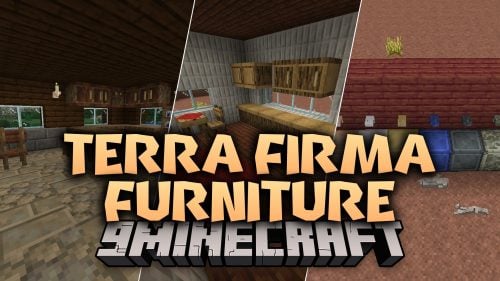 Terra Firma Furniture Mod (1.21.1) – Furnish Every TFC Cabin, Kitchen, and Home

This post has no comments yet. Be the first — your comment will appear here.