
Fake Chestplate Mod (1.21.11) – Swap Armor Visuals and Practice Elytra Flight
 8
 0

Fake Chestplate Mod lets you change how your equipped chestplate looks and practice simulated Elytra flight locally on your screen. You can swap your armor appearance to Leather, Chainmail, Copper, Iron, Gold, Diamond, or Netherite, or put on a client-side Elytra with real firework rocket boosting. While flying in Fake Mode, this mod pauses movement packets so the server only sees you standing still at your starting spot, which prevents fly kicks and bans. It runs entirely on the client side for Fabric and includes an in-game settings menu.

Features:
- Visual Armor Customization: Changes your equipped chestplate appearance on your screen to Leather, Chainmail, Copper, Iron, Gold, Diamond, or Netherite.
- Simulated Elytra Flight: Turning on Fake Mode without picking an armor piece equips a client-side Elytra so you can fly around freely.
- Server Isolation: Pauses movement packets on your client while flying in Fake Mode. The server sees you standing safely at your starting spot to prevent fly kicks, bans, or rubberbanding, and turning the mode off returns you to that initial position.
- Authentic Rocket Boost: Holding fireworks and jumping or right-clicking launches you into flight with continuous propulsion. Firework stacks count down on your screen during flight and automatically return to their original numbers once Fake Mode is turned off.
- Adds an optional enchantment glint along with clean, non-italic Unbreaking III and Mending visuals on the item tooltip.
- Lets you pick up the fake chestplate, move it into your hotbar, hold it in your hand, or press Q to drop it on the client side.
- Toggles silently without showing action bar messages or HUD banners, while keeping the normal world sky and weather untouched.
Commands:
/fakechestplate: Opens the mod settings menu./fc: Short command alias to open the settings menu.
How to Use:
- Press O, run
/fakechestplateor/fc, or use Mod Menu to open the settings GUI. You can change the menu key and set a Quick Toggle hotkey under Options -> Controls -> Key Binds. - Select an armor material in the menu to change your chestplate look, or turn on Fake Mode without selecting an armor piece to equip the client-side Elytra.
- Hold fireworks, jump, and right-click to take off and boost while flying.
- Land on the ground or press Shift (Sneak) to stop flying and return to a normal walking pose.
- Turn off Fake Mode to teleport back to your starting position and restore your firework stack counts.
How to Install:
New to Minecraft? Follow our step-by-step guide to install Mods on your PC.View Guide
Requirements:

Fake Chestplate Mod Download Links
For Minecraft 1.21.11
Click to rate this post!
[Total: 0 Average: 0]
You May Also Like
Picked for this page
 Just Player Heads Mod (26.3, 1.20.1) – Decorate Bases with Real Player Heads
 Online Emotes Mod (26.2, 1.20.1) – Perform Custom Animations with Friends
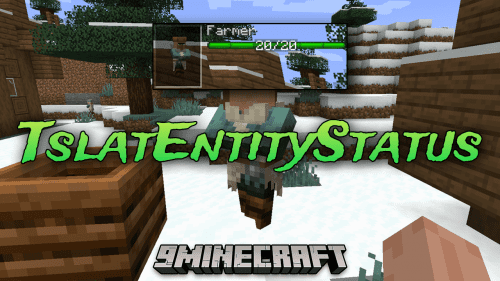 TslatEntityStatus Mod (26.3, 1.20.1) – Gauge Enemy Strength at a Glance
 Show Keybinds Mod (26.1.2, 1.20.1) – Never Forget Your Assigned Controls Again
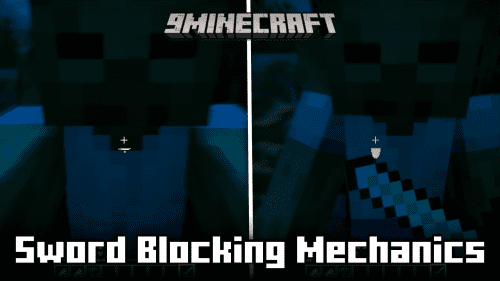 Sword Blocking Mechanics Mod (26.3, 1.20.1) – Defend Against Attacks
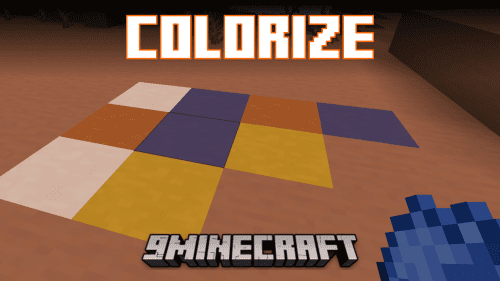 Colorize Mod (26.3, 1.20.1) – Paint Any Block Instantly
 Classic Food Mod (1.21.11, 1.20.1) – Brings Back The Old Food For Health System
 Auto Greeter Mod (26.2, 1.21.11) – Welcome Joining Players Automatically
 Villager Timetable Mod (26.3, 1.20.1) – Track Work Shifts and Sleep Cycles
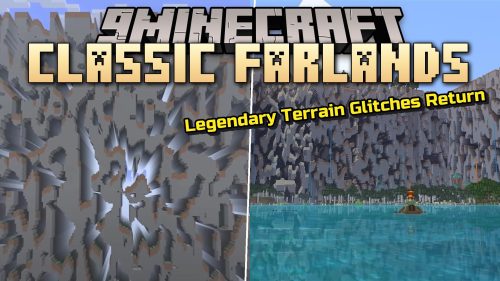 Classic Farlands Mod (26.3, 1.21.1) – Bring Back the Famous Broken Terrain
 1Influence’s Smooth Boot Mod (1.21.11) – Load Your Game Without Freezing Your PC
 Realm RPG Treasure Balloons Mod (1.21.8, 1.20.1) – Shoot Down Flying Loot Balloons
Most viewed in Mods over the last 7 days
 Ala Industrial Mod (26.3) – Run Electric Power Grids and Automated Factories
 PleasureCraft Mod (26.3, 1.21.1) – Jenny Mod Remake for Fabric
 Jennycraft Mod (26.3, 1.20.1) – Virtual Girlfriend in Minecraft
 Fapcraft Mod (26.3, 1.12.2) – Comprehensive and Detailed Content
 Meteor Client Mod (26.3, 1.20.1) – Xray, HUD, Fly
 Jenny Mod (Fapcraft) Official Complete Guide – How to use, Tutorial
 OptiFine HD (26.3, 1.20.1) – Run Faster, FPS Boost, Shaders Support
 BangCraft Mod (1.20.1) – Jenny, Ellie and Elliot
 Fabric Loader (26.3, 1.20.1) – Fabric Installer for All Minecraft Versions
 CatLean Client Mod (26.2, 1.21.11) – ThunderHack Recode Alternatives
 Patched Mod (26.3, 1.20.1) – Edit Game Files Without Breaking Packs
 Baritone Client Mod (26.3, 1.20.1) – Autominer, Build with AI, Xray
More from Mods
 Anti Portals Mod (26.3, 1.20.1) – Lock Out the Nether and End Dimensions
 T88 Mod (26.3, 1.20.1) – Run Essential Companion Mods Cleanly in the Background
 Profet’s Veinminer Mod (26.3, 1.20.1) – Mine Entire Ore Veins in a Fast Chain
 Cinderscapes Mod (26.3, 1.20.1) – Breathe New Life Into the Nether
 Revelationary Mod (26.3, 1.20.1) – Watch Plain Stone Turn Into Riches
 Enchantment Core Mod (26.3, 1.21.1) – Cast Magic Spells with Shield Blocks
 Mundane Redstone Ore Mod (26.3, 1.20.1) – Keep Your Deep Caves Dark
 Nyctophobia Mod (26.3, 1.20.1) – Explore Spooky Biomes Shrouded in Fog
 SimpleCloud API Plugin Mod (26.3) – Link Minecraft Servers Into One Network
 Dimensional Painting Mod (26.3, 1.20.1) – Visit Other Dimensions
 Common Toolkit Mod (26.3, 1.21.1) – Core Library Powering Custom Gear Sets
 Struppis Ragdoll Physics API Mod (26.3) – Core Library for Custom Ragdoll

This post has no comments yet. Be the first — your comment will appear here.