
FixMCStats Mod (26.3, 1.21.1) – Track Every Single In-Game Achievement

 0


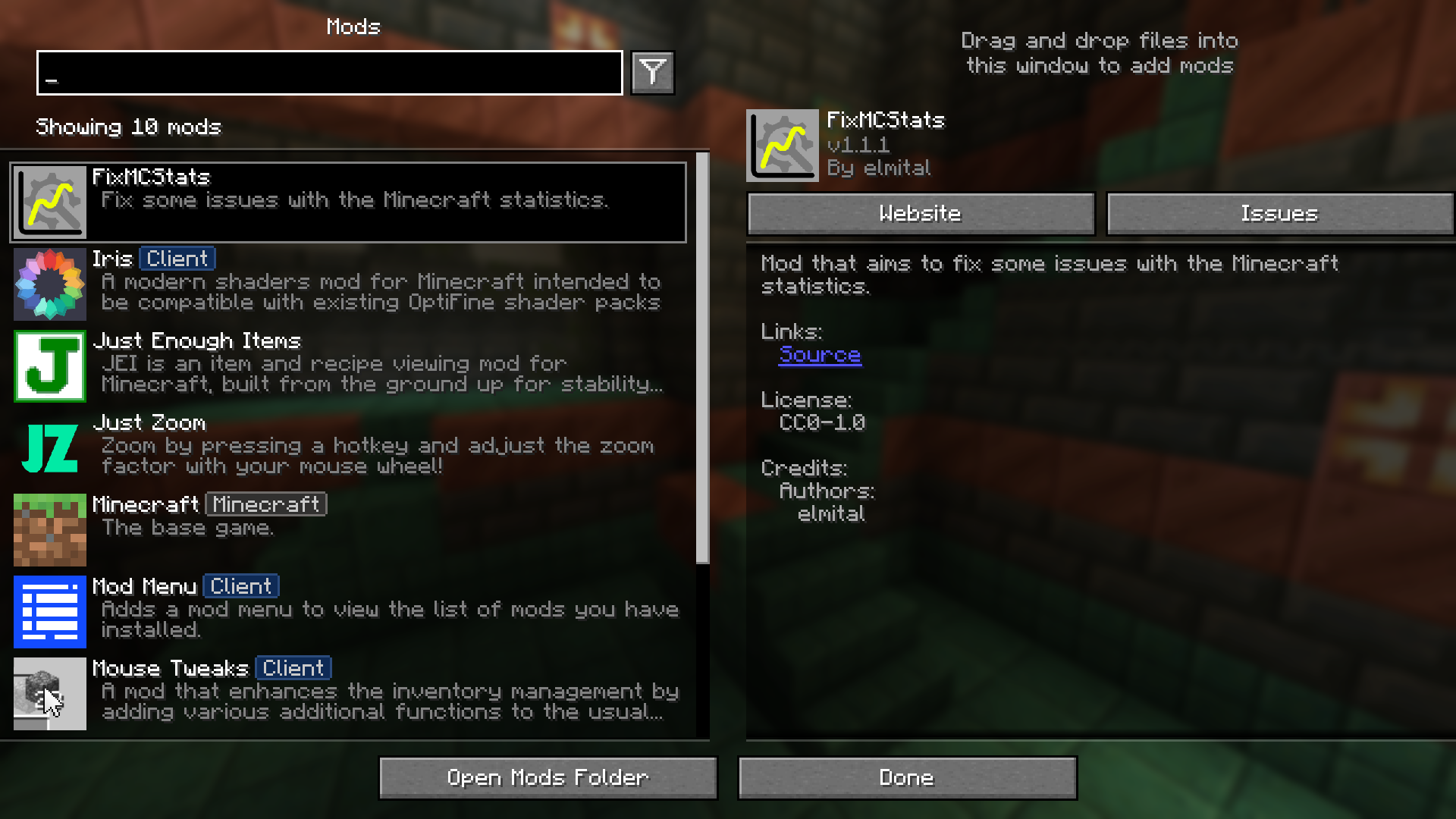
FixMCStats Mod improves the Minecraft statistics system by fixing many common bugs to make it more accurate and easier to use. The client-side part fixes issues with the statistics screen and works on any server or in solo play.

Features:
- Fixes client-side statistics screen problems such as missing spaces, overlapping numbers, and wrong sorting in non-ASCII languages.
- Works on any server or in singleplayer for client-side improvements.
- Requires server-side installation or solo play to enable full functionality for server-side fixes.
- Resolves issues where damage dealt stats fail to increase when using projectiles or sweeping attacks.
- Corrects craft statistics tracking when crafting items using shift-clicks, drop actions, stonecutters, crafting tables, and smithing tables.
- Ensures distance fallen stats track properly when landing in liquid, powder snow, or cobweb.
- Fixes broken tracking for elytra, trident, shears, campfires, brewing stands, and respawn anchors.
Commands:
/fixmcstats-client status <PATCH ID>: shows if a client-side patch is active or not./fixmcstats-client link <PATCH ID>: displays the linked Mojang bug issue in the chat./fixmcstats-client activate <PATCH ID>: activates the specified client-side patch./fixmcstats-client deactivate <PATCH ID>: deactivates the specified client-side patch./fixmcstats-server status <PATCH ID>: shows if a server-side patch is active or not (requires operator permissions)./fixmcstats-server link <PATCH ID>: displays the linked Mojang bug issue for server-side patches./fixmcstats-server activate <PATCH ID>: activates the specified server-side patch./fixmcstats-server deactivate <PATCH ID>: deactivates the specified server-side patch.
How to Use:
- Install the mod on your client to fix display issues on the statistics screen and use client-side commands.
- Install the mod on your server or play in singleplayer mode to enable all server-side bug fixes.
- Type the respective command in chat with your patch ID to check, activate, or deactivate specific patches as needed.
- Adjust configuration files to toggle commands or custom statistics if you encounter registry desync issues on multiplayer servers.
Screenshots:
How to Install:
New to Minecraft? Follow our step-by-step guide to install Mods on your PC.View Guide
Requirements:




FixMCStats Mod Download Links
For Minecraft 26.3
For Minecraft 26.2
For Minecraft 26.1.2, 26.1.1, 26.1
For Minecraft 1.21.11
For Minecraft 1.21.10, 1.21.9
For Minecraft 1.21.8, 1.21.7, 1.21.6
For Minecraft 1.21.5
For Minecraft 1.21.4
For Minecraft 1.21.3, 1.21.2
For Minecraft 1.21.1, 1.21
For Minecraft 1.20.6
For Minecraft 1.20.4
Click to rate this post!
[Total: 0 Average: 0]
You May Also Like
Picked for this page
 Awesome Dungeon Mod (26.2, 1.20.1) – Better Default Dungeon
 ViaFabricPlus Mod (26.3, 1.20.1) – Connect to Every Server Version
 Vanish Mod (1.21.11, 1.20.1) – Unseen And Unheard
 Just Enough Characters Mod (26.3, 1.20.1) – Find Any Item Using Pinyin
 Always A Wither Skull Mod (26.3, 1.20.1) – Guaranteed Skull Drops
 Extra Thicc Packets Mod (26.3, 1.20.1) – Raising Packet Size
 Amecs Mod (26.2, 1.20.1) – Extending Keybindings
 Entity View Distance Mod (26.3, 1.20.1) – Control How Far Away You Can See Entities
 Player Particles Mod (26.2, 1.21.1) – Make Players Emit Particles
 Respawning Shulkers Mod (26.3, 1.20.1) – Shulkers Respawn Infinitely
 Durability Guard Mod (26.3, 1.20.1) – Prevents Weapons From Breaking Unexpectedly
 Jukebox Custom Disc Fix Mod (26.3, 1.20.1) – Bug Fix Implementation
Most viewed in Mods over the last 7 days
 Ala Industrial Mod (26.3) – Run Electric Power Grids and Automated Factories
 PleasureCraft Mod (26.3, 1.21.1) – Jenny Mod Remake for Fabric
 Jennycraft Mod (26.3, 1.20.1) – Virtual Girlfriend in Minecraft
 Fapcraft Mod (26.3, 1.12.2) – Comprehensive and Detailed Content
 Jenny Mod (Fapcraft) Official Complete Guide – How to use, Tutorial
 BangCraft Mod (1.20.1) – Jenny, Ellie and Elliot
 Fabric Loader (26.3, 1.20.1) – Fabric Installer for All Minecraft Versions
 Meteor Client Mod (26.3, 1.20.1) – Xray, HUD, Fly
 The Shooting Star Demo Mod (26.3, 1.20.1) – Vaporize Terrain From Orbit
 OptiFine HD (26.3, 1.20.1) – Run Faster, FPS Boost, Shaders Support
 Aristois Client Mod (1.21.4, 1.20.1) – World Class Minecraft Utility
 Prestige Client Mod (1.21.11, 1.21.4) – Powerful Ghost Features for Crystal & Sword PvP
More from Mods
 Lib Lib Lib Mod (26.3, 1.20.1) – Keep Your Favorite Modpacks Running Smooth
 Cinematic Interactions Mod (26.3, 1.20.1) – Watch Your Hands Work
 Macro Keybinds Mod (26.3, 1.20.1) – Macro Creation, Keybind Execution
 Better Enchantment Bookshelf Placement Mod (26.3, 1.20.1)
 RFTools Builder Mod (26.3, 1.20.1) – The Builder, Powerful Machine
 Block & Board Mod (26.3, 1.20.1) – Play Classic Tabletop Games with Friends
 Hammers 3×3 Mod (1.21.8, 1.20.1) – Carve Caves with One Swing
 Huge Structure Blocks Mod (26.3, 1.20.1) – Pushing Limits With Huge Structure Blocks Mod
 Rctapi Fix Mod (1.21.1) – Fight Cobblemon Trainers Without Any Server Crashes
 Better Title Screen Mod (26.3, 1.20.1) – Adding Custom Text Messages
 Log Cleaner Mod (26.3, 1.20.1) – Cleans Old and Unused Log Files
 Brick Variety Mod (26.3, 1.20.1) – More Brick Variants

This post has no comments yet. Be the first — your comment will appear here.