Furing Fabric Addon (1.20, 1.19) – MCPE/Bedrock Mod
 2,513
2,513
 0
0
 January 3, 2024
 Chu O' Fee, ZhyuRo - Kun
The Tough As Bedrock addon not only adds new mechanics but also introduces temperature as a new element, which can be challenging for some players. But don’t worry, Furing Fabric Addon comes to the rescue and provides helpful tools to tackle this new challenge.
Features:
What’s “Furing/Vooring”?
- It’s a Real-Life type of fabric that is used to coat the inside of cloth in tailoring…
- In this addon, this fabric is used to cool & warm your body temperature.
- Though the author found out that this fabric also has this function in Real-Life!
- This addon Adds Some Items that are able to Increase/Decrease your Temperature as you need.
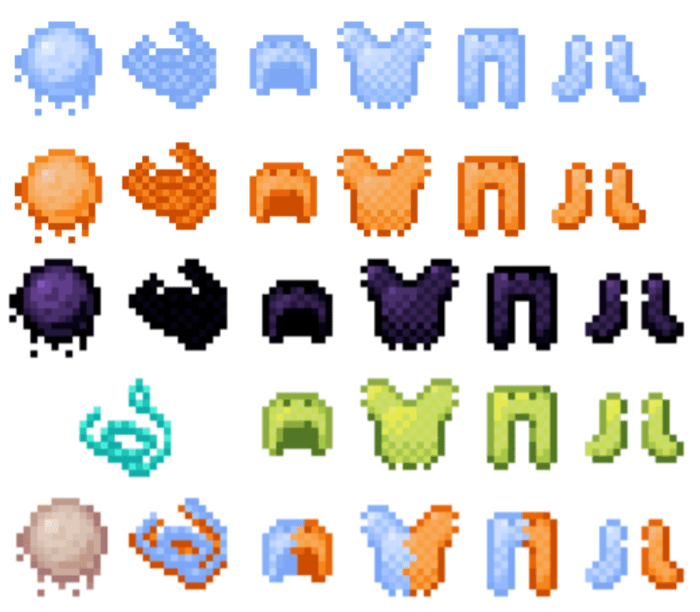
“Ingredients”
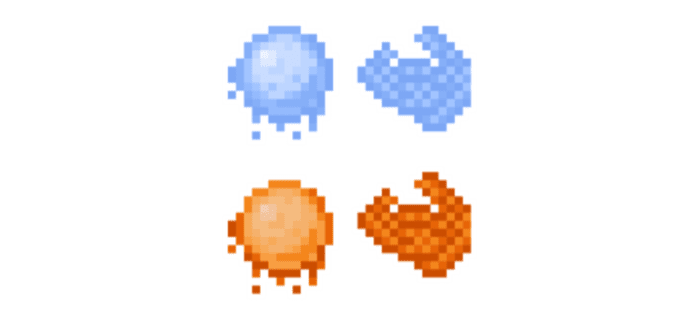
Goo:
- This item is Based on the Temperature…
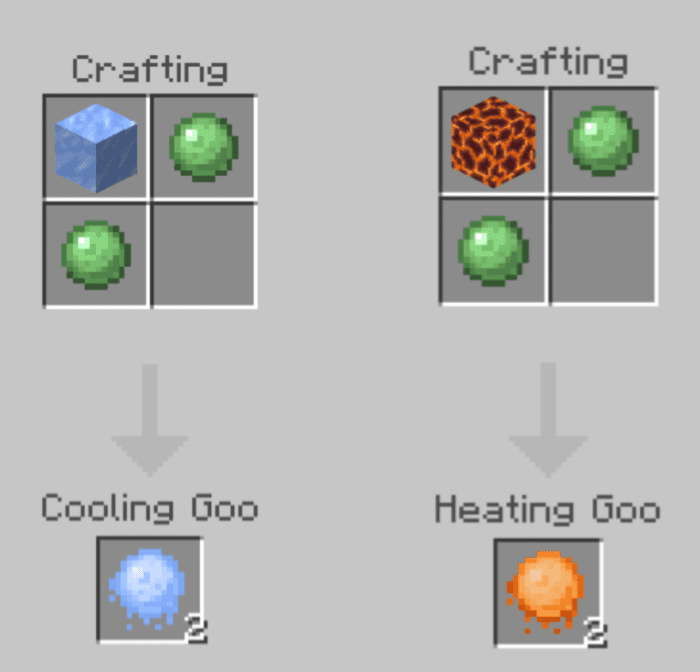
Material:
- This item is Based on the Goo, it is made from…
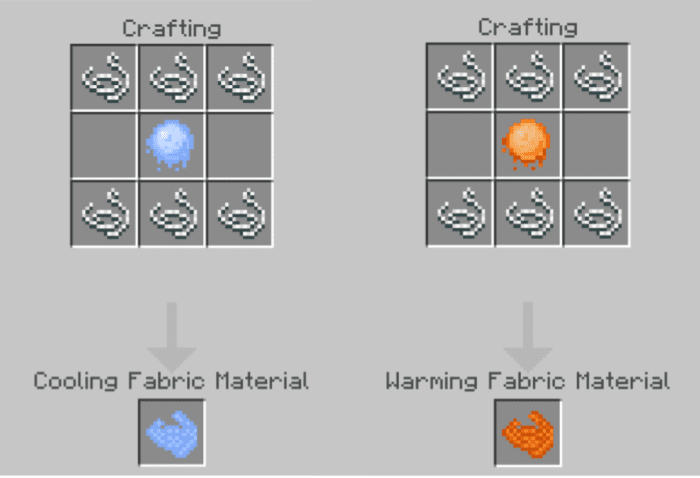
Info:
- Cooling Fabric Material can also be made with Ice Cube from Tough As Bedrock as the Alternative of the Cooling Goo
- Warming Fabric Material can also be made with Wool as the Alternative of the Heating Goo
“Fabrics”
Cooling & Warming:
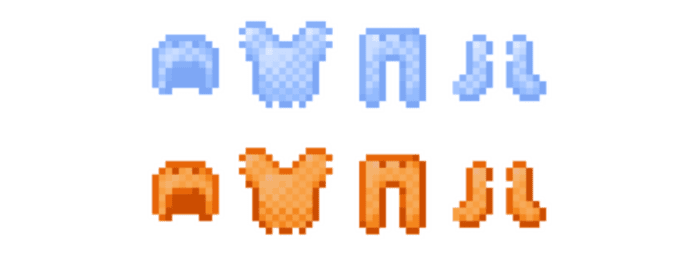
- These Fabrics are the Basic & it’s Useful for Early-Game…
- The recipes has the same pattern as the armor recipe pattern
- [Armor Material = Fabric Material]
Otto:

- This Fabric is mainly for Cold Protection so it’s gonna protect you in Cold Places…
How to obtain it:
- This Fabric can only be Lootable in the Snowy Village & Igloo
Ollie:

This Fabric is mainly for Hot Protection so it’s gonna protect you in Hot Places…
How to obtain it?
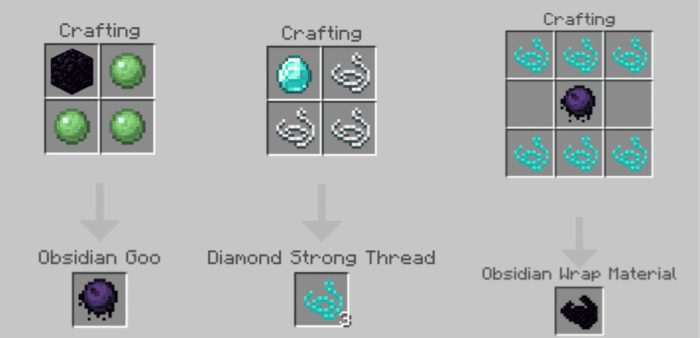
- This Fabric can be Crafted with Obsidian Wrap Material-that crafted by combining Obsidian Goo with Diamond Strong Threads
- This Fabric can also be Lootable in the Desert Village & Temple
Ozzy:

- This End-Game Fabric has Both Cold & Hot Protection so it’s gonna protect you in Both Cold & Hot Places…
How to obtain it?
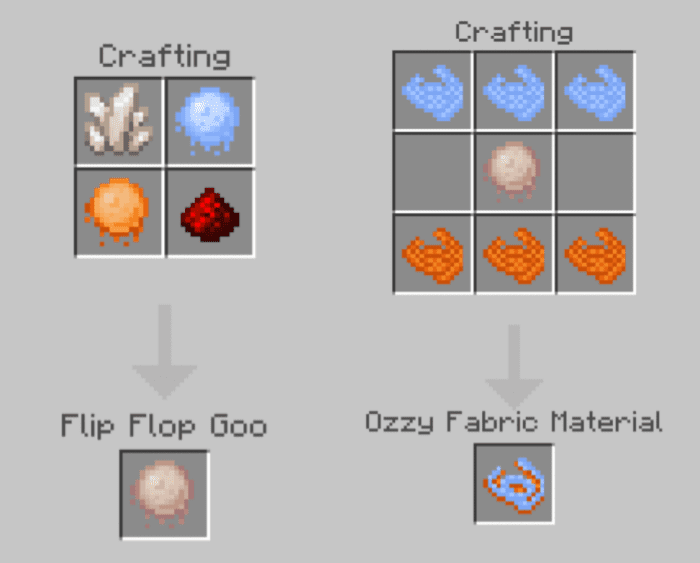
- This Fabric can be Crafted with Ozzy Fabric Material-that crafted by combining Flip-Flop Goo with Both Cooling & Warming Fabric Materials
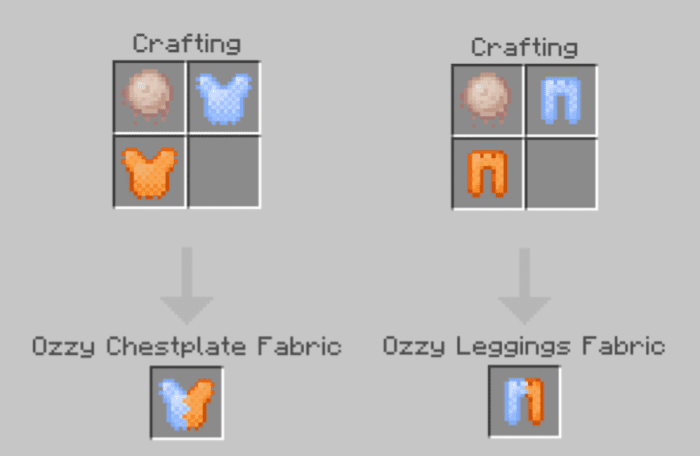
- This Fabric can also be Crafted by combining Both Cooling & Warming Fabrics
- This Fabric can also be Lootable in the End City
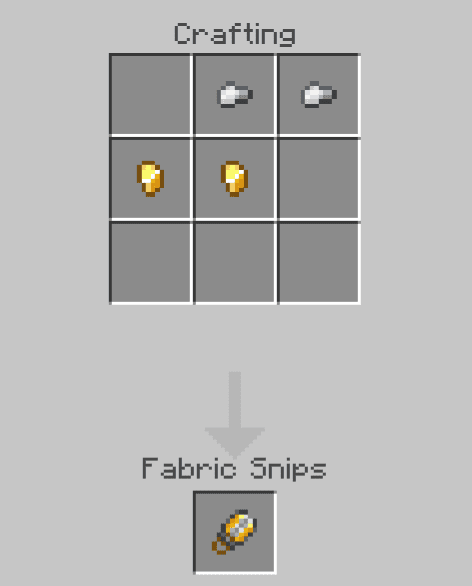
“Fabric Snips”
- This item is used for Unapplying the fabrics from your cloth…
- [You can get your Applied Fabrics back with this item]
“Goopak”
- This item is used for providing Temperature Immunity for 8 Minutes
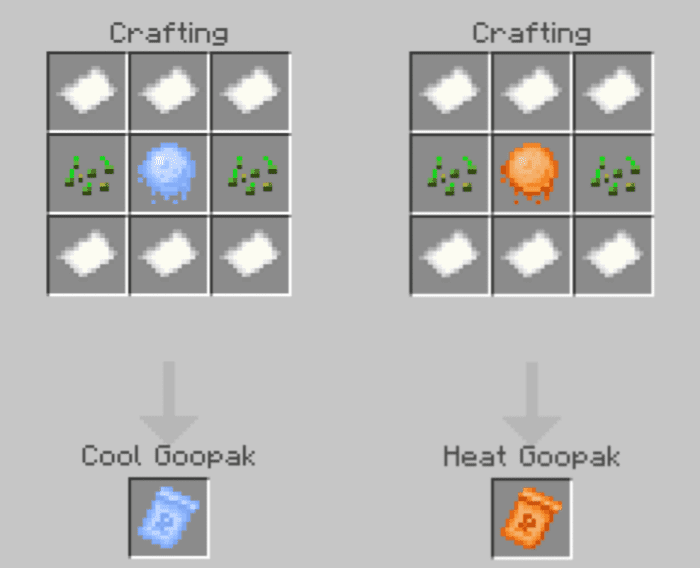
Info:
- When the item is used, it turned into Spent Goopak…
- Don’t just throw it away, Better to Recycle into Some Papers!
Guides:
About the Fabrics:
- Interact with the Item [Tap & Hold/Right-Click] to apply it.
- They’ll tell you their Fabric Level when you use it.
- [Eg. Cooling Fabric +2/Warming Fabric +5]
- They’re Unoverlapped-able [Snip it off first, before applying another fabric]
Installation Note:
- Make sure you activate all the following Experimental Gameplay:
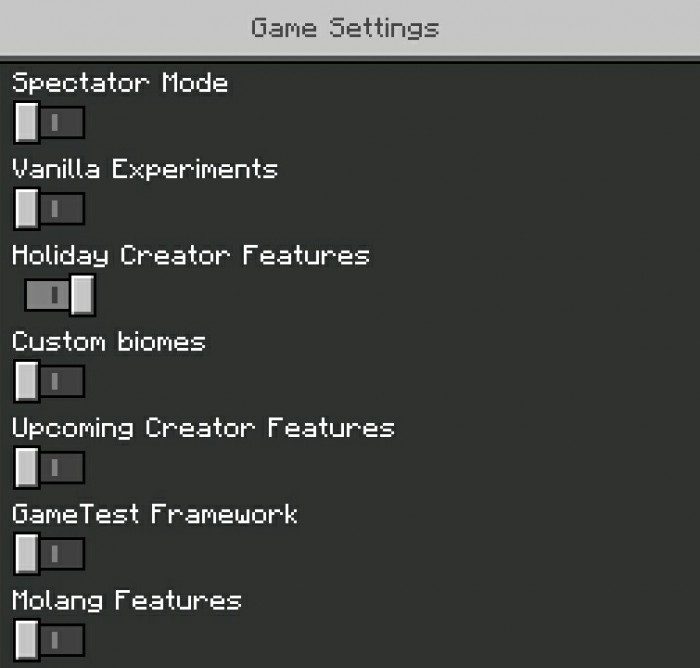
How to install:
How To Install Mod / Addon on Minecraft PE
How To Install Texture Packs on Minecraft PE
How To Install Map on Minecraft PE
Furing Fabric Addon Download Links
For Minecraft PE/Bedrock 1.19
mcaddon: Download from server 1 – Download from server 2
For Minecraft PE/Bedrock 1.20
mcaddon: Download from server 1 – Download from server 2
Click to rate this post!
[Total: 0 Average: 0]
You May Also Like