
Jockey Radio Mod (26.2) – Turn Vanilla Jukeboxes Into Live Internet Radios
 10
 0

Jockey Radio Mod extends Simple Voice Chat by turning regular jukeboxes into live internet radios. Server operators can bind live audio streams, direct broadcasts, or local music files onto standard Minecraft music discs. When you drop one of these custom discs into a jukebox, everyone nearby hears the broadcast with 3D positional audio that gets louder as they walk closer. Listeners do not even need to install this mod on their own computers, because the server sends all the sound directly through their voice chat client.

Features:
- Live Positional Audio: Plays internet radio and custom audio through jukeboxes, getting louder as you walk closer and quieter as you walk away.
- Server-Side Setup: Runs on the server so regular players only need the Simple Voice Chat client to hear the music, with no extra resource packs or client downloads required.
- Now Playing Boss Bar: Placing a lantern near an active jukebox activates a boss bar at the top of the screen that shows the station name, track title, and live status.
- In-Game Admin Menu: Operators can create, edit, test, and hand out radio discs right inside the game using a vanilla dialog menu.
- Automatically mutes default Minecraft background music when you stand near an active radio jukebox.
- Two jukeboxes playing the exact same radio disc share a single audio stream to save server resources.
- Ejecting a disc from the jukebox immediately stops the audio feed.
Disc Audio Sources:
- Live Radio & HLS: Streams live SavePoint stations, Icecast feeds, HTTP streams, or m3u8 playlists while showing on-air status and track names.
- RTMP Broadcasts: Lets DJs or broadcasters push a live audio feed directly from OBS or DJ software into the server using a port and a private stream key.
- Files & Direct URLs: Loops local audio files placed in the server folder or direct audio links for continuous background music at event areas.
- Platform Links: An optional, off-by-default setting that resolves web page links into playable audio streams using yt-dlp.
Commands:
/jockey: Opens the vanilla admin dialog menu to create, browse, edit, test, give, and delete radio discs./jockey give <discId> [player]: Gives a saved admin registry disc to a player./jockey station [key] [player]: Gives a music disc linked to a configured radio station./jockey list: Lists all created radio discs on the server./jockey reload: Reloads thediscs.jsonconfiguration file./jockey sessions: Shows currently tracked radio playback sessions./jockey diag: Displays live audio feed diagnostics./jockey heal: Updates placed discs from the registry to fix discs made on older builds.
Configuration:
Server settings are stored in config/jockey_radio.json, while created discs are saved in config/jockey_radio/discs.json and local audio files go into config/jockey_radio/audio/:
{
  "enablePlatformLinks": false,   // opt-in platform-link resolution, off by default
  "useBundledBinaries": true,     // self-extract the bundled ffmpeg/yt-dlp/deno
  "adminPermissionLevel": 3,      // op level required by /jockey (0..4)
  "nowPlayingHud": true,          // the NOW-PLAYING boss bar
  "nowPlayingHudMode": "beacon",  // "beacon" (needs a trigger block nearby) or "always"
  "useRawBroadcastPath": true     // SavePoint raw path vs Direct Stream Access
}
How to Use:
- Log into the server as an operator (op level 3 by default) and type
/jockeyin the chat to open the admin panel. - Select an audio source type (HLS stream, RTMP broadcast, local audio file, or platform link) and enter your stream details, disc name, and audio range.
- Use the menu or run
/jockey give <discId>to put the newly minted music disc into your inventory. - Right-click any vanilla jukebox while holding the custom disc to start playing the live audio stream for everyone nearby.
- Place a lantern next to the jukebox if you want nearby listeners to see the Now Playing boss bar at the top of their screen.
How to Install:
New to Minecraft? Follow our step-by-step guide to install Mods on your PC.View Guide
Requirements:

Jockey Radio Mod Download Links
For Minecraft 26.2
Which Minecraft version do you spend the most time playing with mods?
5 responses · See the full results →
You May Also Like
Picked for this page
 Voice Chat Interaction Mod (26.3, 1.20.1) – Trigger Wardens By Speaking Aloud
 Squaremap Mod (26.3, 1.20.1) – Live Browser Map for Servers
 Talk Balloons Mod (26.3, 1.20.1) – See What Friends Say Above Heads
 Leons Dungeons Paintings Mod (26.1.2, 1.20.1) – Decorate Base Walls
 Voxy Extra Mod (26.3, 1.21.11) – Clear Thick Nether Fog and Fix Replays
 Precision Prospecting Mod (1.21.1, 1.20.1) – Locate Ores Faster Without Guessing
 Speed Stick Mod (26.3, 1.21.1) – Sprint Across Biomes Without a Horse
 Picture Mode Mod (26.3, 1.20.1) – Capture Isometric Screenshots Easily
 Enhanced QoL Mod (26.3, 1.20.1) – Track Mob Health and Inventory Numbers
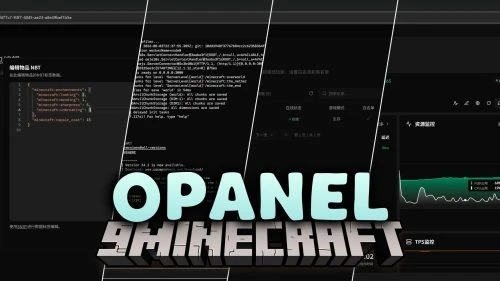 Opanel Mod (1.19) – Control Your Multiplayer Server From Any Web Browser
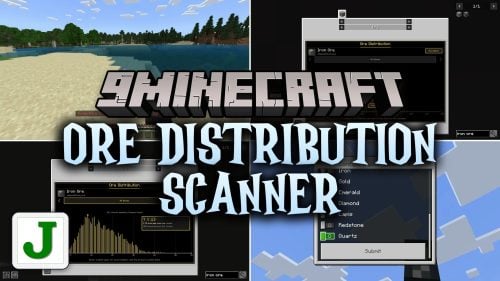 Ore Distribution Scanner Mod (26.3, 1.20.1) – Stop Guessing Where Ores Generate
 Emerald Tools and More Mod (26.3, 26.1.2) – Craft Durable Emerald Gear
Most viewed in Mods over the last 7 days
 Ala Industrial Mod (26.3) – Run Electric Power Grids and Automated Factories
 PleasureCraft Mod (26.3, 1.21.1) – Jenny Mod Remake for Fabric
 Jennycraft Mod (26.3, 1.20.1) – Virtual Girlfriend in Minecraft
 Fapcraft Mod (26.3, 1.12.2) – Comprehensive and Detailed Content
 Jenny Mod (Fapcraft) Official Complete Guide – How to use, Tutorial
 Meteor Client Mod (26.3, 1.20.1) – Xray, HUD, Fly
 BangCraft Mod (1.20.1) – Jenny, Ellie and Elliot
 OptiFine HD (26.3, 1.20.1) – Run Faster, FPS Boost, Shaders Support
 CatLean Client Mod (26.2, 1.21.11) – ThunderHack Recode Alternatives
 Fabric Loader (26.3, 1.20.1) – Fabric Installer for All Minecraft Versions
 SeedCrackerX Mod (26.3, 1.20.1) – Find Any World Seed
 SchnurriTV Mod (1.12.2) – Characters and Features
More from Mods
 Better Foliage Legacy Edition Mod (1.7.10) – Lush Forests with Round Logs
 Epic Fight Compat Mod (1.21.1) – Custom Movesets and Swing Trails
 IleafCore Mod (26.2, 1.20.1) – Core Library Bridging Different Mod Loaders
 Mr Witherstorm’s Dumb Core Mod (1.20.1) – Custom Tools, Acid Liquids
 Dungeon Pets Mod (26.3) – Tame Unique Mobs From Minecraft Dungeons As Companions
 TW `s Core Mod (1.21.1, 1.20.1) – Connect Every Tenacious Wonder Mod
 SilverLib Mod (1.21.1) – Core Library Tracking Combat Contributions
 Stormcaller RPG Series Plus Mod (1.21.1) – Unleash Chain Lightning
 Sculk Staff Mod (26.3) – Convert Blocks Into Experience Using Rare Warden Loot
 Reload Everything Mod (26.3) – Restart Worlds and Refresh Textures
 Create High Skies Mod (1.21.1) – Build and Pilot Hydrogen-Filled Airships
 Clientcommands Neo Forged Mod (26.3, 1.20.1) – Run Handy Chat Tools

This post has no comments yet. Be the first — your comment will appear here.