
Just Enough Everything JEE Mod (26.3, 1.20.1) – Look Up Recipes and Drops
 7
 0

Just Enough Everything JEE Mod replaces JEI, EMI, and their common addons with a single unified recipe viewer. This mod combines the interface and recipe tree of EMI with the built-in plugin system of JEI. You can look up how to craft items and see exact details on where resources come from in your world. It also fixes bugs from the base viewers and optimizes how recipes load in memory so your game does not freeze when joining a world.

Features:
- Combined Recipe Viewer: Uses EMI’s interface for searching, favorites, recipe trees, and sidebar crafting while running JEI plugins without duplicate categories.
- World Resources: Shows mob drops with 3D previews, spawn biomes, light levels, XP, structure loot, fishing, archaeology, plant drops, ore generation heights, villager trades, and valid item enchantments.
- Built-In Addon Pages: Includes information pages for animal breeding, villager professions, piglin bartering, beacon effects, status effect descriptions, and Applied Energistics 2.
- Multiblock Guides: Displays multiblock pages for Mekanism and Immersive Engineering when you have those mods installed.
- Background Loading: Loads JEI plugins in the background instead of on the main game thread so your screen does not freeze when entering a world.
- Lower Memory Usage: Keeps only one set of recipe data in memory instead of duplicating ingredient lists and search indexes across both viewers.
- Follows your server’s real datapacks to display accurate modpack loot tables, mob spawns, and trade changes.
- Falls back to bundled vanilla data when you play on servers that do not have the mod installed.
- Runs safe plugin loading phases at the same time to speed up startup times.
- Includes config switches for every optimization so you can turn individual settings off if needed.
Performance Comparison (Tested on All the Mods 10 NeoForge 1.21.1):
| Metric (Mean of 3 Runs) | JEI | EMI + JEI | This Mod |
|---|---|---|---|
| Heap after full GC (MB) | 4,127 | 4,975 | 4,458 |
| Memory over no viewer (MB) | +1,075 | +1,923 | +1,406 |
| Committed heap (MB) | 8,291 | 10,125 | 9,744 |
| Working set (MB) | 11,307 | 13,191 | 12,856 |
| EMI reload time (s) | – | 100.9 | 68.8 |
| Login to viewer ready (s) | 74.3 | 111.7 | 80.1 |
| Start to viewer ready (s) | 279.7 | 308.6 | 270.7 |
| Recipe viewer on render thread (s) | 61.9 | 17.1 | 0.0 |
| JEI start on any thread (s) | 61.9 | 17.1 | 15.2 |
| Viewer ERROR lines | 1 | 296 | 16 |
Commands:
/jee ores scan: Measures the real ore spread in your generated chunks.
How to Use:
- Remove JEI, EMI, TooManyRecipeViewers, Just Enough Breeding, Just Enough Professions, and Just Enough Resources from your mods folder before starting the game.
- Press E to open your inventory and view the recipe sidebar next to it.
- Open the EMI config screen and click the “World Resources…” button to adjust resource display options.
- Type
/jee ores scanin chat if you want to check actual ore generation across generated chunks.
Screenshots:


How to Install:
New to Minecraft? Follow our step-by-step guide to install Mods on your PC.View Guide



Just Enough Everything JEE Mod Download Links
For Minecraft 26.3
For Minecraft 26.2
For Minecraft 26.1.2, 26.1.1, 26.1
For Minecraft 1.21.1, 1.21
For Minecraft 1.20.1, 1.20
Click to rate this post!
[Total: 0 Average: 0]
You May Also Like
Picked for this page
 World Edit Mod (26.3, 1.20.1) – Shape Terrain in Seconds
 Dusk Mod (26.3, 1.20.1) – Survive Much Harder Nighttime Threats
 Better Compatibility Checker Mod (26.3, 1.20.1) – Fix False Server Warnings
 Mod Name Tooltip Mod (26.3, 1.20.1) – Identify Any Item’s Origin
 Lightweight Inventory Sorting Mod (26.3, 1.21.1) – Sort Chests in One Click
 Entangled Mod (26.3, 1.20.1) – Link Blocks Across Worlds
 Snow Under Trees Mod (26.3, 1.20.1) – Build Winter Cabins with Deep Snow
 Toggle Nametags Mod (26.3, 1.20.1) – Clear Screen Clutter and Boost Frame Rates
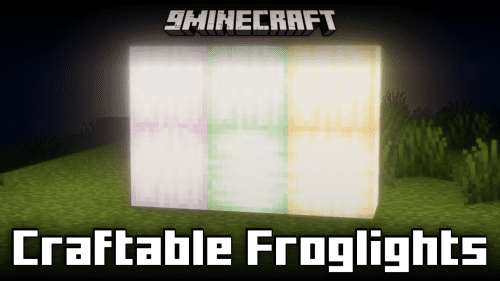 Craftable Froglights Mod (26.3, 1.20.1) – Craft All Three Froglight Variants
 Improved Sign Editing Mod (26.3, 1.20.1) – Format Sign Text Without Guessing
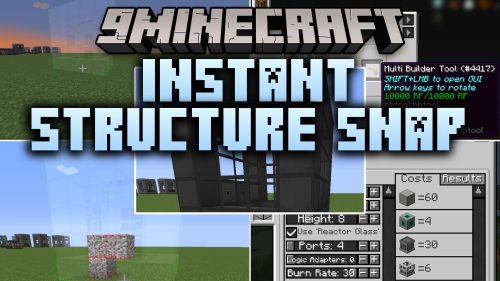 Instant Structure Snap Mod (26.1.2, 1.20.1) – Build Massive Tech Setups
 Craft XP Bottle Mod (26.3, 1.20.1) – Turn Sculk Blocks Into Bottles
Most viewed in Mods over the last 7 days
 Ala Industrial Mod (26.3) – Run Electric Power Grids and Automated Factories
 PleasureCraft Mod (26.3, 1.21.1) – Jenny Mod Remake for Fabric
 Jennycraft Mod (26.3, 1.20.1) – Virtual Girlfriend in Minecraft
 Fapcraft Mod (26.3, 1.12.2) – Comprehensive and Detailed Content
 Jenny Mod (Fapcraft) Official Complete Guide – How to use, Tutorial
 Meteor Client Mod (26.3, 1.20.1) – Xray, HUD, Fly
 Let it Walk Mod (1.21.1) – Pilot Spider Tanks and Mechs Built From Your Blocks
 BangCraft Mod (1.20.1) – Jenny, Ellie and Elliot
 OptiFine HD (26.3, 1.20.1) – Run Faster, FPS Boost, Shaders Support
 CatLean Client Mod (26.2, 1.21.11) – ThunderHack Recode Alternatives
 Fabric Loader (26.3, 1.20.1) – Fabric Installer for All Minecraft Versions
 SeedCrackerX Mod (26.3, 1.20.1) – Find Any World Seed
More from Mods
 Little Leaves Mod (26.1.2) – Fill Your Garden with Butterflies and Hedgehogs
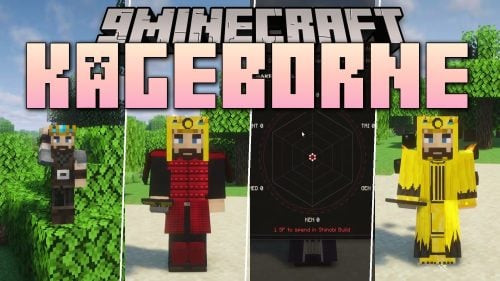 Kageborne Mod (1.21.1) – Rise From Academy Student to Kage in a Shinobi World
 Chaos Timer Mod (26.3, 1.21.1) – Survive Random Chaos Effects
 Escapando De Goku Mod (1.7.10) – Outrun Goku Through Namek and a Time Chamber
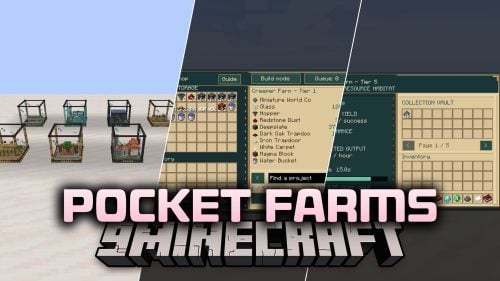 Pocket Farms Mod (1.21.1) – Grow Crops and Mob Drops in Tiny Glass Block Farms
 Life Tweaks Mod (1.21.11) – Light Up Caves and Track Every Hit on Any Server
 Cinematic Interactions Plus Mod (1.21.1) – Open Chests with Hands
 Simplest Scythes Mod (26.1.2, 1.21.1) – Till 3×3 Farmland in One Swing
 Better Timer Mod (26.3) – Time Every Speedrun and Survival World
 Trajectory Projected Mod (26.2) – Line Up Every Arrow, Trident and Pearl Throw
 Snod’s Nonsense Mod (26.1.2) – Hunt Hidden Secrets in a World Full
 Plutonium Dragon Dragon Survival Mod (26.1.2, 1.21.1)

This post has no comments yet. Be the first — your comment will appear here.