
KotlinLangForge Mod (26.3, 1.20.1) – Keep Modded Worlds Stable

 0


KotlinLangForge Mod brings a Kotlin language adapter and 13 bundled libraries to Forge and NeoForge. This mod runs in the background as a required dependency so other mods written in Kotlin can load and work properly. It also handles automatic event listener registration, gives direct access to the mod event bus, and supports Kotlin objects or classes as mod entry points. On its own, the mod does not add any new content to Minecraft.

Features:
- Adds a Kotlin language adapter so Forge and NeoForge can load mods written in Kotlin.
- Runs in the background as a required dependency without adding any new in-game content on its own.
- Supports
@Modclasses written as a Kotlin object or as a class with a public constructor. - Lets the
@Modconstructor take up to four non-duplicate arguments:IEventBus,ModContainer,KotlinModContainer, andDist. - Registers event listeners automatically when
@EventBusSubscriberis placed on a class or file, finding methods with event parameters and choosing the right event bus. - Supports
@SubscribeEventon methods to adjust listener parameters, while private event listeners cannot run on Forge and cause a crash. - Gives top-level access to the mod event bus through
dev.nyon.klf.MOD_BUS. - Uses its own language provider version format to separate different adapter builds across Minecraft versions on Forge and NeoForge.
Included Libraries:
org.jetbrains.kotlin:kotlin-stdlib:2.4.21org.jetbrains.kotlin:kotlin-stdlib-jdk8:2.4.21org.jetbrains.kotlin:kotlin-stdlib-jdk7:2.4.21org.jetbrains.kotlin:kotlin-reflect:2.4.21org.jetbrains.kotlinx:kotlinx-serialization-core:1.13.0org.jetbrains.kotlinx:kotlinx-serialization-json:1.13.0org.jetbrains.kotlinx:kotlinx-serialization-cbor:1.13.0org.jetbrains.kotlinx:kotlinx-coroutines-core:1.11.0org.jetbrains.kotlinx:kotlinx-coroutines-jdk8:1.11.0org.jetbrains.kotlinx:kotlinx-datetime:0.8.0-0.6.x-compatorg.jetbrains.kotlinx:kotlinx-io-core:0.9.3org.jetbrains.kotlinx:kotlinx-io-bytestring:0.9.3org.jetbrains.kotlinx:atomicfu:0.33.0
Configuration:
Add these two lines to your mods.toml or neoforge.mods.toml file to turn on the Kotlin language adapter:
modLoader = "klf": Sets this mod as the language loader.loaderVersion = "[1,)": Sets the accepted loader version range.
modLoader = "klf"
loaderVersion = "[1,)"
To use the bundled Kotlin libraries in a mod project, add the repository and dependency to build.gradle.kts. Use modImplementation instead of implementation when the language provider version is 3.0 or lower:
repositories {
    maven("https://repo.nyon.dev/releases")
}

dependencies {
    implementation("dev.nyon:KotlinLangForge:2.20.0-k2.4.21-$lpVersion+$loader")
}
Replace $lpVersion and $loader with the matching values from the table below:
| Minecraft Version | Language Provider Version | Supported Loaders |
|---|---|---|
| 1.16.5 | 1.0 | Forge |
| 1.17.1 – 1.20.4 | 2.0 | Forge, NeoForge |
| 1.20.5 – 1.21.8 | 3.0 | NeoForge |
| 1.21.9 – 26.x | 3.1 | NeoForge |
How to Use:
- Add
modLoader = "klf"andloaderVersion = "[1,)"to yourmods.tomlorneoforge.mods.tomlfile so Forge or NeoForge loads your mod with the Kotlin adapter. - Write your
@Modentry class as a Kotlin object or a class with a public constructor, and pass any non-duplicate mix ofIEventBus,ModContainer,KotlinModContainer, andDistwhen needed. - Add the Maven repository and dependency to
build.gradle.ktswith the matching language provider version and loader (usemodImplementationfor version3.0or lower) so the bundled Kotlin libraries are ready in your project. - Place
@EventBusSubscriberon a class or file to turn on automatic event listener registration; the adapter finds methods with event parameters and picks the right event bus. - Add
@SubscribeEventto a method when you want to adjust listener parameters, and keep event listeners non-private on Forge so the game does not crash. - Use the top-level
dev.nyon.klf.MOD_BUSdeclaration whenever you need direct access to the mod event bus.
Screenshots:


How to Install:
New to Minecraft? Follow our step-by-step guide to install Mods on your PC.View Guide



KotlinLangForge Mod Download Links
For Minecraft
26.3,
26.2,
26.1.2
All Versions Covered
26.3
26.2
26.1.2
26.1.1
26.1
1.21.11
1.21.10
1.21.9
For Minecraft 26.2, 1.21.11
For Minecraft
26.1.2,
26.1.1,
26.1
All Versions Covered
26.1.2
26.1.1
26.1
1.21.11
1.21.10
1.21.9
For Minecraft
1.21.11,
1.21.8,
1.21.7
All Versions Covered
1.21.11
1.21.8
1.21.7
1.21.6
1.21.5
1.21.4
1.21.1
1.21
For Minecraft 1.21.5
For Minecraft 1.21.4, 1.20.6
For Minecraft
1.20.4,
1.20.3,
1.20.2
All Versions Covered
1.20.4
1.20.3
1.20.2
1.20.1
1.20
1.19.4
1.19.2
1.18.2
1.17.1
For Minecraft 1.16.5
You May Also Like
Picked for this page
 IkkatsuHakai Mod (26.3, 1.20.1) – Block Break, Mass Storage, etc
 YUNG’s API (26.3, 1.21.11) – Explore Better Structures
 MaFgLib Mod (26.3, 1.20.1) – MaLiLib Forge Port
 Advanced Finders Mod (26.3, 1.20.1) – New Compasses
 Mishang Urban Construction Mod (26.1.2, 1.20.1) – New Blocks and Decoration Items
 Boat Item View Mod (26.3, 1.20.1) – Show Items in Moving Boat
 Macaw’s Biomes O’ Plenty Mod (26.3, 1.20.1) – Build with Exotic Woods
 Random Bone Meal Flowers Mod (26.3, 1.20.1) – Biome-Free Flower Spawning
 Copper Hopper Mod (26.3, 1.20.1) – Hopper That Acts as a Simple Item Filter
 VTDownloader Mod (26.2, 1.20.1) – In-Game Resource Pack Downloads
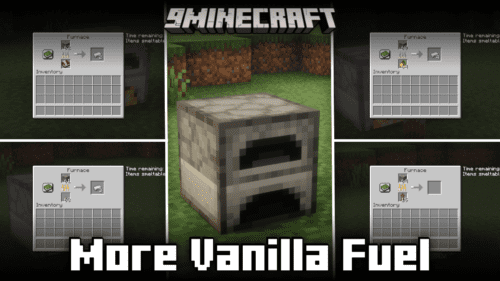 More Vanilla Fuel Mod (1.21.11, 1.20.1) – More Items As Furnace Fuel
 Client Side Crystals Mod (26.3, 1.20.1) – Display Crystal Instantly
Most viewed in Mods over the last 7 days
 Ala Industrial Mod (26.3) – Run Electric Power Grids and Automated Factories
 PleasureCraft Mod (26.3, 1.21.1) – Jenny Mod Remake for Fabric
 Jennycraft Mod (26.3, 1.20.1) – Virtual Girlfriend in Minecraft
 Fapcraft Mod (26.3, 1.12.2) – Comprehensive and Detailed Content
 Jenny Mod (Fapcraft) Official Complete Guide – How to use, Tutorial
 BangCraft Mod (1.20.1) – Jenny, Ellie and Elliot
 Fabric Loader (26.3, 1.20.1) – Fabric Installer for All Minecraft Versions
 The Shooting Star Demo Mod (26.3, 1.20.1) – Vaporize Terrain From Orbit
 Meteor Client Mod (26.3, 1.20.1) – Xray, HUD, Fly
 OptiFine HD (26.3, 1.20.1) – Run Faster, FPS Boost, Shaders Support
 Aristois Client Mod (1.21.4, 1.20.1) – World Class Minecraft Utility
 Prestige Client Mod (1.21.11, 1.21.4) – Powerful Ghost Features for Crystal & Sword PvP
More from Mods
 Morrowless Mod (1.21.1) – Defend Your Shelter From Nightmare Creatures
 THE SLOPSTROSITY Mod (1.21.1) – Battle a Ridiculous Slime Boss
 Decoween Mod (1.21.1, 1.20.1) – Transform Ordinary Survival Bases
 Simply Light 9minecraft Mod (26.3) – Decorate Builds Without Torches
 Alex’s Caves Continued Mod (26.3, 1.20.1) – Conquer Six Massive Underground
 Anvil Uses Mod (26.3, 1.20.1) – Track Item Anvil Usage
 Animal Info Mod (26.3, 1.21.11) – Quick Stats For Your Animals
 Timber Tales Dynamic Tree System Mod (26.3, 1.20.1) – Watch Entire Trees Topple
 Gabou’s Libs Mod (26.3, 1.20.1) – Keep Custom Weather and Survival Mods Stable
 /Sit Mod (26.3, 1.21.1) – Make The Player Sit Down
 Arcane Redstone Dial Mod (26.3, 1.20.1) – Trigger Commands and Shortcuts
 The Graveyard Mod (26.3, 1.20.1) – Cemeteries in Minecraft

This post has no comments yet. Be the first — your comment will appear here.