
Offline Skins Reloaded Mod (26.3, 1.20.1) – Swap Custom Looks And Capes Even
 1
 0

Offline Skins Reloaded Mod lets you cache and load custom player skins and capes in Minecraft even when you play without an internet connection or on offline-mode servers. This quality-of-life mod adds a built-in Dressing Room, a third-party skins and capes network, and an in-game FAQ so you can pick and manage your look right inside the game. You drop local skin and cape images into dedicated folders, match them by Minecraft username, and switch between them at any time through the menu, a hotkey, or a chat command. It also works alongside 3D skin layers and waving cape mods and ships in 17 languages.

Features:
- In-Game Dressing Room: Browse, preview, and pick from all of your cached skins and capes directly inside a dedicated Dressing Room screen.
- Third-Party Skins And Capes Network: Connects with a built-in third-party network system to load custom skins and capes beyond local files.
- Works Offline And On Offline-Mode Servers: Displays your chosen skins and capes reliably whether you have no internet connection or join offline-mode servers.
- Visual Mod Compatibility: Works cleanly with 3D skin layers, waving capes, and other cosmetic mods without breaking how characters look.
- 17 Built-In Languages: Translates the entire interface into 17 languages so players around the world can read every button and option comfortably.
- Username-Based Local Caching: Organizes local image files inside separate
cachedImages/skinsandcachedImages/capesfolders and matches files named after Minecraft player usernames. - Opens directly from a button in Minecraft’s main menu or pause menu, by pressing U, or by running a chat command.
- Includes a Remember Skin toggle to keep your chosen skin active and an Update Menu button to refresh newly added image files right away.
- Provides a built-in in-game FAQ menu to answer common setup and usage questions without leaving Minecraft.
- Renders player skulls, player list HUD icons, and HD player skins accurately while keeping URL validation, recaching speed, and network logs tidy.
- Offers customizable settings to manage and optimize how skins and capes load and appear during gameplay.
Included Languages (17):
- European languages: English, Russian, Spanish, German, French, Italian, Polish, Ukrainian, Czech, Dutch, and Swedish.
- Asia-Pacific, Americas, and regional languages: Japanese, Korean, Simplified Chinese, Portuguese (Brazil), Azerbaijani, and Turkish.
Commands:
/offlineskins menu: Opens the in-game skin and cape manager menu.
How to Use:
- Open the skin manager menu by clicking its button on Minecraft’s main menu or pause menu, pressing U, or typing
/offlineskins menuin chat. - Click Open Cached Images inside the menu to open the local image storage folder on your computer.
- Place your custom skin files inside the
cachedImages/skinsfolder and your custom cape files inside thecachedImages/capesfolder. - Name your skin and cape image files after Minecraft player usernames if you want them matched by username automatically.
- Return to Minecraft and click Update Menu so the Dressing Room loads all newly added files.
- Toggle on Remember Skin if you want your pick saved across sessions, then choose the skin or cape you want to wear in the Dressing Room.
- Open the built-in in-game FAQ anytime inside the menu if you need quick help with settings or file placement.
How to Install:
New to Minecraft? Follow our step-by-step guide to install Mods on your PC.View Guide
Requirements:
 NeoForge Required
 Minecraft Forge Required
 Fabric Loader Required
 Fabric API Required
Offline Skins Reloaded Mod Download Links
For Minecraft 26.3
For Minecraft 26.2
For Minecraft 26.1.2, 26.1.1, 26.1
For Minecraft 1.21.11
For Minecraft 1.21.10, 1.21.9
For Minecraft 1.21.8, 1.21.7, 1.21.6
For Minecraft 1.21.1, 1.21
For Minecraft 1.20.1, 1.20
How often do you tweak mod configuration files (.cfg or .toml)?
10 responses · See the full results →
You May Also Like
Picked for this page
 Jake’s Build Tools Mod (26.3, 1.21.1) – Construct Survival Bases in Record Time
 Damage Tint Mod (26.3, 1.21.1) – Track Every Strike with Custom Colors
 Additional Banners Mod (26.3, 1.20.1) – Design Unique Banner Art
 Deepslate Instamine Mod (26.2, 1.20.1) – Mine Tough Underground Stone
 Little Joys Mod (26.3, 1.20.1) – Uncover Random Treasures While Mining
 Magic Particles Mod (26.3, 1.20.1) – Cast Spell Effects Across Your World
 Villager Trading Plus Mod (26.3, 1.20.1) – Sell Whole Chests of Crops in Seconds
 Iceball Mod (26.3, 1.20.1) – Rain Destructive Projectiles
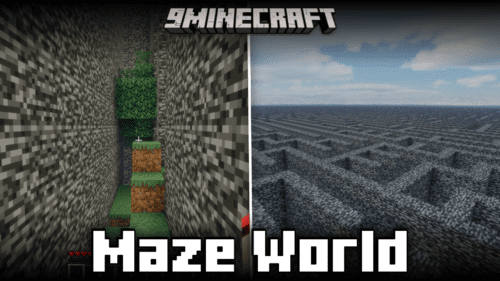 Replaceitem Maze World Mod (26.3, 1.20.1) – Survive in an Infinite Labyrinth
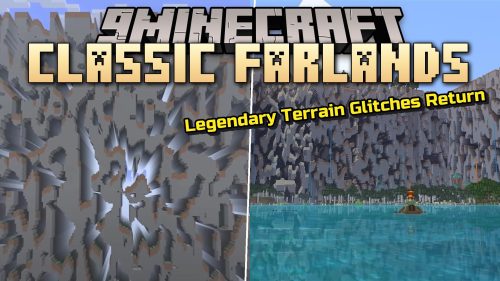 Classic Farlands Mod (26.3, 1.21.1) – Bring Back the Famous Broken Terrain
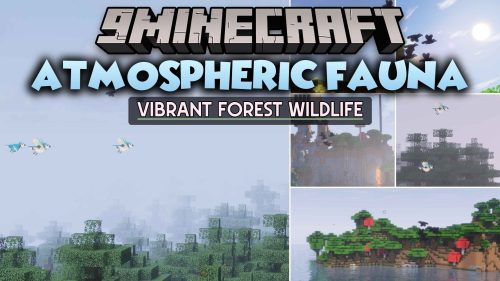 Atmospheric Fauna Mod (26.3, 1.21.1) – Fill Empty Skies with Flocks
 Recurrent Complex Volts Mod (26.3, 1.20.1) – Find Castles and Ruined Dungeons
Most viewed in Mods over the last 7 days
 Ala Industrial Mod (26.3) – Run Electric Power Grids and Automated Factories
 PleasureCraft Mod (26.3, 1.21.1) – Jenny Mod Remake for Fabric
 Jennycraft Mod (26.3, 1.20.1) – Virtual Girlfriend in Minecraft
 Fapcraft Mod (26.3, 1.12.2) – Comprehensive and Detailed Content
 Meteor Client Mod (26.3, 1.20.1) – Xray, HUD, Fly
 Jenny Mod (Fapcraft) Official Complete Guide – How to use, Tutorial
 BangCraft Mod (1.20.1) – Jenny, Ellie and Elliot
 OptiFine HD (26.3, 1.20.1) – Run Faster, FPS Boost, Shaders Support
 CatLean Client Mod (26.2, 1.21.11) – ThunderHack Recode Alternatives
- Fabric Loader (26.3, 1.20.1) – Fabric Installer for All Minecraft Versions
 Patched Mod (26.3, 1.20.1) – Edit Game Files Without Breaking Packs
 Meteor Client Addons (26.3, 1.20.1) – Modify Almost Anything in Meteor
More from Mods
 PVPUtils-fix Mod (1.21.11) – Run PVPUtils Smoothly On Linux
 Trade Automat Mod (26.2) – Build Safe Vending Machine Shops For Survival And SMP
 Japan Suburbia Mod (1.20.1) – Build Lifelike Japanese Streets
 ATOM Mod (26.1.2) – Survive A Toxic Wasteland Dimension And Hunt A 1000 HP
 Shell History Mod (26.3) – Search And Edit Past Chat Commands
 Open Computers Driver Addon Mod (1.21.1) – Control Create And AE2 Machines
 Tainted Thaumaturgy Mod (26.1.2) – Brew Shadowmetal Gear And Cast Dark Eldritch
 Ku’s Spiders Mod (26.1.2) – Survive Deadly Venomous Spiders Using Spears
 Time to Rest Mod (1.21.1) – Stay Fresh During Long Sessions
 Routinize Mod (26.1.2) – Automate Repetitive Commands, Menus
 Hallow Villages Mod (26.1.2) – Hunt Giant Pumpkin Idols And Collect 10 Wearable
 Wood Stonecutter Mod (26.2) – Turn Logs And Planks Into Building Blocks

This post has no comments yet. Be the first — your comment will appear here.