
Open Growth Mod (1.20.1) – Gain Weight with Custom Models and Crush Mobs
 4
 0

Open Growth Mod adds a customizable weight gain system that links your character’s size to custom avatars from Customizable Player Models (CPM) and Figura. It works by syncing existing weight animations on your custom models with your current in-game weight, along with native hitbox scaling, speed changes, and camera adjustments. The mod also introduces 3 status effects-Voraciousness, Fat Burning, and Insatiability-plus 12 matching potions and tipped arrows, and lets players feed each other or crush mobs by falling on them. It runs on both Forge and Fabric, requires Architectury to work, and includes partial compatibility with Gluttonous Growth models.

Features:
- Custom Model Syncing: Syncs existing weight gain animation layers from Customizable Player Models (CPM) and Figura avatars directly with your current player weight. It does not change the default vanilla player model on its own, and it keeps partial compatibility with models made for Gluttonous Growth.
- Per-Model Profile Database: Saves separate profiles for each model or avatar so every character keeps its own weight range, movement speed, hitbox size, and camera proportions.
- Native Hitbox and Camera Scaling: Lets you set custom minimum and maximum hitbox width and height, a custom speed debuff, camera view height for models that grow upward, and third-person camera distances at both 0% and 100% weight.
- Player Crushing and Feeding: Players can fall on other players and mobs to crush them with damage that scales based on the falling player’s weight, or hold right-click while looking at another player’s face to feed them directly.
- Adds 19 custom sound effects for eating and weight interactions.
Status Effects, Potions, and Arrows:
- Voraciousness: Makes the player eat food faster. Available as a Potion of Voraciousness, Splash Potion of Voraciousness, Lingering Potion of Voraciousness, and Arrow of Voraciousness.
- Fat Burning (Burning Fat): Helps burn off gained weight. Available as a Potion of Fat Burning, Splash Potion of Fat Burning, Lingering Potion of Fat Burning, and Arrow of Fat Burning.
- Insatiability: Lets the player eat past the normal calorie limit and turns excess food into weight. Available as a Potion of Insatiability, Splash Potion of Insatiability, Lingering Potion of Insatiability, and Arrow of Insatiability.
Configuration:
Starting a server with this mod creates a configuration file at ./data/config/opengrowth-server.properties where server admins can toggle features between true and false:
#Open Growth server settings
#Fri Nov 20 09:18:08 UTC 2026

allow_client_settings=true
allow_player_crushing=true
allow_player_feeding=trueallow_client_settings: Controls whether players can use their own client-side settings on the server.allow_player_crushing: Toggles the ability for heavy players to damage other players and mobs by falling on top of them.allow_player_feeding: Toggles the ability for players to hand-feed each other.
How to Use:
- Load a custom avatar in Customizable Player Models (CPM) or Figura that includes a
weightanimation layer. - If your model uses a different name for its weight animation layer, open the Model tab in the mod menu and override the layer name there so your character visibly grows.
- To feed another player, make sure
allow_player_feedingis set totrueon the server and both players have the “Allow feeding” option turned on in the mod menu. - Stand in front of the other player, point your crosshair at the front of their head from at least a 70° horizontal angle, and hold Right-Click with food in hand to feed them.
- Jump and fall onto mobs or other players to deal crushing damage that increases the heavier your character gets.
How to Install:
New to Minecraft? Follow our step-by-step guide to install Mods on your PC.View Guide
Requirements:
 Fabric Loader Required
 Fabric API Required
 Minecraft Forge Required
 NeoForge Required
 Architectury API Mod Required
Open Growth Mod Download Links
For Minecraft 1.20.1, 1.20
You May Also Like
Picked for this page
 Emotecraft Mod (26.3, 1.20.1) – Show Reactions to Friends
 Extra Bows Mod (1.16.5, 1.15.2) – Craft Powerful Elemental Bows
 Kiwi Library (26.3, 1.20.1) – Make Modding No Longer Cumbersome
 Actually Harvest Mod (26.3, 1.20.1) – Instantly Gather Crops with a Simple
 Aaron’s Mod (26.2, 1.20.1) – Master Skyblock Dungeons and Dragon Fights
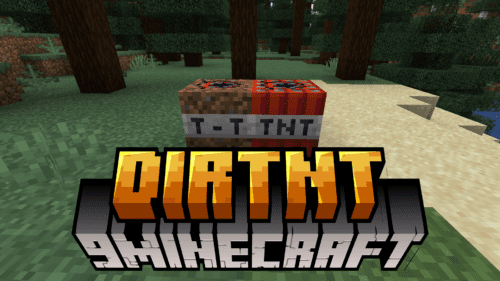 DirTNT Mod (26.3, 1.20.1) – Clear Land Fast with Dirt TNT
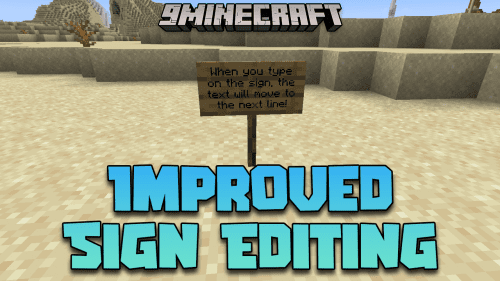 Improved Sign Editing Mod (26.3, 1.20.1) – Format Sign Text Without Guessing
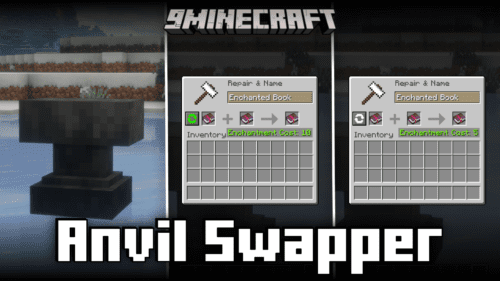 Anvil Swapper Mod (26.2, 1.20.1) – Save Experience Points Every Time
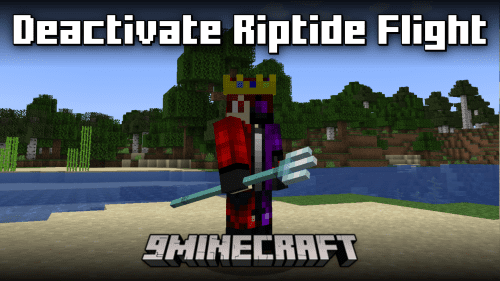 Deactivate Riptide Flight Mod (26.3, 1.20.1) – Stop Players Escaping Battles
 No Ruined Nether Portals Mod (1.21.11, 1.20.1) – Build Your Own Portals
 Cinnamoroll Friends Mod (26.3, 26.1.2) – Travel Your World with Cute Sanrio
 DMZ Ultra World Gen Fix Mod (1.20.1) – Stop Ore Floods and Server Worldgen Lag
Most viewed in Mods over the last 7 days
 Ala Industrial Mod (26.3) – Run Electric Power Grids and Automated Factories
 PleasureCraft Mod (26.3, 1.21.1) – Jenny Mod Remake for Fabric
 Jennycraft Mod (26.3, 1.20.1) – Virtual Girlfriend in Minecraft
 Fapcraft Mod (26.3, 1.12.2) – Comprehensive and Detailed Content
 Meteor Client Mod (26.3, 1.20.1) – Xray, HUD, Fly
 Jenny Mod (Fapcraft) Official Complete Guide – How to use, Tutorial
 OptiFine HD (26.3, 1.20.1) – Run Faster, FPS Boost, Shaders Support
 BangCraft Mod (1.20.1) – Jenny, Ellie and Elliot
- Fabric Loader (26.3, 1.20.1) – Fabric Installer for All Minecraft Versions
 CatLean Client Mod (26.2, 1.21.11) – ThunderHack Recode Alternatives
 Patched Mod (26.3, 1.20.1) – Edit Game Files Without Breaking Packs
 Baritone Client Mod (26.3, 1.20.1) – Autominer, Build with AI, Xray
More from Mods
 Bubble World Hs Mod (26.3, 1.21.1) – Move Bedrock Blocks to Connect Safe Bubbles
 Lingua Craft Counting Mod (26.3, 1.20.1) – Hear Spoken Item Counts in Languages
 More Storage Stack Mod (26.3, 1.20.1) – Hold Thousands of Blocks Per Slot
 More Artifacts Mod (1.20.1) – Block Status Effects with Combined Curios Charms
 Kaleidoscope Interactive Kitchen Mod (1.20.1) – Stir Pots and Chop Ingredients
 Fallen Gems & Affixes Mod (1.21.1, 1.20.1) – Craft Godlike Apotheosis Gear
 One Survival Island Mod (26.1.2, 1.20.1) – Stranded on One Island in Deep Seas
 The Throwing Discs Mod (1.20.1) – Ricochet Returning Blades Around Corners
 Chileans Delight Mod (1.21.1) – Cook Traditional Chilean Meals and Grow Avocados
 Key to Button Mod (26.3, 1.20.1) – Map Any Mod Keybind to Your Controller
 Throwing Discs ACCURATE Backport Mod (26.3, 1.21.11) – Bounce Shots Off Walls
 Create Fieldwork Mod (1.21.1) – Isolate Ship Redstone Signals

This post has no comments yet. Be the first — your comment will appear here.