Paintings ++ Mod (1.20.11, 1.20.1) – Infinite Number of Paintings
 2,458
2,458
 0
0
 January 14, 2026
 AbsolemJackdaw
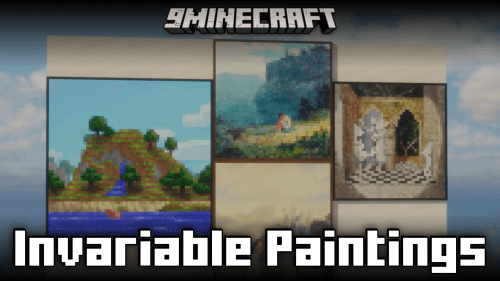
Paintings ++ Mod is a mod that allows you to add a large number of custom paintings to Minecraft. Depending on the templates used, you can add from around 70 up to more than 300 new paintings.
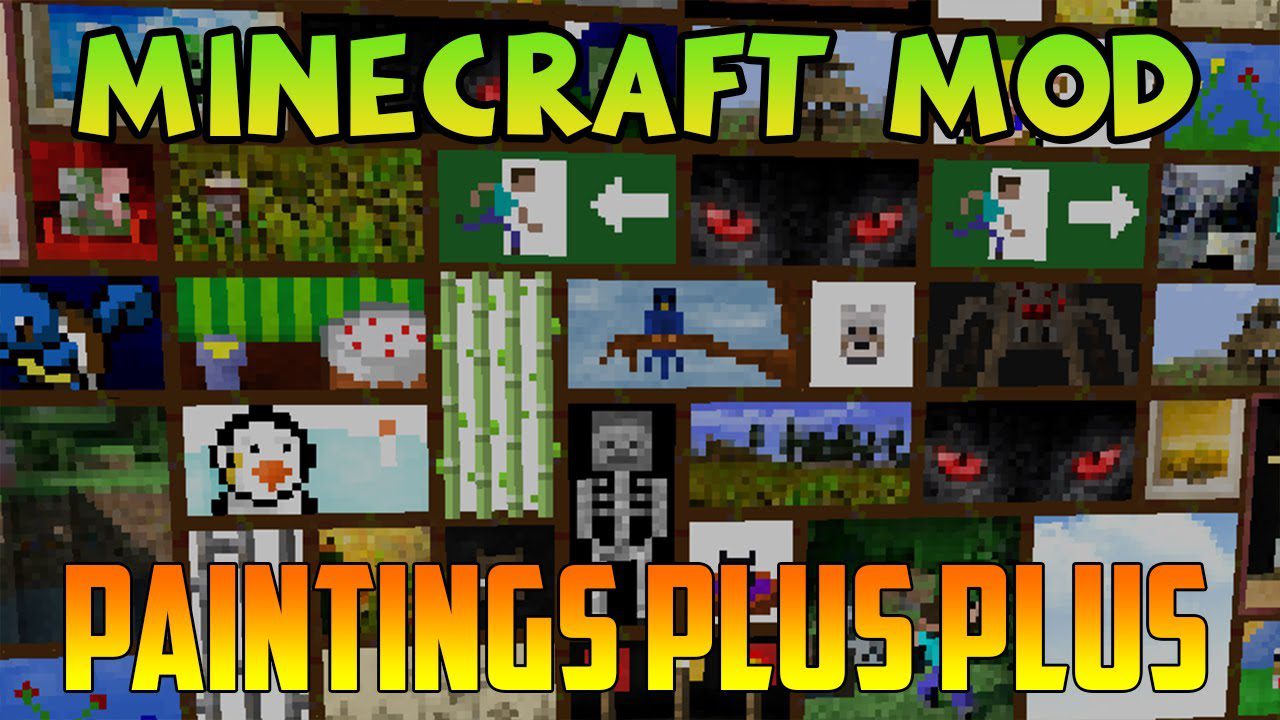
Features:
- Adds many new customizable paintings
- Supports up to 4 painting templates
- Fully compatible with a built-in Painting Selection GUI
- Allows you to choose exactly which painting to place using a visual interface
- Includes its own updated painting selection system
Adding Custom Paintings (General)
- Paintings are added using a resource pack
- Each image file represents one painting
- Image dimensions must be multiples of
16pixels (16 pixels = 1 block)
Resource Pack Structure
assets/paintings/textures/painting- All painting images must be placed in this folder
- Be careful: the folder name must be exactly correct
Painting Registration (JSON)
- Paintings must be registered using a JSON file
- Each JSON entry defines one painting
- Required fields
name– image file name (without.png)xandy– width and height in pixels- or
square– size for square paintings
- Always check your JSON using a JSON parser to avoid errors
Version Notes
- 1.14.4 – 1.16
- JSON files are copied into a
paintingsfolder in the game directory
- JSON files are copied into a
- 1.17+
- Only the resource pack is required
- 1.18.2+
- The cache folder is no longer used to load paintings
- Only resource packs are read
Client Installation
- Place the painting resource pack into the
resourcepacksfolder - Enable it in the resource pack menu
- Restart the game
Server Installation
- Servers only require the JSON painting definitions
- For
1.18.2+, the resource pack must be placed in aresourcepacksfolder - Clients must have the same or more painting packs than the server
Advanced Options (1.18.2+)
animtag- Enables animated paintings
xandydefine visible sizeanimdefines total animation length
- Namespaces
- Allows unique identifiers for paintings
- Example:
"name": "author:my_painting" - Prevents conflicts with other painting packs
Common Issues
- Incorrect pixel sizes causing paintings not to appear
- Mismatched image and JSON names
- Invalid characters in file names
- Using folders instead of zipped resource packs
Helpful Tools
- Painting Pack Maker (Java-based GUI tool)
- JSON validation tools for error checking
Requires:
Minecraft Forge or Fabric API or Quilt Loader or NeoForge Installer
SubLib (For Minecraft 1.10.2+)
Cloth Config API (For Minecraft 1.18+)
How to install:
Click the following link to view details: How to Install Mods for Minecraft Java Edition on PC: A Beginner Guide
Paintings ++ Mod Download Links
Other Versions:
For Minecraft 1.12.2
Forge Version: Download from Server 1
For Minecraft 1.16.5
Forge Version: Download from Server 1
For Minecraft 1.18.2
Forge Version: Download from Server 1
Fabric Version: Download from Server 1
For Minecraft 1.19.2, 1.19.1, 1.19
Forge Version: Download from Server 1
Fabric Version: Download from Server 1
For Minecraft 1.19.3
Forge Version: Download from Server 1
Fabric Version: Download from Server 1
For Minecraft 1.19.4
Forge Version: Download from Server 1
Fabric Version: Download from Server 1
For Minecraft 1.20.1, 1.20
Forge Version: Download from Server 1
Fabric Version: Download from Server 1
For Minecraft 1.20.4
NeoForge Version: Download from Server 1 – Download from Server 2
Fabric Version: Download from Server 1 – Download from Server 2
For Minecraft 1.21.1, 1.21
NeoForge Version: Download from Server 1 – Download from Server 2
Fabric Version: Download from Server 1 – Download from Server 2
For Minecraft 1.21.5
NeoForge Version: Download from Server 1
Fabric Version: Download from Server 1
For Minecraft 1.21.8, 1.21.7, 1.21.6
NeoForge Version: Download from Server 1
Fabric Version: Download from Server 1
For Minecraft 1.21.10, 1.21.9
NeoForge Version: Download from Server 1
Fabric Version: Download from Server 1
For Minecraft 1.21.11
NeoForge Version: Download from Server 1 – Download from Server 2
Fabric Version: Download from Server 1 – Download from Server 2
You May Also Like