
Pick Block Plus Mod (1.12.2, 1.7.10) – Always Have the Right Tool in Hand

 0


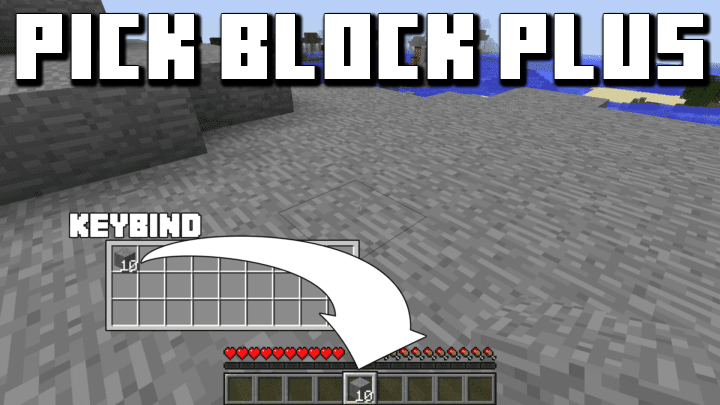
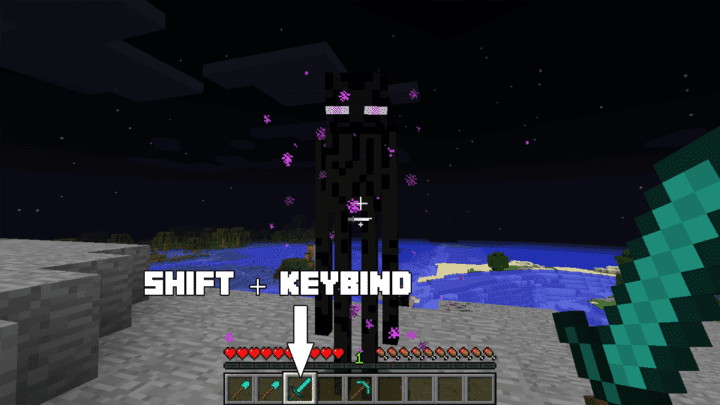
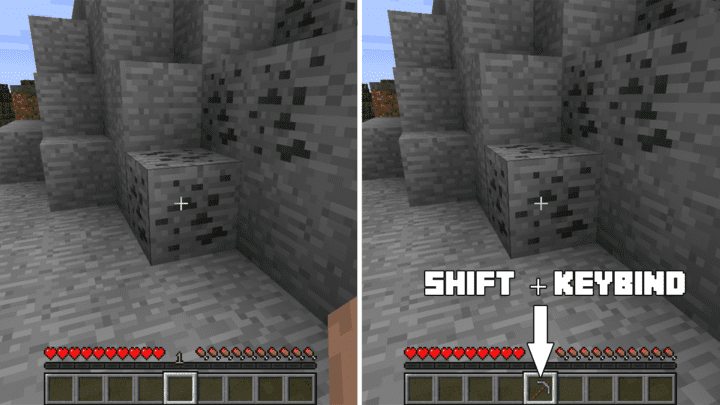
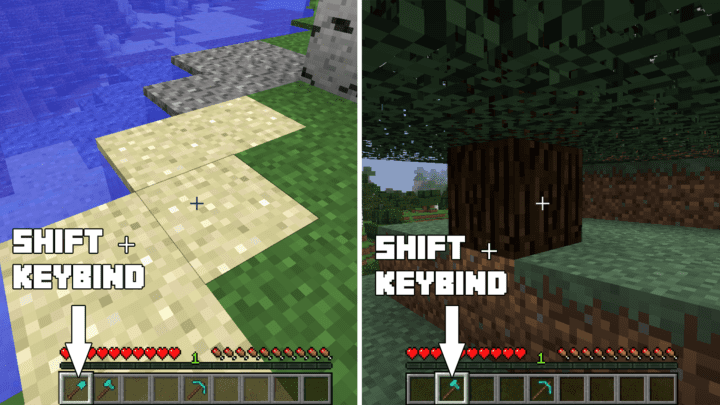
Pick Block Plus Mod improves the default pick block feature in Minecraft. When you look at a block or mob and press the keybind, this lightweight client-side mod moves the matching item from anywhere in your inventory to your active hotbar slot. When you sneak and press the keybind, it grabs the most efficient tool to break a block or the strongest weapon to fight a mob. It also works normally in Creative mode and fits into modpacks.
Features:
- Full Inventory Search: Moves a block from anywhere in your inventory to your active hotbar slot when you press the keybind on it, even in Minecraft versions before 1.9 where the item had to be in your hotbar first.
- Smart Tool Selection: Grabs the most efficient tool for breaking a block and puts it in your active hotbar slot when you sneak and press the keybind.
- Quick Weapon Swap: Equips the item with the highest attack damage from your inventory when you sneak and press the keybind on a mob. If two or more items share the highest attack damage, this mod picks the one with the higher attack speed.
- Broken Block Fallback: Moves the broken version of a block to your active hotbar slot when you do not have the exact block, such as grabbing dirt when you look at grass or cobblestone when you look at stone.
- Moves a mob’s spawn egg from anywhere in your inventory to your active hotbar slot when you press the keybind on that mob.
- Acts like normal standing pick block when you double-tap the keybind while sneaking.
- Works normally in Creative mode by placing the matching block or spawn egg straight into your active hotbar slot.
Screenshots:
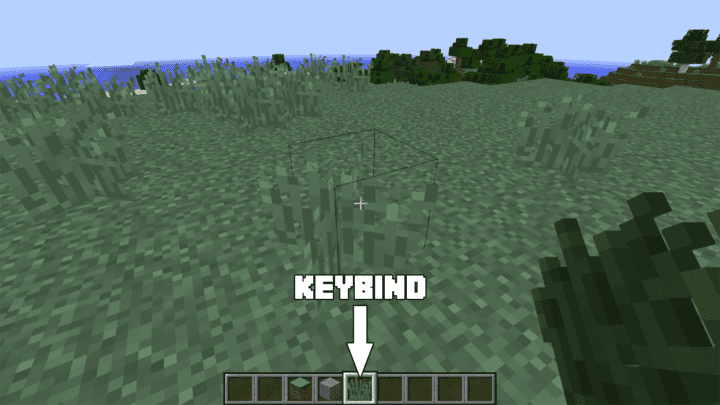
How to Install:
New to Minecraft? Follow our step-by-step guide to install Mods on your PC.View Guide
Pick Block Plus Mod Download Links
For Minecraft 1.12.2
Forge version: Download from Server 1 – Download from Server 2
For Minecraft 1.11.2
Forge version: Download from Server 1
For Minecraft 1.10.2
Forge version: Download from Server 1
For Minecraft 1.9.4
Forge version: Download from Server 1
For Minecraft 1.8.9
Forge version: Download from Server 1
For Minecraft 1.7.10
Forge version: Download from Server 1 – Download from Server 2
You May Also Like
Picked for this page
 Capes Mod (26.3, 1.20.1) – Wear any Cape You Wish In-Game
 Cosmetic Armor Reworked Mod (1.21.11, 1.20.1) – Your Style with Max Armor
 Compact Storage Mod (26.2, 1.20.1) – Carry Everything You Find
 Thermoo Mod (26.1.2, 1.20.1) – Temperature and Environment API
 Spectra Better Chests Mod (1.21.11, 1.21) – Easier Inventory Sorting & Management
 Portfolio Mod (1.21.11, 1.20.1) – Bunch of Paintings
 Cliff Tree Mod (26.2, 1.20.1) – Transform Your Minecraft Landscape
 All HUD Bars Mod (1.21.11, 1.20.1) – Makes HUD Elements In Bar Form
 Snowball and Egg Knockback Mod (26.3, 1.20.1) – Knockback Effect For More Projectiles
 MossyLib Mod (26.3, 1.20.1) – Library for LopyTwich’s Mods
 Bibliocraft Legacy Expanded Mod (26.3, 1.20.1) – Adds Decorative and Functional Furniture
 Elysium Core Mod (1.20.1) – Play the Elysium Days Modpack As Intended
Most viewed in Mods over the last 7 days
 Ala Industrial Mod (26.3) – Run Electric Power Grids and Automated Factories
 PleasureCraft Mod (26.3, 1.21.1) – Jenny Mod Remake for Fabric
 Jennycraft Mod (26.3, 1.20.1) – Virtual Girlfriend in Minecraft
 Fapcraft Mod (26.3, 1.12.2) – Comprehensive and Detailed Content
 Jenny Mod (Fapcraft) Official Complete Guide – How to use, Tutorial
 BangCraft Mod (1.20.1) – Jenny, Ellie and Elliot
 Fabric Loader (26.3, 1.20.1) – Fabric Installer for All Minecraft Versions
 Meteor Client Mod (26.3, 1.20.1) – Xray, HUD, Fly
 The Shooting Star Demo Mod (26.3, 1.20.1) – Vaporize Terrain From Orbit
 OptiFine HD (26.3, 1.20.1) – Run Faster, FPS Boost, Shaders Support
 Aristois Client Mod (1.21.4, 1.20.1) – World Class Minecraft Utility
 Prestige Client Mod (1.21.11, 1.21.4) – Powerful Ghost Features for Crystal & Sword PvP
More from Mods
 Earth Platform Mod (1.21.1) – Travel Across Real Continents in a True Scale World
 Taunahi Mod (26.1.2) – Automate Daily Farming and Slayers in Hypixel Skyblock
 HORROR Fake Join Leave Messages Mod (1.20.1) – Trigger Creepy Chat Scares
 Bons Voyage Mod (1.20.1) – Teleport Across Biomes Through Hidden Waystones
 Orbital Railgun UPDATED Mod (26.3) – Flatten Giant Landscapes From Space
 Automobility Autoradio Mod (26.3, 26.1.2) – Trade Custom Mixtapes with Friends
 Towers of the Wild 9minecraft Mod (26.3, 26.2) – Climb Tall Towers for Loot
 Ender Storage 9minecraft Mod (26.3, 26.2) – Send Loot Back Home From Any Dimension
 Snad 9minecraft Mod (26.3, 26.2) – Build Faster Sugar Cane and Nether Wart Farms
 Together Forever Unofficial Mod (1.12.2) – Share Team Advancements
 GroovyDuvet Mod (1.21.11, 1.20.1) – Run Groovy Scripted Addons Without Game
 Swing Through Grass 9minecraft Mod (26.3, 26.2) – Fight Mobs Without Breaking Tall Grass

This post has no comments yet. Be the first — your comment will appear here.